Home / Windows & Doors
Service Manual for Johnson 1X, 1XE, T3X, and T-1XE3XE Consoles
Comprehensive service manual for Johnson 1X, 1XE, T3X, and T-1XE3XE fitness consoles. Includes console descriptions, special mode access, troubleshooting error codes, and component installation guides.
Quick answers from the manual
Quick answer
- This service manual provides technical instructions for the Johnson 1X, 1XE, T3X, and T-1XE3XE console series, covering console identification, special mode navigation, troubleshooting, and component installation. p. 1, 2, 3
Key actions
- Access Manage Mode p. 15
- Access Engineer Mode p. 15
- Access Service Mode p. 15
Problems and fixes
0040
Roller RPM sensor - no speed response of roller.
p. 43
0201
LCB battery low voltage (Battery voltage <11.2V).
p. 43
0301
Memory block fail (Flash, EEPROM).
p. 45Error codes
| Code | Meaning | Action | Pages |
|---|---|---|---|
| 0040 | Roller RPM sensor - no speed response of roller. | Check sensor. | p. 43 |
| 0201 | LCB battery low voltage (<11.2V). | Check battery/LCB. | p. 43 |
Maintenance and reset
- Factory default reset can be performed in Service Mode. p. 18
Where to find it in the PDF
- Console Overview p. 4
- Special Modes p. 15
- Troubleshooting p. 36, 43
Table of contents
Manual images
Click an image to enlargeQuick guide from the manual
This service manual provides technical instructions for the Johnson 1X, 1XE, T3X, and T-1XE3XE console series. It is intended for service technicians and includes procedures for console identification, accessing special modes, troubleshooting common issues, and installing main components like WiFi and Bluetooth modules.
Console Overview
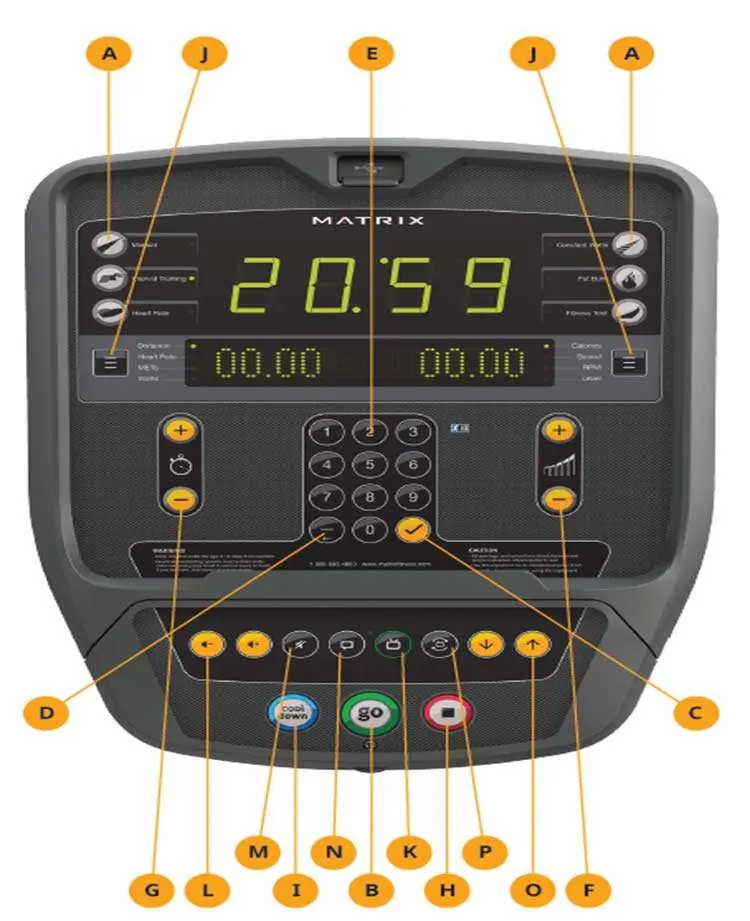
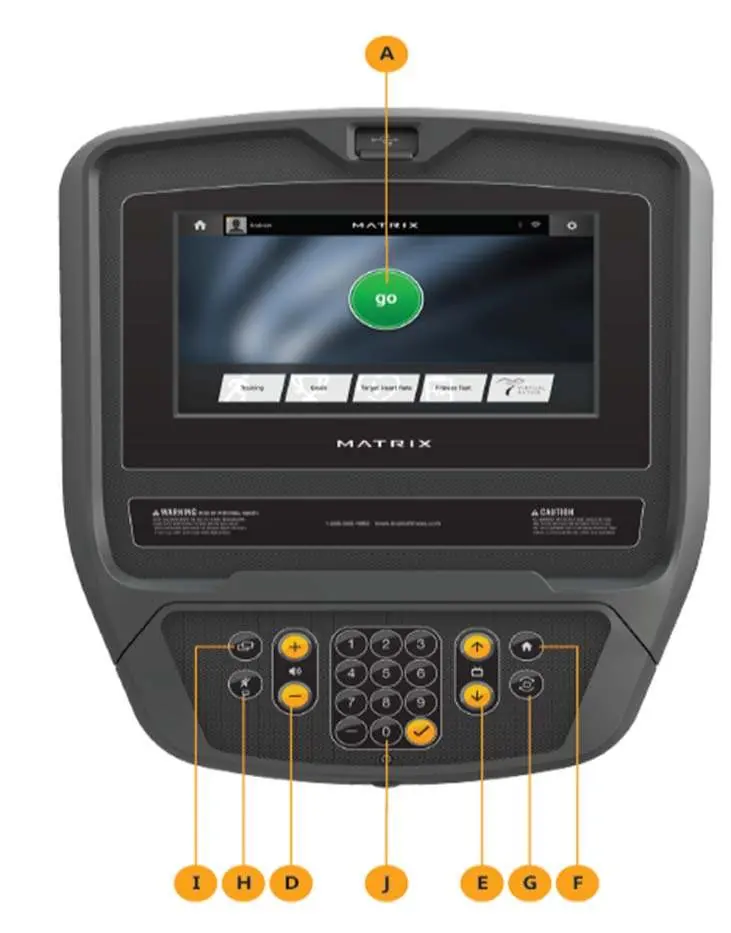
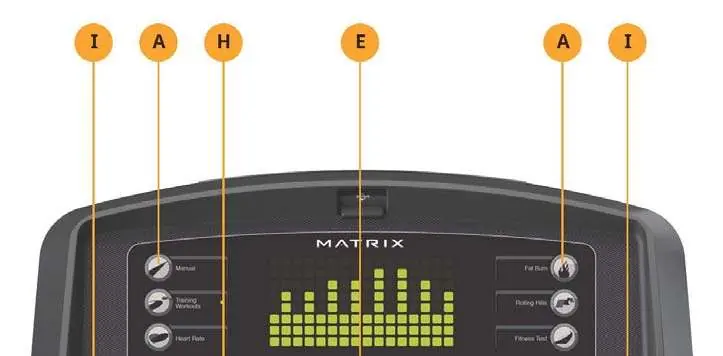
The manual details the button layouts and display functions for the 1X, 1XE, T3X, and T-1XE3XE consoles. Users can identify their specific model and console type using the serial number location guide provided in Chapter 1.
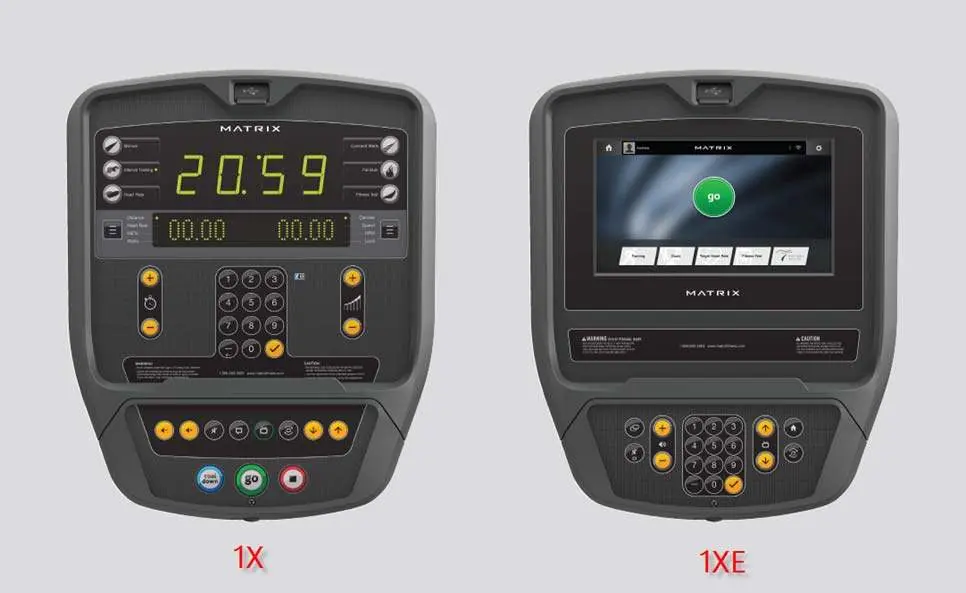
Special Modes
Access to advanced settings is restricted to specific modes. The manual outlines the key combinations required to enter these modes:
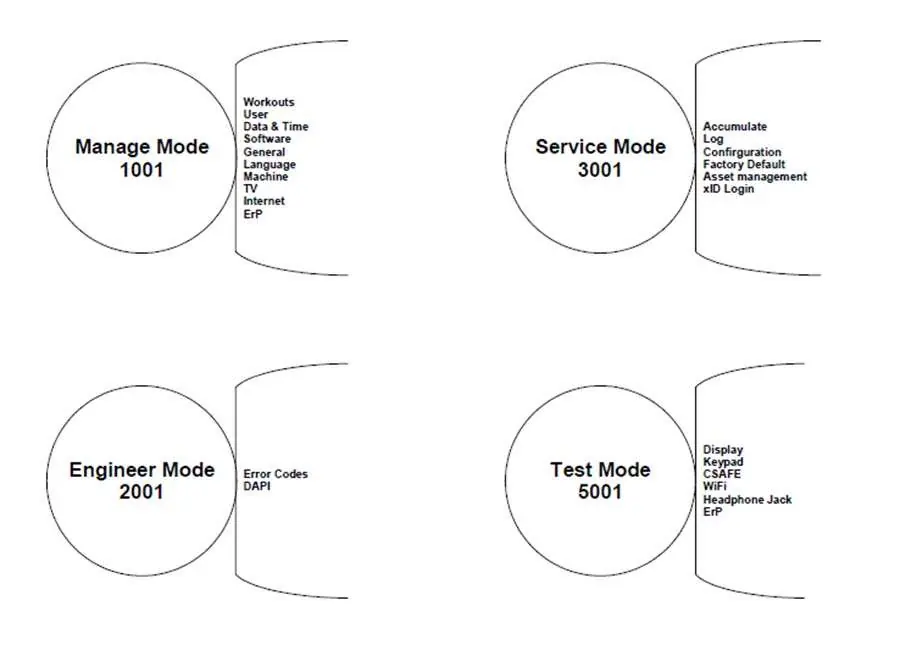
- Manage Mode: Access via √ + 1001 + √. Used for general settings, workout defaults, and machine configuration.
- Engineer Mode: Access via √ + 2001 + √. Used for advanced system settings and DAPI configuration.
- Service Mode: Access via √ + 3001 + √. Used for service history, logs, and factory resets.
- Test Mode: Access via √ + 5001 + √. Used for hardware testing (display, keypad, WiFi, etc.).
Troubleshooting
Chapter 5 provides extensive troubleshooting support, including:
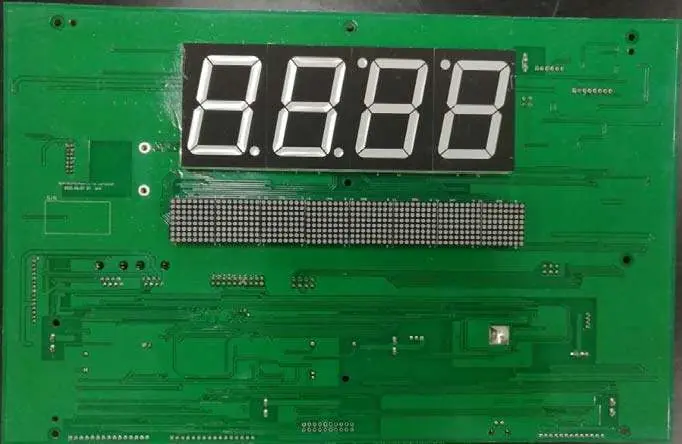
- Error Codes: A comprehensive list of speed, MCB, UCB, and communication errors with descriptions and class levels.
- Common Issues: Solutions for problems such as console not lighting up, speed not displaying, keypad/heart rate issues, safe key failures, and touch screen distortion or freezing.
- Via Fit Issues: Specific troubleshooting for Via Fit connectivity, including DHCP errors and login failures.
- WiFi Issues: Diagnostic steps for WiFi connectivity and module replacement.
Main Component Installation
The manual provides step-by-step installation instructions for:
- WiFi Module: Installation and configuration file setup.
- Bluetooth: Installation and pairing procedures.
- Virtual Active (VA): TF card installation and setup.
Practical help
Common problems
Console does not light up
Check power outlet, power cord, and internal cable connections. If 12VDC is present at the console cable but the console remains off, replace the console.
Speed does not display
Check sensor wire connection and ensure the sensor is aligned with the magnet (distance less than 5mm).
Touch screen freeze
Perform touch calibration in Service Mode. If it fails, check the ribbon cable for damage or rust and replace the touch panel module if necessary.
WiFi connection failure
Verify IP/MAC address in network settings. If not displayed, the WiFi module may be damaged and require replacement.
Before use
- Ensure the power switch is in the ON position.
- Verify the power cord is not pinched or damaged.
- Check that all console and frame cable connections are secure.
- Remove the thin protective plastic sheet from the console overlay.
- Ensure the WiFi router is fully booted before attempting connection.
Specs in practice
- Backlight Brightness
- Adjusts screen brightness; defaults to 100% when plugged in, or follows self-power algorithm.
- Keyboard Disable Threshold
- Determines the speed at which the treadmill keyboard is disabled.
Images and diagrams
- Electrical diagrams are provided for 1X, 3X, and T-1XE3XE models to assist in troubleshooting wiring.
- Ports description tables identify the function of each connector (CN1-CN30) on the UCB boards.
Model compatibility
- Ensure the correct serial number is entered for both console and frame.
- Via Fit troubleshooting requires recording customer xID, passcode, and email address.
- Some settings are specific to commercial vs. retail machine configurations.

Manual page author
David Miller
Documentation analyst
Organizes user manual content into clear summaries, with attention to model details, product context, and everyday usability.