Electronics / Monitors
Dismantling Guide for LG 17MB15TP-B Monitor
This guide provides instructions for the safe dismantling and recycling of the LG 17MB15TP-B monitor, including required tools and step-by-step disassembly procedures for components.
Quick answers from the manual
Quick answer
- This document provides instructions for the disassembly of the LG 17MB15TP-B monitor for recycling purposes, specifically for end-of-life recyclers. p. 1
Key actions
- Remove the stand base by unscrewing the screws. p. 5
- Remove the back cover to access internal components. p. 8
Where to find it in the PDF
- Disassembly Instructions p. 4, 5, 6, 7
Table of contents
Manual images
Click an image to enlargeImportant Information
This document is intended for use by end-of-life recyclers or treatment facilities. It provides the basic instructions for the disassembly of LG products to remove components and materials requiring selective treatment. Displays must be stored in accordance with the requirements stipulated in Directive 2012/19/EU.
Materials and components for Selective Treatment
The following components require selective treatment:
- Printed Circuit Boards (PCB) or Printed Circuit Assemblies (PCA): With a surface greater than 10 square cm.
- Liquid Crystal Displays (LCD): With a surface greater than 100 square cm.
- Electrolytic Capacitors: Measuring greater than 2.5 cm in diameter or height.
- External electric cables: Power cord and signal cable.
Tools Required
The following tools are typically used to disassemble the product:
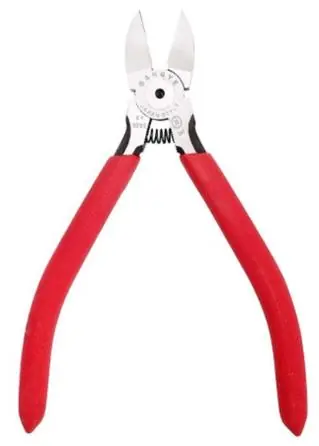
- Screw driver
- Nipper
- Plastic Hera Jig
Product Disassembly Process
Batteries
Batteries can be removed from the remote control once the back cover is removed. Batteries can also be removed from the PCB assembly once the back cover of the product has been removed.
Disassembly of External Enclosure
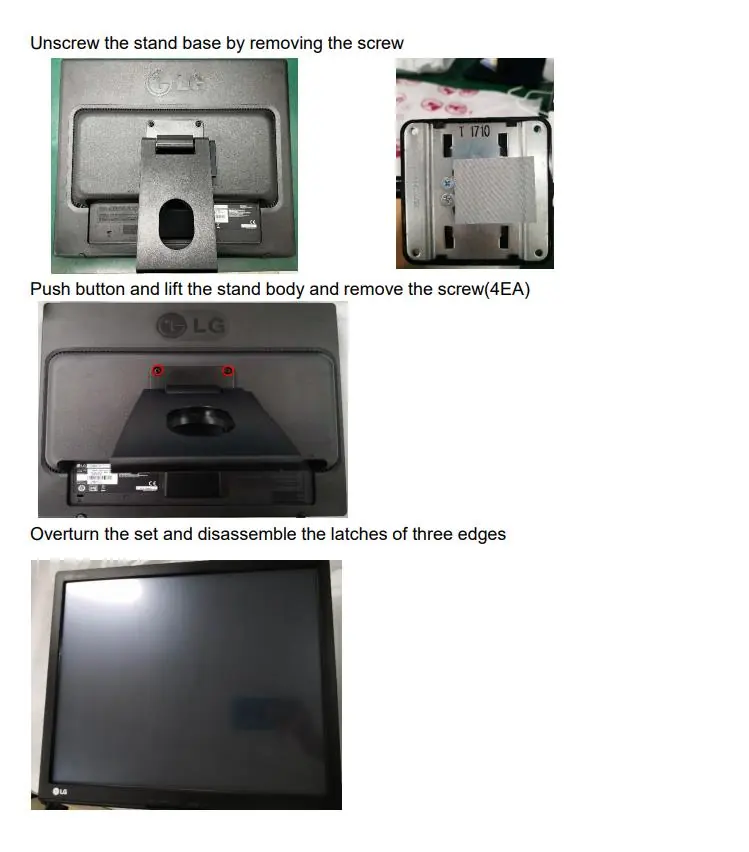
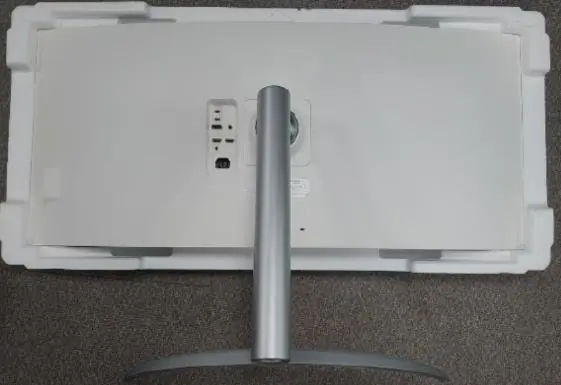
- Stand Removal: Unscrew the stand base by removing the screw. Push the button and lift the stand body, then remove the 4 screws.
- Enclosure: Overturn the set and disassemble the latches on the three edges.
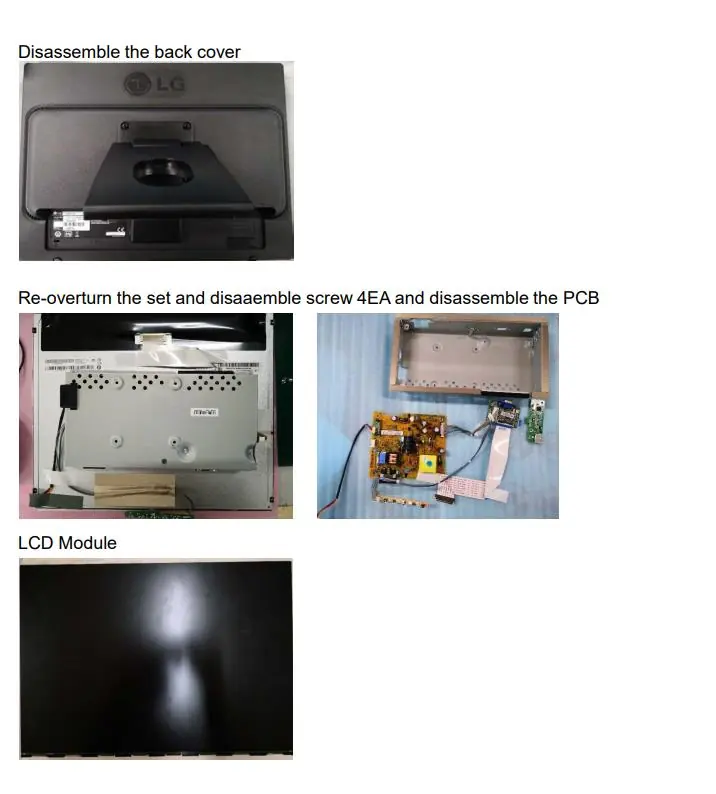
- Back Cover: Disassemble the back cover to access internal components.
Cables and Internal Components
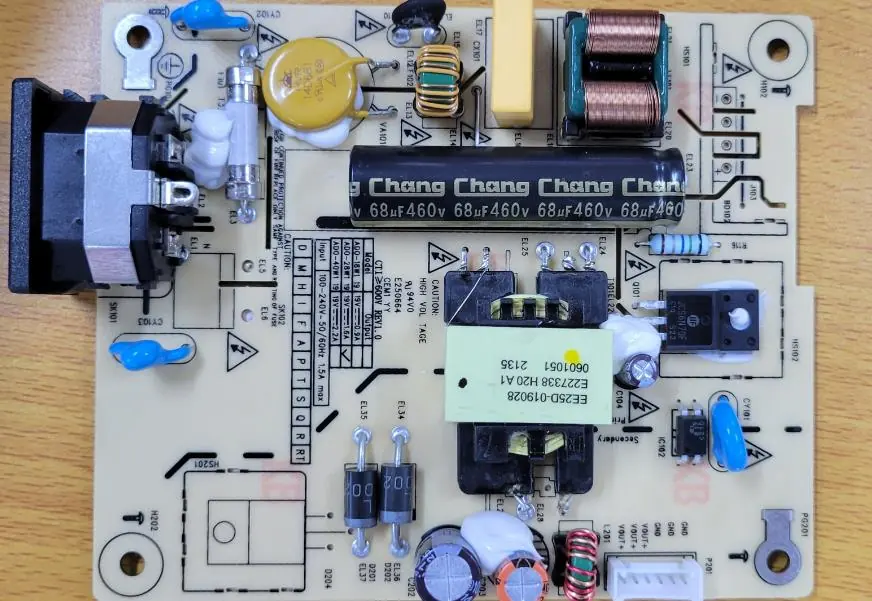
- Power cord and signal cables: These can be removed by hand or are provided as detached from the product.
- Capacitors: Capacitors larger than 25mm are located in the power supply units and can be removed using a nipper.
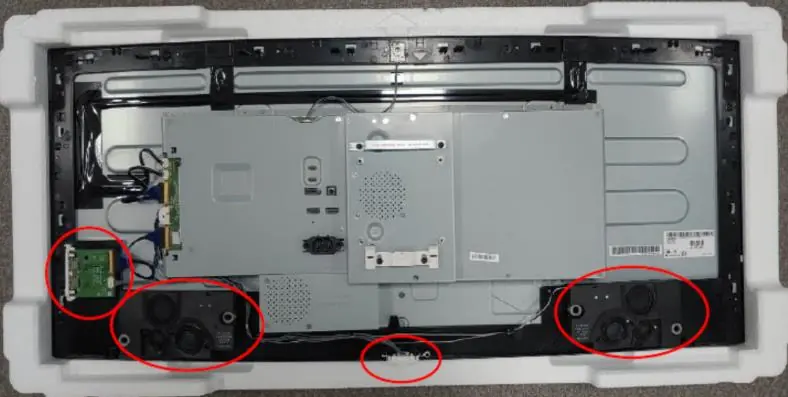
- Internal Modules: Further disassembly involves removing the speaker, control and side PCB, frame, illumination PCB, and finally the LCD module.
Manufacturer information
LG Electronics
Practical help
Common problems
Hazardous substances
The device contains components like PCB and LCDs that require selective treatment in authorized handling plants.
Before use
- Ensure you have a screwdriver
- Ensure you have a nipper
- Ensure you have a plastic Hera jig
Images and diagrams
- Images show the step-by-step removal of the stand, back cover, and internal PCBs.

Manual page author
Emily Carter
User documentation editor
Prepares concise manual descriptions and highlights the most useful setup, operation, and maintenance information for readers.