Industrial / Testing Equipment
Instruction Manual for OFITE Atmospheric Consistometer 120-75
Quick guide for the OFITE Atmospheric Consistometer 120-75. Learn how to set up, operate, calibrate, and maintain your cement slurry testing equipment.
Table of contents
Manual images
Click an image to enlargeQuick guide from the manual
The OFITE Atmospheric Consistometer 120-75 is designed to condition cement slurries according to API Specification 10. This guide covers essential setup, operation, and maintenance procedures. Always ensure the unit is connected to a grounded and fused electrical supply and that the bath is properly filled with mineral oil before operation.
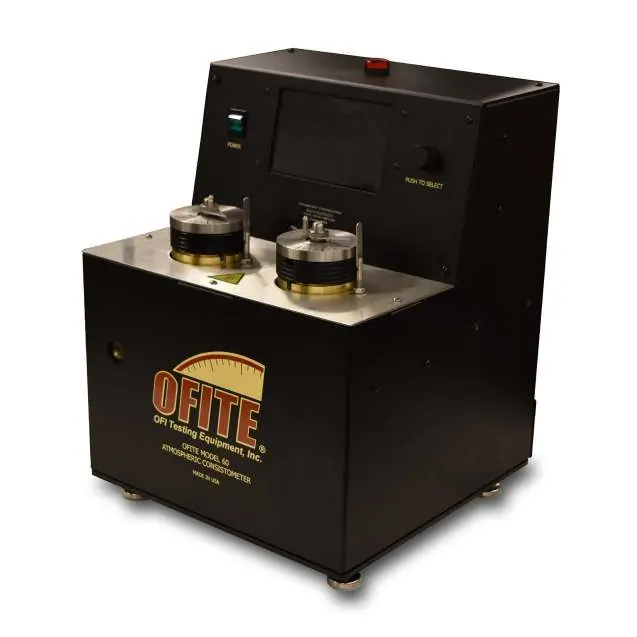
Setup and Installation
Proper installation is critical for accurate testing:
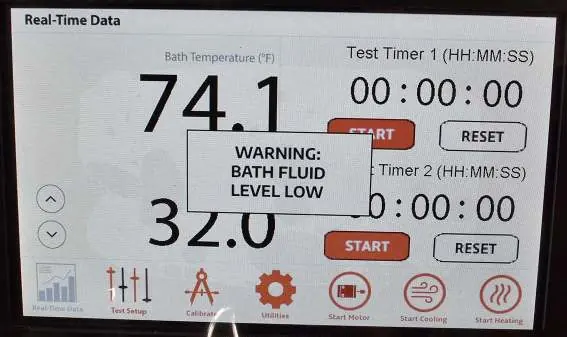
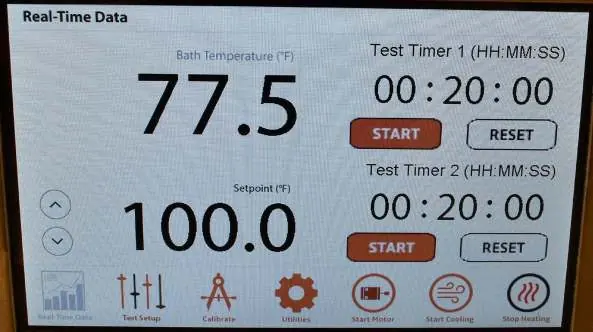
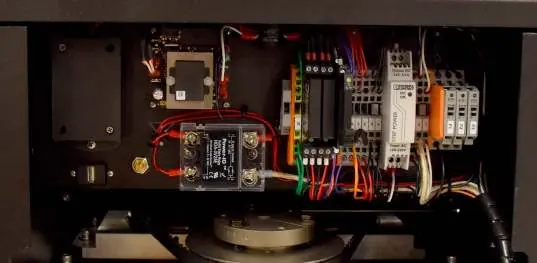
- Water Connections: Connect the coolant supply and drain lines (1/4" NPT) to a water source providing 40 PSI (275.8 kPa).
- Bath Filling: Remove slurry cups and fill the bath with approximately 2 gallons of mineral oil. Ensure the level on the sight glass reaches the red dot. Do not overfill.
- Electrical: Connect the unit to a grounded and fused electrical supply.
Loading the Test Cells
- Prepare the cement slurry as specified in API Specification 10.
- Insert the paddle into the test cell, ensuring the point sits in the hole at the bottom.
- Place the lid on the test cell, sliding the torque shaft over the paddle end. Turn clockwise until the pin engages with the slot.
- Lock the lid in place.
- Lower the test cell into the bath and secure it with the locking pins.
Operation
The unit can be operated via the touchscreen or the control wheel.
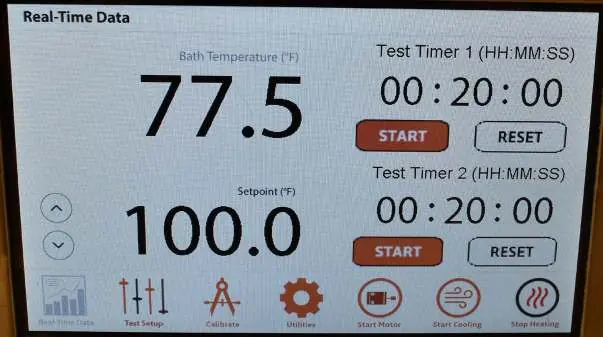
- Power: Turn the power switch on.
- Temperature: Set the test temperature on the display.
- Start Test: Start the motor and heater using the on-screen buttons.
- Timing: Set the test timer. An alarm will sound when the countdown reaches zero.
- Completion: Once the test is complete, stop the motor and heater. If using water in the bath, leave the unit on until the temperature drops below 80°F (27°C) to allow the fan to remove moisture.
Calibration
Regular calibration ensures accurate results:
- Torque Head: Use the optional Calibrator Assembly (#120-75-30) with dead weights to simulate resistance. Compare readings to recorded values.
- Temperature: Use a reference thermometer in the bath to verify the screen reading at ambient temperature and at 190°F (88°C).
- Motor Speed: Use a laser tachometer on the rotor. If speed is not 150 RPM ± 15, adjust the potentiometer speed control on the back panel.
Maintenance
Perform the following annually:
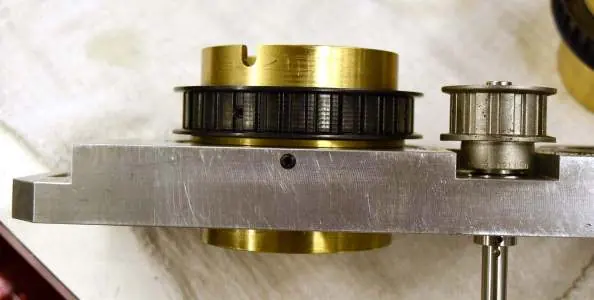
- Belt and Bearings: Disassemble the top cover to inspect the drive belt and bearings. Clean bearings with WD-40. Replace if they do not turn smoothly.
- Bath: Inspect the mineral oil. If contaminated, drain and refill with clean oil.
- Cleaning: Keep slurry containers and paddles clean. Remove any cement buildup.
- Stop Pins: If a stop pin breaks (designed to protect the potentiometer), it must be replaced before the next test.
Manufacturer information
OFI Testing Equipment, Inc.
Practical help
Common problems
Alarm sounds and light turns on
Check the oil level in the bath. If it is below the thermocouple, fill with oil and restart the heater/motor.
Stop pin breaks
The pin is designed to break if slurry is too thick to protect the potentiometer. Replace the pin before running the next test.
Excessive friction on dial
Check if the paddle is bent or rubbing against the container. Inspect bearings for damage.
Before use
- Ensure water supply is connected to a 40 PSI source.
- Fill the bath with approximately 2 gallons of mineral oil (check sight glass).
- Verify the unit is connected to a grounded and fused electrical supply.
- Ensure the cement slurry is mixed and the test begins within one minute.
- Check that the paddle is correctly seated in the test cell.
Specs in practice
- Max Operating Temp
- 200°F (93°C).
- Rotational Speed
- 150 RPM.
Images and diagrams
- Rear panel: Identifies coolant supply, coolant drain, and tank drain ports.
- Test cell: Shows torque shaft and locking pin positions.
- Maintenance: Shows drive plate, rotators, and set screws for belt adjustment.
Model compatibility
- 120-75 model is for 115V power.
- 120-75-1 model is for 220V power.
- Optional chiller available for low-temperature conditioning.

Manual page author
Emily Carter
User documentation editor
Prepares concise manual descriptions and highlights the most useful setup, operation, and maintenance information for readers.