Power / Solar Panels
User Manual for OUPES 100W Portable Solar Panel
Quick guide for the OUPES 100W Portable Solar Panel. Learn how to set up, optimize sunlight exposure, troubleshoot charging issues, and maintain your solar panel for maximum efficiency.
Table of contents
Quick guide from the manual
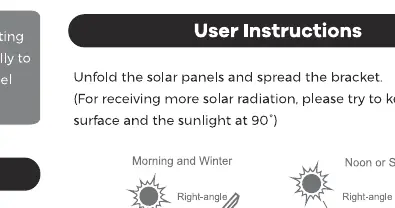
To get the best performance from your OUPES 100W solar panel, unfold the panels completely and extend the support bracket. For maximum energy production, position the panel so that it faces the sunlight at a 90-degree angle. Ensure the surface is clean and free from obstructions like dirt or shade.
Product Features
- High Efficiency: Features mono silicon solar cells with 20% conversion efficiency.
- Smart IC Technology: Equipped with a Target Intelligent Recognition Chip.
- Safety: Includes built-in protection against reverse charging.
Technical Specifications
- Rated Power: 100W
- Cell Efficiency: 20%
- Open Circuit Voltage: 24.4V
- Short Circuit Current: 5.27A
- Maximum Operating Voltage: 20.5V
- Maximum Operating Current: 4.88A
- Operating Temperature: -20°C to 85°C
- Dimensions (Folded): 555 x 590 x 50 mm
- Dimensions (Unfolded): 1110 x 590 x 35 mm
Package Contents
- 1 x 100W Solar Panel
- 1 x User Manual
- 1 x Warranty Card
Troubleshooting
If your electronic devices are not charging or charging slowly, check the following:
- Connection: Ensure the output connector is plugged in correctly. Try replacing the cable.
- Sunlight: Verify that the solar panel is facing the sun directly.
- Obstructions: Clean the surface of the panel with a cloth to remove dirt or debris.
- Environment: Low power generation is expected in cloudy or rainy weather. Avoid placing electronic equipment in direct sunlight or overheated environments for long periods.
Safety and Cautions
- Place the solar panel under direct sunlight; do not cover it with other objects.
- Use the accessory cable or other certified power cables to start charging.
- Keep phones and tablets out of direct sunlight while charging to prevent heat damage.
- Do not puncture, throw, drop, bend, or modify the product.
- Keep away from children.
Warranty
This product includes a 12-month warranty from the date of purchase. Please contact customer service with your order ID and a description or image of the issue if you require assistance.
Practical help
Common problems
Device not charging
Check if the output connector is plugged in correctly, try a new cable, ensure the panel faces the sun, and clean the surface of dirt.
Slow charging
Check weather conditions (cloudy/rainy), replace the cable, and ensure the electronic device is not overheating in direct sunlight.
Before use
- Unfold the solar panel completely.
- Extend the support bracket.
- Position the panel at a 90-degree angle to the sun.
- Ensure the surface is clean and free of obstructions.
- Use a certified power cable.
Specs in practice
- Rated Power (100W)
- The maximum power output under standard test conditions.
- Open Circuit Voltage (24.4V)
- The voltage of the panel when no load is connected.
- Operating Temperature (-20°C to 85°C)
- The safe temperature range for the panel to function.
Images and diagrams
- The manual illustrates that the panel should be positioned at a 90-degree angle to the sun for optimal performance.
- The diagram shows the panel should be unfolded and the bracket extended for use.
Model compatibility
- Includes reverse charging protection.
- Designed for use with certified power cables.

Manual page author
Michael Turner
Technical manual editor
Reviews PDF manuals for structure, safety notes, and practical product details so readers can find the right information quickly.