Electronics / Monitors
Philips 24B2N3200J Business LCD Monitor User Guide
Quick guide for the Philips 24B2N3200J Business LCD Monitor. Includes setup, display features, ergonomic adjustments, connectivity, and technical specifications.
PDF source: EL · summary: English
Quick answers from the manual
Quick answer
- The Philips 24B2N3200J is a 23.8-inch Full HD business monitor featuring a 120Hz refresh rate, IPS panel, and an ergonomic Smart Ergo base. p. 1
Key actions
- Adjusting the stand p. 3
- Connecting for 120Hz p. 4
Technical specifications
| Parameter | Value | Meaning | Pages |
|---|---|---|---|
| Resolution | 1920 x 1080 | Full HD resolution | p. 4 |
| Refresh Rate | 120Hz | Maximum refresh rate via HDMI/DP | p. 4 |
| Panel Type | IPS | In-Plane Switching for wide viewing angles | p. 4 |
| VESA Mount | 100x100 mm | Wall mount standard | p. 4 |
Show 1 more answers Show less
Where to find it in the PDF
- Features p. 1, 2, 3
- Specifications p. 4, 5
Table of contents
Manual images
Click an image to enlargeQuick Guide
The Philips 24B2N3200J is a 23.8-inch Full HD business monitor designed for productivity. It features a 120Hz refresh rate, IPS panel technology, and an ergonomic Smart Ergo base. This guide covers the essential features and specifications of the device.
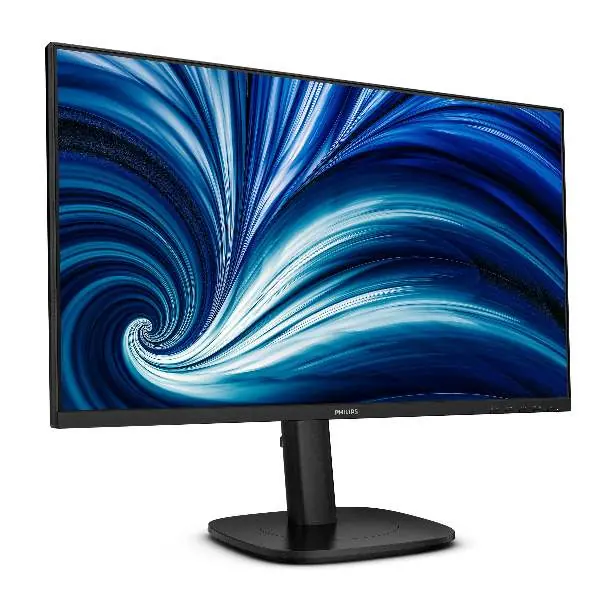
Display Features
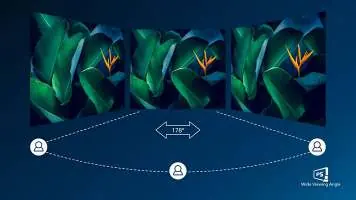
- IPS Technology: Provides wide viewing angles (178/178 degrees) and accurate color reproduction.
- 120Hz Refresh Rate: Ensures smooth motion for gaming and video playback (via HDMI/DP).
- SoftBlue Technology: Reduces harmful blue light emissions by approximately 50% while maintaining color integrity, certified by TUV Rheinland Eyesafe.
- Flicker-Free: Regulates brightness to reduce eye fatigue caused by screen flickering.
- Full HD Resolution: 1920 x 1080 pixels for clear, detailed images.
Ergonomics and Stand
The monitor includes the Smart Ergo base, which supports:
- Height Adjustment: Up to 150 mm.
- Pivot: -/+ 90 degrees.
- Swivel: -/+ 180 degrees.
- Tilt: -5/30 degrees.
- Cable Management: Integrated system to keep the workspace clean.
- VESA Mount: Compatible with 100x100 mm mounts.
Connectivity
- Inputs: VGA, HDMI 1.4, DisplayPort 1.2.
- USB Hub: USB 3.2 Gen1 (1 upstream, 4 downstream, including one fast-charge port).
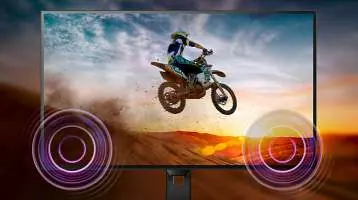
- Audio: Built-in stereo speakers (2Wx2) and audio output.
- Smart Link Sync: Allows automatic synchronization of brightness and color settings when used as a secondary monitor in a daisy-chain configuration.
Technical Specifications
- Panel Size: 23.8 inches (60.47 cm).
- Aspect Ratio: 16:9.
- Brightness: 300 cd/m².
- Contrast Ratio: 1500:1 (typical).
- Response Time: 4 ms (GtG).
- Power Consumption: 12.14 W (typical, EnergyStar method).
Operating Conditions
- Temperature: 0°C to 40°C (operating), -20°C to 60°C (storage).
- Humidity: 20% to 80% relative humidity.
- Altitude: Up to 3,658 meters (operating).
Manufacturer information
Philips
Practical help
Common problems
Eye strain during long work sessions
Enable the SoftBlue technology and ensure the Flicker-Free feature is active to reduce eye fatigue.
Smart Link Sync not functioning
Ensure the monitor is connected as a secondary display in a daisy-chain configuration to a compatible primary monitor.
Refresh rate limited to 75Hz
The 120Hz refresh rate is only available via HDMI or DisplayPort connections. VGA is limited to 75Hz.
Before use
- Verify package contents: Monitor with stand, HDMI cable, DisplayPort cable, and power cable.
- Ensure the power source is 100-240VAC, 50-60Hz.
- Check for VESA mount compatibility (100x100mm) if planning to wall-mount.
- Connect the monitor to your PC using the appropriate cable (HDMI or DisplayPort for 120Hz).
Show more Show less
Specs in practice
- 120Hz Refresh Rate
- Updates the screen 120 times per second for smoother motion compared to standard 60Hz monitors.
- Smart Ergo Base
- An adjustable stand allowing height, tilt, swivel, and pivot movements for ergonomic comfort.
Images and diagrams
- The VESA mount is located on the back of the monitor, supporting 100x100mm brackets.
- The Smart Ergo base allows for height adjustment, tilting, and rotating the screen.
- Smart Link Sync connects two monitors in a chain to synchronize settings.
Model compatibility
- Smart Link Sync requires a compatible primary monitor.
- 120Hz refresh rate requires HDMI or DisplayPort connection.
- USB hub requires connection to the upstream USB port on the PC.

Manual page author
David Miller
Documentation analyst