Electronics / Special Effects
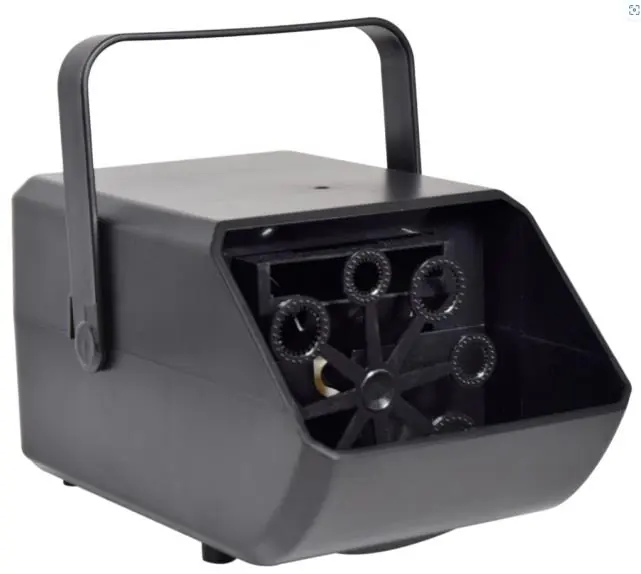
QTX Mini Bubble USB Bubble Machine
Quick guide for the QTX Mini Bubble USB machine. Learn how to set up, operate, clean, and maintain your bubble machine for optimal performance.
Table of contents
Quick guide from the manual
The QTX Mini Bubble USB is a compact bubble machine designed for parties and small events. To ensure optimal performance, always operate the unit in an upright position on a stable surface. The device requires a DC5V 2A USB power supply to function correctly. Use only recommended QTX bubble fluids to prevent damage and ensure the best bubble output.
Unpacking
Upon receiving your unit, ensure it is in good condition. The package should contain:
- Mini Bubble USB machine
- 2m USB power lead
- Spare bubble wheel
- User guide
If any items are missing or damaged, contact your dealer immediately.
Safety and Placement
To ensure safe operation and longevity of the device:
- Always operate the unit in an upright position.
- Do not expose electrical parts to rain or moisture.
- Place the unit as far away from the mains socket as possible.
- Ensure the bubble output is facing away from the area.
- Do not open the case; there are no user-serviceable parts inside.
- If liquids are spilled on the housing, disconnect the power, allow the unit to dry, and have it checked by qualified personnel.
Set up and operation
Follow these steps to operate the bubble machine:
- Position the unit on a stable surface or mount it using the integral bracket.
- Fill the fluid reservoir with the required bubble fluid. Ensure the bottom wand is completely covered, taking care not to spill fluid on electrical parts.
- Connect the supplied USB power lead to the Type-C socket on the rear panel.
- Connect the USB Type-A end to a suitable DC5V 2A USB power supply and switch it on.
- Use the power rocker switch on the back of the unit to turn the bubble flow on and off.
Replacing the bubble wheel: To replace the wheel, grab it by the center and pull firmly towards you. Push the replacement wheel onto the center spindle until it is firmly in place.
Cleaning and Maintenance
Regular maintenance ensures the longevity of the machine:
- Use a soft, dry, or slightly damp cloth to clean the casing.
- Do not use strong solvents.
- Empty and rinse the bubble fluid tank after each use.
- Unplug the unit and use a vacuum or air compressor with a soft brush to remove dust from the external vent at the back of the unit.
Specifications
- Power supply: DC/5V 2A (USB Type-C lead supplied)
- Power consumption: 2W
- Fluid capacity: 350ml (approx. 45 minutes of use)
- RPM: 32
- Number of wheels: 1
- Number of wands per wheel: 8
- Dimensions: 140 x 120 x 230mm
- Weight: 700g
Practical help
Common problems
Unit not producing bubbles
Ensure the fluid reservoir is filled sufficiently to cover the bottom wand and that the bubble wheel is rotating.
Unit not powering on
Verify that the USB power supply provides the required DC5V 2A and that the power rocker switch is in the ON position.
Before use
- Check for damage upon unpacking
- Ensure you have a DC5V 2A USB power supply
- Place on a stable, upright surface
- Fill reservoir with QTX bubble fluid
- Ensure the bubble output is directed away from the area
Specs in practice
- Power Supply
- Requires DC5V 2A via USB Type-C. Using an incorrect power supply may result in poor performance or damage.
- Fluid Capacity
- 350ml tank provides approximately 45 minutes of continuous use.
Images and diagrams
- The unit features an integral bracket for mounting.
- The rear panel contains the USB Type-C power input and the power rocker switch.
Model compatibility
- Recommended to use QTX bubble fluid (160.574UK, 160.575UK).
- For UV glow, use QTX UV bubble fluid (160.576UK, 160.577UK).

Manual page author
Michael Turner
Technical manual editor
Reviews PDF manuals for structure, safety notes, and practical product details so readers can find the right information quickly.