Home / Security
User Guide for Ring Glass Break Sensor
A comprehensive user guide for the Ring Glass Break Sensor. Includes instructions for in-app setup, mounting options for walls and ceilings, battery replacement, and safety information.
Quick answers from the manual
Quick answer
- To set up the Ring Glass Break Sensor, ensure your Ring Alarm is disarmed, open the Ring app, tap 'Set Up a Device', select 'Security', then 'Sensor', and find the Glass Break Sensor to follow the in-app instructions. p. 2
Key actions
- Mounting the sensor p. 3
First start
- Follow the in-app instructions in the Ring app after selecting the device. p. 2
Maintenance and reset
- Replace with 3 new 1.5V AA alkaline batteries. Do not mix old and new batteries. p. 8
Technical specifications
| Parameter | Value | Meaning | Pages |
|---|---|---|---|
| Power | 3 AA Alkaline Batteries (1.5V) | Required power source | p. 8 |
| Temperature | 32°F to 120°F (0°C to 49°C) | Operating range | p. 8 |
Where to find it in the PDF
- In-app Setup p. 2
- Installation p. 3
- Product Specifications p. 8
Table of contents
Manual images
Click an image to enlargeQuick guide from the manual
The Ring Glass Break Sensor is designed to detect the sound of breaking glass. To begin, ensure your Ring Alarm system is disarmed. The setup process is managed entirely through the Ring app. You will need to navigate to the menu, select Set Up a Device, choose Security, then Sensor, and select the Glass Break Sensor to follow the on-screen instructions.
Installation
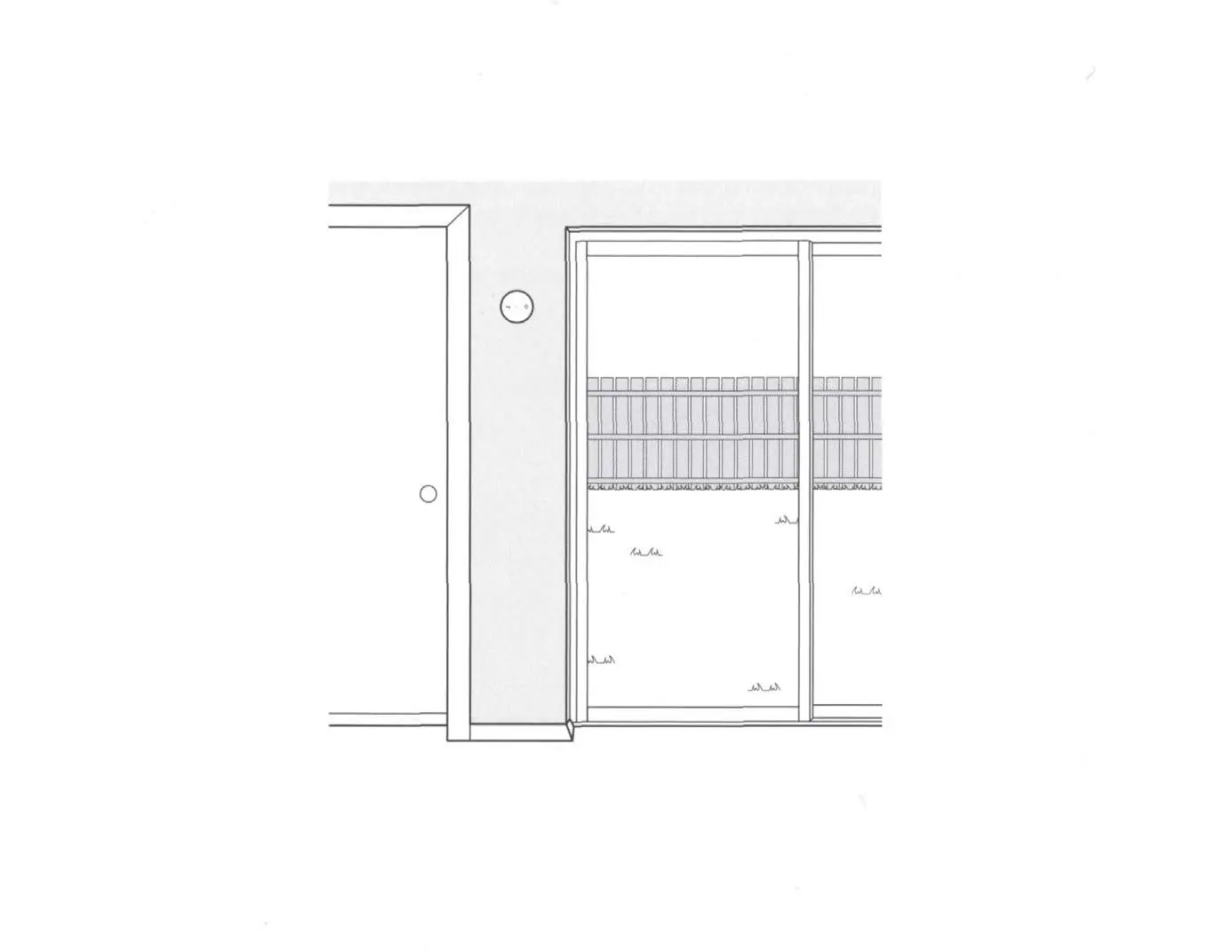
For optimal performance, we suggest mounting the sensor at least 7 feet (2 meters) off the ground, positioned close to your glass windows and doors.
Mounting Options
- Wall: Use the included mounting tape. Clean the area thoroughly, peel the backing, and stick the sensor to the wall. Press firmly and hold for 20 seconds to ensure the tape is securely attached.
- Ceiling: Use the included screws and anchors. Remove the back cover, screw it into the ceiling, and then twist the sensor onto the back cover to secure it in place.
- Shelf: If placing on a shelf or furniture, no attachment is required. Simply place it out of reach where it cannot be easily knocked over.
Device Overview
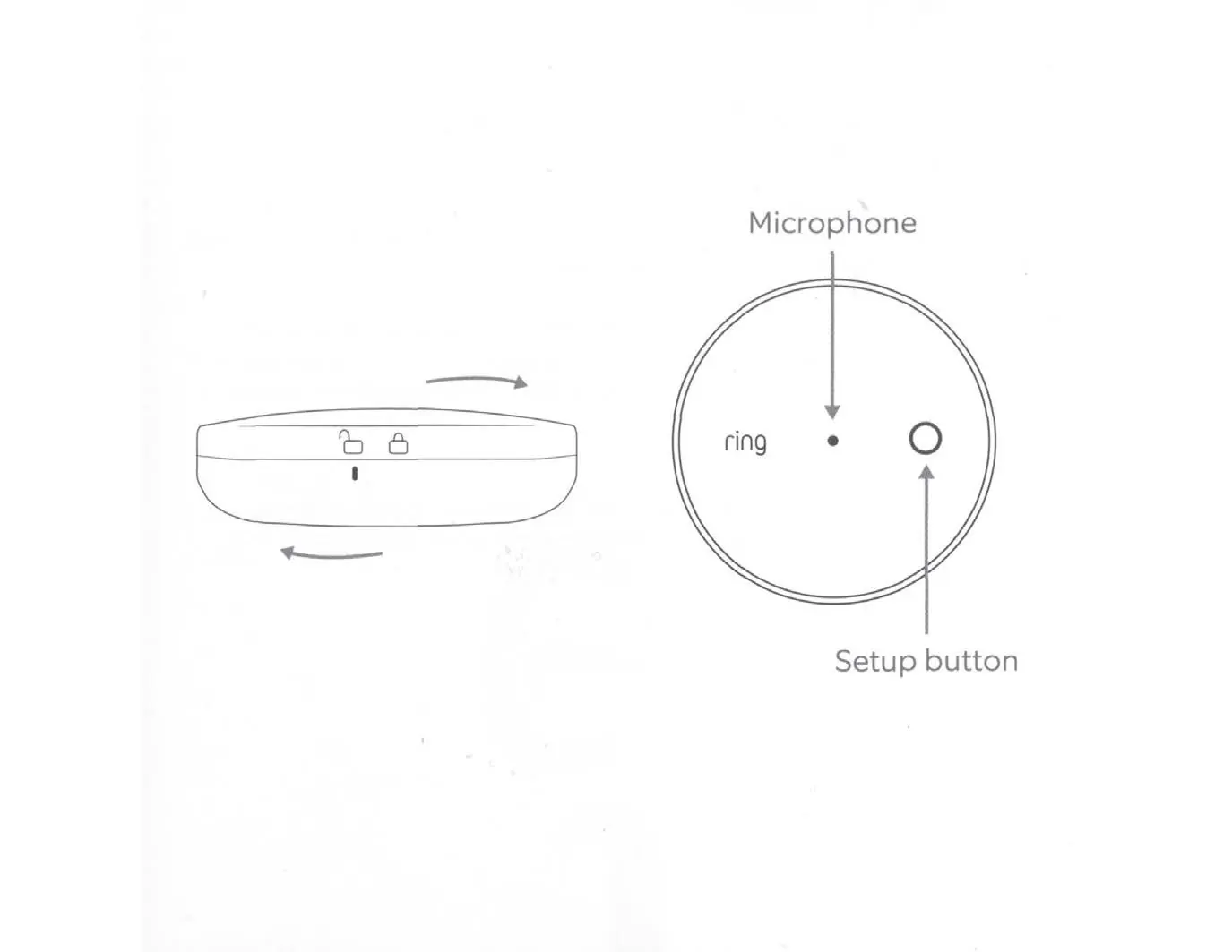
The sensor features a microphone for sound detection and a setup button used during the pairing process. The back cover can be twisted to lock or unlock the device from its mounting plate.
Battery and Maintenance
The device is powered by 3 AA alkaline batteries. Important: Only use new 1.5V alkaline AA-sized batteries. Never mix old and new batteries. Remove batteries if the device will be stored for an extended period. If batteries leak, clean the compartment according to the battery manufacturer's recommendations.
Safety and Usage
This device is for indoor use only and is not waterproof; do not submerge it in water. Keep small parts out of reach of children to prevent choking hazards. When using a ladder for installation, exercise caution to avoid falling.
Manufacturer information
Ring
Practical help
Common problems
Sensor not responding or pairing
Ensure the Ring Alarm is disarmed and you are following the in-app setup flow. Check that the batteries are installed correctly.
Mounting tape not sticking
Ensure the mounting surface is clean and dry before applying the tape. Press firmly for at least 20 seconds.
Before use
- Ensure Ring Alarm is disarmed
- Have 3 new 1.5V AA alkaline batteries ready
- Clean the mounting surface
- Ensure you are within range of the Ring Alarm base station
Specs in practice
- Operating Temperature
- 32°F to 120°F (0°C to 49°C)
Images and diagrams
- The device has a microphone on the front for sound detection.
- The setup button is located on the front face of the device.
- The back cover twists to lock or unlock the sensor from the wall/ceiling mount.
Model compatibility
- Indoor use only
- Not waterproof

Manual page author
Emily Carter
User documentation editor
Prepares concise manual descriptions and highlights the most useful setup, operation, and maintenance information for readers.