Home / Security
User Guide for Ring Stick Up Cam Battery
Quick setup guide for the Ring Stick Up Cam Battery. Learn how to charge the battery, install the camera on a wall or shelf, and configure it using the Ring app.
Table of contents
Manual images
Click an image to enlargeQuick Start
To set up your device, download the Ring app from the App Store or Google Play. Open the app, select Set Up a Device, and follow the in-app instructions. You will be prompted to scan the QR code on your device to complete the setup.
Battery Charging
Before first use, fully charge the battery. Plug the battery into a USB power source using the provided orange cable. The battery is fully charged when only one LED is lit. The LED indicators show the status: red indicates charging, and green indicates the battery is charged.
Battery Installation
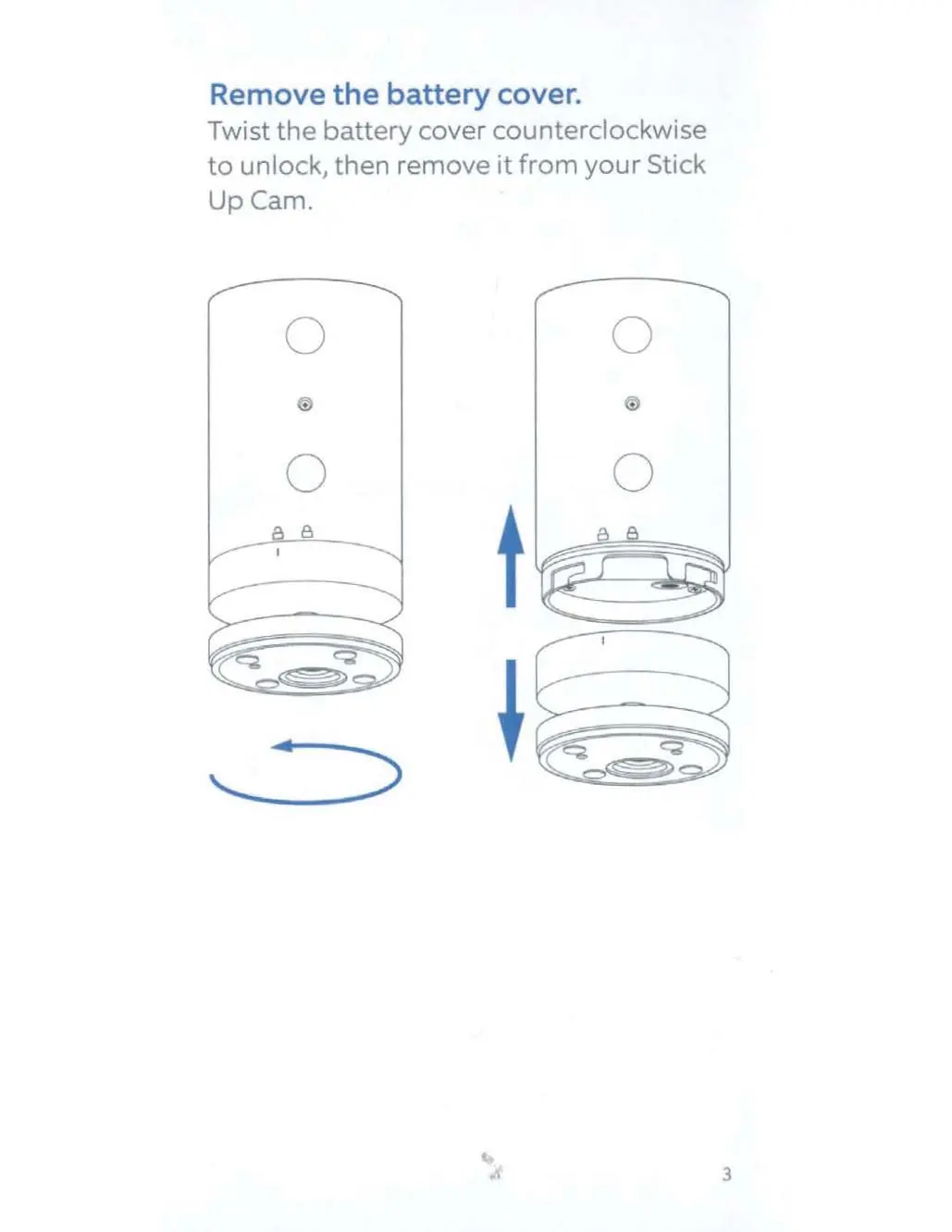
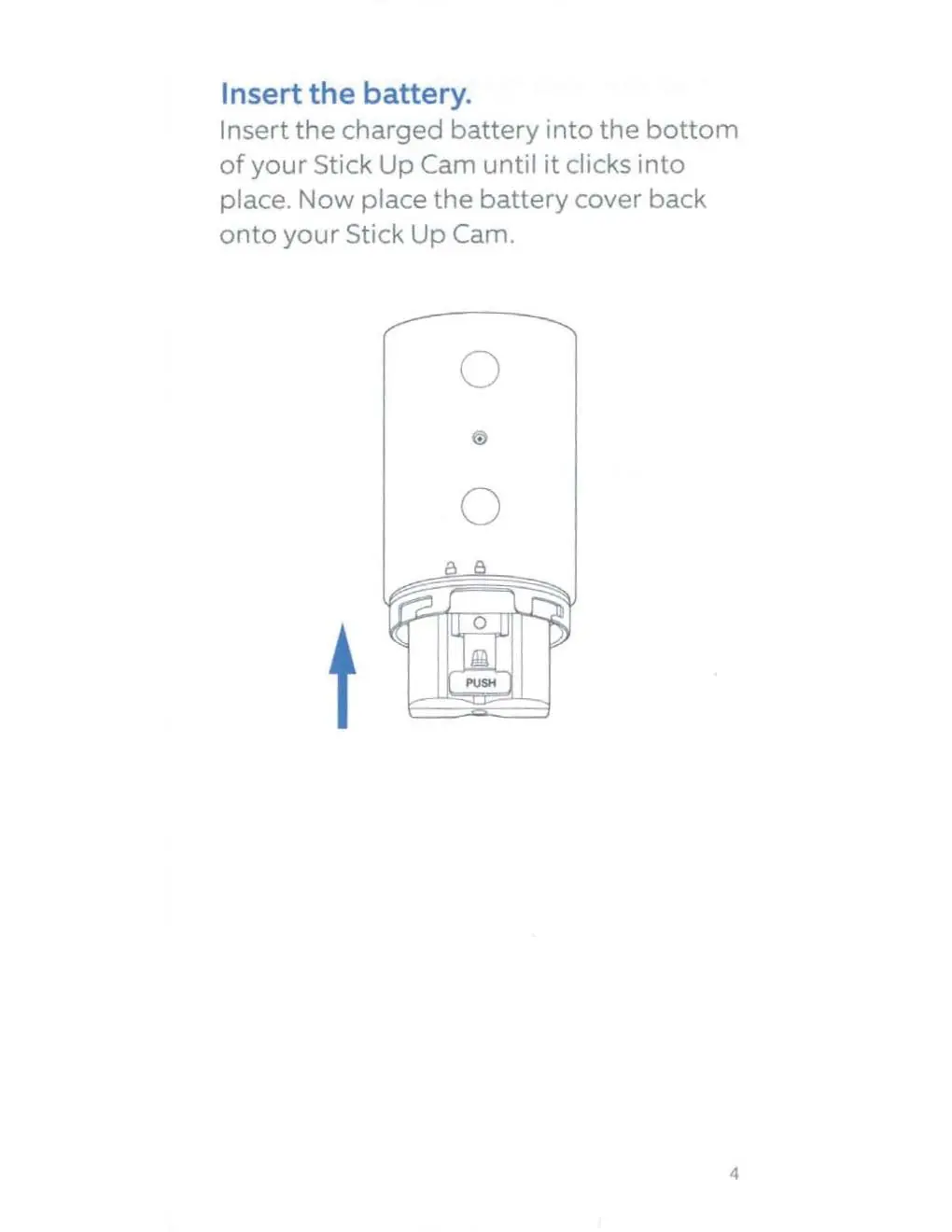
To install the battery, first remove the battery cover by twisting it counterclockwise to unlock it. Insert the charged battery into the bottom of the Stick Up Cam until it clicks into place. Once inserted, replace the battery cover.
Mounting Options
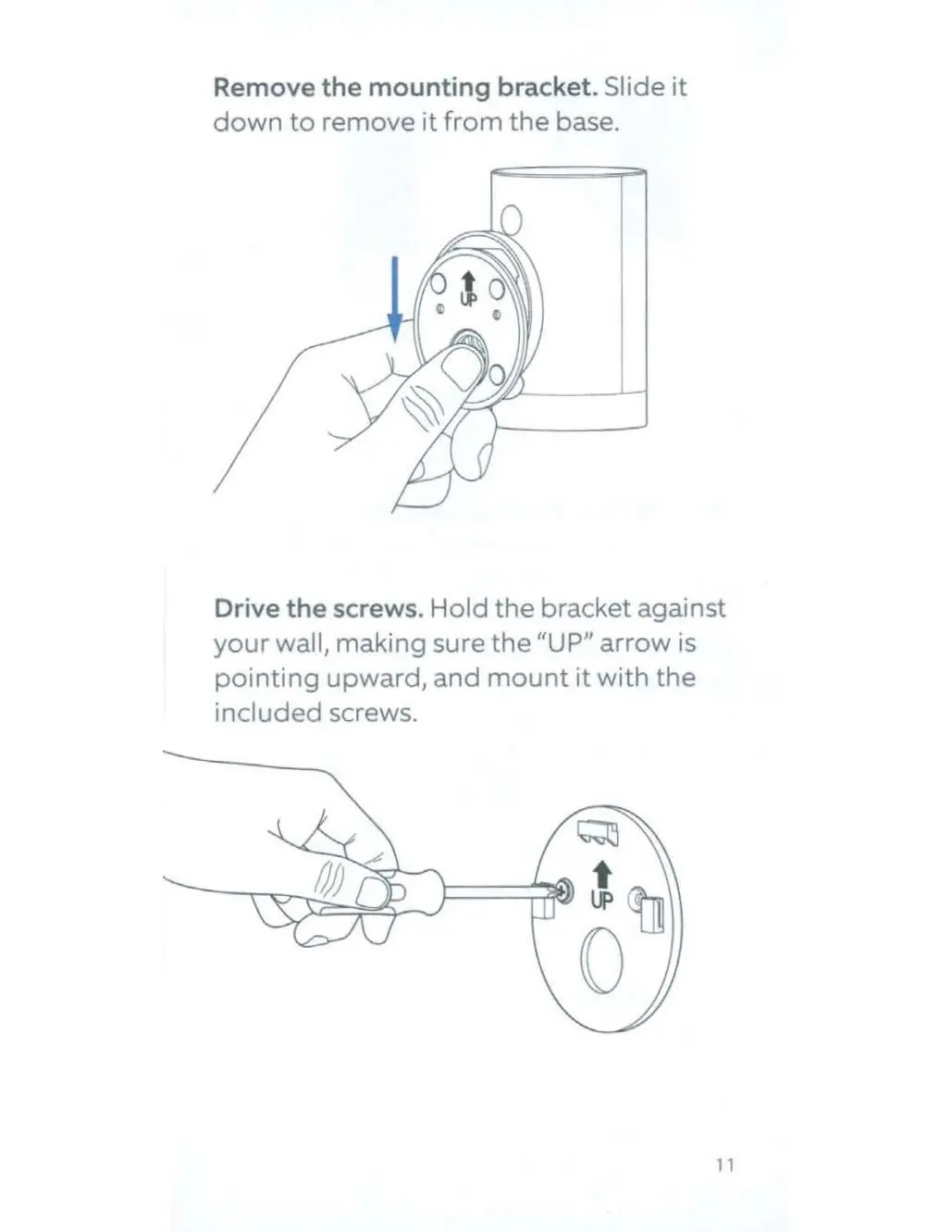
The Stick Up Cam can be placed on a flat surface like a table or shelf, or mounted to a wall. For ceiling mounting, a separate Ring Stick Up Cam Mount is required. To mount on a wall, unscrew the base using a Phillips-head screwdriver, re-attach it to the back of the camera with the UP arrow pointing upward, and secure the bracket to the wall using the included screws. Slide the camera onto the bracket hooks to secure it.
Security Screws
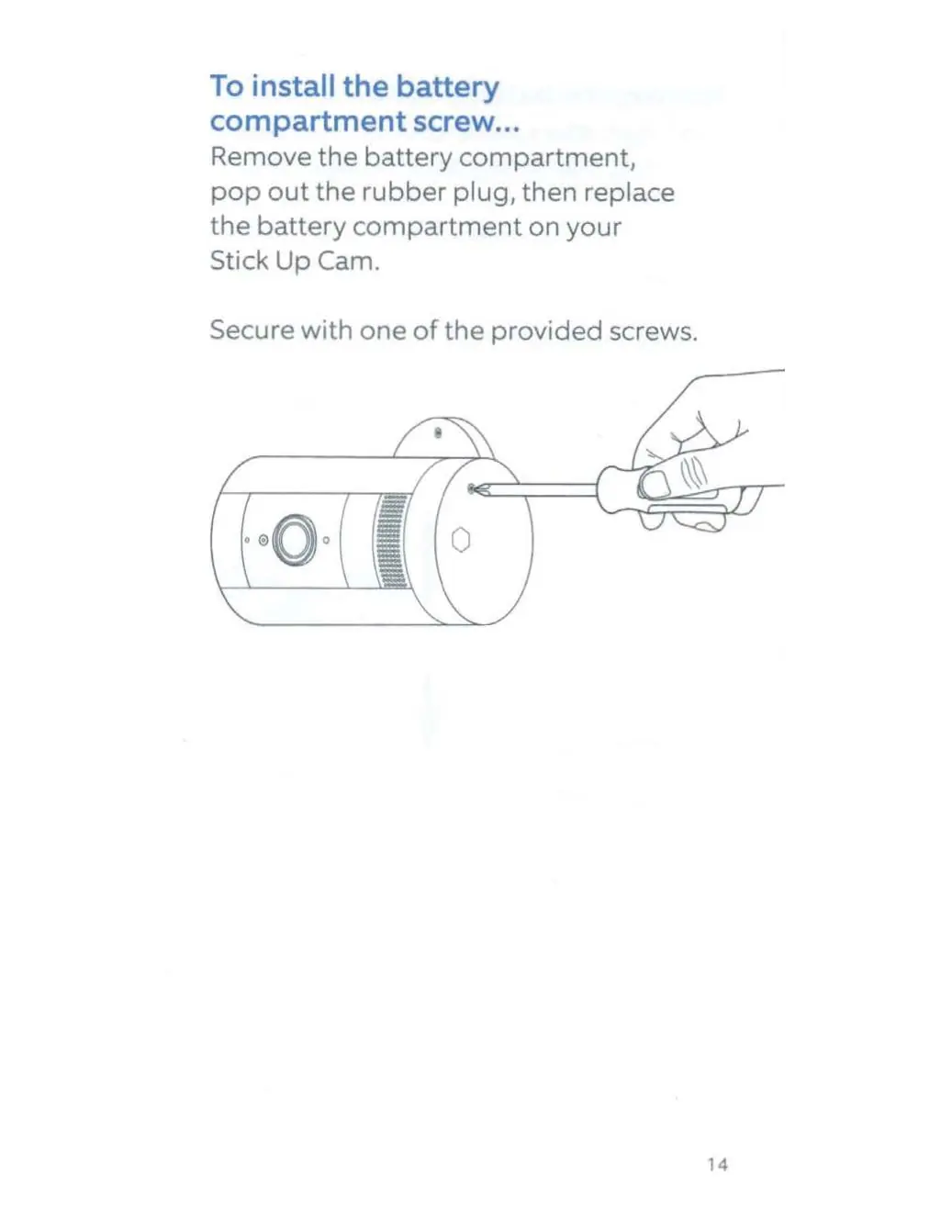
Optional security screws can be installed to secure the battery compartment and the mounting bracket. To install, pop out the rubber plug from the desired location, insert the screw, and tighten with a standard Phillips-head screwdriver.
Support
For additional help, visit ring.com/help or call the support numbers provided in the manual. For warranty and theft protection information, visit ring.com/legal.
Official resources from the manual
Manufacturer information
Ring
Practical help
Common problems
Blue light flashing after setup
The camera is updating its software. Do not remove the battery while the light is flashing.
Battery not charging
Ensure you are using the provided orange cable and a reliable USB power source.
Before use
- Download the Ring app.
- Fully charge the battery using the provided orange cable.
- Ensure the battery is inserted until it clicks.
- Have a Phillips-head screwdriver ready for optional security screws.
Specs in practice
- Operating Temperature
- 5°F to 122°F (-20°C to 50°C)
- Electrical Rating
- 5V DC 2.5A (when using optional power adapter)
Images and diagrams
- Battery charging: Red LED indicates charging, green LED indicates fully charged.
- Wall mounting: Ensure the 'UP' arrow on the bracket points upward before securing to the wall.
Model compatibility
- Compatible with Ring Stick Up Cam Mount (sold separately) for ceiling mounting.

Manual page author
David Miller
Documentation analyst
Organizes user manual content into clear summaries, with attention to model details, product context, and everyday usability.