Electronics / Security Cameras
User Guide for Ring Pan-Tilt Indoor Cam
Quick setup guide and safety information for the Ring Pan-Tilt Indoor Cam. Learn how to install, configure, and maintain your device.
Quick answers from the manual
Quick answer
- To set up your Ring Pan-Tilt Indoor Cam, download the Ring app and follow the in-app setup instructions. p. 3
Key actions
- Mounting the device p. 2
- Cleaning the device p. 6
First start
- Download the Ring app and follow the in-app setup procedure. p. 3
Maintenance and reset
- Clean with a soft cloth slightly dampened with water and a touch of rubbing alcohol. Ensure it is dry before plugging in. p. 6
Technical specifications
| Parameter | Value | Meaning | Pages |
|---|---|---|---|
| Model number | 5F93F2 | Product identification | p. 6 |
| Electrical rating | 5V=2A | Power requirements | p. 6 |
| Operating Temperature | -4°F to 113°F (-20°C to 45°C) | Safe operating range | p. 6 |
Where to find it in the PDF
- Hardware p. 2
- Safety and Specs p. 6
Table of contents
Manual images
Click an image to enlargeQuick guide from the manual
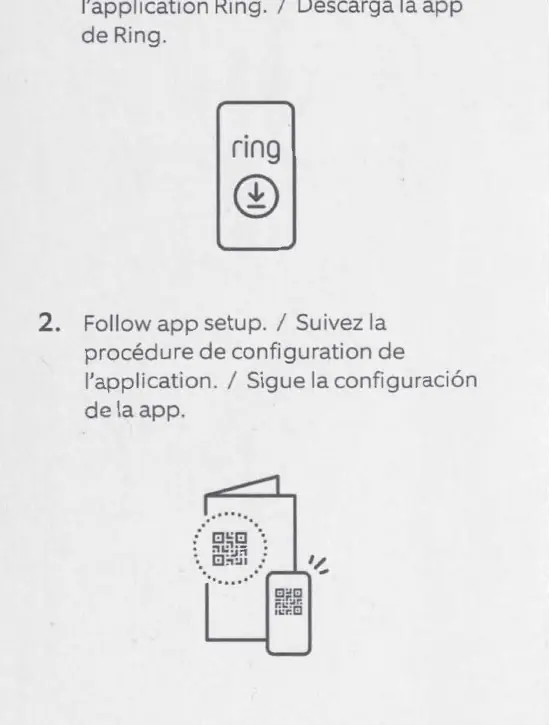
To set up your Ring Pan-Tilt Indoor Cam, download the Ring app on your mobile device and follow the in-app setup instructions. For the full manual, visit ring.com/manuals.
Hardware Included
The package includes the following mounting hardware:
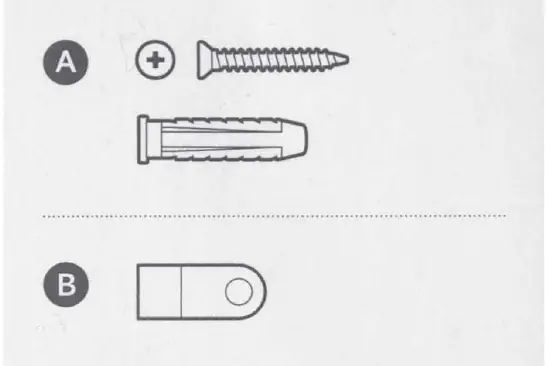
- Mounting screws
- Wall anchors
- Mounting bracket
Safety Information
Power and Electrical Safety:
- The device does not have an on/off button. To stop power, unplug the power cord.
- Use only the AC adapter (5F94F2) included with the device.
- Do not plug multiple electrical devices into the same wall socket to avoid overloading.
- Install the power adapter in an easily accessible socket-outlet near the equipment.
Environmental and Usage Precautions:
- The device and its accessories are for indoor use only.
- Do not expose the device or adapter to liquids. If it gets wet, unplug all cables and let it dry completely before plugging it in again. Do not use external heat sources like hair dryers or microwaves to dry the device.
- Do not install the device near heat sources such as radiators, heaters, or stoves.
- Ensure the device is placed on a heat-resistant surface during normal use.
- Small parts may present a choking hazard to small children.
- When mounting in elevated locations, ensure the device is secure to prevent it from falling.
Cleaning and Maintenance
Only handle the device with clean hands. To clean:
- Unplug the device.
- Use a soft cloth slightly dampened with water and a touch of rubbing alcohol.
- Do not use abrasive materials or harsh chemicals.
- Allow the device to dry completely before plugging it back in.
Technical Specifications
- Model Number: 5F93F2
- Electrical Rating: 5V=2A
- Operating Temperature: -4°F to 113°F (-20°C to 45°C)
Support
For further assistance, visit ring.com/callus or ring.com/help.
Official resources from the manual
Manufacturer information
Ring
Practical help
Common problems
Device gets wet
Carefully unplug all cables without getting your hands wet. Wait for the device and adapter to dry completely before plugging them in again. Do not use external heat sources.
Overheating or socket issues
Do not plug multiple electrical devices into the same wall socket. Ensure the device is placed on a heat-resistant surface.
Before use
- Ensure you have the included AC adapter (5F94F2).
- Verify the installation location is indoors.
- Check that the operating temperature is between -20°C and 45°C.
- Ensure the power outlet is easily accessible.
Specs in practice
- Electrical rating
- 5V=2A. Use only the provided power adapter to avoid damage.
- Operating Temperature
- -4°F to 113°F (-20°C to 45°C). Do not install near heat sources.
Images and diagrams
- Hardware included: Shows screws, wall anchors, and a mounting bracket for installation.
Model compatibility
- Indoor use only.
- Use only accessories supplied with the device or specifically marketed for it.

Manual page author
David Miller
Documentation analyst
Organizes user manual content into clear summaries, with attention to model details, product context, and everyday usability.