Electronics / Networking
User Guide for Ruijie RG-WALL 1600-Z5100-S Cloud-Managed Firewall
Get to know the Ruijie RG-WALL 1600-Z5100-S cloud-managed firewall. This guide covers hardware specifications, port layouts, performance metrics, and deployment scenarios for your network security.
Table of contents
Manual images
Click an image to enlargeQuick Guide from the Manual
The Ruijie RG-WALL 1600-Z5100-S is a high-performance, cloud-managed firewall designed for enterprise network security. It features a 1 RU rack-mountable design, dual power supply support, and AI-based security features. The device supports license-based scalability, allowing throughput to be expanded up to 10 Gbps. Management can be performed via the Ruijie Cloud platform or the Ruijie Reyee App for mobile onboarding.
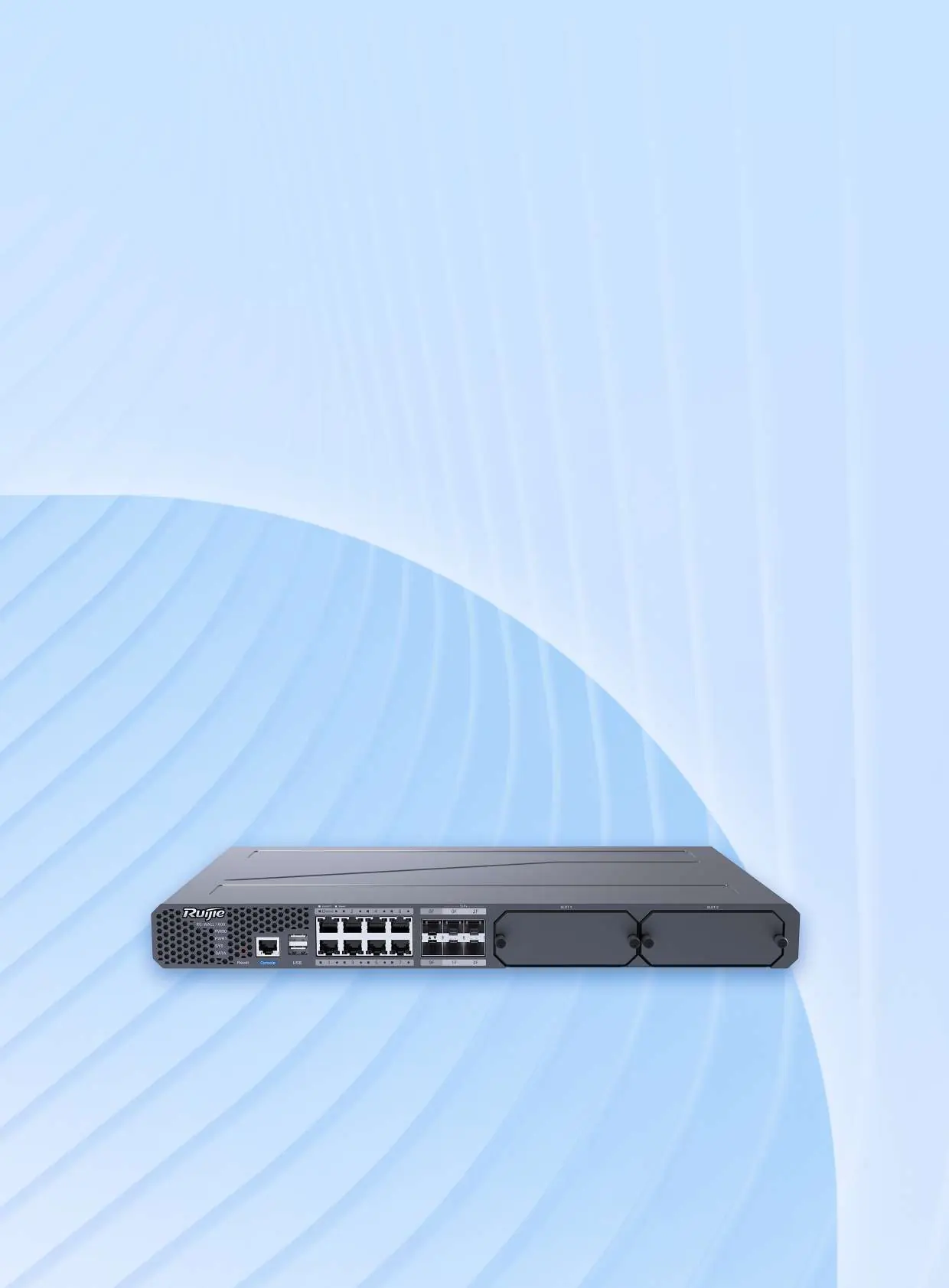
Product Appearance
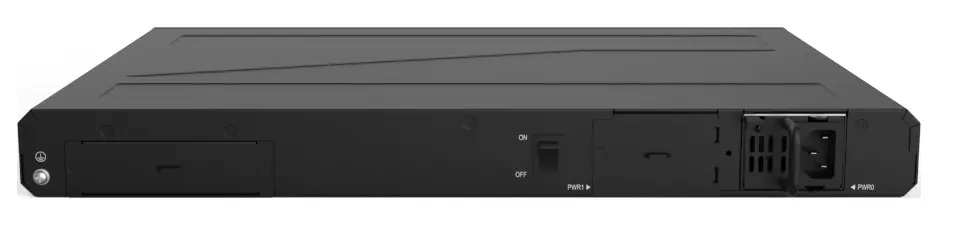
The device features a symmetrical, octagonal-corner design for high reliability. The front panel includes status LEDs, a console port, USB ports, and various network interfaces (RJ45 and SFP/SFP+). The rear panel houses the power supply modules and power switches.
Hardware Specifications
Dimensions and Weight: 440 mm x 300 mm x 43.6 mm; Weight: 4.44 kg.
Ports: 8 x 10/100/1000BASE-T ports, 2 x 1GE SFP ports, 4 x 10GE SFP+ ports, 1 x RJ45 MGMT port, 1 x RJ45 console port, and 2 x USB 2.0 ports.
Power: Supports dual pluggable power modules (one included). Rated input voltage: 100–240 V; 50–60 Hz. Max power consumption: < 60 W.
Environment: Operating temperature: 0°C to 45°C (32°F to 113°F).
Software and Performance
The firewall utilizes the NTOS operating system with a multi-core lock-free design for high efficiency. Key security features include:
- AI-based Security: Uses CRNN algorithms for accurate threat detection and DGA adaptation.
- Unified Security Defense: Includes IPS, antivirus, application control, and DoS/DDoS attack defense.
- Policy Management: Features a policy simulation space to test security adjustments before deployment.
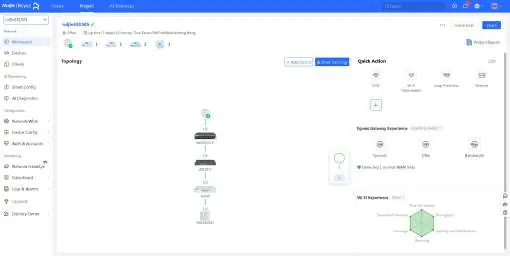
- Cloud O&M: Supports remote management, batch configuration, and one-click fault analysis via Ruijie Cloud.
Typical Applications
The RG-WALL 1600-Z5100-S is suitable for deployment at internet egress points, area boundaries, and data center boundaries. It provides refined access control, protects key enterprise services, and helps identify and control network applications.
Package Contents
The package includes the RG-WALL 1600-Z5100-S chassis, power cord, grounding cable, 4 rubber pads, 2 L-shaped mounting brackets, 8 M4 x 8 mm screws, console cable, network cable, warranty card, and user manual.
Support and Warranty
For warranty terms and support, visit the official Ruijie website. Online support, hotline support, and email support ([email protected]) are available for technical assistance.
Practical help
Common problems
Power module failure
The device supports dual power supplies. If one module fails, the system automatically switches to the other to ensure service continuity.
Insufficient throughput
The firewall is license-based. You can purchase and add up to seven performance licenses to scale network throughput up to 10 Gbps.
Missing storage
The device does not ship with a hard disk. A 1 TB SATA hard drive can be added to meet specific configuration requirements.
Before use
- Ensure the device is installed in a standard 19-inch rack.
- Verify that the grounding cable is properly connected to the chassis.
- Check that the power supply modules are securely installed.
- Ensure you have the necessary SFP/SFP+ modules for your network topology.
- Download the Ruijie Reyee App for mobile onboarding and O&M.
Specs in practice
- Firewall Throughput
- Maximum data forwarding performance (up to 15 Gbps for IPv4 packets).
- Operating Temperature
- The device must operate between 0°C and 45°C.
Images and diagrams
- Front panel: Contains status LEDs (PWR, SYS, SATA), console port, USB ports, and network ports (RJ45, SFP, SFP+).
- Rear panel: Contains power switches and slots for dual power supply modules.
Model compatibility
- Supports 100-240V AC power input.
- Requires Ruijie Cloud or Ruijie Reyee App for cloud-managed features.

Manual page author
Emily Carter
User documentation editor
Prepares concise manual descriptions and highlights the most useful setup, operation, and maintenance information for readers.