Computers / Storage
Samsung 128GB SSD Installation Guide
Quick installation guide for Samsung 128GB SSD. Learn how to safely install your drive, connect SATA cables, and mount it in your desktop computer.
Table of contents
Manual images
Click an image to enlargeImportant Safety Information
Before handling the solid state drive, it is crucial to prevent electrostatic discharge (ESD), which can damage the drive and other computer components. It is highly recommended to wear an antistatic wrist strap or gloves during the installation process.
Installation Steps
Step 1: Preparation
Before starting the installation, ensure the computer system is completely shut down. Disconnect the power cord from the power supply to ensure no electricity is flowing to the system.
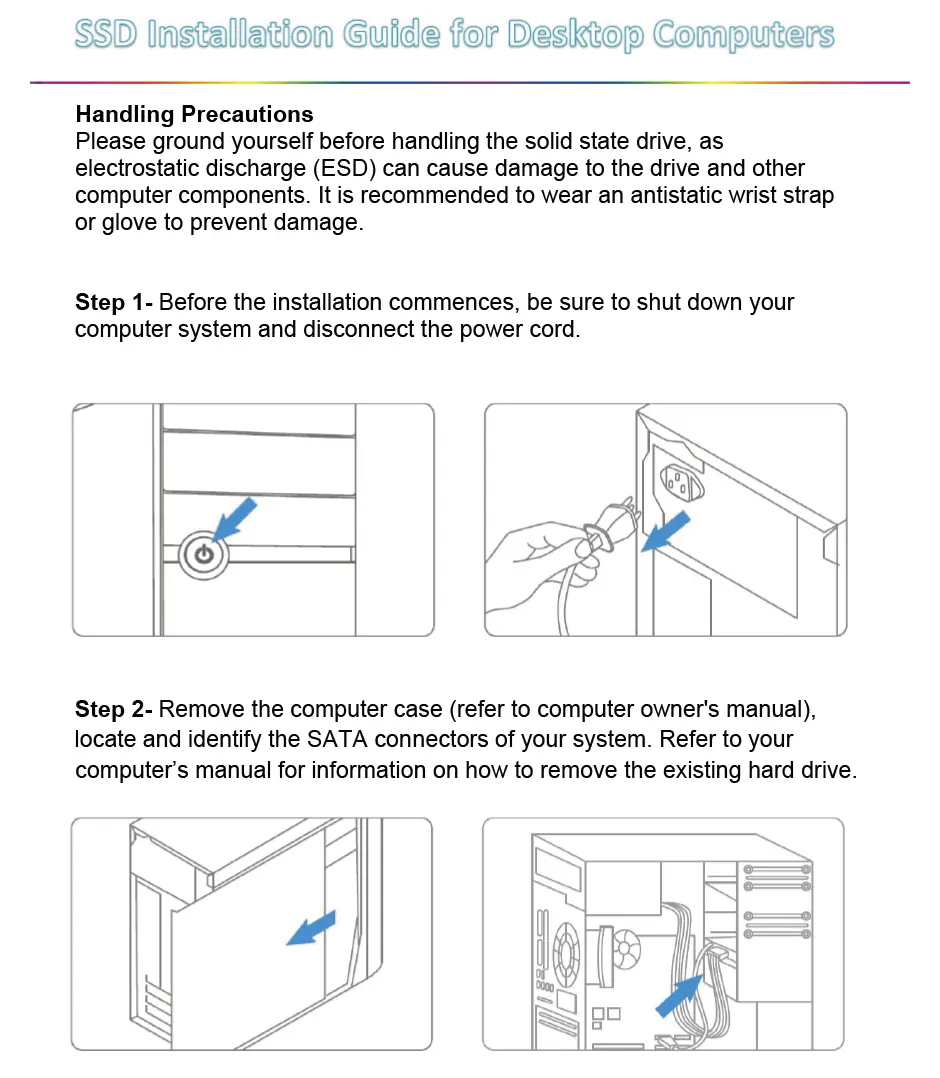
Step 2: Accessing the System
Remove the computer case cover according to the instructions in your computer's owner's manual. Locate the SATA connectors on your motherboard. If you are replacing an existing hard drive, refer to your computer's manual for instructions on how to remove it.
Step 3: Connecting the Drive
Connect the SATA data and power cables from the motherboard/power supply to the solid state drive. Note that the L-shaped SATA connector is keyed and can only fit in one direction. Ensure the plugs are properly aligned with the drive connectors before pressing them into position.
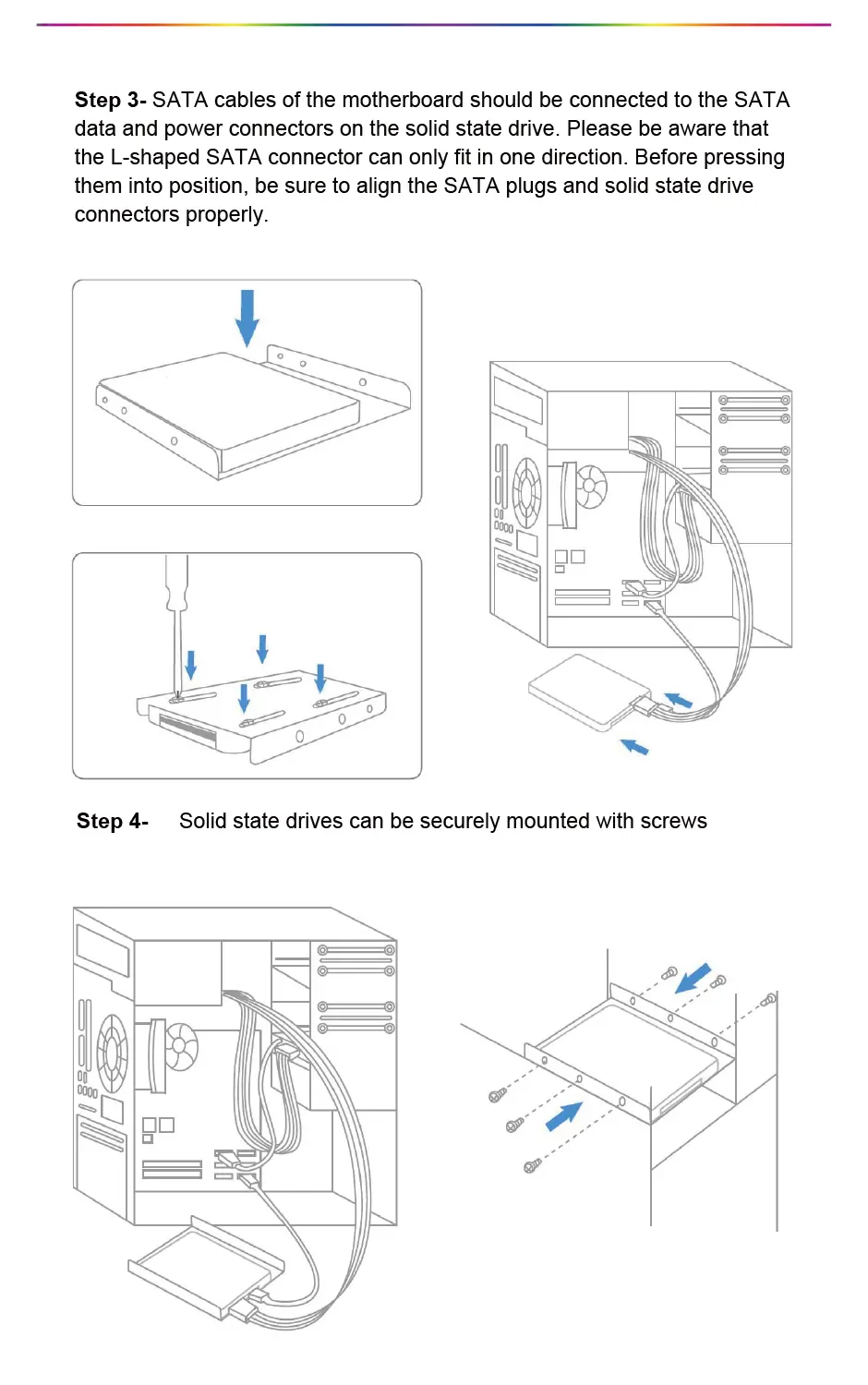
Step 4: Mounting the Drive
Secure the solid state drive into the drive bay using the appropriate screws. Ensure the drive is firmly attached to the mounting bracket or chassis.
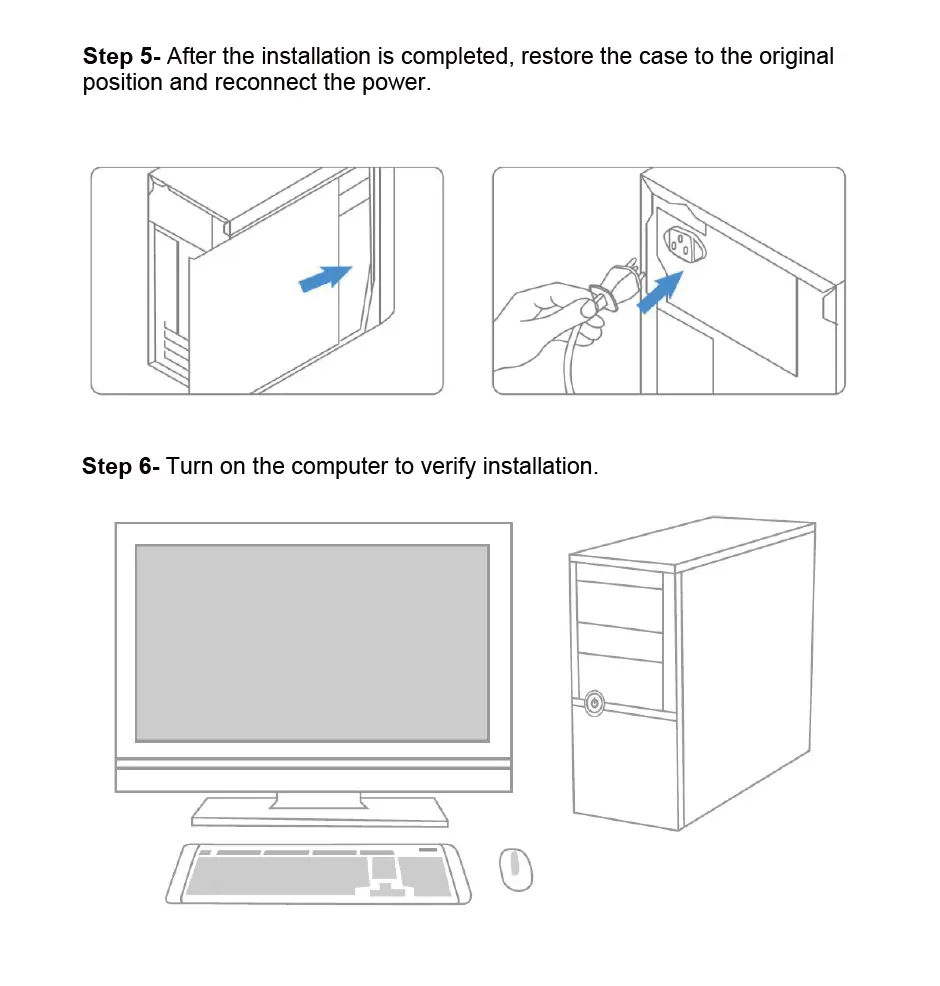
Step 5: Finalizing Installation
Once the drive is mounted and connected, replace the computer case cover and reconnect the power cord. Turn on the computer to verify that the installation was successful and the drive is recognized by the system.
Manufacturer information
Samsung Electronics
Practical help
Common problems
Drive not detected by the system
Verify that both the SATA data and power cables are securely connected to the drive and the motherboard/power supply.
Connector does not fit
The L-shaped SATA connector is keyed. Do not force it; ensure it is aligned correctly before inserting.
ESD damage
Always wear an antistatic wrist strap or gloves when handling the SSD to prevent static electricity from damaging sensitive components.
Before use
- Antistatic wrist strap or gloves
- Screwdriver for opening the case and mounting the drive
- Computer owner's manual for case removal instructions
- Available SATA data and power cables in the computer
Images and diagrams
- The L-shaped SATA connector is designed to fit in only one orientation.
- Ensure the power cord is disconnected from the back of the PC before opening the case.
Model compatibility
- Designed for desktop computers with available SATA connections.

Manual page author
Emily Carter
User documentation editor
Prepares concise manual descriptions and highlights the most useful setup, operation, and maintenance information for readers.