Electronics / Cables & Adapters
User Manual for Sealevel COMM+232.PCI 7202c
Comprehensive user manual for the Sealevel COMM+232.PCI (7202c) serial interface card. Includes installation steps for Windows and Linux, hardware setup, troubleshooting, and technical specifications.
Quick answers from the manual
Quick answer
- The 7202c is a PCI interface adapter with two RS-232 serial ports. Always install the software before inserting the hardware into your computer. p. 4, 10, 15
Key actions
- Install software before hardware p. 10, 15
- Verify installation in Device Manager (Windows) or dmesg (Linux) p. 15
First start
- Download software, install as administrator, reboot if prompted, then install hardware. p. 10, 13, 15
Show 3 more answers Show less
Problems and fixes
Verify communication
Use WinSSD utility and perform a loopback test by shorting pins 2 and 3.
p. 17, 18, 19Technical specifications
| Parameter | Value | Meaning | Pages |
|---|---|---|---|
| Supply Voltage | +3.3 VDC | Required power input | p. 9 |
| Operating Temperature | 0º to 70º C | Safe operating range | p. 9 |
Where to find it in the PDF
- Installation p. 10, 15
- Troubleshooting p. 17, 18, 19
Table of contents
Manual images
Click an image to enlargeQuick guide from the manual
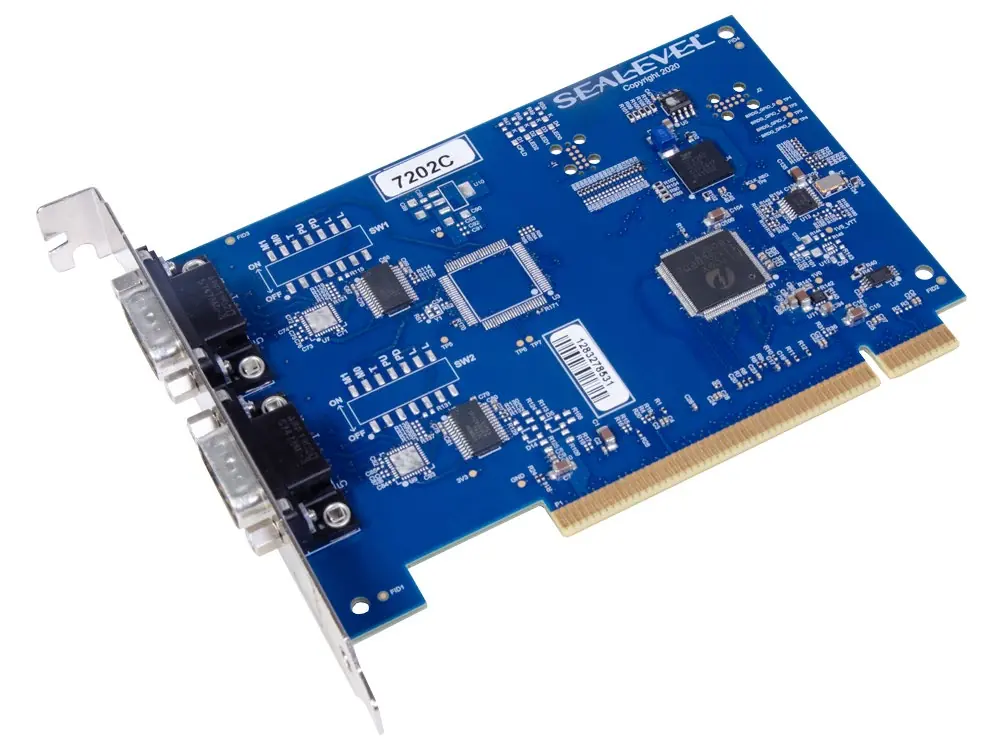
The Sealevel COMM+232.PCI (7202c) is a PCI-compliant interface adapter providing two RS-232 asynchronous serial ports. Important: Do not install the hardware into your computer until the software has been successfully installed.
Software Installation
Windows:
- Download the latest Sealevel software from the manufacturer's website.
- Log in with administrator privileges.
- Navigate to the downloaded installer and run it as an administrator.
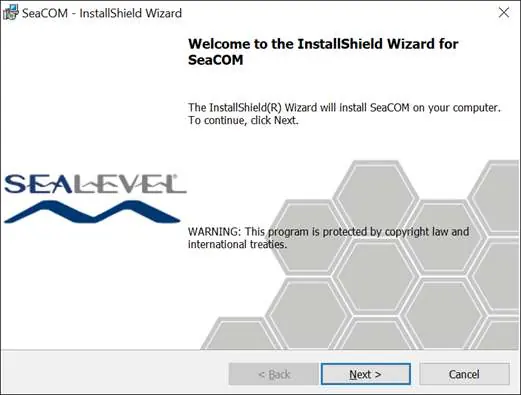
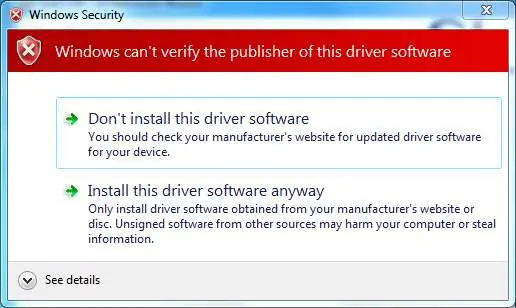
- Follow the on-screen prompts in the InstallShield Wizard.
- If prompted, reboot your computer to complete the installation.
Linux:
- No specific Sealevel software is required for most distributions.
- Ensure your system meets the requirements: Linux Kernel version 3.8.0 or higher and the 8250_exar kernel module installed.
- Verify the driver presence using modinfo 8250_exar or by checking the kernel module path.
Hardware Installation
Once the software is installed:
- Power down the computer.
- Install the 7202c card into an available standard-height PCI slot.
- Boot the computer. The drivers installed previously will automatically configure the adapter.
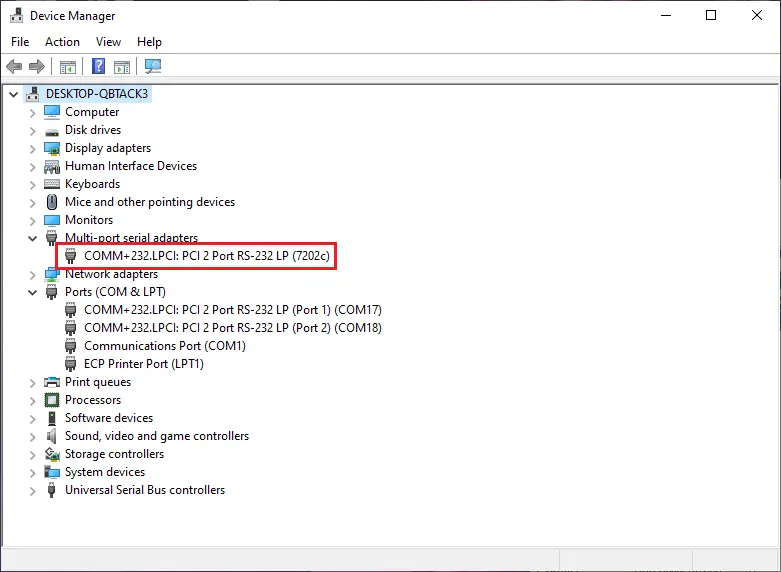
- Verification (Windows): Open Device Manager and check under 'Ports (COM & LPT)' to see the assigned COM numbers.
- Verification (Linux): Open a terminal and run dmesg | grep XR17V35X to confirm the assigned ttyS* ports.
Troubleshooting
If you encounter communication issues, use the Sealevel WinSSD utility included in the software package:
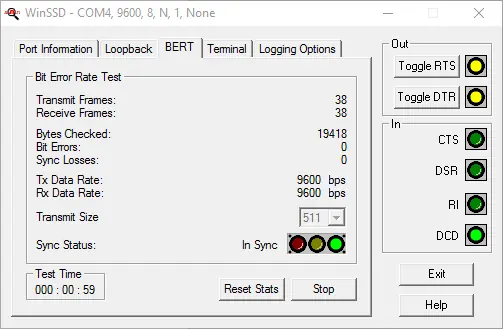
- Loopback Test: If you do not have a loopback plug, you can use a metal object (like a paperclip) to short pins 2 and 3 on the DB9 connector.
- Testing: Launch WinSSD, select the COM port, and use the 'BERT' (Bit Error Rate Test) tab to verify data transmission.
Technical Specifications
- Supply Voltage: +3.3 VDC
- Typical Power Draw: 1.3W
- Operating Temperature: 0º to 70º C (32º to 158º F)
- Humidity Range: 10 to 90% R.H. (Non-Condensing)
- MTBF: 3,601,303 hours at 25º C ambient
Handling Instructions
The card contains sensitive components. Always observe ESD (Electrostatic Discharge) precautions:
- Transport boards in anti-static bags.
- Wear a grounded wrist strap when handling the card.
- Avoid touching pins, leads, or circuitry.
- Keep the work area free of non-conductive materials like Styrofoam.
Practical help
Common problems
Device not detected by system
Ensure software was installed before inserting the hardware. Check Device Manager (Windows) or dmesg (Linux) to verify port assignment.
Communication errors
Use the WinSSD utility to perform a loopback test by shorting pins 2 and 3 on the DB9 connector.
Before use
- Verify your computer has a standard-height PCI slot.
- Download the latest Sealevel software for Windows.
- Ensure you have administrator privileges for software installation.
- Do not install the PCI card before the software is installed.
- Check that your Linux kernel is version 3.8.0 or higher.
Show more Show less
Specs in practice
- Supply Voltage
- +3.3 VDC
- Operating Temperature
- 0º to 70º C (32º to 158º F)
- Power Consumption
- 1.3W
Images and diagrams
- The DB9 male connector pinout is provided for custom cabling.
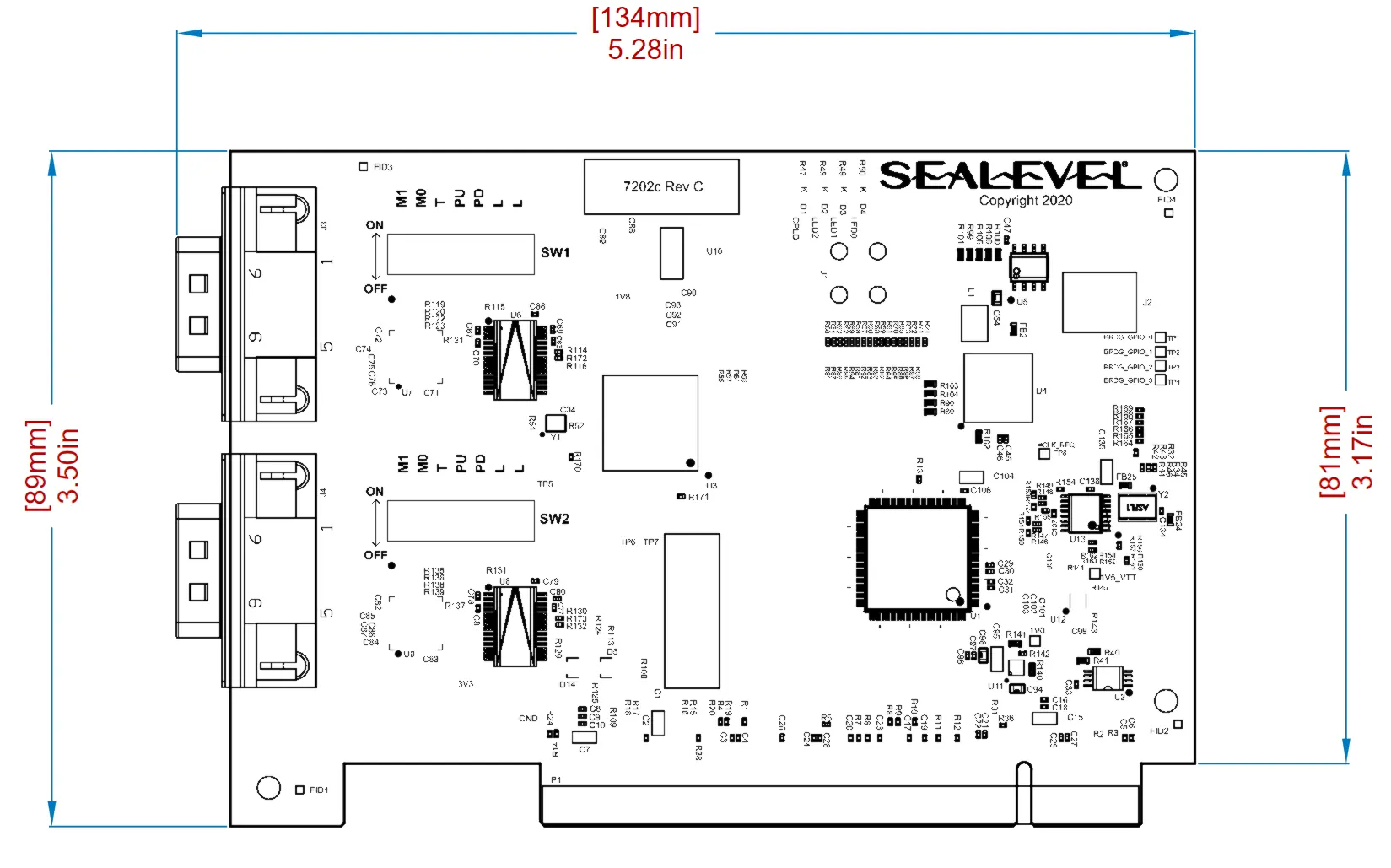
- The mechanical drawing shows the card dimensions (134mm x 89mm).
- WinSSD utility screenshots illustrate how to test port communication.
Model compatibility
- Requires a standard-height PCI slot.
- Windows 7 or newer is required for software installation.
- Linux distributions with kernel 3.8.0+ are supported.

Manual page author
Emily Carter
User documentation editor