Electronics / Cables & Adapters
User Manual for Sealevel SeaPORT+2 2203 USB to Serial Adapter
Quick guide for the Sealevel SeaPORT+2 (2203) USB to 2-Port Serial Interface Adapter. Includes installation steps, configuration of RS-232/422/485 modes, pinout diagrams, and troubleshooting.
Quick answers from the manual
Quick answer
- The SeaPORT+2 (2203) is a USB to 2-port serial adapter. You must install the SeaCOM software before connecting the device to your computer. p. 5
Key actions
- Install software p. 5
- Configure DIP switches p. 7, 8, 9, 10
First start
- Install SeaCOM software, then connect the device to a USB port. p. 5, 6
Problems and fixes
Adapter not working
Check BIOS USB settings, verify driver installation, and use WinSSD utility for loopback testing.
p. 14Technical specifications
| Parameter | Value | Meaning | Pages |
|---|---|---|---|
| Operating Temperature | 0 to 50 C | Operating range | p. 13 |
| Power Consumption | 500 mA per port | Required power | p. 13 |
Where to find it in the PDF
- Installation p. 5, 6
- Configuration p. 7, 8, 9, 10
Table of contents
Manual images
Click an image to enlargeQuick guide from the manual
The Sealevel SeaPORT+2 (2203) is a USB to 2-port serial adapter. Important: Do not connect the device to a USB port until the SeaCOM software has been installed. The device supports RS-232, RS-422, and RS-485 interfaces, which are configurable via internal DIP switches and shunts.
Introduction
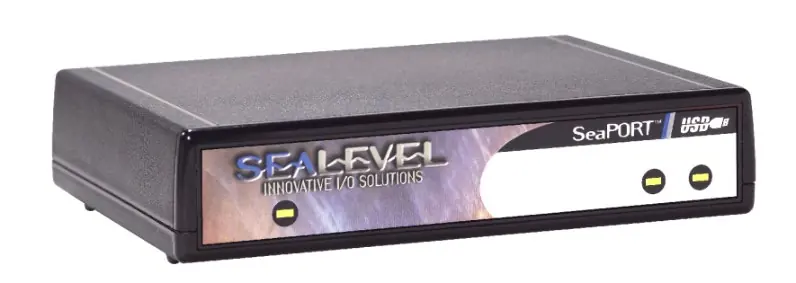
The SeaPORT+2 provides two USB to RS-232/422/485 asynchronous serial ports. It is a hot-pluggable device that does not require opening the computer case or assigning system resources like I/O ports or IRQs.
Installation
Follow these steps to install the device:
- Download and install the SeaCOM software from the Sealevel website.
- Select Part Number 2203 during the installation process.
- Follow the on-screen prompts. If a warning about an unsigned driver appears, proceed with the installation.
- Once software is installed, connect the SeaPORT+2 to an available USB port.
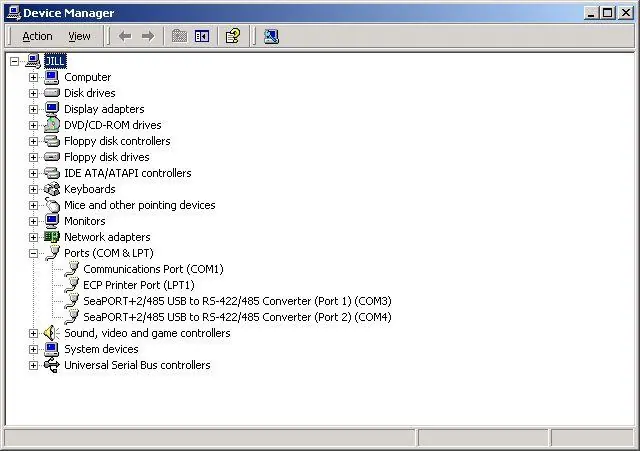
- The system will detect the new hardware. Verify the installation in the Windows Device Manager under Ports (COM & LPT).
Configuration
The device ships configured for 422 mode with 120 ohm termination and 1K ohm pull-up/pull-down resistors. To change the configuration, remove the four screws on the bottom of the case to access the internal DIP switches and shunts.
Electrical Interface Selection
Each port can be individually configured for RS-232, RS-422, or RS-485. Refer to the internal switch diagrams (SW3 and SW4) to set the correct mode. For RS-485, you can select between 2-wire and 4-wire modes using these switches.
Technical Description
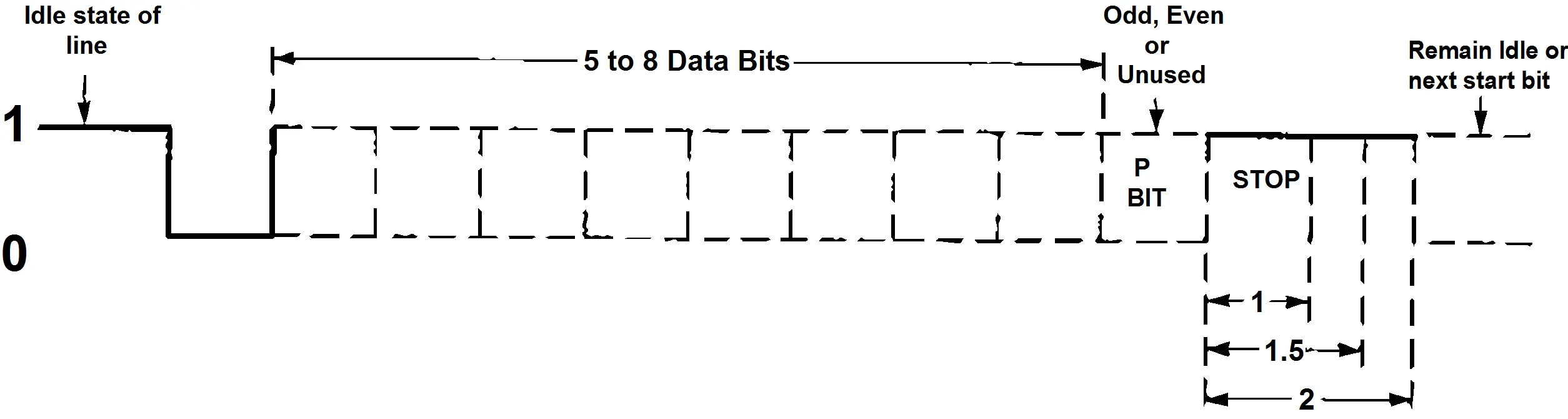
The adapter utilizes two USB UARTs with 128-byte TX and 384-byte RX buffers. It supports data rates up to 921.6K baud for RS-422/485 and 460.8K baud for RS-232. Connector pin assignments are provided for both RS-422/485 (DB9 Male) and RS-232 (DB9 Male) configurations.
Troubleshooting
If the adapter is not functioning:
- Ensure USB support is enabled in the system BIOS.
- Verify that the SeaCOM software is correctly installed.
- Use the WinSSD utility and a loopback plug to test communications.
- Note: If configured for 2-wire RS-485 with no echo, a loopback test is not possible. Test in RS-422 mode first.
For further assistance, contact Sealevel Systems technical support at 864-843-4343 or [email protected].
Specifications
- Operating Temperature: 0 to 50 C (32 to 122 F)
- Storage Temperature: -20 to 70 C (-4 to 158 F)
- Humidity: 10 to 90% R.H. Non-Condensing
- Power: High-power USB device; requires 500 mA per port.
Practical help
Common problems
Adapter not detected or not working
Check that USB support is enabled in the system BIOS and verify the driver installation in Windows Device Manager.
Loopback test fails
If configured for 2-wire RS-485 with no echo, the receiver is disabled and the test will fail. Test the adapter in RS-422 mode first.
Before use
- Install SeaCOM software before connecting the device
- Verify system BIOS supports USB
- Ensure the computer is running a compatible operating system
- Have the adapter ready to run diagnostics if needed
Images and diagrams
- SW4: Controls port configuration including termination (T), pull-up (PU), pull-down (PD), and 2-wire operation (L).
- SW3: Controls mode selection (485 vs 422) and receiver echo (NE).
Model compatibility
- Windows NT is not USB aware and does not support this device.
- Requires a self-powered USB hub or root hub capable of 500 mA per port.

Manual page author
Emily Carter
User documentation editor
Prepares concise manual descriptions and highlights the most useful setup, operation, and maintenance information for readers.