Power / Energy Storage Systems
User Manual for Solplanet ASW 125K/261-PT Liquid-Cooled Energy Storage Cabinet
Comprehensive user guide for the Solplanet ASW 125K/261-PT liquid-cooled energy storage cabinet. Includes installation, electrical wiring, power-on procedures, EMS operation, and maintenance.
Table of contents
Manual images
Click an image to enlargeQuick guide from the manual
The Solplanet ASW 125K/261-PT is an all-in-one energy storage system. This manual provides essential instructions for installation, electrical connection, system operation, and maintenance. Always ensure the system is installed by professionals and that all safety precautions are followed before proceeding.
Safety Notes
DANGER: Battery strings produce high-voltage DC power, posing a risk of fatal electric shock. Only professionals should operate the equipment. Do not perform maintenance while the system is powered on.
WARNING: Do not unplug connectors while the system is running. Wear appropriate personal protective equipment (insulating clothing, rubber boots, goggles, gloves) during operation.
System Overview
The system integrates energy storage converters, batteries, a Battery Management System (BMS), an Energy Management System (EMS), thermal management, and fire protection. The cabinet is designed for outdoor use with an IP55 protection rating.
Installation
Site Requirements
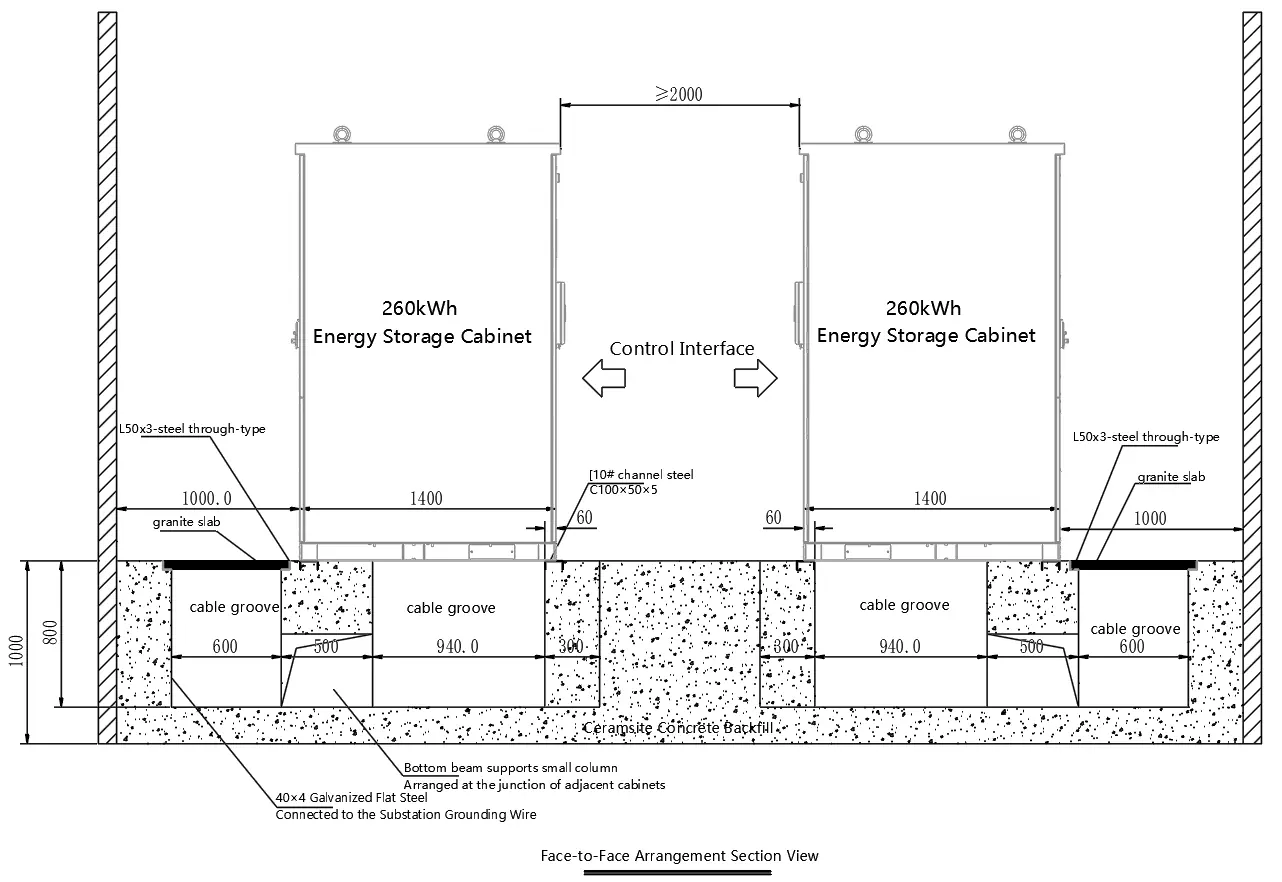
- Install on a level, firm, non-combustible surface.
- Ensure a slope of less than 5%.
- Provide necessary drainage and fencing to restrict access.
- Ensure the cabinet is reliably grounded (resistance ≤ 0.1Ω).
Electrical Installation
Power lines and communication lines must be routed separately. Maintain a distance of at least 300mm between different cable types. Use outdoor-specific CAT6 shielded network cables for communication.
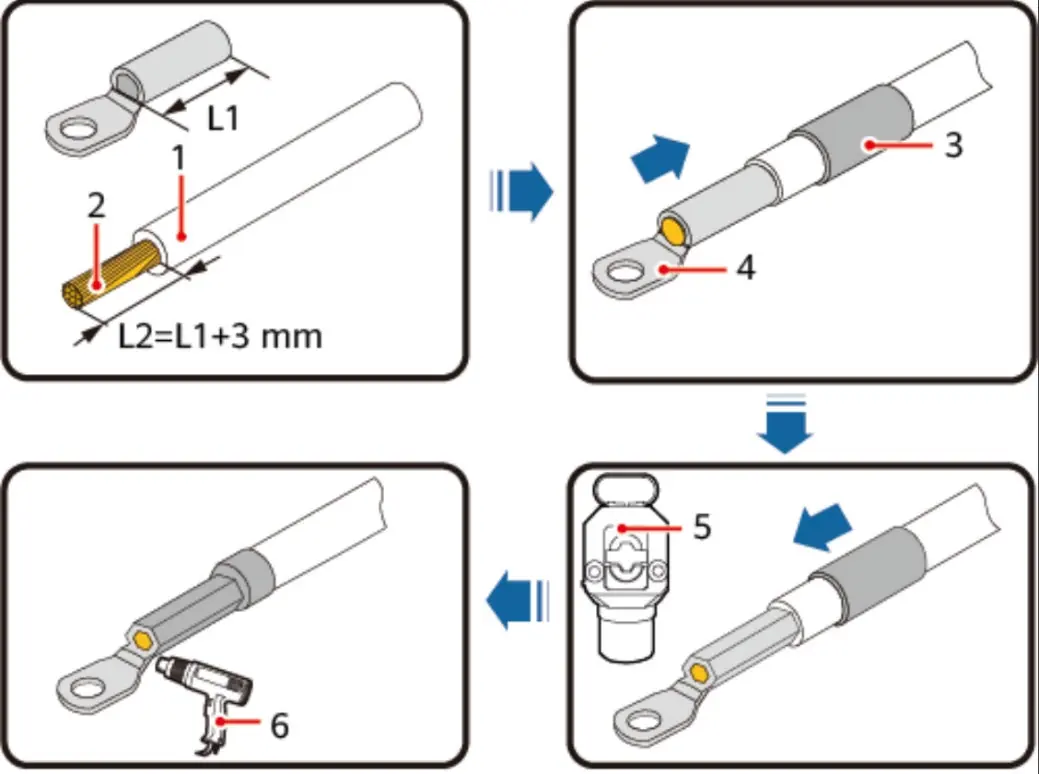
Powering the Cabinet
- Turn on the UPS and hold the power switch for 2 seconds.
- Rotate the handle switch (HVB) to the ON position.
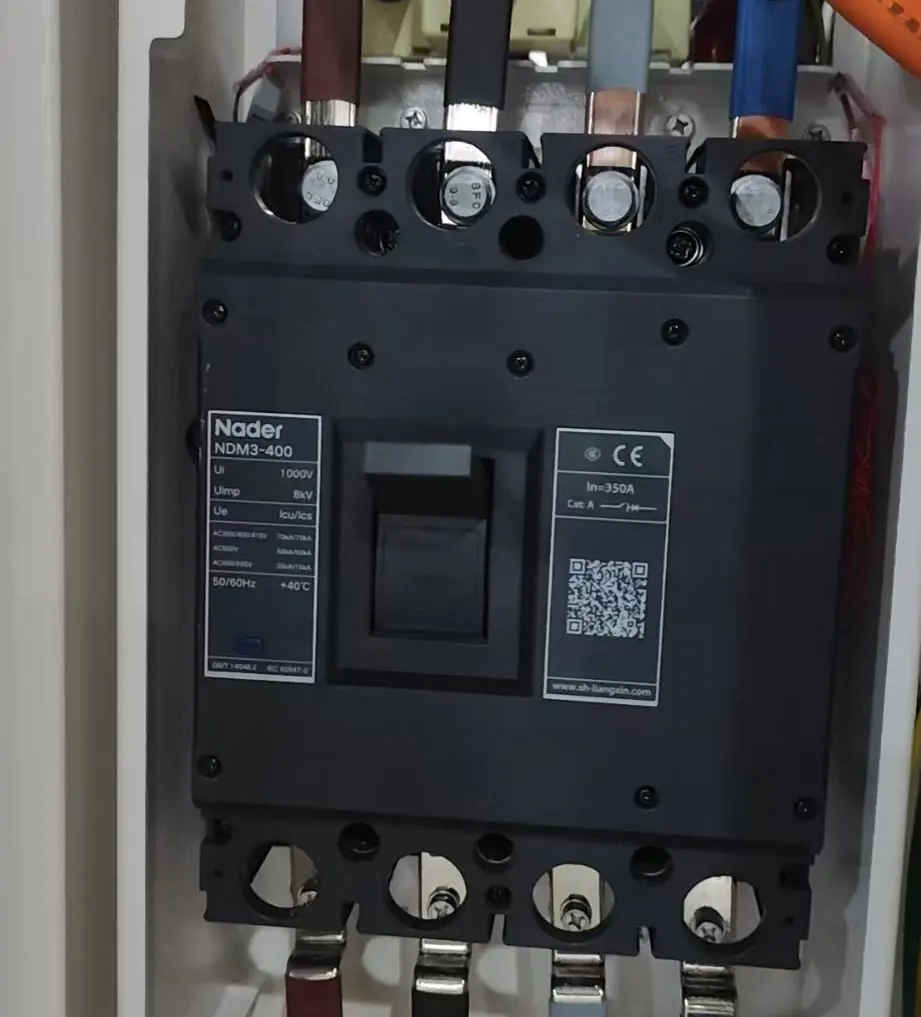
- Close the front protection circuit breaker (SCB).
- Close the UPS output switch (Q3).
- Press the power button (DC Power) on the high-pressure tank (HVB).
- Close the circuit breaker (QAC).
- Power on the liquid cooling unit circuit breaker (Q1).
- Power on the UPS input switch (Q2).
EMS Operation
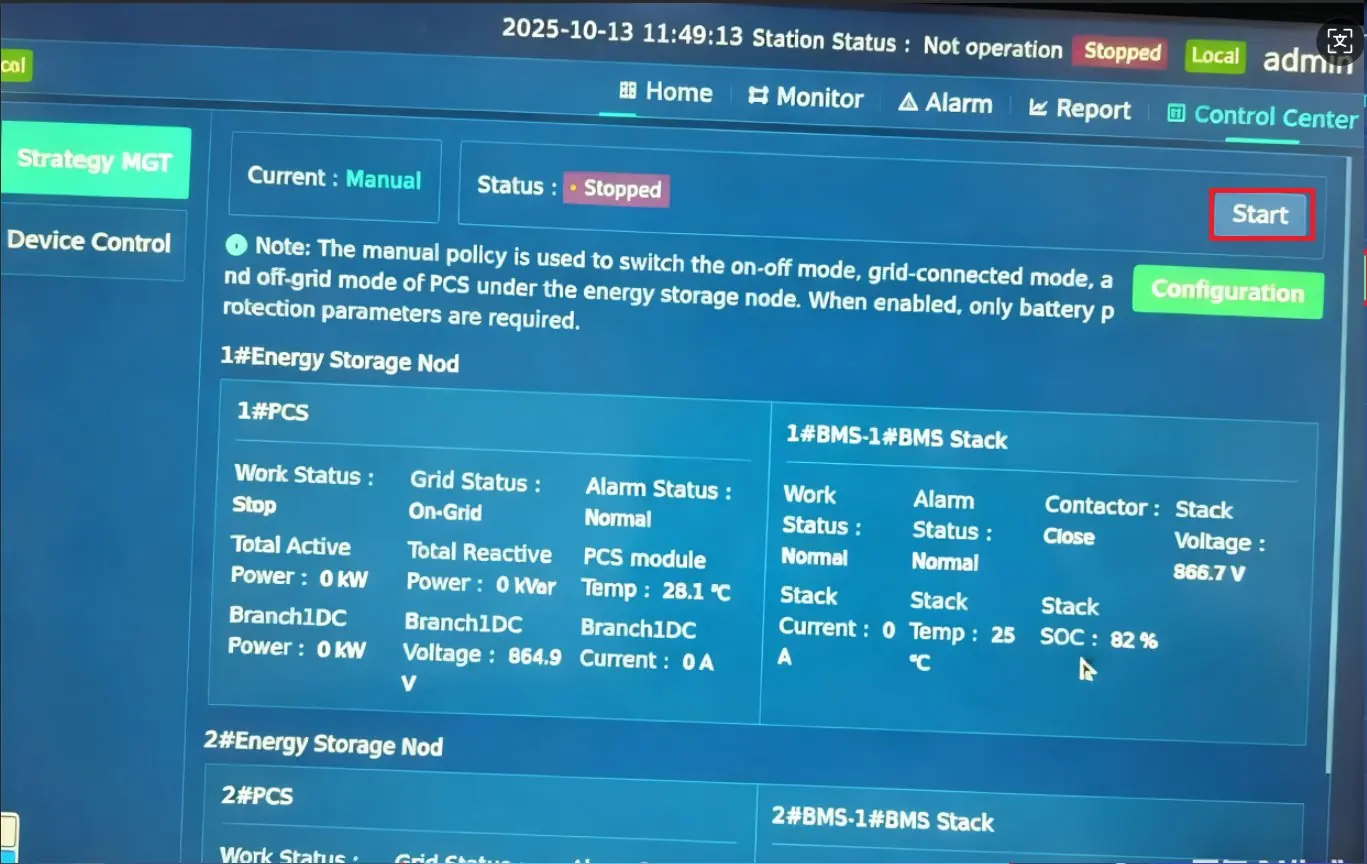
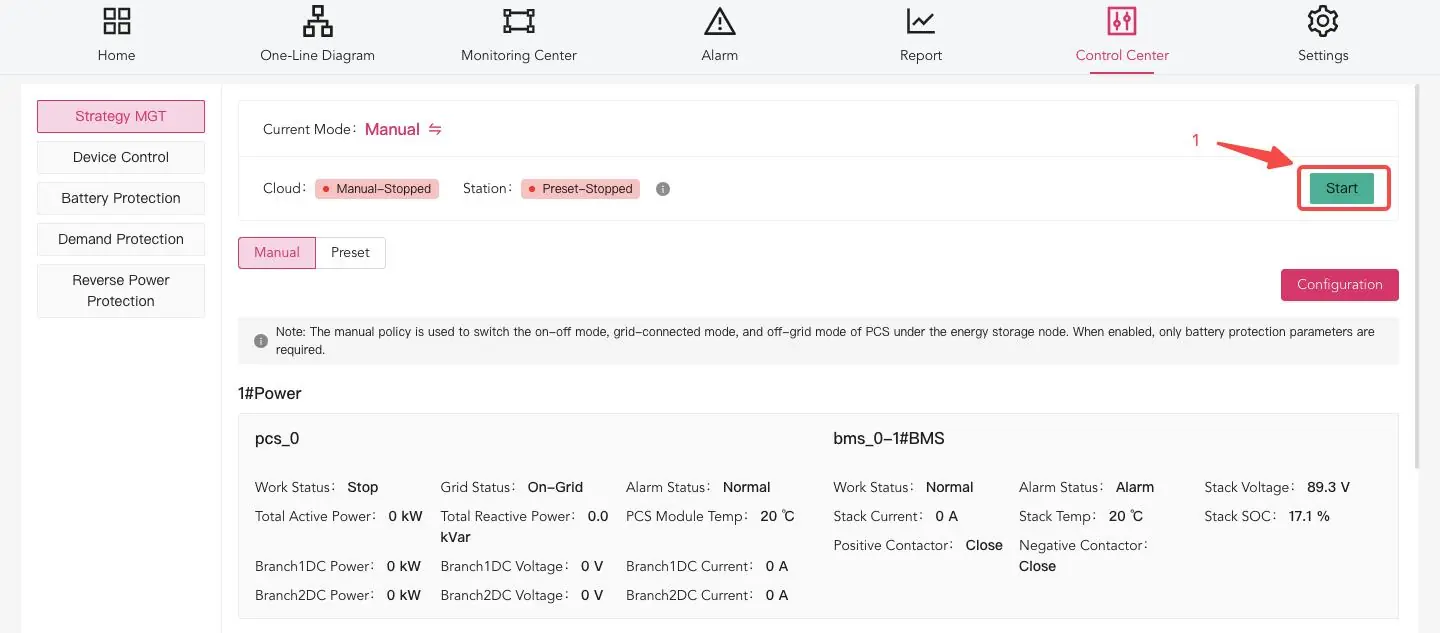
The system can be monitored and controlled via the local HMI or the cloud platform. The EMS allows for mode switching (Grid-connected/Off-grid), strategy configuration, and real-time monitoring of battery status, power curves, and alarm states.
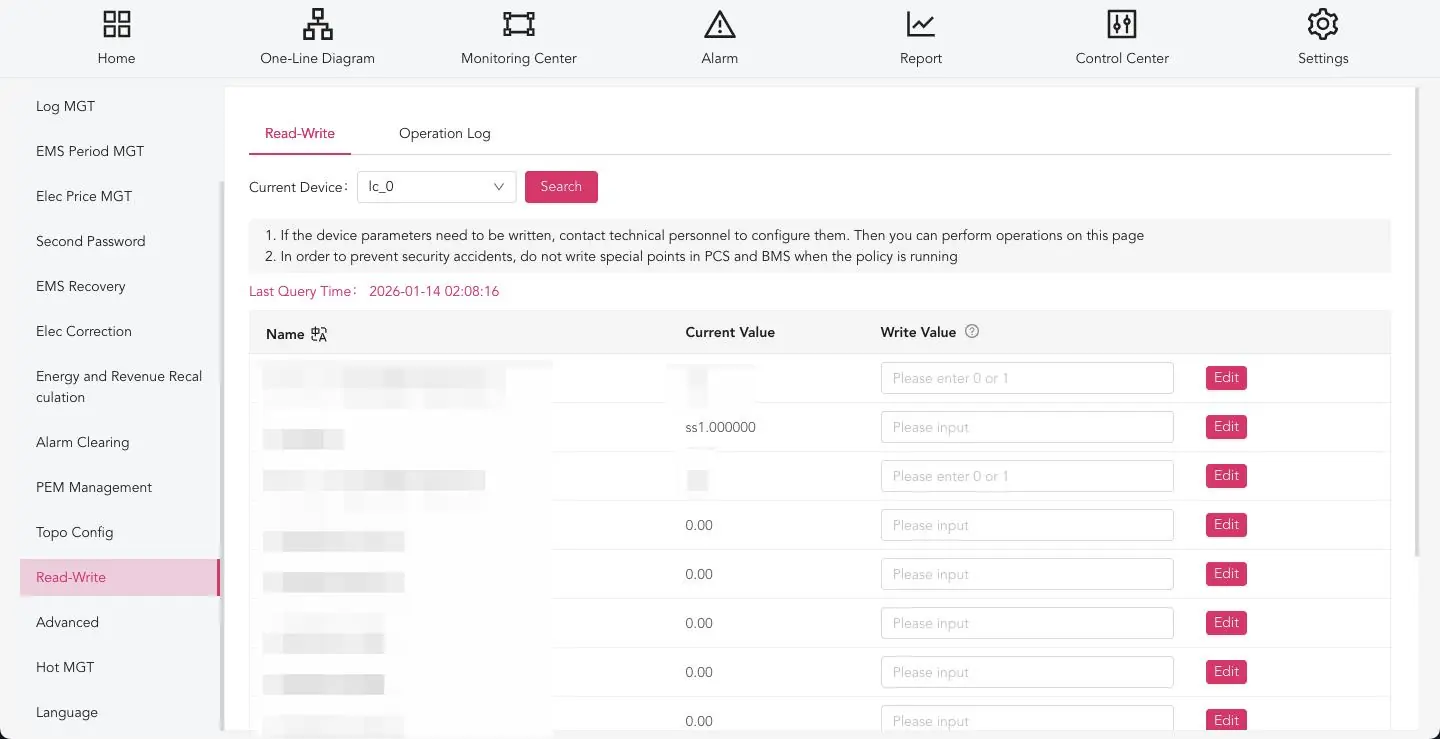
Maintenance
Regular maintenance is required to ensure system longevity. This includes daily inspections of voltage, current, and temperature, as well as periodic checks of cable connections, battery balance, and fire protection systems. Always wait at least 35 minutes after power-off before performing maintenance to allow capacitors to discharge.
Troubleshooting
The system provides fault and warning information via the EMS. Common issues include grid overvoltage/undervoltage, communication failures, and temperature alarms. Refer to the fault treatment table in the manual for specific causes and resolutions.
Manufacturer information
Solplanet
Practical help
Common problems
Overvoltage on the power grid
Check whether the power grid voltage is normal.
EMS communication failure
Check whether the EMS communication line is connected properly.
IGBT overheating
Check if the fan is running normally and if the ventilation is blocked.
Low coolant level alarm
Lack of coolant; please contact the manufacturer.
Before use
- Ensure the installation surface is level, firm, and non-combustible.
- Verify the cabinet is reliably grounded (resistance ≤ 0.1Ω).
- Confirm all internal and external switches are in the open state.
- Ensure no foreign objects (wire ends, metal shavings) are inside the cabinet.
- Verify that all power and communication cables are correctly and securely wired.
Specs in practice
- Rated Energy
- 261kWh
- Operating Temperature
- -25°C to +55°C
- Protection Level
- IP55
Images and diagrams
- Fig. 4: Schematic diagram of internal components of the cabinet.
- Fig. 12: Power line connection diagram.
- Fig. 13: Communication line connection diagram.
Model compatibility
- Requires outdoor-specific CAT6 shielded network cable for communication.
- Supports local broadband and 4G service (recommended data package ≥2G).

Manual page author
Michael Turner
Technical manual editor
Reviews PDF manuals for structure, safety notes, and practical product details so readers can find the right information quickly.