Home Appliances / Fans
User Manual for Somogyi TF 14B Battery Powered Table Fan
Quick guide for the Somogyi TF 14B battery-powered table fan. Learn how to operate, charge, clean, and troubleshoot your device with this concise manual.
Table of contents
Manual images
Click an image to enlargeQuick guide from the manual
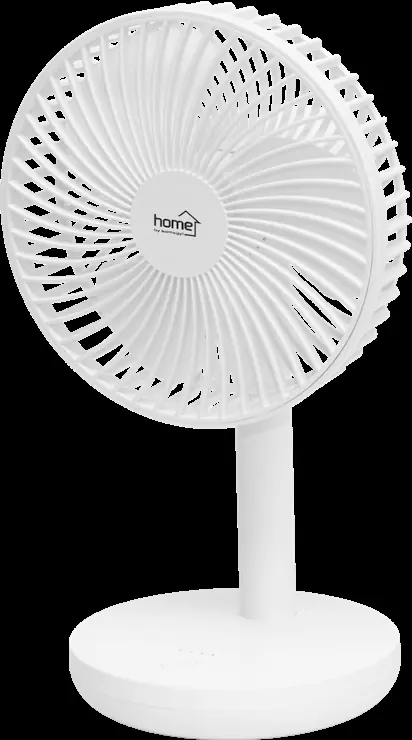
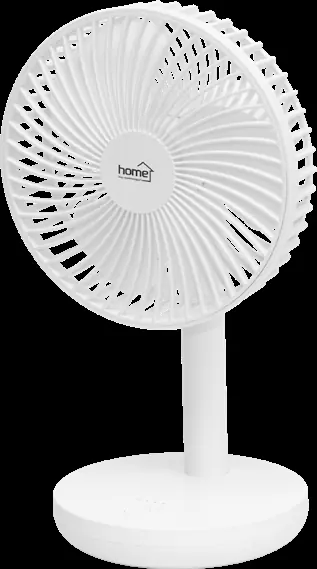
The Somogyi TF 14B is a portable, battery-powered table fan designed for indoor household use. Before first use, ensure the device is fully charged using a compatible USB adapter. The fan features four speed settings and an oscillation function. Always ensure the mesh guard is securely attached before operation.
Product Overview
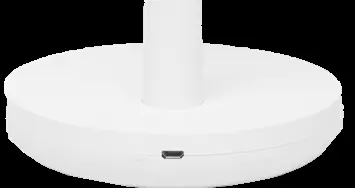
The fan consists of an adjustable head, a stand, and a base. The base contains the micro USB charging socket, indicator LEDs, and the control button. The mesh guard is removable for cleaning purposes.
Operating Instructions
Charging: Connect the provided USB cable to a 5V USB adapter (minimum 2000mA) and plug the other end into the micro USB charging socket on the fan base. The first LED will illuminate red during charging and turn off when complete. The fan can be operated while charging.
Speed Settings: Press the control button to turn the fan on to speed 1. Subsequent presses cycle through speeds 2 to 4. The selected speed is indicated by the continuous illumination of one of the four LEDs.
Oscillation: To activate oscillation, press and hold the control button during operation. The fan will oscillate left and right, and LED 1 will glow red for 10 seconds. Press and hold the button again to stop oscillation.
Turning Off: Press the button after speed 4, or double-press the button quickly at any time to turn the fan off.
Cleaning and Maintenance
Clean the fan at least monthly or when dirty. Switch off the device before cleaning. Use a slightly damp cloth for the exterior. Do not use aggressive cleaning agents or allow water to enter the electrical components.
Cleaning Blades: To clean the fan blades, remove the mesh guard by turning it clockwise. After cleaning, reattach the guard by turning it counter-clockwise until it snaps into place. It is recommended to perform this only when the battery is fully discharged to prevent accidental activation.
Troubleshooting
If the fan does not turn on, check the following:
- Ensure the battery is charged.
- Check the switch/button functionality.
Safety Warnings
- Do not use in environments with flammable vapors or explosive dust.
- Keep away from children unless supervised.
- Use only in dry, indoor conditions; protect from moisture (e.g., bathrooms, pools).
- Do not operate without the mesh guard fixed in place.
- If you notice unusual noises or a burning smell, switch off and unplug immediately.
- Never touch the appliance or power cord with wet hands.
Technical Specifications
- Battery: 4000mAh, Li-ion 18650, non-replaceable.
- Charging: 3-4 hours (5V / 2000mA).
- Operating Time: 3.5 to 12 hours depending on speed.
- Power: 5W.
- Dimensions: 160 x 290 x 140 mm.
Manufacturer information
Somogyi Elektronic Kft.
Practical help
Common problems
Fan does not turn on
Charge the battery or check the switch.
Before use
- Ensure the device was not damaged during shipping.
- Use a USB adapter rated at least 2000mA, 5V.
- Ensure the mesh guard is securely fixed in place.
- Charge the battery fully before first use.
Specs in practice
- Operating time
- 3.5 to 12 hours depending on speed setting.
Images and diagrams
- The fan features a micro USB charging socket on the base.
- The mesh guard can be removed by turning it clockwise for cleaning.
Model compatibility
- Designed for household use only, not industrial.
- Use only in dry, indoor conditions.

Manual page author
David Miller
Documentation analyst
Organizes user manual content into clear summaries, with attention to model details, product context, and everyday usability.