Electronics / Security Cameras
Tesla TPMS Sensor User Manual
Quick guide for the Tesla TPMS sensor. Learn how to reset sensors after wheel changes, interpret warning lights, and understand TPMS malfunction indicators.
Table of contents
Quick guide from the manual
This document provides essential information regarding the Tire Pressure Monitoring System (TPMS) for Tesla vehicles. The TPMS is a safety feature that alerts the driver to under- or over-inflated tires. It is not a substitute for regular manual tire maintenance and pressure checks.
TPMS Overview
The TPMS monitors tire pressure and displays a warning on the touchscreen if a tire is significantly out of range. You can view current tire pressures in the Cards area, located below the car status area on the touchscreen.
Important Warnings:
- Always use tires and wheels that match the original specifications. Mismatched tires can affect TPMS operation.
- Never exceed the speed rating of your vehicle's tires.
- Installing accessories not approved by Tesla can interfere with the TPMS.
- The TPMS is not a substitute for manual tire maintenance. Drivers are responsible for checking tire pressure regularly.
Resetting TPMS Sensors
Resetting the sensors is necessary after replacing a wheel to ensure accurate pressure warnings.
Automatic Reset
After replacing one or more wheels (but not after rotating wheels), the TPMS sensors will reset automatically. To complete the reset, drive the vehicle over 15 mph (25 km/h) for more than 10 minutes. Note that false warnings may appear before this condition is met.
Manual Reset
Manual resetting is useful for aftermarket tires or specific driving situations like track events. To perform a manual reset:
- Access the touchscreen.
- Navigate to Service.
- Select Reset TPMS Sensors.
- Follow the onscreen instructions.
Remember to restore factory TPMS settings when returning to normal driving conditions.
TPMS Malfunction
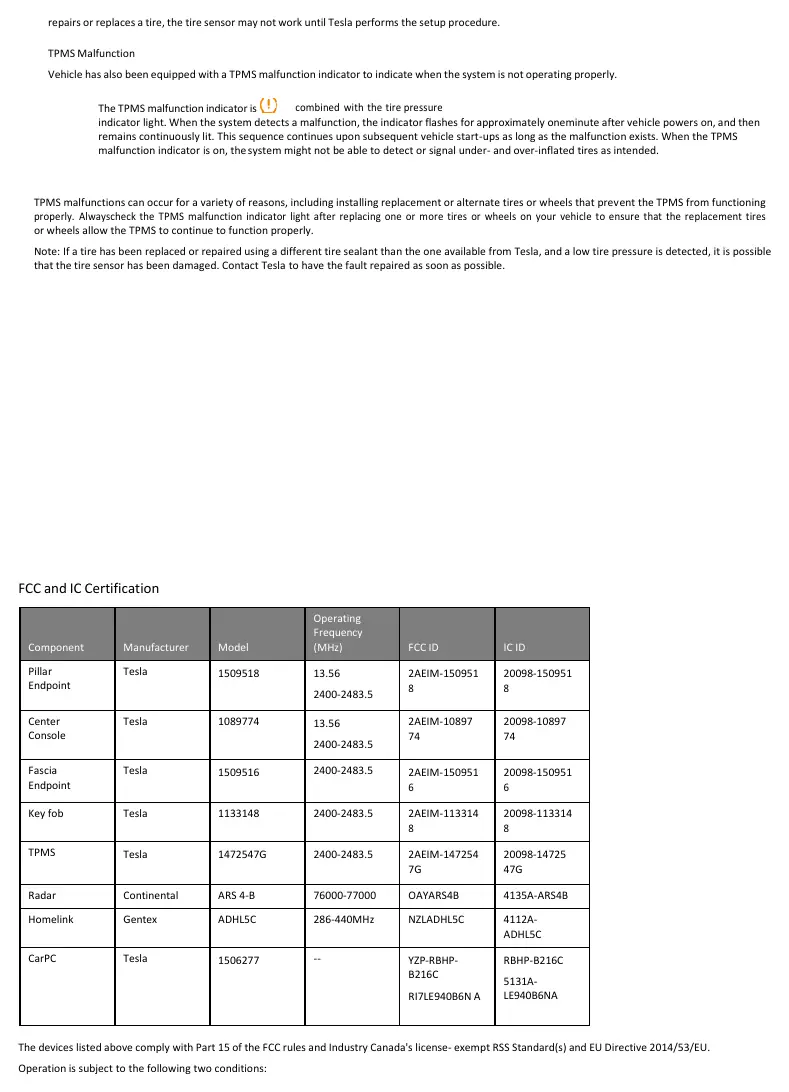
If the TPMS indicator flashes for one minute whenever you power on the vehicle, a system fault has been detected. When the malfunction indicator is active, the system may not be able to detect or signal tire pressure issues. If the indicator displays frequently, contact Tesla to determine if a sensor needs replacement.
Regulatory Information
This equipment complies with Part 15 of the FCC Rules and Industry Canada's license-exempt RSS Standard(s), as well as EU Directive 2014/53/EU. The device must accept any interference received, including interference that may cause undesired operation.
Practical help
Common problems
Tire pressure indicator flashes for one minute at startup
A TPMS fault has been detected. Contact Tesla for service.
Tire pressure warning light remains on after inflating tires
Drive the vehicle over 15 mph (25 km/h) for more than 10 minutes to allow the system to reset.
Sensor not working after wheel replacement
Perform a manual TPMS reset via the touchscreen under Service > Reset TPMS Sensors.
Before use
- Check tire pressure monthly when tires are cold.
- Ensure tires and wheels match the original vehicle specifications.
- Verify tire pressure against the label on the driver's door pillar.
- Check the TPMS indicator status on the touchscreen after powering on the vehicle.
Specs in practice
- 15 mph (25 km/h)
- Minimum speed required to trigger an automatic TPMS sensor reset.
Model compatibility
- Use only tires and wheels that match original specifications.
- Non-approved accessories may interfere with TPMS functionality.
- Aftermarket tires may require manual TPMS resetting.

Manual page author
David Miller
Documentation analyst
Organizes user manual content into clear summaries, with attention to model details, product context, and everyday usability.