Sports / Fitness
User Manual for Timago TempoTIM / TempoTIM Plus Pedal Exerciser
Quick guide for the Timago TempoTIM and TempoTIM Plus foldable pedal exerciser. Includes assembly, resistance adjustment, usage instructions, and counter functions.
Table of contents
Manual images
Click an image to enlargeQuick guide from the manual
The Timago TempoTIM and TempoTIM Plus are foldable pedal exercisers designed for lower limb rehabilitation. They are suitable for use in hospitals, rehabilitation clinics, and at home. The TempoTIM Plus model includes an integrated digital counter to track exercise progress.
Device Description
The exerciser consists of a powder-coated steel frame, a resistance mechanism, anti-slip pads, and foot straps. The main components are:
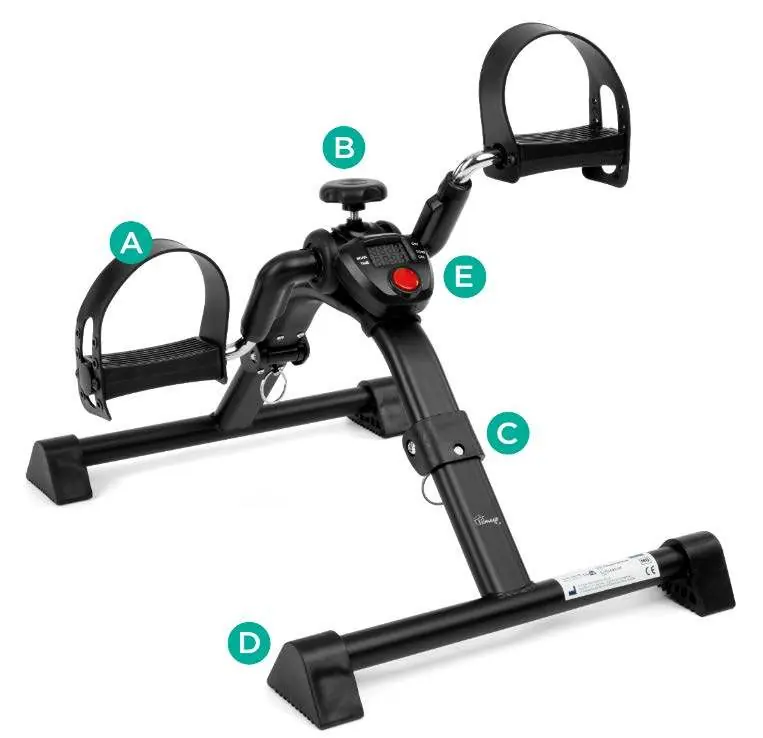
- A: Foot protection strap
- B: Resistance adjustment knob
- C: Locking pin
- D: Anti-slip pads
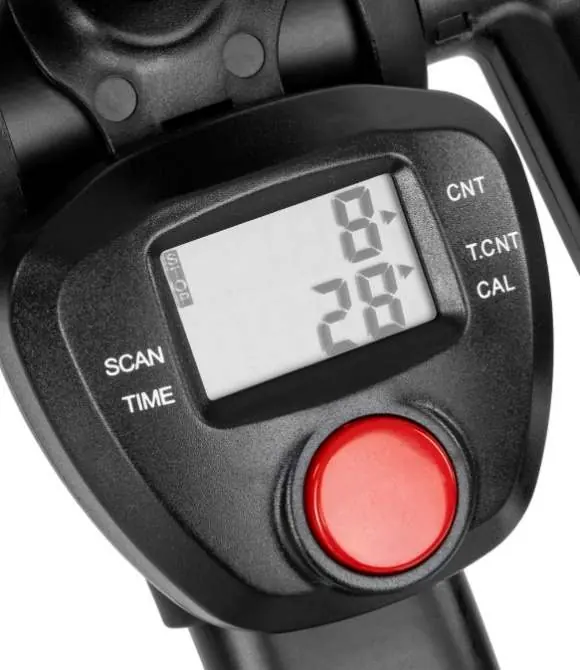
- E: Counter (TempoTIM Plus model only)
Assembly and Adjustment
To assemble the exerciser, extend both legs until the locking pins click into place. The resistance adjustment knob should be installed in the mounting opening at the top of the frame.
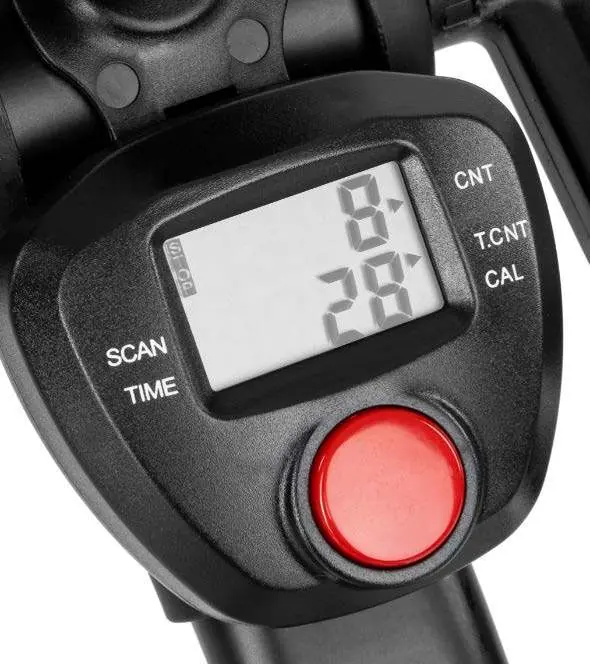
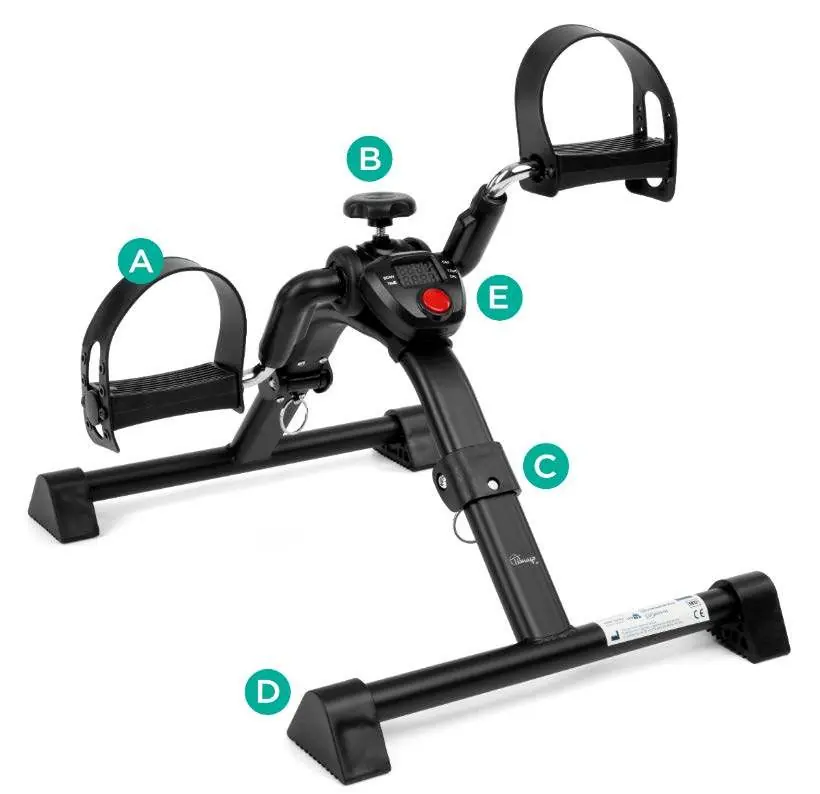
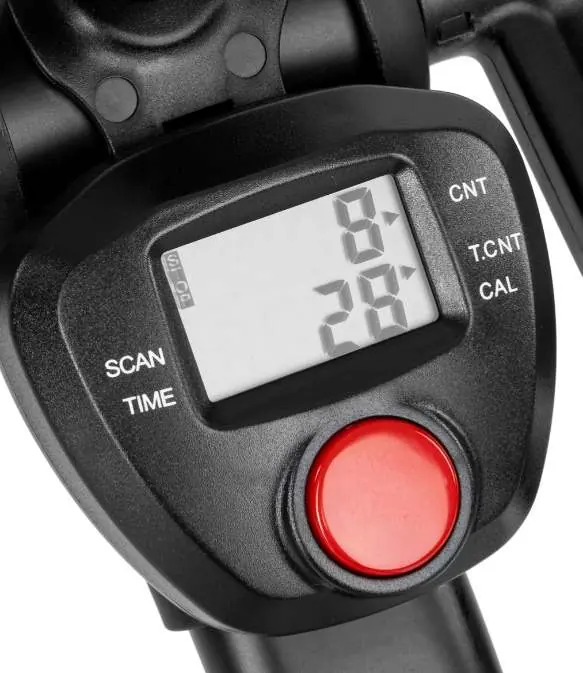
To fold the exerciser, push in the locking pins on both sides of the frame and fold the legs inwards.
To remove the counter or replace the battery (TempoTIM Plus), unscrew the adjustment knob completely, then remove the counter. To replace the battery, release the battery cover latch by pressing the button on the bottom of the counter. Note: All data will be lost when the battery is replaced.
Resistance Adjustment
To increase resistance, turn the adjustment knob clockwise. To decrease resistance, turn it counter-clockwise. For low-impact exercises, the knob should be completely unscrewed. For resistance exercises, tighten the knob to the desired load.
Usage Instructions
Place the exerciser on a stable floor and ensure the anti-slip pads are firmly in contact with the surface. Exercises should be performed in a seated position. Position the exerciser directly in front of you so that your hip joint is bent at an angle of at least 90 degrees. Place your feet on the pedals and adjust the straps to secure them.
Counter Functions (TempoTIM Plus)
The counter tracks various exercise parameters:
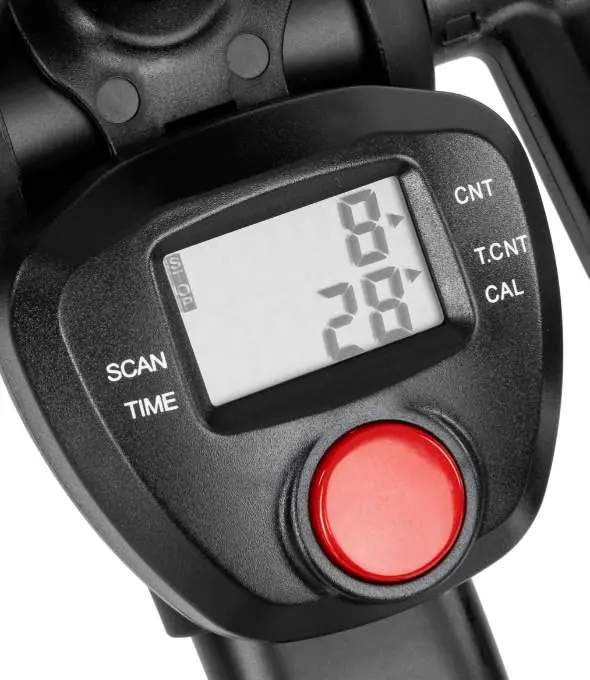
- CNT: Counts exercise rotations.
- SCAN: Alternately displays exercise parameters.
- T.CNT: Total rotations across all exercises.
- TIME: Duration of the exercise.
- CAL: Estimated calories burned.
The counter features automatic start upon activity detection and automatic stop after 5 minutes of inactivity. To reset data, press and hold the red button for at least 2 seconds. To clear the T.CNT total, remove the battery.
Maintenance and Care
Regularly clean the exerciser with a soft cloth and soapy water. Dry thoroughly after cleaning. Do not use harsh polishing agents as they may damage the protective coating. Keep moving parts free of dirt and debris.
Storage and Transport
Do not expose the device to direct sunlight, water, or moisture.
Warranty
Products are covered by a warranty as described in the warranty card provided at the time of purchase. Retain your proof of purchase (receipt or invoice) for warranty claims.
Official resources from the manual
Practical help
Common problems
Counter not working
Check the battery (1x 1.5V AAA) and replace it if necessary.
Data lost
All data is lost when the battery is removed or replaced.
Exerciser moves during use
Ensure the anti-slip pads are firmly in contact with the floor.
Before use
- Ensure the device is placed on a stable surface.
- Check that anti-slip pads are firmly in place.
- Ensure the hip joint is bent at an angle of at least 90 degrees.
- Secure feet in the straps to prevent slipping.
Specs in practice
- Base dimensions
- 39.5 x 47 cm
Images and diagrams
- A: Foot protection strap
- B: Resistance adjustment knob
- C: Locking pin
- D: Anti-slip pads
- E: Counter (TempoTIM Plus model)
Model compatibility
- TempoTIM Plus includes a digital counter; standard TempoTIM does not.

Manual page author
Michael Turner
Technical manual editor
Reviews PDF manuals for structure, safety notes, and practical product details so readers can find the right information quickly.