Baby / Baby Monitors
User Manual for Tommee Tippee 1082S DECT Digital Monitor with Movement Sensor Pad
Comprehensive user guide for the Tommee Tippee 1082S DECT Digital Monitor. Includes setup instructions for the baby and parent units, movement sensor pad installation, troubleshooting, and safety guidelines.
Table of contents
Manual images
Click an image to enlargeQuick Guide from the Manual
The Tommee Tippee 1082S DECT Digital Monitor allows you to monitor your baby's sound and movement. Before first use, ensure the parent unit is charged for 10 hours. The baby unit can be powered by mains or 4x AA batteries. The movement sensor pad must be placed under the mattress, directly under the baby, and connected to the baby unit.
Device Overview
Baby Unit: Features a power button, nightlight control, movement sensor input, and battery compartment. It includes a sensitivity switch for the sensor pad.
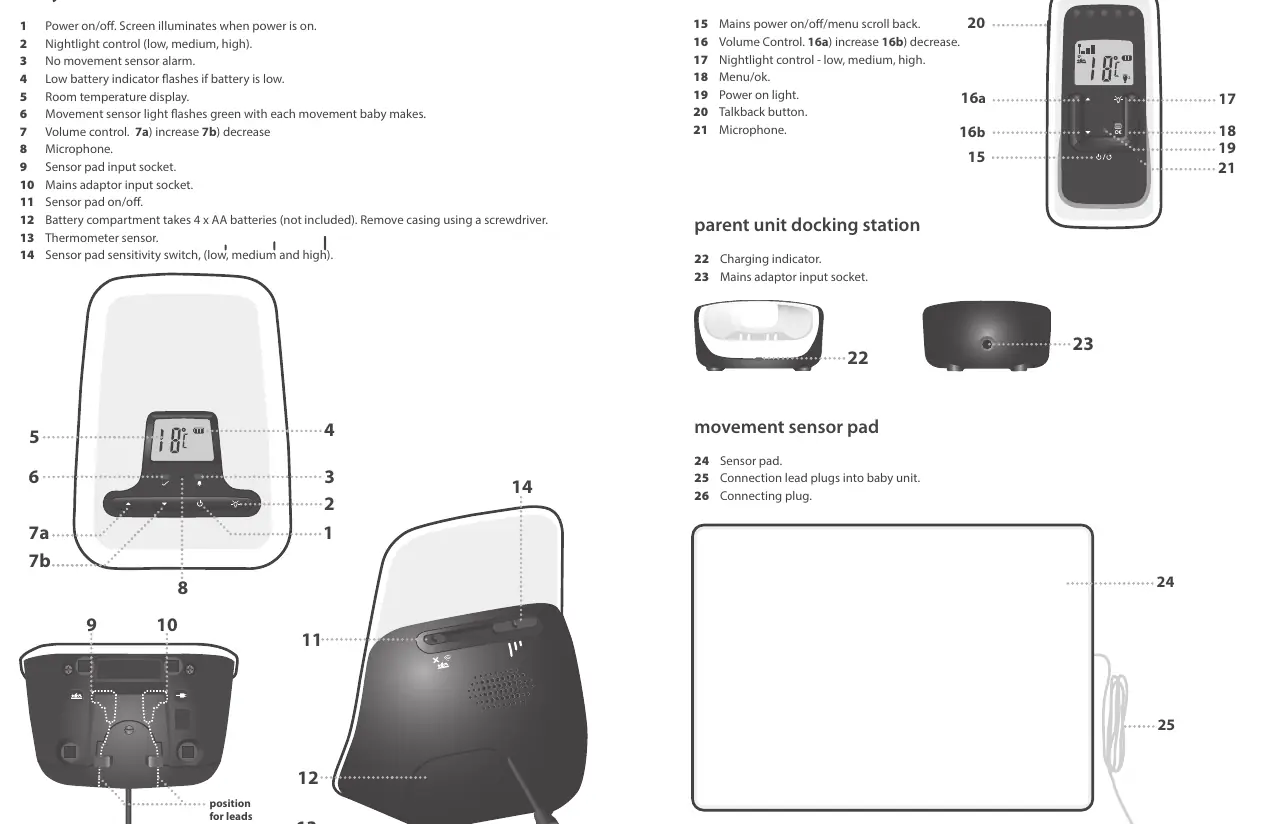
Parent Unit: Features a docking station, volume control, talkback button, menu navigation, and a display screen for temperature, signal strength, and battery status.
Setting Up the Monitor
Parent Unit: Insert the supplied 2x AAA rechargeable batteries. Place the unit on the docking station and charge for 10 hours before first use. Turn on by pressing the power key for 3 seconds.
Baby Unit: Connect the mains adaptor to a wall socket. If using batteries, insert 4x AA batteries (not supplied). Turn on by pressing the power key. Note that there is no charging function on the baby unit for rechargeable batteries.
Movement Sensor Pad Installation
The sensor pad is designed for use in a cot with a flat, firm base. It is not suitable for travel cots, swinging cribs, or moses baskets.
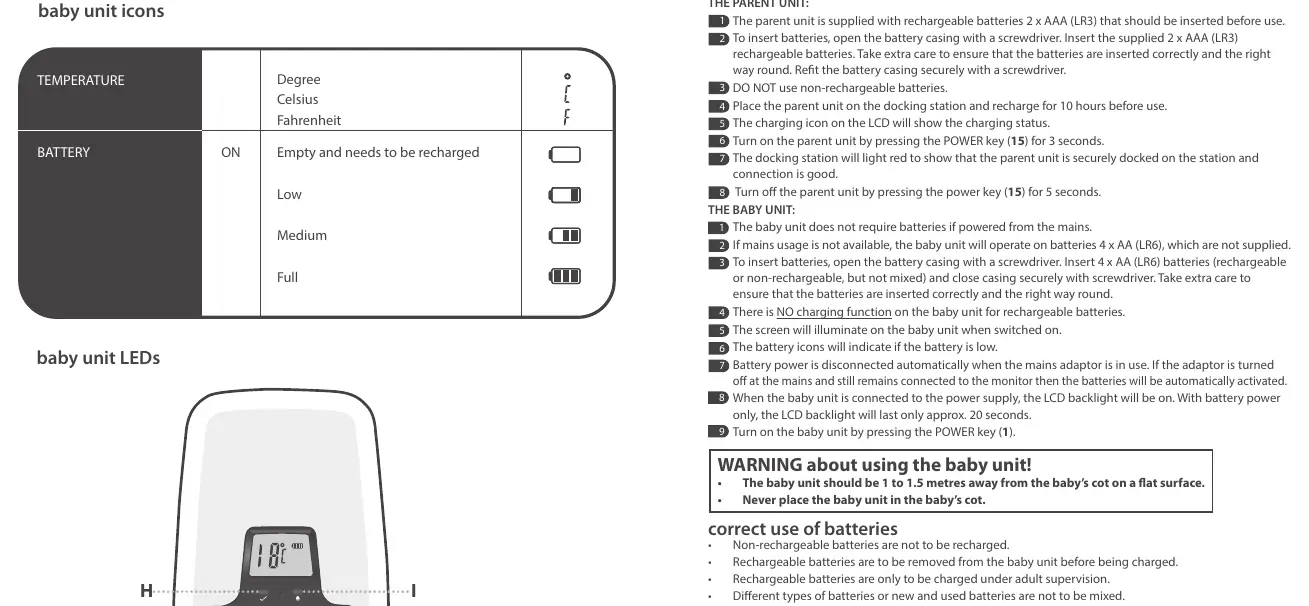
- Place the sensor pad between the cot mattress and the cot base, directly under the area where the baby sleeps.
- Ensure the connecting cord is fed through the base of the cot and is out of reach of the baby (at least 50cm from the mattress surface).
- Ensure the connecting cord plug is pushed fully into the socket on the baby unit.
- Do not hang the cable over the top or through the bars of the cot.
Testing and Operation
Testing the Sensor Pad: Turn the sensor pad switch to ON. Touch the mattress gently; the green sensor light should flash on both units, and an audible tick should be heard. If you stop moving, an alarm should sound after approximately 20 seconds.
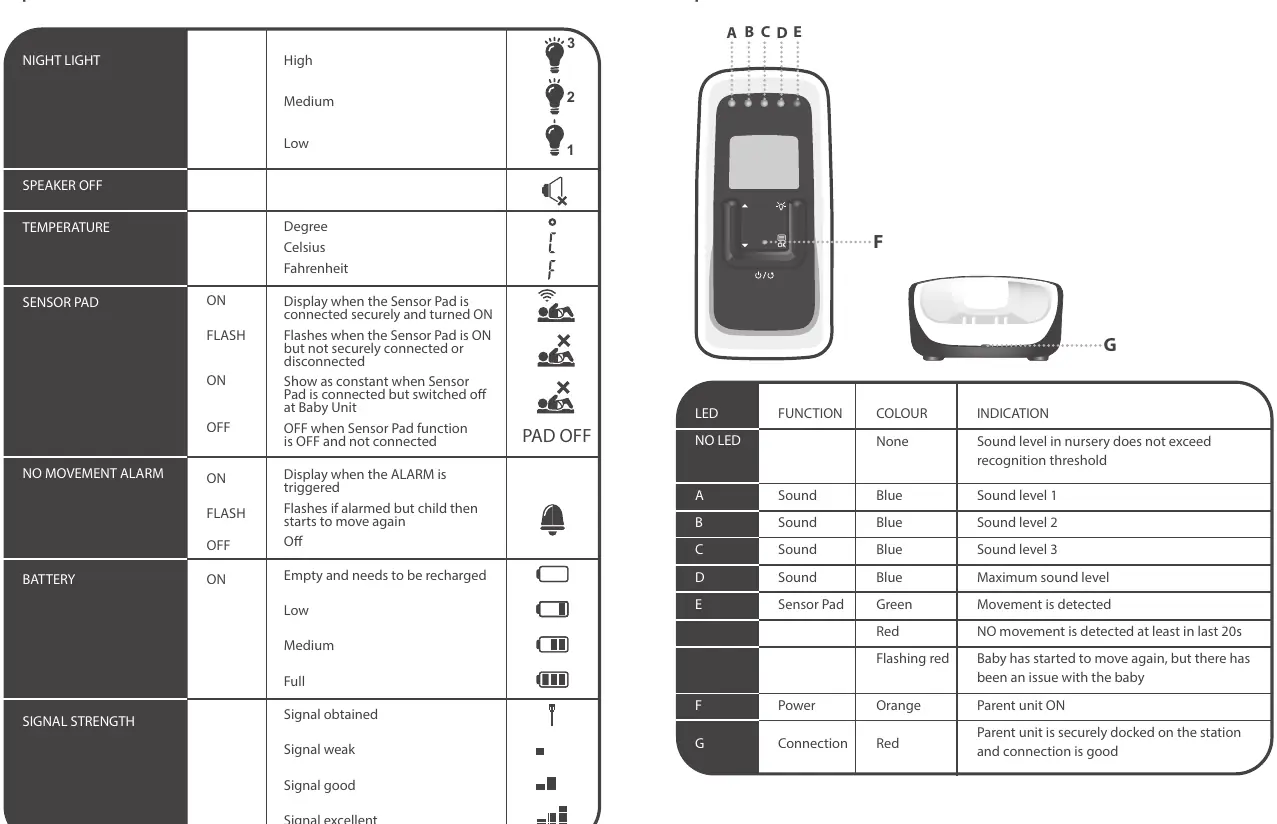
Settings: You can adjust the volume, nightlight brightness, temperature format (Celsius/Fahrenheit), and sound sensitivity levels (1-5) via the menu on the parent unit.
Troubleshooting
- No alarm after 20 seconds if NO movement: Ensure there is no vibration around the sensor pad. Decrease the sensitivity setting and test again.
- False alarm when there IS movement: Check that connections are secure. Increase the sensitivity setting and test again.
- Lost signal: If the link is lost, the parent unit will emit an alert tone and display 'No Link'. Move closer to the baby unit.
Safety Warnings
Strangulation Hazard: Keep all cords out of the reach of children. Place cords more than a meter away from the cot. Never place the baby unit inside the cot. This monitor is not a medical device and is not a substitute for adult supervision.
Practical help
Common problems
No alarm after 20 seconds if NO movement
Ensure there is no vibration around the sensor pad. Decrease the sensitivity setting and test again.
False alarm when there IS movement
Check that connections are secure. Increase the sensitivity setting and test again.
Lost signal
Move closer to the baby unit. The monitor has a range of approximately 300 meters, but this may be reduced by walls and obstacles.
Before use
- Charge parent unit for 10 hours before first use.
- Insert 2x AAA rechargeable batteries into the parent unit.
- Insert 4x AA batteries into the baby unit if not using mains power.
- Place sensor pad under the mattress, directly under the baby.
- Ensure the sensor pad cord is out of reach of the baby.
- Test the sensor pad functionality before leaving the baby unattended.
Specs in practice
- Temperature Display
- Displays temperature between 10°C and 30°C. Displays 'LO' below 10°C and 'HI' above 30°C.
- Sensitivity Levels
- Adjustable levels 1-5 for sound sensitivity and Low/Medium/High for sensor pad sensitivity.
Images and diagrams
- Baby Unit: Shows power button, nightlight, sensor pad input, and battery compartment.
- Parent Unit: Shows volume, talkback, menu, and docking station.
- Sensor Pad: Shows the pad and the connection lead.
Model compatibility
- Suitable for cots with flat, firm bases.
- Not for use in travel cots, swinging cribs, or moses baskets.
- Not compatible with hollow or foam-free mattresses.

Manual page author
David Miller
Documentation analyst
Organizes user manual content into clear summaries, with attention to model details, product context, and everyday usability.