Electronics / Gaming Peripherals
User manual for TSCO TG 150W X2 Gaming Pad
Quick guide for the TSCO TG 150W X2 Gaming Pad. Learn how to connect to PC, PS3, and Android, configure connection modes, and use the Turbo function.
Table of contents
Manual images
Click an image to enlargeQuick Start Guide
To begin using your TSCO TG 150W X2 Gaming Pad, ensure the device is charged using the provided Type-C cable. Connect the wireless USB dongle to your target device (PC, PS3, or Android with OTG support). Press the MODE key to power on the controller and initiate pairing. The LED indicators will flash to search for the connection.
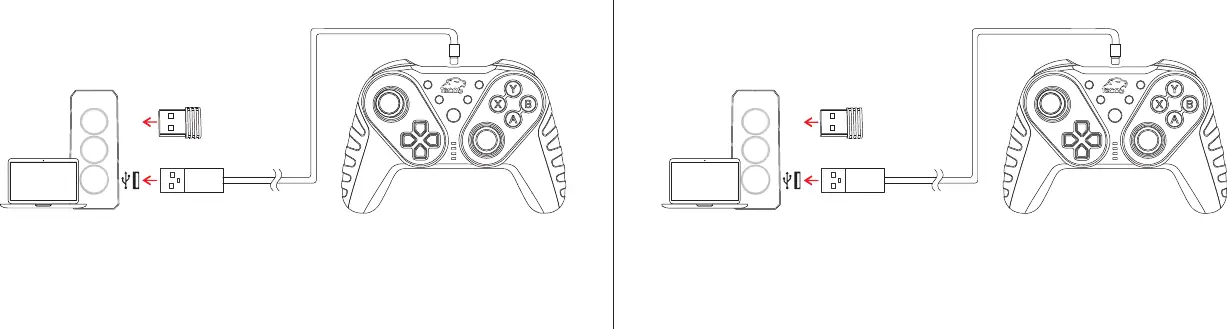
Package Content
- TG-150W X2 Gaming Pad
- Wireless USB Dongle
- Type-C Charging Cable
- Guarantee Card
- User Manual
Device Layout
The controller features the following controls:
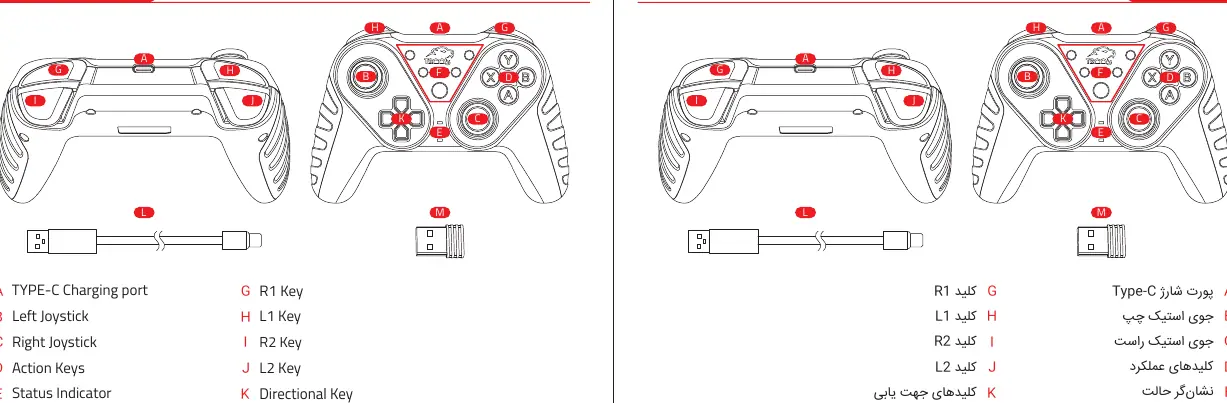
- A: Type-C Charging port
- B/C: Left and Right Joysticks
- D: Action Keys (A, B, X, Y)
- E: Status Indicator LEDs
- F: Turbo / Select / Mode / Start / Clear Buttons
- G/H/I/J: R1, L1, R2, L2 Keys
- K: Directional Key
Connection Modes
The controller supports different modes depending on the platform:
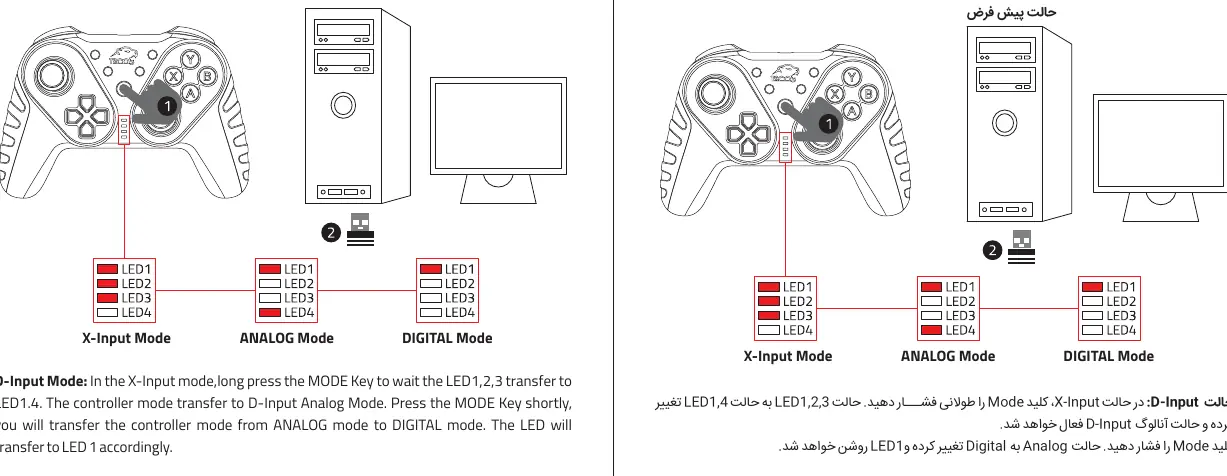
Windows Mode
X-Input Mode: Press the MODE key to power on. The LEDs 1, 2, 3, 4 will flash. Connect the USB receiver to the PC. After 2-3 seconds, the controller connects, and LEDs 1, 2, 3 will remain lit.
D-Input Mode: While in X-Input mode, long-press the MODE key until LEDs 1, 2, 3 transfer to LEDs 1, 4. This activates D-Input Analog Mode. Press the MODE key shortly to switch between Analog and Digital modes.
Android Mode
Press the MODE key to power on. Connect the USB receiver to the Android device (OTG support required). Once connected, LED 2 will remain lit.
PS3 Mode
Press the MODE key to power on. Connect the USB receiver to the PS3 console. Once connected, LED 1 will remain lit.
Turbo Function
The Turbo function can be assigned to the following keys: A, B, X, Y, L1, L2, R1, R2.
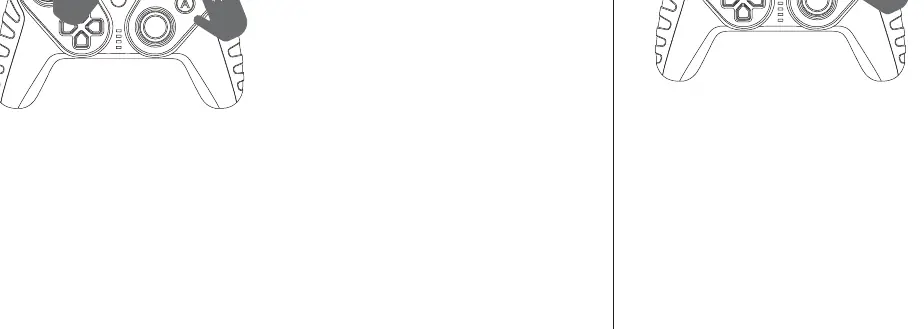
- Enable: Press the TURBO key and the desired function key simultaneously.
- Clear: Press the key that has the Turbo function set and the CLEAR key simultaneously to cancel it.
Technical Specifications
- Connection: 2.4G Wireless
- Compatibility: PC (X-Input & D-Input), PS3, Android
- Keys: 17 Keys + 2 Joysticks
- Material: ABS
- Dimensions: 155 x 110 x 55 mm
- Weight: 220 g
Practical help
Common problems
Controller not connecting
Ensure the USB dongle is securely plugged into the device and the controller is powered on. Try re-pairing by pressing the MODE key.
Turbo function not working
Ensure you are pressing the TURBO key and the target function key simultaneously to enable it.
Before use
- Charge the controller fully using the Type-C cable.
- Ensure the USB dongle is connected to the target device.
- For PC, download the driver if required.
- Check if your Android device supports OTG.
Specs in practice
- 2.4G Wireless
- Uses a dedicated USB dongle for connection; not Bluetooth.
Images and diagrams
- A: Type-C Charging port
- E: Status Indicator LEDs showing connection mode
- F: Multi-function buttons (Turbo/Select/Mode/Start/Clear)
Model compatibility
- Compatible with PC (X-Input & D-Input), PS3, and Android devices.
- Android devices must support OTG.

Manual page author
Michael Turner
Technical manual editor
Reviews PDF manuals for structure, safety notes, and practical product details so readers can find the right information quickly.