Home Appliances / Small Kitchen Appliances
User Manual for Williams-Sonoma Ayden Power Swivel Glider Recliner
Quick guide for the Williams-Sonoma Ayden Power Swivel Glider Recliner. Includes assembly instructions, power connection, care tips, and operating procedures.
Table of contents
Manual images
Click an image to enlargeQuick Guide from the Manual
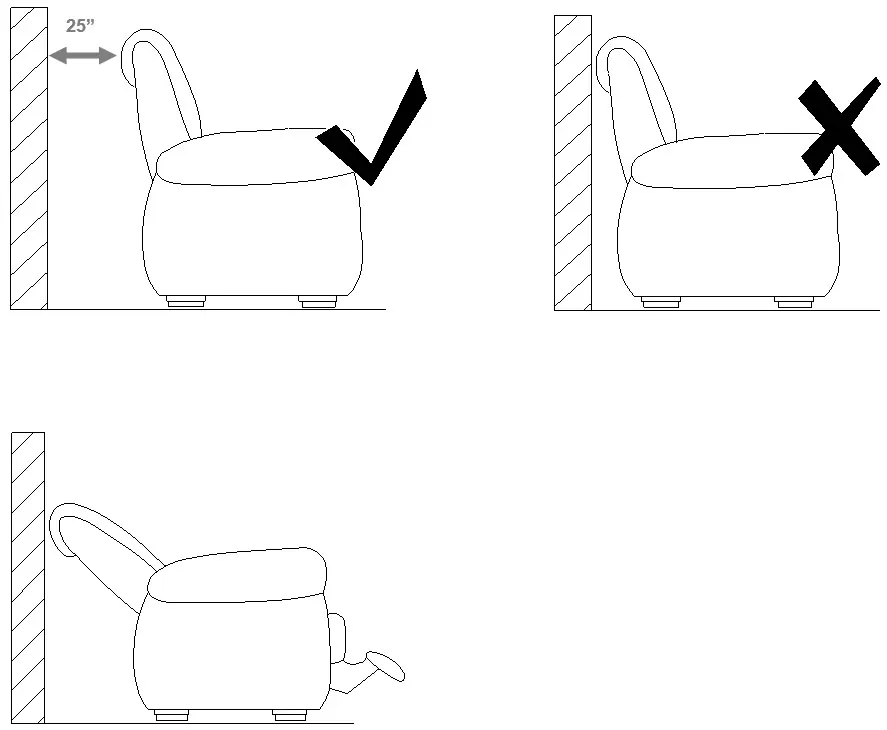
The Ayden Power Swivel Glider Recliner is designed for residential use. Before beginning assembly, ensure you do not dispose of any packaging or carton contents until the process is complete to avoid discarding small parts or hardware. The recliner requires a clearance of 25 inches from the wall to operate safely. The chair features a 240-degree swivel range and includes a built-in USB port for charging devices.
Assembly and Setup
Assembly requires two people. Ensure you have a clean, soft surface to work on. Follow these steps:
- Unpack all components carefully.
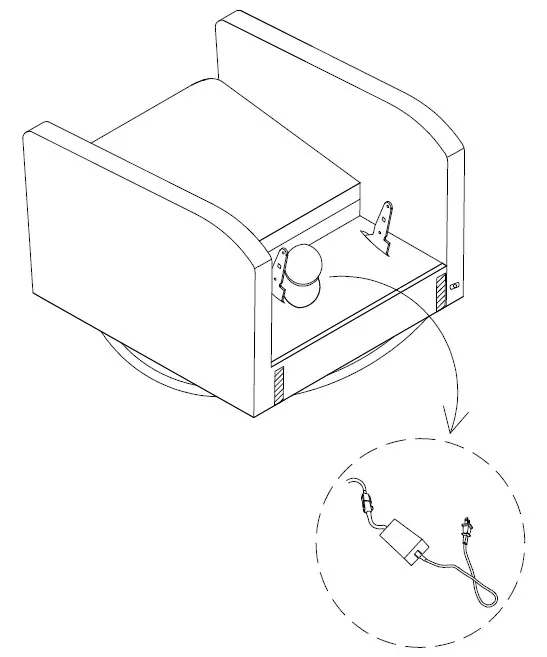
- Connect the power cable components as shown in the assembly diagrams.
- Ensure the backrest is securely attached to the base.
Power Connection
The recliner requires an electrical connection to operate the power features. Connect the power cable to a standard wall outlet. Ensure the cable is routed safely to avoid tripping hazards or damage to the cord.
Operation
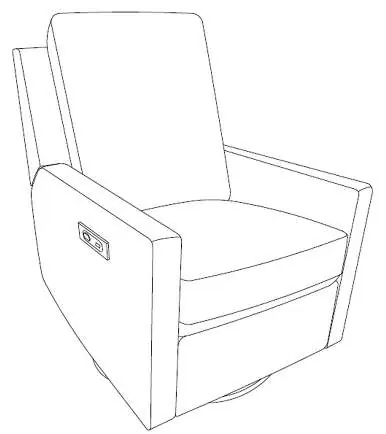
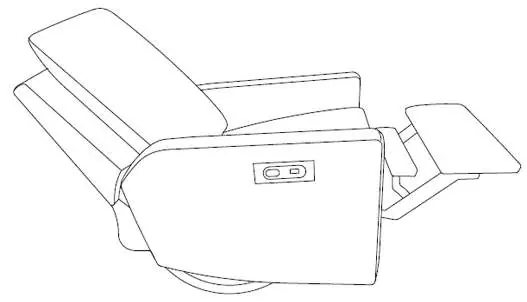
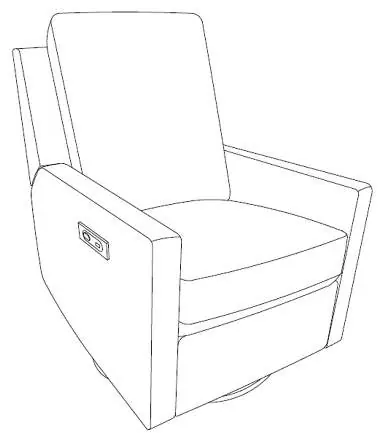
The recliner is operated using the control panel located on the side of the chair. The panel includes a USB port for charging mobile devices. To recline, use the integrated controls. The chair is capable of a 240-degree swivel motion.
Care and Maintenance
To keep your recliner in good condition, follow these care guidelines:
- Dusting: Dust often using a clean, soft, dry, and lint-free cloth.
- Spills: Blot spills immediately and wipe with a clean, damp cloth.
- Cleaning Agents: Do not use chemical cleansers, abrasives, or furniture polish on the lacquered finish.
- Hardware: Hardware may loosen over time. Periodically check to ensure all connections are tight and re-tighten if necessary.
Safety and Compliance
This equipment has been tested and found to comply with the limits for a Class B digital device, pursuant to part 15 of the FCC Rules and ICC. These limits are designed to provide reasonable protection against harmful interference in a residential installation. If the equipment causes interference to radio or television reception, try reorienting or relocating the receiving antenna, increasing the separation between the equipment and receiver, or connecting the equipment to a different outlet circuit.
Practical help
Common problems
Recliner power functions not working
Check that the power cable is securely connected to the wall outlet and that the internal cable connections are properly seated.
Hardware feels loose
Periodically check all connections and re-tighten them if necessary to maintain stability.
Radio or TV interference
Reorient or relocate the receiving antenna, increase separation between the equipment and receiver, or connect the equipment to a different circuit.
Before use
- Do not dispose of any packaging or carton contents until assembly is complete.
- Ensure you have a clean, soft, dry, and lint-free cloth for maintenance.
- Verify you have 25 inches of clearance from the wall for the reclining function.
- Ensure two people are available for assembly.
Specs in practice
- Swivel Range
- The chair can rotate up to 240 degrees.
- Wall Clearance
- A minimum of 25 inches of space is required behind the chair for full reclining.
Images and diagrams
- Assembly diagrams illustrate the connection of the power cable components.
- Clearance diagrams show the required 25-inch distance from the wall.
- Operation diagrams highlight the location of the USB port and control buttons.
Model compatibility
- Complies with FCC Rules and ICC limits for a Class B digital device.

Manual page author
David Miller
Documentation analyst
Organizes user manual content into clear summaries, with attention to model details, product context, and everyday usability.