Electronics / Speakers & Soundbars
Yamaha Sound System Selection and Setup Guide
A comprehensive guide to choosing and configuring a sound system for houses of worship and live events. Learn about mixer types, speaker configurations, system connections, and monitoring solutions.
Table of contents
Manual images
Click an image to enlargeQuick Guide to Sound System Planning
When planning a sound system, consider the following factors to ensure the system meets your needs:
- Portability vs. Permanence: Determine if you need a portable system for flexible locations or a permanently installed system for a dedicated space.
- Room Acoustics: The size, shape, and materials of your room dictate speaker placement and power requirements.
- Worship Style: Simple vocal amplification requires less complex systems than full bands with electric instruments.
- Operator Skill: Choose a system with an interface that matches the experience level of your volunteers or staff.
- Future-Proofing: Plan for growth in your congregation and activities over the next 1-3 years.
Key Components
Every sound system relies on three primary components:
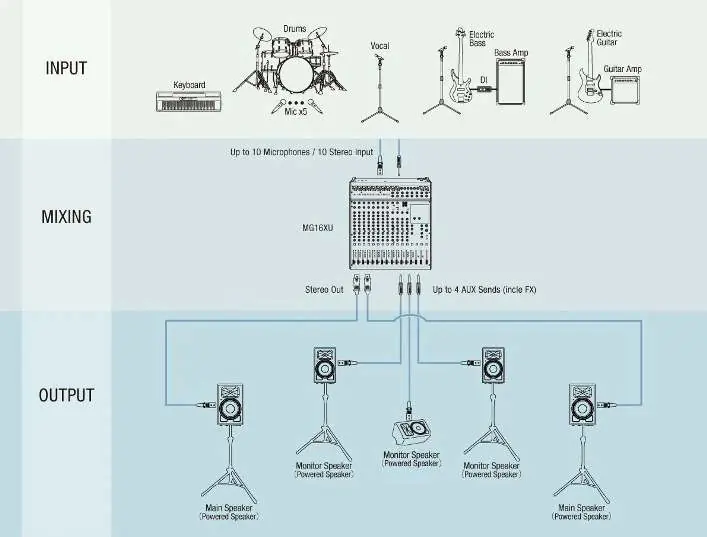
- Mixer: The heart of the system. Consider the number of inputs and outputs required for your band, vocals, and auxiliary audio needs.
- Speakers: Choose based on room configuration and congregation size. Options include powered or passive, portable or installed, and ceiling-mounted or floor-standing.
- Stage Monitors: Essential for bands to hear themselves. Options include floor wedges or in-ear monitoring (IEM) systems.
Mixer Types
There are three main types of audio mixers:
- Analog Mixers: Feature physical knobs for every function. They have a shorter learning curve and are often more budget-friendly.
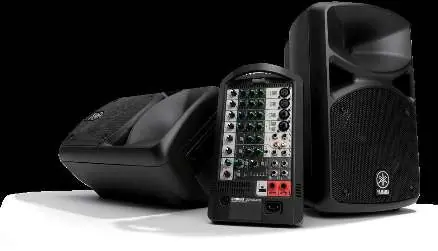
- Powered Mixers: Integrate power amplifiers with the mixer in a single unit, making them a "plug and play" solution for passive speakers.
- Digital Mixers: Offer advanced features like scene recall, wireless remote control (e.g., via iPad), and multiple layers for complex setups.
System Connections
Proper connectivity is vital for system performance:
- Analog Snakes: Traditional method for connecting stage inputs to the mixer.
- Digital Snakes: Use a single CAT5E or CAT6 cable to transmit all I/O, reducing clutter and the risk of faulty cables.
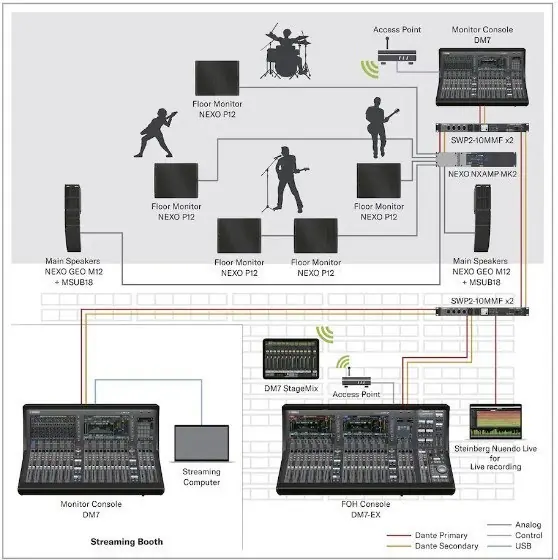
- Networked Audio: Systems like Dante allow for streamlined routing and troubleshooting across multiple consoles and devices.
Speaker Configuration
Understanding speaker specifications helps in selecting the right equipment:
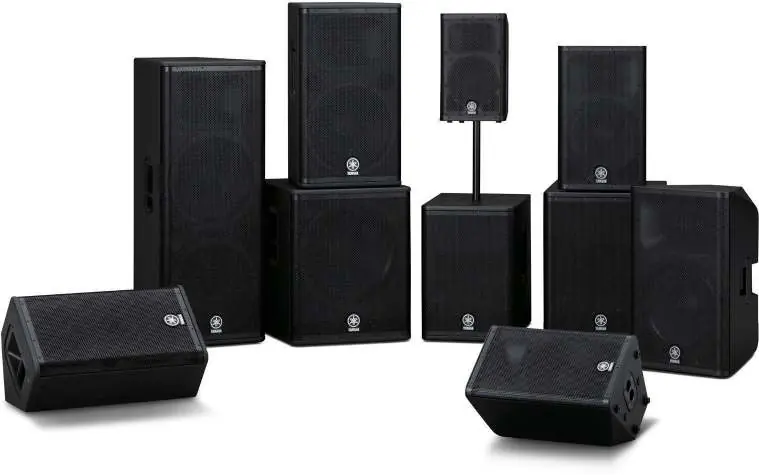
- Active vs. Passive: Active speakers have built-in amplifiers and crossovers, simplifying setup. Passive speakers require external amplifiers, offering more modularity for large systems.
- Driver Configuration: Multiple drivers (e.g., woofer and tweeter) are more efficient at reproducing the full frequency spectrum than single full-range drivers.
- Bi-amplification: The process of sending separate frequency ranges to dedicated amplifiers for woofers and tweeters, improving sound quality.
Connectors
Common audio connectors include:
- SpeakON: Multi-pin connector for high-power speaker connections.
- TRS (Tip-Ring-Sleeve): Balanced 1/4" connectors used for two conductors plus ground.
- XLR: Three-pin connector for balanced mic-level or line-level signals.
- TS (Tip-Sleeve): Unbalanced 1/4" connectors for two-conductor operation.
In-Ear Monitoring
In-ear monitoring (IEM) systems provide a high-quality signal directly to the musician's ear. They help reduce stage volume, protect hearing, and allow individual band members to control their own monitor mix, which improves the overall house mix.
Manufacturer information
Yamaha
Practical help
Common problems
Low-frequency buildup on stage
Use more focused stage wedges with a narrower coverage angle rather than fewer monitors with broad coverage.
Feedback issues
Use in-ear monitoring (IEM) to reduce stage volume and improve gain before feedback.
Complex, heavy cabling
Switch to a digital snake system using CAT5E or CAT6 cables to replace large analog snakes.
Before use
- Determine if the system needs to be portable or permanent.
- Assess room size, shape, and acoustic properties.
- Identify the skill level of the system operators.
- List all required inputs and outputs for current and future needs.
- Consult with an audio team to decide on budget and physical requirements.
Images and diagrams
- System Signal Flow: Illustrates the path from input sources (instruments/mics) through the mixer to main and monitor speakers.
- Digital Network: Shows the connection between FOH console, monitor console, and I/O racks using Dante networking.
Model compatibility
- Digital consoles should be paired with the specific digital snake designed for them.
- Dante-enabled components allow for streamlined signal routing and troubleshooting.

Manual page author
Emily Carter
User documentation editor
Prepares concise manual descriptions and highlights the most useful setup, operation, and maintenance information for readers.