Electronics / Audio
Yamaha 01X Supplementary Manual: Cubase SX 3 Integration
A supplementary guide for integrating the Yamaha 01X Digital Mixing Studio with Cubase SX 3. This manual covers remote control setup, audio and MIDI configuration, automation, and editing EQ and effects.
Table of contents
Manual images
Click an image to enlargeQuick guide from the manual
This supplementary manual provides instructions for using the Yamaha 01X Digital Mixing Studio with Cubase SX 3. It covers the necessary setup for remote control, audio/MIDI configuration, and advanced features like automation and effect editing. Ensure your mLAN driver is installed and the 01X is connected before proceeding.
Remote control setup
To use the 01X as a control surface for Cubase SX 3:
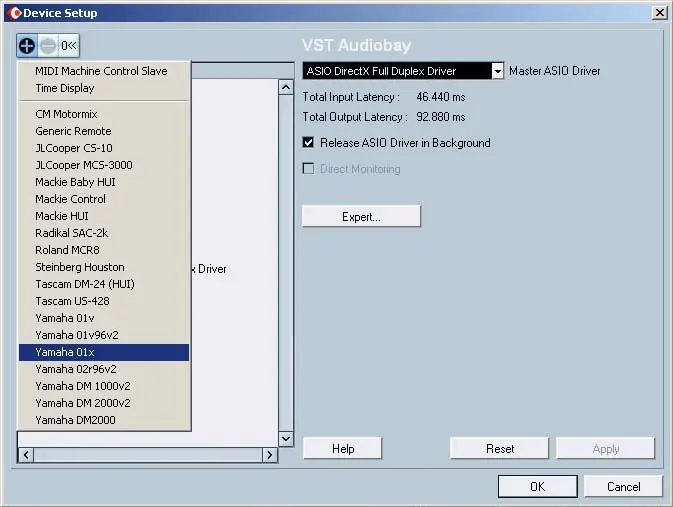
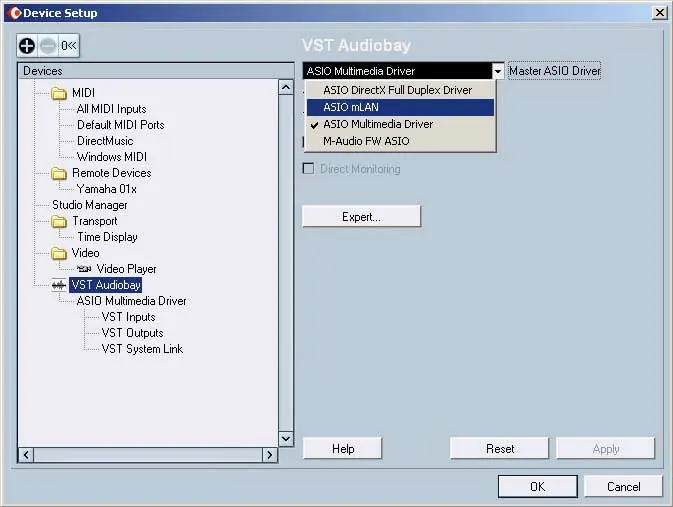
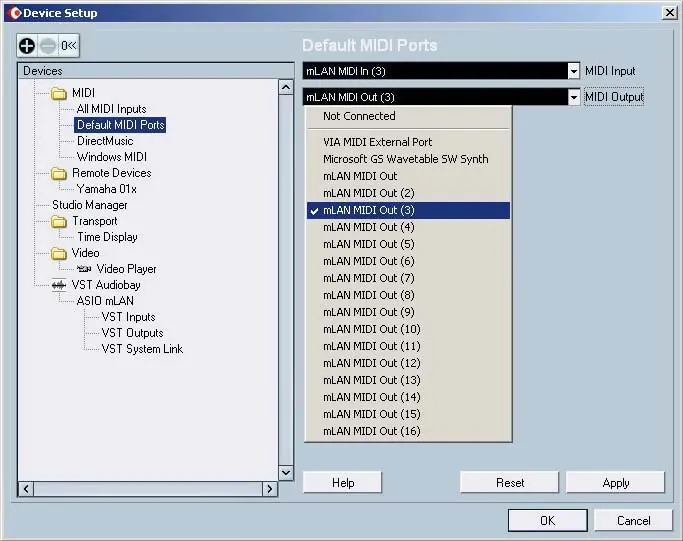
- Go to the Devices menu and select Device Setup.
- Click the plus button to add a device and select Yamaha 01X from the list.
- Specify the MIDI In and Out ports by selecting the unnumbered mLAN MIDI ports.
- Enable the 01X for remote control by pressing the UTILITY button, selecting the REMOTE SELECT page, choosing CUBASE/NUENDO, and pressing YES.
- Press the REMOTE button on the 01X panel to activate Remote mode.
Audio and MIDI setup
Proper audio and MIDI configuration is essential for mLAN integration:
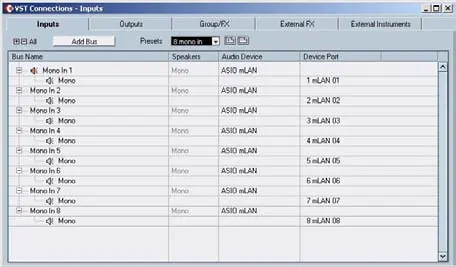
- In Device Setup, select VST Audiobay.
- Set the Master ASIO Driver to ASIO mLAN.
- For MIDI setup, select Default MIDI Ports and configure the Input and Output ports to the appropriate mLAN MIDI ports.
- Use the VST Connections window to configure input and output buses for your project.
Automation
The 01X allows for full automation of mixer parameters:
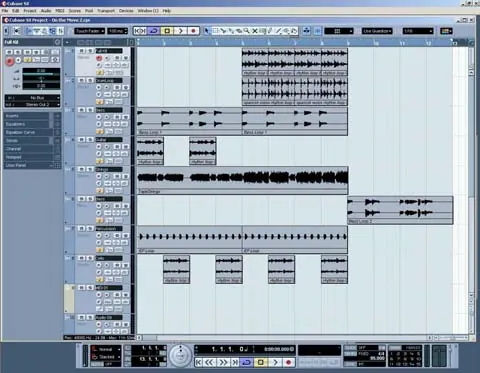
- Activate Read/Write automation by pressing the AUTO R/W button.
- Use the channel ON buttons to toggle between Read (R) and Write (W) modes in Cubase.
- Move physical faders on the 01X to record volume automation in real-time.
- Use the SEL button to stop Write automation (touch-out).
Editing EQ and Effects
You can edit track EQ and plug-in effects directly from the 01X:
- EQ: Select an audio track, press the EDIT button to open the VST Audio Channel Settings, and use the EQ buttons on the 01X to adjust frequency bands.
- Effects: Create an FX Channel track in Cubase, then use the SEND button on the 01X to adjust send levels. Press the EFFECT button to toggle between Master and Send effects and adjust parameters using the knobs.
Function buttons
The eight Function buttons (F1-F8) can be customized for workflow efficiency:
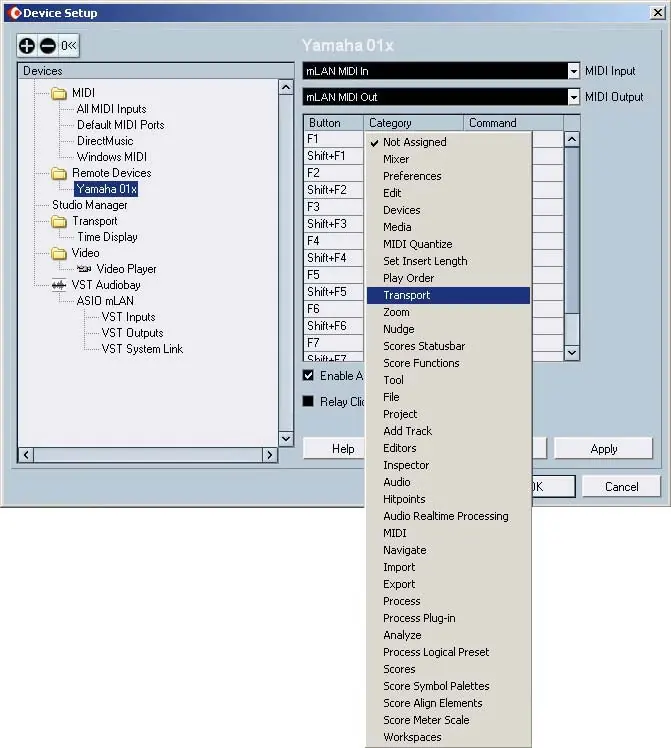
- In Device Setup, select Yamaha 01X.
- Assign specific Categories and Commands to each button and their SHIFT combinations.
- Click Apply to save your settings.
Manufacturer information
Yamaha
Practical help
Common problems
Fader response delay
Check system optimization and latency settings in your sequencer documentation.
Remote control not working
Ensure Remote mode is enabled on the 01X and the correct hardware control set is selected in Cubase Device Setup.
Automation not writing
Ensure the AUTO R/W button is lit and the channel is set to Write (W) mode in Cubase.
Before use
- Ensure mLAN driver is installed and active.
- Verify 01X firmware version (1.03 used in manual).
- Ensure Cubase SX 3 is installed.
- Connect 01X to computer via mLAN.
- Open or record a song in Cubase SX 3.
Images and diagrams
- Device Setup window shows how to add the Yamaha 01X as a remote device.
- VST Audiobay settings demonstrate selecting the ASIO mLAN driver.
- VST Connections window illustrates input/output bus configuration.
- Automation parameter list shows available track parameters for control.
Model compatibility
- Designed for Cubase SX 3.
- Operations with Mac OS X are identical to Windows XP unless noted.
- Some control features may not be implemented on all compatible software programs.

Manual page author
David Miller
Documentation analyst
Organizes user manual content into clear summaries, with attention to model details, product context, and everyday usability.