Documents / Warranty Safety
AcuRite 00875W Digital Wireless Rain Gauge Instruction Manual
Quick guide for the AcuRite 00875W digital wireless rain gauge. Includes setup instructions, battery installation, mounting guidelines, calibration, and troubleshooting for wireless reception.
Table of contents
Manual images
Jump to the sectionQuick guide from the manual
The AcuRite 00875W is a wireless rain gauge consisting of a display console and a self-emptying outdoor collector. Proper setup is essential for accurate data: ensure the collector is placed on a level surface at least 3 feet above the ground and within 165 feet (50 meters) of the display console. Avoid placing the collector in low spots prone to flooding or areas with overhead obstructions.
Installing Batteries
Both units require AA batteries (not included):

- Rain Collector: Requires 2 AA batteries. Squeeze the side tabs to remove the upper casing, then squeeze the tabs on the battery box to slide it out. Install batteries and ensure the box clicks securely back into place.
- Display Console: Requires 3 AA batteries. Slide off the battery compartment cover on the back to install.
Set Time & Date
Press and hold the SET button to enter setting mode. Use the + button to adjust values and SET to confirm. The order is: Hour, Minute, Month, Date, Year, and unit mode (Inch or Millimeter).
Installation
The collector must be mounted outdoors on a solid, level surface. Use only hand tools to secure the base through the two mounting holes to avoid damaging the internal components. Keep both units at least 3 feet away from appliances like TVs or microwaves to prevent radio frequency interference.
Operation and History
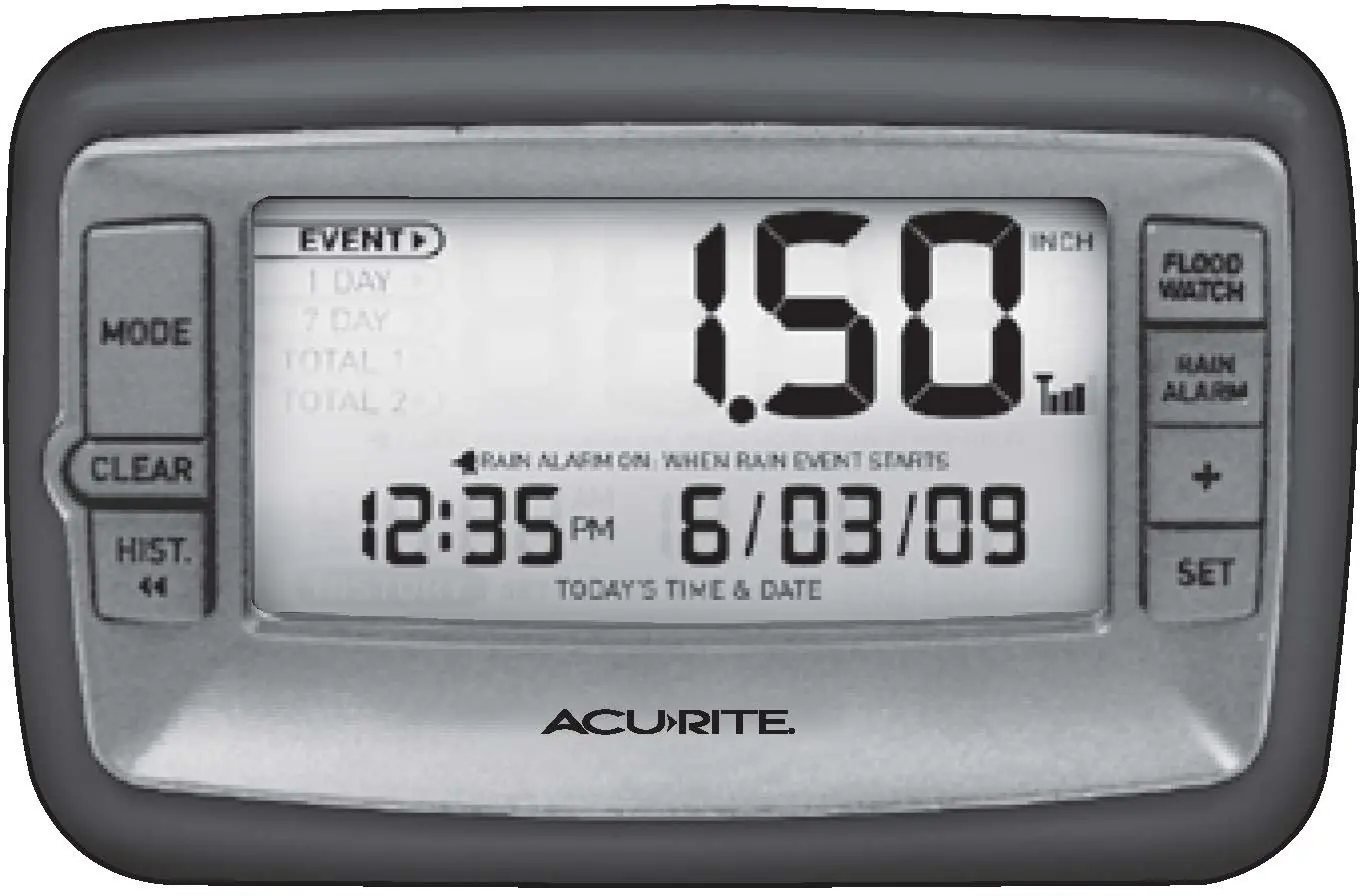
Use the MODE button to toggle between Event, 1 Day, Week, Total A, and Total B. Press HISTORY to view past data for the selected mode. To clear data, press and hold the CLEAR button while in the desired mode.
Calibration
If the unit requires adjustment, drip 8 oz. of water through the funnel at a slow rate. If the reading is not 2.20 inches, turn both calibration screws equally: 1 full turn equals 8% change, 1/2 turn equals 4%, and 1/4 turn equals 2%.
Care and Maintenance
Clean the funnel periodically if it becomes dirty to ensure proper water flow. In winter, bring the collector indoors if you live in an area with extreme cold, ice, or snow, as the device is designed for liquid rainfall only.
Manufacturer information
AcuRite
Practical help
Common problems
Bad wireless reception (no bars or flashing antenna icon)
Relocate units closer together (within 165 ft). Ensure they are at least 3 ft away from appliances like TVs or microwaves. Replace batteries if necessary; re-synchronization may take up to 20 minutes.
Display console not working
Verify batteries are installed correctly, contacts are clean, and replace batteries if needed.
Before use
- Ensure you have 2 AA batteries for the collector and 3 AA batteries for the console.
- Set the time, date, and units before placing the collector outside.
- Choose a location for the collector at least 3 feet above the ground.
- Ensure the collector is on a flat, level surface.
- Verify the distance between units is less than 165 feet.
Specs in practice
- Wireless Range
- Maximum 165 feet (50 meters) depending on home construction materials.
- Rainfall Measurement
- Measures up to 99.99 inches.
- Calibration Adjustment
- Turning both screws 1 full turn adjusts the reading by 8%.
Images and diagrams
- The display console features a mode button to cycle through rainfall data and a history button to review past records.
- The rain collector uses a tipping bucket mechanism that must be kept clear of debris for accurate measurement.
Model compatibility
- Designed for liquid rainfall only; will not detect or record snowfall.
- Not a safety device or weather hazard warning device; for personal monitoring use only.

Manual page author
Emily Carter
User documentation editor
Prepares concise manual descriptions and highlights the most useful setup, operation, and maintenance information for readers.