Electronics / Monitors
AcuRite 00891A Thermometer with Probe Instruction Manual
Quick guide for the AcuRite 00891A Thermometer with Probe, covering battery installation, time setting, sensor placement, and troubleshooting.
Table of contents
Manual images
Jump to the sectionQuick guide from the manual
This document provides essential instructions for setting up and operating the AcuRite 00891A Thermometer with Probe. Key tasks include installing one AAA battery, setting the time, and correctly placing the wired probe outside for accurate temperature readings. Note that the probe is not waterproof and should not be submerged in liquid for more than 30 seconds.
Setup
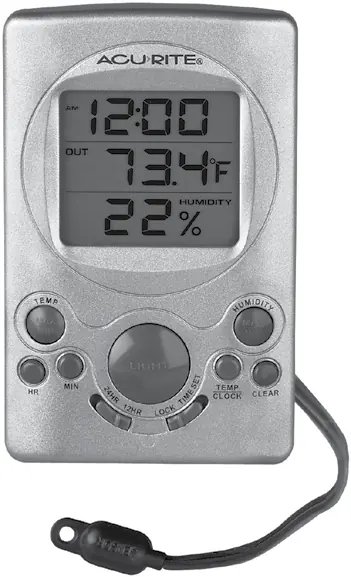
To begin, remove the protective film from the LCD screen. Slide open the battery compartment on the back and insert one fresh AAA alkaline battery, ensuring correct polarity. To set the time, slide the LOCK/TIME SET switch to TIME SET, use the HR and MIN buttons to adjust, then slide the switch back to LOCK to save.
Temperature Units
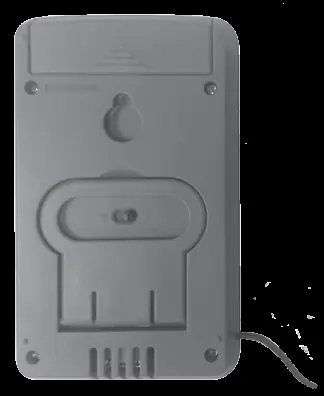
You can toggle between Fahrenheit (°F) and Celsius (°C) by using the switch located on the back of the display unit.
Placement Guidelines
For maximum accuracy, place the display unit in a dry area away from direct sunlight, heat sources, or vents. The wired probe must be placed outside. It can be mounted using the integrated hang hole or the provided adhesive pad. Avoid damaging the probe wire during installation.
Operation
The device records high and low temperature and humidity values, which automatically reset at 12:00 am. Use the TEMP MAX/MIN and HUMIDITY MAX/MIN buttons to view these records. Press the CLEAR button while viewing a record to reset it.
Troubleshooting
- Inaccurate temperature: Ensure the display and sensor are away from direct sunlight, heat sources, or vents.
- Display screen not working: Check that the battery is installed correctly or replace it with a fresh one.
Specifications
- Temperature Range (Display): 32°F to 122°F (0°C to 50°C)
- Temperature Range (Probe): -58°F to 158°F (-50°C to 70°C)
- Humidity Range: 16% to 98% RH
- Power: 1 x AAA alkaline battery
Manufacturer information
AcuRite
Practical help
Common problems
Inaccurate temperature readings
Ensure both the display and the probe are placed out of direct sunlight and away from heat sources or vents.
Display screen is blank or not working
Verify that the battery is installed correctly according to the polarity diagram or replace it with a new AAA alkaline battery.
Before use
- Remove the protective film from the LCD screen.
- Install one fresh AAA alkaline battery.
- Set the desired time using the LOCK/TIME SET switch.
- Select the preferred temperature unit (°F or °C) using the switch on the back.
- Place the wired probe outside, ensuring it is not submerged in liquid.
Specs in practice
- Temperature Range (Probe)
- The operating range for the external sensor is -58°F to 158°F (-50°C to 70°C).
- Humidity Range
- The device measures relative humidity between 16% and 98%.
Images and diagrams
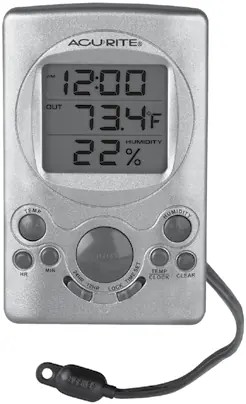
- The front panel features buttons for setting time (HR, MIN), toggling display modes (TEMP/CLOCK), and viewing/clearing records (MAX/MIN).
- The back panel contains the battery compartment, a hang hole for wall mounting, a fold-out stand, and the °F/°C switch.
Model compatibility
- The wired temperature probe is not waterproof and must not be submerged in liquids for more than 30 seconds.

Manual page author
David Miller
Documentation analyst
Organizes user manual content into clear summaries, with attention to model details, product context, and everyday usability.