Home / Weather Stations & Thermometers
User Manual for AcuRite 1036RX Weather Station Display
Quick guide for the AcuRite 1036RX weather station display. Learn how to set the time, date, measurement units, configure PC Connect USB modes, and understand display features.
Table of contents
Manual images
Click an image to enlargeQuick guide from the manual
This manual provides instructions for the AcuRite 5-in-1 Color Weather Station Display (model 1036RX). Key setup steps include configuring the time, date, and measurement units, as well as setting up the PC Connect feature to log and view weather data on your computer.
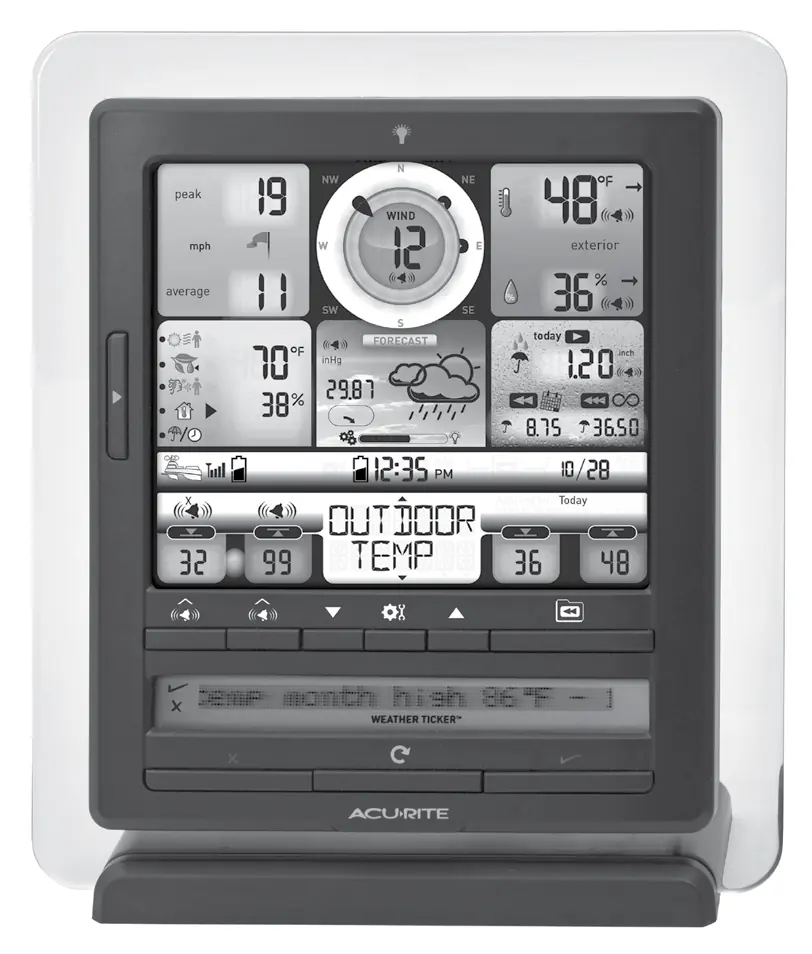
Display unit features
The display unit features a comprehensive screen showing wind direction, speed, outdoor temperature, humidity, rainfall, and barometric pressure. Refer to the numbered diagram in the manual to identify specific buttons and indicators, such as the touch-activated backlight, alarm settings, and weather ticker controls.
Setting the time and date
- Press the arrow buttons until SET CLOCK? appears on the display.
- Press the gear button to enter setup.
- Use arrow buttons to adjust hours and minutes, pressing the gear button to confirm each selection.
- Follow the same procedure for setting the date by selecting SET DATE? in the menu.
Setting measurement units
- Press arrow buttons until SET UNITS? appears.
- Press the gear button.
- Select STAND for standard units or METRIC for metric units.
- Confirm selection with the gear button.
- Follow prompts to select wind speed units (MPH, KPH, or KNOTS).
PC Connect setup
PC Connect allows you to log data to a PC, view a widget, or monitor remotely. Important: Install the PC Connect software on your computer before connecting the display unit.
- USB Mode 1: Display logs data (up to 2 weeks).
- USB Mode 2: Logging OFF (Default).
- USB Mode 3: Logging ON and Internet Bridge Mode.
- USB Mode 4: Logging OFF and Internet Bridge Mode.
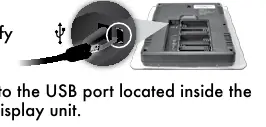
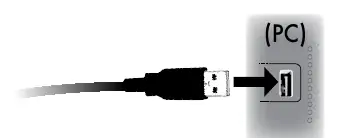
To set the mode, navigate to SET USB MODE? on the display and use the arrow buttons to select the desired mode. Connect the USB cable to the port inside the battery compartment on the back of the display unit.
Specifications
- Wireless Range: 330ft (100m) depending on construction.
- Operating Frequency: 433 MHz.
- Power: 4.5V AC adapter.
- Memory: 512 KB (not expandable).
Manufacturer information
AcuRite
Practical help
Common problems
Display not receiving data
Ensure the outdoor sensor is powered and within range of the display unit.
PC Connect not working
Ensure the correct USB mode is selected on the display and the software is installed before connecting the USB cable.
Memory full
Download data to your PC using the PC Connect software to clear the display unit's memory.
Before use
- Register your product online at AcuRite.com to receive warranty service.
- Ensure the display unit is powered using the included AC adapter.
- Install the PC Connect software on your computer before connecting the USB cable.
- Verify the outdoor sensor is powered and transmitting data.
Specs in practice
- Wireless Range
- Up to 330ft (100m) depending on home construction materials.
- Operating Frequency
- 433 MHz.
- Display Memory
- 512 KB (not expandable).
Images and diagrams
- The display unit features a central wind direction dial, weather forecast icons, and various data fields for temperature, humidity, rainfall, and barometric pressure.
- The USB port is located inside the battery compartment on the back of the display unit.
Model compatibility
- PC Connect software requires Windows XP, Vista, 7, or 8.
- High-speed internet is required for advanced features like the AcuRite app.

Manual page author
Emily Carter
User documentation editor
Prepares concise manual descriptions and highlights the most useful setup, operation, and maintenance information for readers.