Lighting / Stage Lighting
ADJ 12P HEX IP LED Par User Manual
Quick guide for the ADJ 12P HEX IP LED Par. Learn about DMX setup, operating modes, safety precautions, maintenance, and technical specifications.
Table of contents
Manual images
Click an image to enlargeQuick Guide
The ADJ 12P HEX IP is an IP65-rated LED par fixture designed for professional use. It features RGBWA+UV color mixing and can be operated in stand-alone mode or via DMX. Important: This product is intended for professional use only and is not suitable for private use. It is not suitable for marine or coastal environments.
Installation
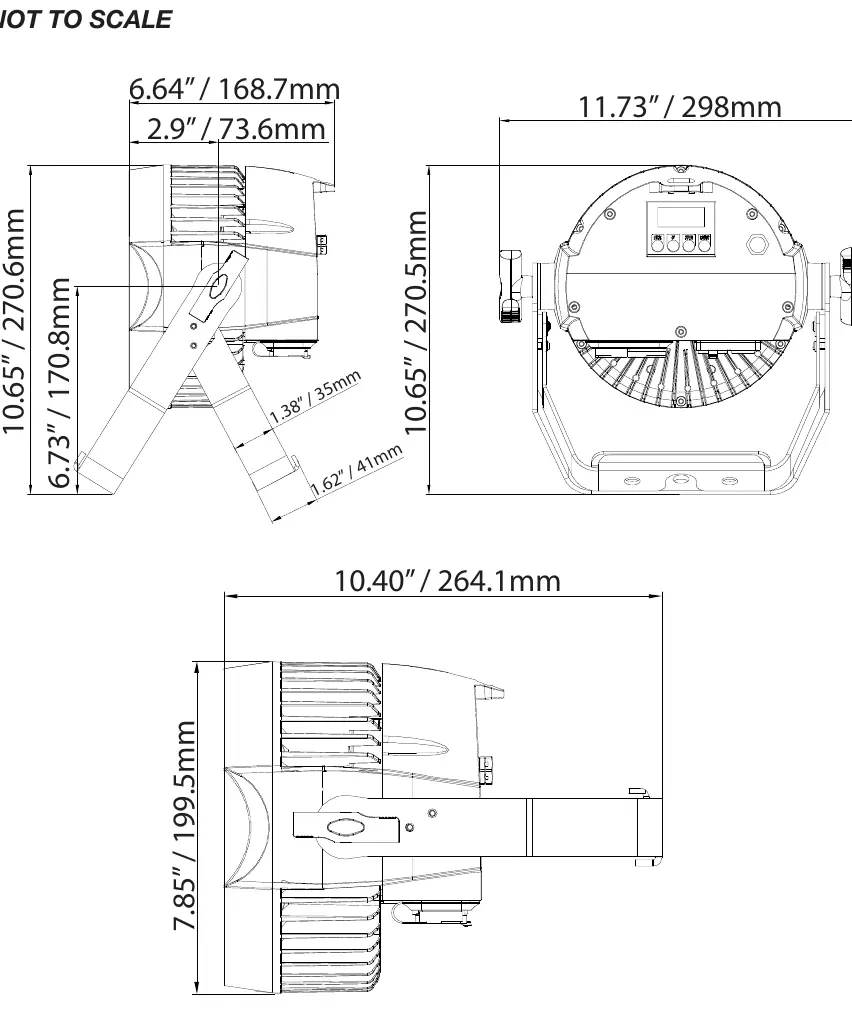
The fixture must be installed by a professional. Ensure the mounting structure can support 10 times the weight of the unit and always use a safety cable capable of supporting 12 times the weight. Crucial: Ensure all connections and end caps are properly sealed with a non-conductive dielectric grease to prevent water ingress, condensation, and corrosion.
DMX Setup
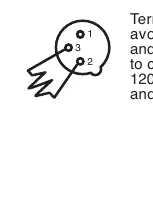
The fixture supports DMX-512 protocol with 6, 7, 8, or 13 channel modes. Use standard 5-pin XLR cables for data input and output. For long cable runs, use a DMX terminator (120 Ohm resistor) on the last unit in the chain to prevent erratic behavior.
Operating Modes
- DMX Control: Allows full control via a DMX controller.
- Static Color Mode: Select from internal programs or static colors.
- Auto Run Mode: Choose from 99 built-in auto programs.
- Color Macro Mode: Select from 64 preset colors.
- Primary-Secondary: Link multiple units where one acts as the controller for others.
System Menu
Access the menu using the MODE, UP, DOWN, and ENTER buttons. Key settings include:
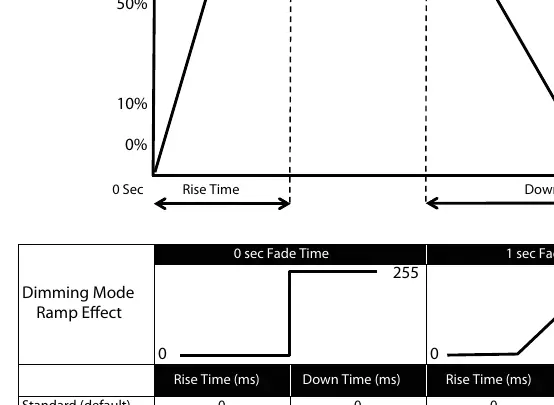
- Dim Mode: Adjust dimming curves (Standard, Stage, TV, Architectural, Theatre).
- NODMX: Set behavior when DMX signal is lost (Hold, Blackout, or Program).
- LCD.Set: Configure display backlight and keypad lock settings.
- WhiteBal: Adjust individual RGBWA+UV color values for white balance.
- Fre_hz: Set LED refresh frequency.
Maintenance
Periodically clean internal and external optical lenses to optimize light output. Use a normal glass cleaner and a soft cloth to wipe the outside casing and external optics. Always ensure parts are completely dry before reconnecting power. There are no user-serviceable parts inside.
Technical Specifications
- Voltage: 100V ~ 240V / 50~60Hz
- LEDs: 12 x 12W 6-in-1 HEX LEDs
- IP Rating: IP65
- Power Linking: Max 13 fixtures @ 120V, 20 fixtures @ 240V
- Control: DMX, RDM
Official resources from the manual
Manufacturer information
ADJ Products, LLC
Practical help
Common problems
Unit not responding to DMX
Check that DMX cables are connected properly and wired correctly (pin 3 is hot). Verify that inputs and outputs are connected in the correct direction.
Erratic DMX behavior
Use a DMX terminator (120 Ohm resistor) on the last unit in the daisy chain.
Water ingress or corrosion
Ensure all connections and end caps are sealed with non-conductive dielectric grease. Do not use in marine or coastal environments.
Before use
- Inspect shipping carton for damage.
- Verify all accessories are present.
- Ensure power source is 100V-240V.
- Apply dielectric grease to all connections if used outdoors.
- Mount securely using a clamp and safety cable.
- Ensure the unit is out of reach of the public.
Specs in practice
- Power Linking
- Allows daisy-chaining power between fixtures; do not exceed 13 units at 120V or 20 units at 240V.
- DMX Channels
- The number of channels used to control the fixture; 6, 7, 8, or 13 modes available.
Images and diagrams
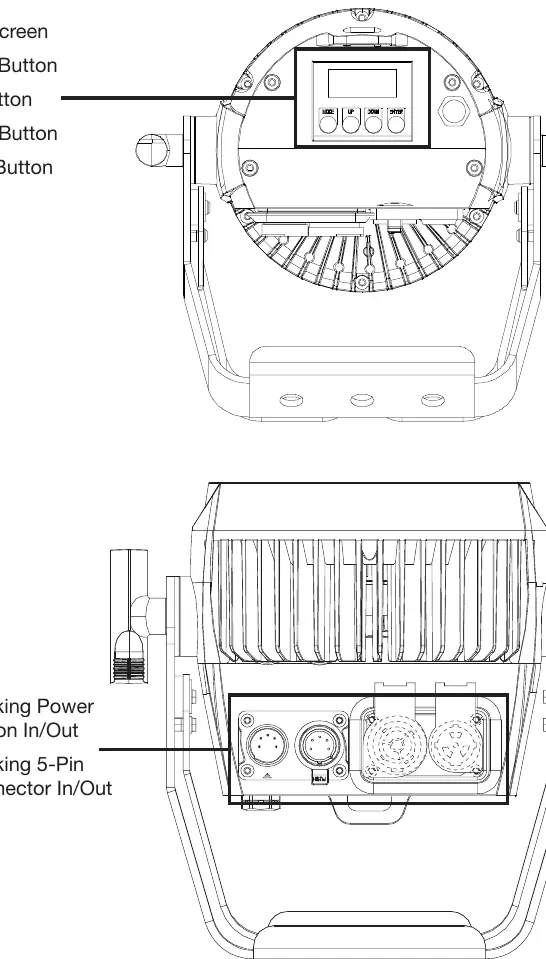
- Layout: Shows the location of the LCD screen, control buttons, and IP65 locking power/data ports.
- Dimmer Mode Chart: Illustrates the rise and down times for different dimming curves (Standard, Stage, TV, etc.).
- DMX Termination: Shows how to connect a 120 Ohm resistor between pins 2 and 3 on the last fixture.
Model compatibility
- Not suitable for marine or coastal environments.
- Requires professional installation.
- Compatible with standard 5-pin XLR DMX cables.

Manual page author
David Miller
Documentation analyst
Organizes user manual content into clear summaries, with attention to model details, product context, and everyday usability.