Lighting / Stage Lighting
ADJ Eco UV Bar Plus IR
Quick guide for the ADJ Eco UV Bar Plus IR. Learn about safety, installation, IR remote operation, daisy-chaining, and maintenance for this high-output UV LED bar.
Table of contents
Manual images
Click an image to enlargeQuick guide from the manual
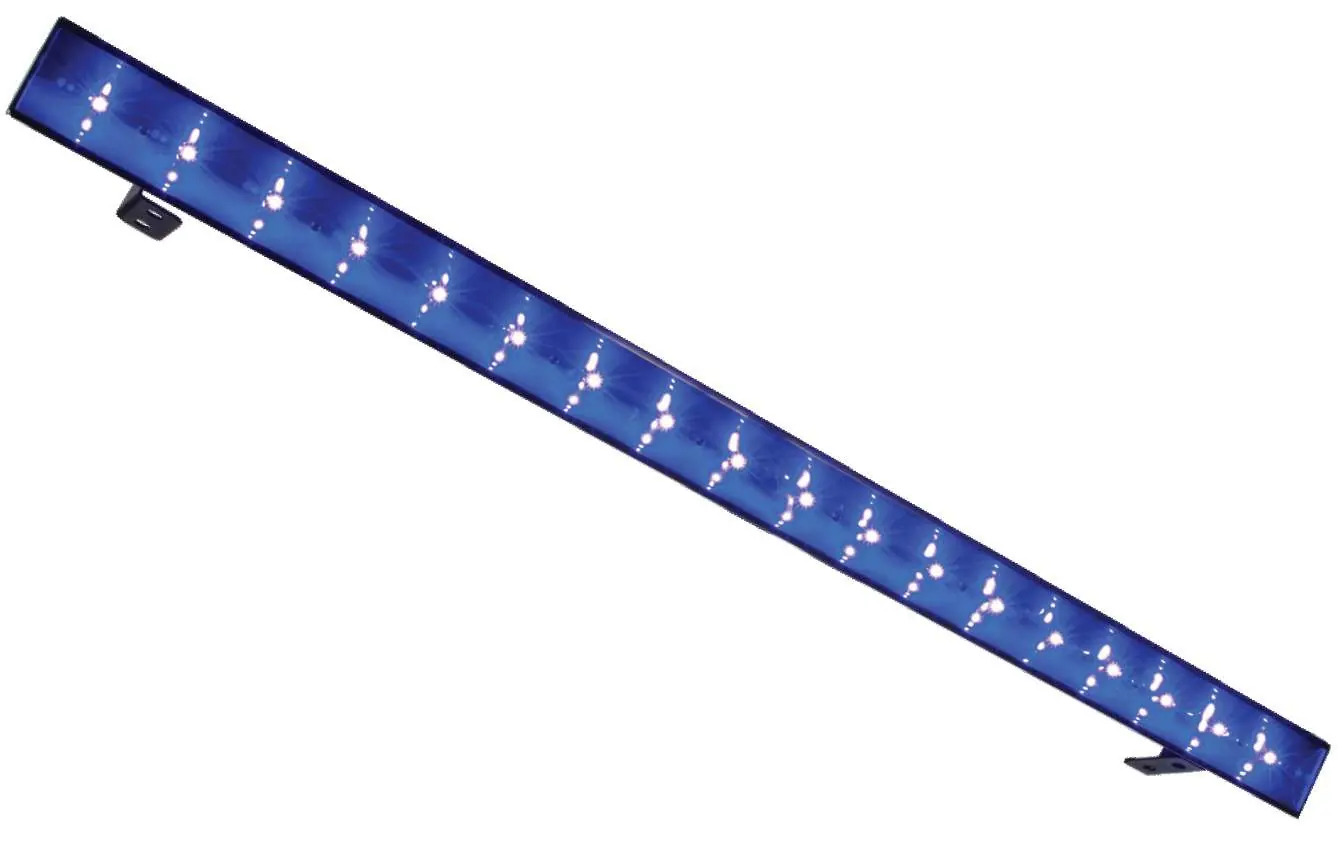
The ADJ Eco UV Bar Plus IR is a high-output ultraviolet LED bar designed for performance stages, theatrical productions, and special effects. It features 18x 3-Watt UV LEDs and includes an IR remote for control. The unit is designed for stand-alone operation and supports daisy-chaining up to 10 fixtures. Always ensure the fixture is used in indoor, dry locations and maintain a minimum distance of 6.6 feet (2 meters) from objects or surfaces.
Safety Guidelines
This fixture emits high-intensity ultraviolet radiation. To ensure safety:

- Wear proper eye and skin protection.
- Avoid direct eye and skin exposure at distances less than 11 feet (3.3m).
- Do not look directly into the UV light or use optical instruments that may concentrate the radiation.
- Avoid wearing white clothing or using UV paints on skin.
- Individuals with eye conditions, sunlight disorders, or those using photosensitive medication should exercise caution.
- Keep flammable materials at least 1.6 feet (0.5 meter) away from the surface.
- The fixture must be properly grounded.
- Do not plug into a dimmer pack.
Overview
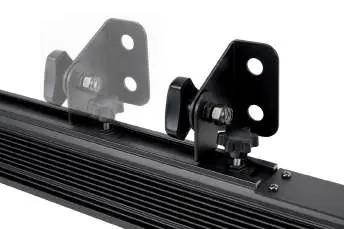
The unit features an adjustable mounting bracket suitable for wall or ceiling mounting, or for floor placement. The rear panel contains the power switch and power input/output connections. Always attach a safety cable when installing in a suspended environment to prevent the fixture from falling.
Operation
The Eco UV Bar Plus IR features an electronic ballast that auto-senses voltage (100V-240V). Simply plug the unit into a power outlet and flip the power switch to the On position. You can daisy-chain up to 10 fixtures using the IEC In/Out connections. Do not mix different fixture types in a daisy chain.
Infrared Remote
The included UC IR remote allows control of various functions. Aim the remote at the front of the fixture (maximum range 30 feet). Functions include:
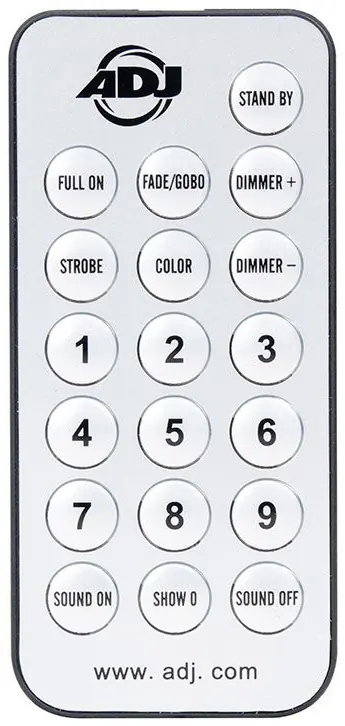
- STAND BY: Blackout the fixture.
- FULL ON: Fully light up the unit.
- FADE/GOBO: Activate UV fade mode (buttons 1-3 for speed).
- STROBE: Activate strobing (buttons 1-4 for speed).
- COLOR: Activate UV color mode.
- DIMMER +/-: Adjust output intensity in UV color mode.
Troubleshooting and Maintenance
If the unit does not power on, check that it is plugged in. If it does not respond to DMX, ensure cables are connected properly and wired correctly (pin 3 is hot). Regular maintenance is required: clean the external lens periodically with a soft cloth (never use alcohol, solvents, or ammonia-based cleaners). Perform routine inspections every three months to check electrical contacts, ensure all screws are tightened, and verify that rigging points and power cables are in good condition.
Specifications
- Light Source: 18x 3-Watt UV LEDs
- Wavelength: 395-405nm
- Power Draw: 60W
- Voltage: AC 100V-240V 50/60Hz
- Beam Spread: 120-degree
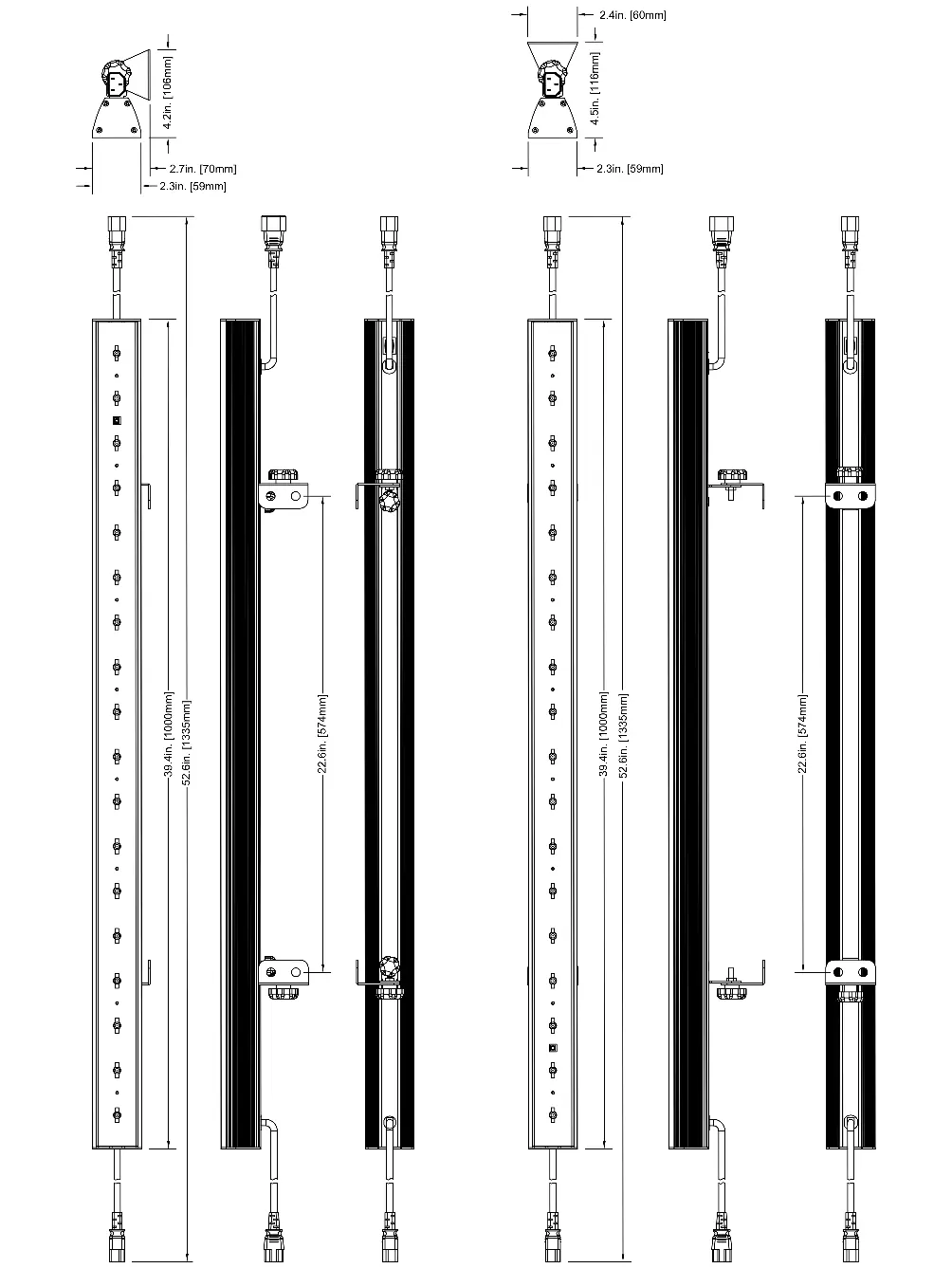
- Dimensions: 39.5” x 2.5” x 4.5” (1000 x 60 x 110.5mm)
- Weight: 6 lbs. / 2.4 kgs
Manufacturer information
ADJ Products, LLC
Practical help
Common problems
Unit not powered on
Check that the fixture is plugged into a power source.
Unit not responding to DMX
Check that DMX cables are connected properly and wired correctly (pin 3 is hot).
Before use
- Inspect shipping carton for damage.
- Ensure all accessories are present.
- Verify power source is within 100V-240V range.
- Attach safety cable if installing in a suspended environment.
Specs in practice
- Daisy Chain Limit
- Maximum 10 fixtures can be connected together.
Images and diagrams
- Remote Control: Buttons for Standby, Full On, Fade/Gobo, Strobe, Color, and Dimmer.
- Mounting Bracket: Adjustable bracket for wall/ceiling mount or floor placement.
- Rear Panel: Includes power switch and power input/output.
Model compatibility
- Indoor/Dry locations only.
- Do not plug into a dimmer pack.

Manual page author
Emily Carter
User documentation editor
Prepares concise manual descriptions and highlights the most useful setup, operation, and maintenance information for readers.