Lighting / Fixtures
User Manual for ADJ Inno Pocket Scan
Quick guide for the ADJ Inno Pocket Scan. Learn about DMX setup, operating modes, system menu settings, maintenance, and troubleshooting.
Table of contents
Manual images
Click an image to enlargeQuick guide from the manual
The ADJ Inno Pocket Scan is a mini DMX intelligent LED scanner. This manual provides instructions for setup, operation, and maintenance. Key features include 6 DMX channels, 3 operating modes (Sound Active, Show, DMX), and the ability to daisy chain power and DMX signals.
Safety Precautions
- Do not expose the unit to rain or moisture.
- Ensure proper ventilation by allowing at least 6 inches (15cm) between the device and any wall.
- The housing may become extremely hot during operation; avoid touching it with bare hands.
- Always mount the unit in a safe and stable manner.
- Disconnect from main power before making any connections.
Set Up
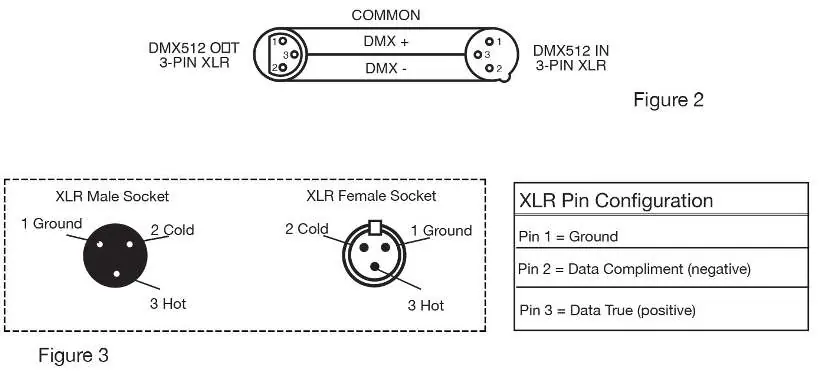
The unit features an automatic voltage switch (100V-240V). For DMX operation, use approved 110-120 Ohm shielded DMX cables. When using long cable runs, use a terminator on the last fixture to prevent erratic behavior. You can daisy chain up to 19 fixtures at 120V or 35 fixtures at 240V.
System Menu
Navigate the menu using the MENU, UP, DOWN, and ENTER buttons. Key settings include:
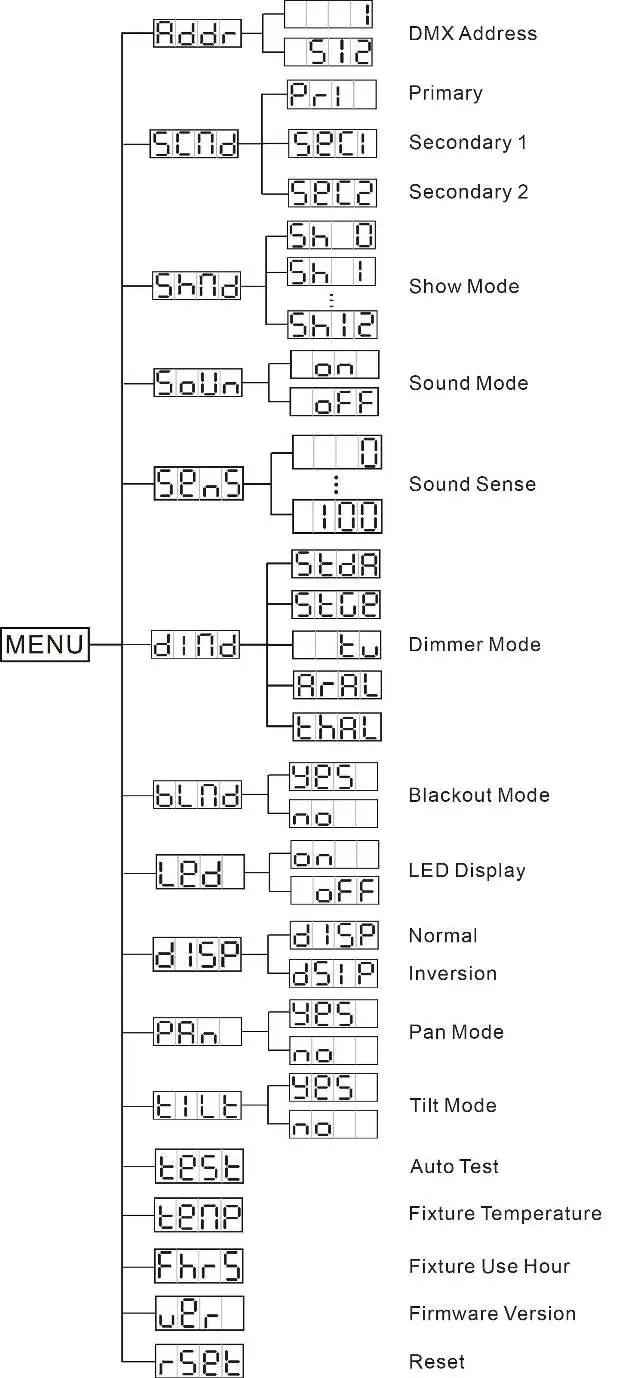
- ADDR: Set the DMX address.
- SCND: Set the unit as a secondary fixture in a primary/secondary configuration.
- SHND: Select from 12 pre-programmed shows (SH 0 is random).
- SOUN: Activate or deactivate Sound Active mode.
- SENS: Adjust sound sensitivity (0-100).
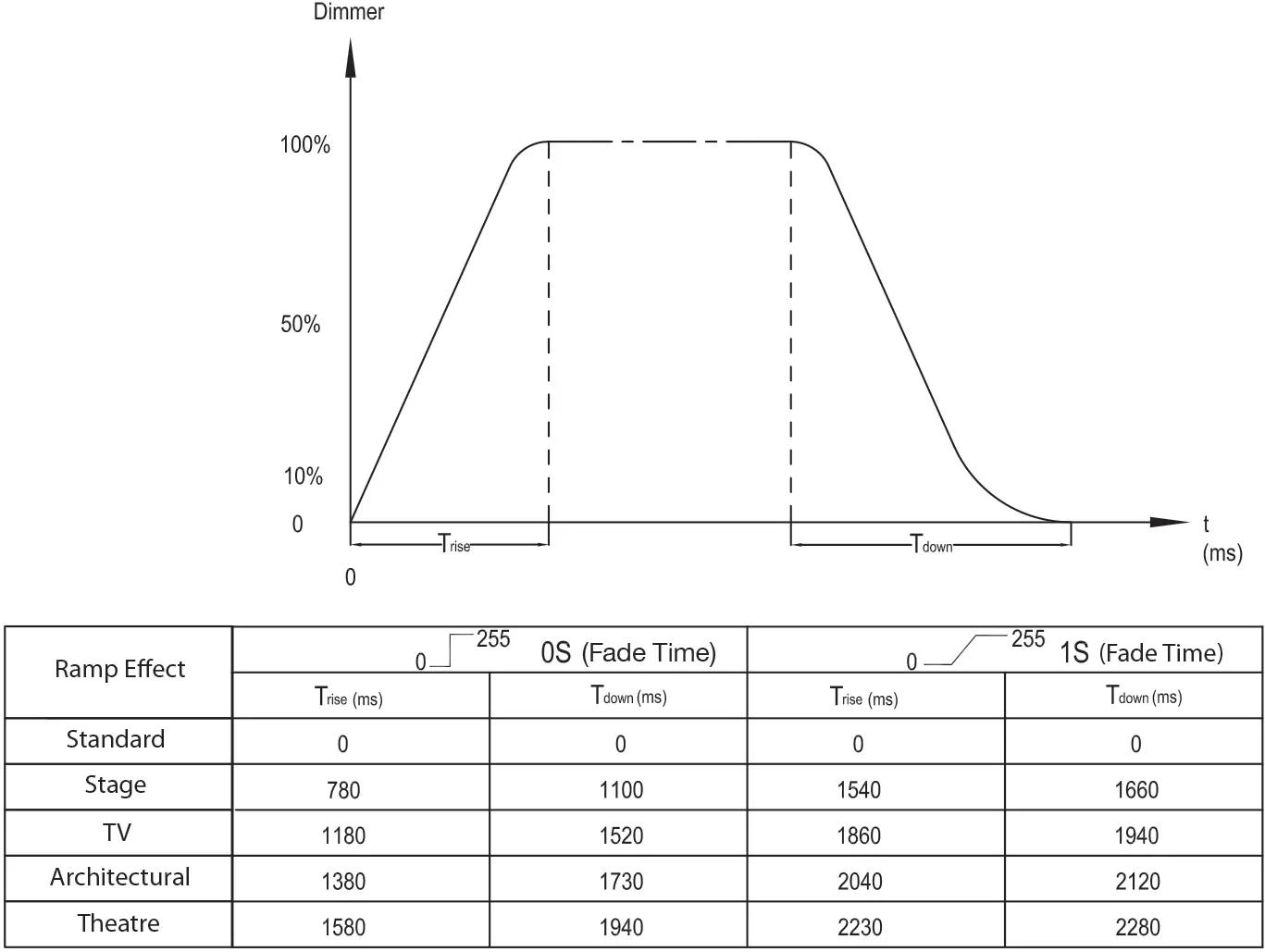
- DIND: Select the dimmer curve.
- BLND: Activate Blackout mode.
- PAN/TILT: Invert pan or tilt movement.
- TEST: Run a self-test program.
- RSET: Reset the unit.
Offset Adjustment Menu
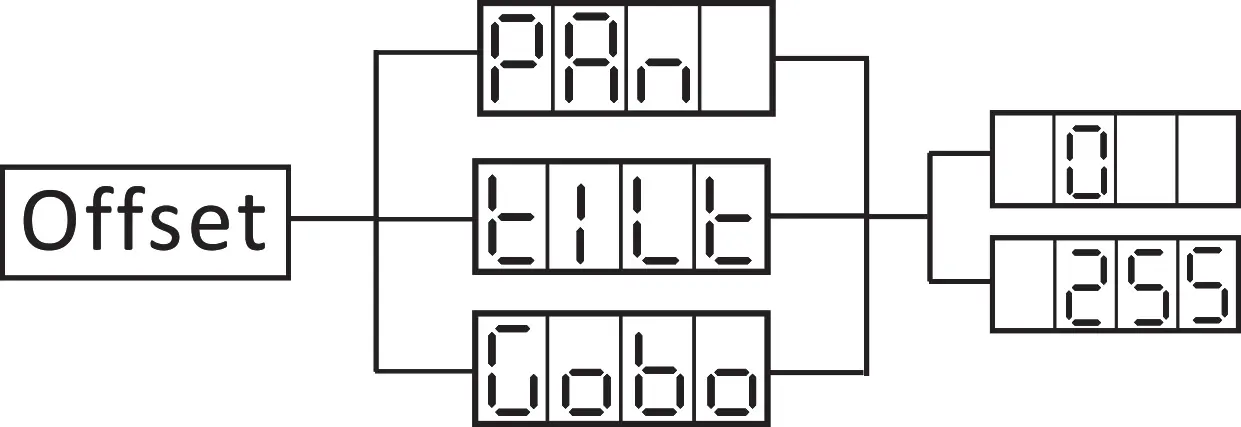
To enter this submenu, press the ENTER button for at least 5 seconds. This allows you to adjust the home positions for Pan, Tilt, and the Gobo wheel.
Operation
The fixture offers three operating modes:
- Sound Active: Reacts to the beat of the music.
- Show Mode: Runs one of 12 pre-programmed shows.
- DMX Control: Allows control via a standard DMX-512 controller using 6 channels.
UC IR Remote Control
The optional UC IR infrared remote allows control of functions like Stand By (blackout), Full On, Strobe, and show selection. The remote must be aimed at the front of the fixture and has a maximum range of 30 feet.
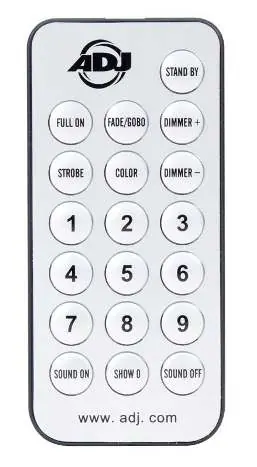
Maintenance and Troubleshooting
Periodically clean internal and external optical lenses and the mirror to remove fog residue, smoke, and dust. Use a soft cloth and glass cleaner. Clean external optics every 20 days and internal optics every 30-60 days. If the unit has no light output, check the external fuse at the rear of the unit. If the unit does not respond to sound, ensure the sound source has sufficient bass frequencies.
Specifications
The unit features a 12W LED, 14-degree beam angle, and 6 DMX channels. It weighs 6 lbs (2.4 kg) and has dimensions of 11.5" x 5.25" x 6.5".
Manufacturer information
ADJ Products, LLC
Practical help
Common problems
No light output from the unit
Check that the external fuse at the rear of the unit has not blown and that the fuse holder is properly seated.
Unit does not respond to sound
Ensure the sound source has low frequencies (bass). High-pitched sounds or tapping on the microphone may not trigger the unit.
Before use
- Inspect the shipping carton for damage.
- Ensure the unit is mounted in a safe, stable location with proper ventilation.
- Verify the power source voltage (100V-240V).
- Use approved 110-120 Ohm DMX cables for data connections.
- Set the DMX address if using a controller.
Specs in practice
- DMX Channels
- 6 channels used for controlling pan, tilt, strobe, color wheel, dimmer, and dimmer mode.
- Power Consumption
- 33W total power draw.
Images and diagrams
- DMX Wiring: Pin 1 is Ground, Pin 2 is Data-, and Pin 3 is Data+.
- System Menu: Use the MENU button to cycle through options and ENTER to confirm settings.
Model compatibility
- UC IR Remote Control is compatible (sold separately).
- Daisy chain limit: 19 fixtures maximum for 120V, 35 fixtures maximum for 240V.
- All linked fixtures must be of the same make and model.

Manual page author
Michael Turner
Technical manual editor
Reviews PDF manuals for structure, safety notes, and practical product details so readers can find the right information quickly.