Electronics / Video Lighting
User Manual for amaran Ray 120c Video Light
Quick guide for the amaran Ray 120c LED video light. Learn about power options, mounting, menu settings, lighting modes, and safety instructions.
Table of contents
Manual images
Click an image to enlargeQuick guide from the manual
The amaran Ray 120c is a compact 120W LED video light featuring OmniColor technology, IP54 construction, and versatile power options. This guide provides essential information for setup, operation, and maintenance. Always ensure the light is used in a well-ventilated area and follow all safety precautions.
Product Overview
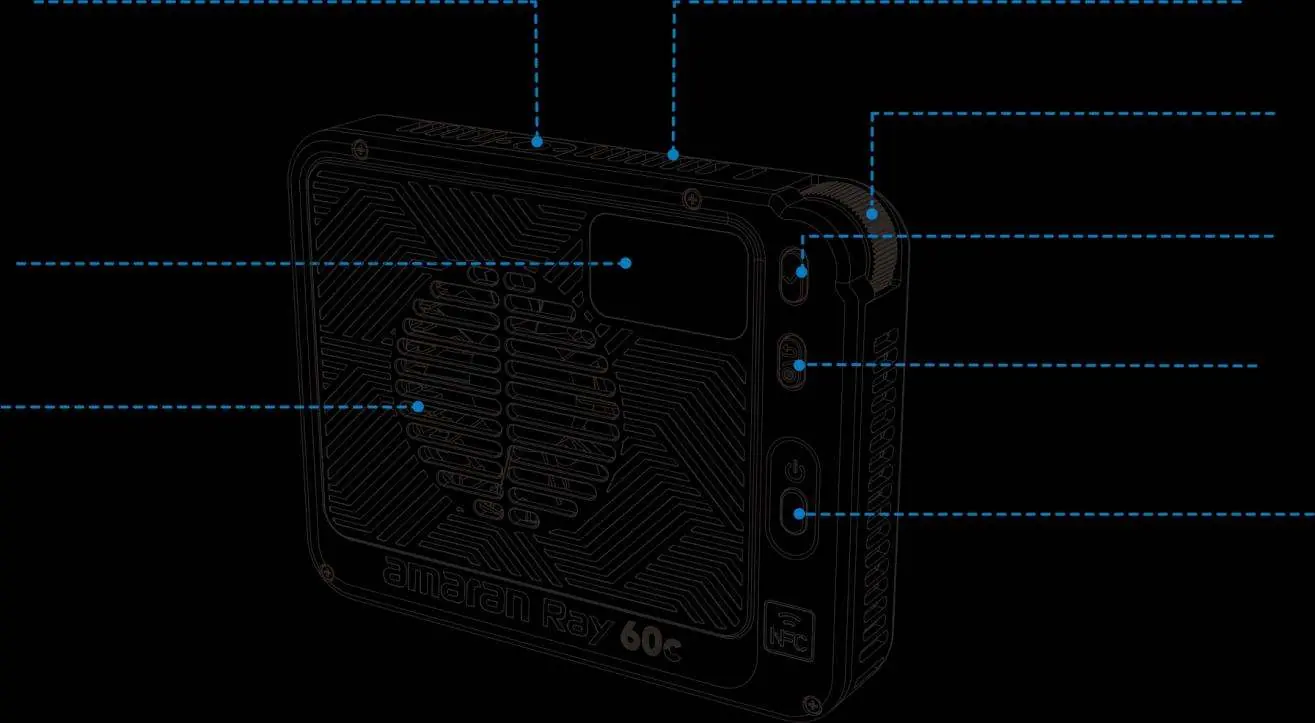
The unit features a 1/4-20in mounting point, a FlowTurn control knob, a display screen, and a built-in fan. Power inputs include DC, USB-C, and the amaran Ace E-Lock system. The front features a full-size Bowens mount for accessories.
Powering the Light
The unit supports three power methods:
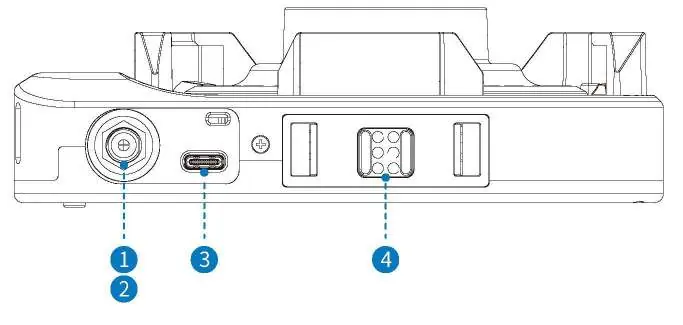
- DC IN: 12–20V (max 84W) or 21-24V (max 140W).
- USB-C IN: Supports PD 3.0 protocol (up to 140W).
- amaran Ace E-Lock: Supports wireless operation with amaran Peak 75 or amaran Peak power systems.
Note: Using a power source that does not meet the nominal power requirements may limit brightness or cause unstable operation.
Mounting and Accessories
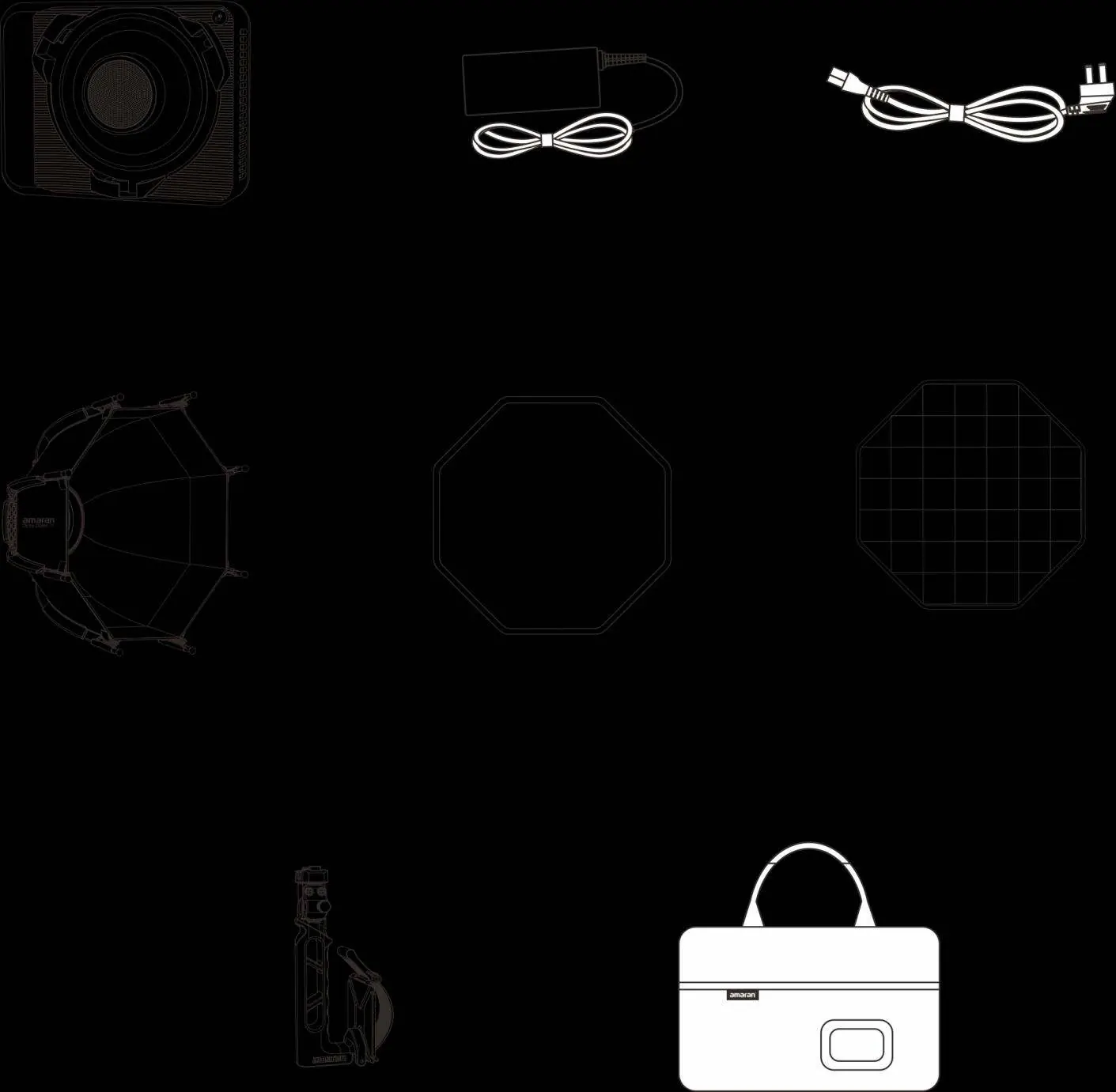
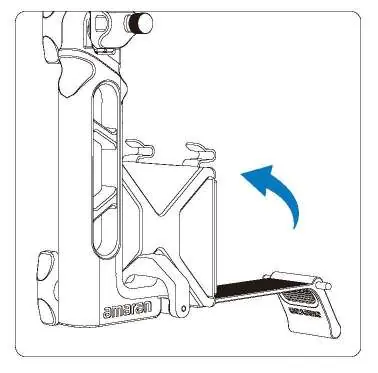
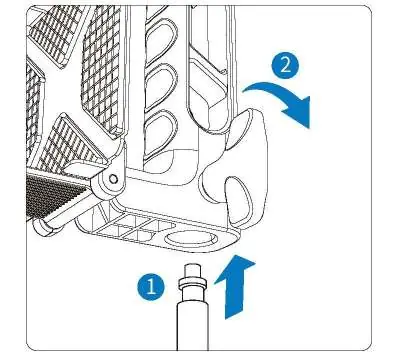
The light comes with an amaran Octa Dome 30 softbox. To mount the light, use the amaran handle with the Ace Lock to Baby Pin adapter. Ensure the blue release button clicks into place. To remove the softbox or other Bowens accessories, press the release button on the mount while rotating the accessory.
Operation and Menu
Use the FlowTurn knob to navigate the menu and adjust settings. Press the confirmation button to select options. The Return/Custom button allows for quick navigation or custom shortcuts.
Lighting Modes
- CCT: Adjust intensity (0-100%), color temperature (2300K-10000K), and G/M shift. CCT+ mode extends the range to 1800K-20000K.
- HSI: Adjust intensity, hue (1°-360°), and saturation.
- RGB: Adjust intensity and individual Red, Green, and Blue values.
- FX: Access various lighting effects like Lightning, Fire, Paparazzi, and more.
- Studio Mode: The light turns on automatically when connected to power.
- HFR Mode: Optimized for high-speed shooting (up to 240fps).
- Fan Mode: Choose between Silent (fan off, output limited to 18W) or Smart (auto-adjusting speed).
App Control and NFC
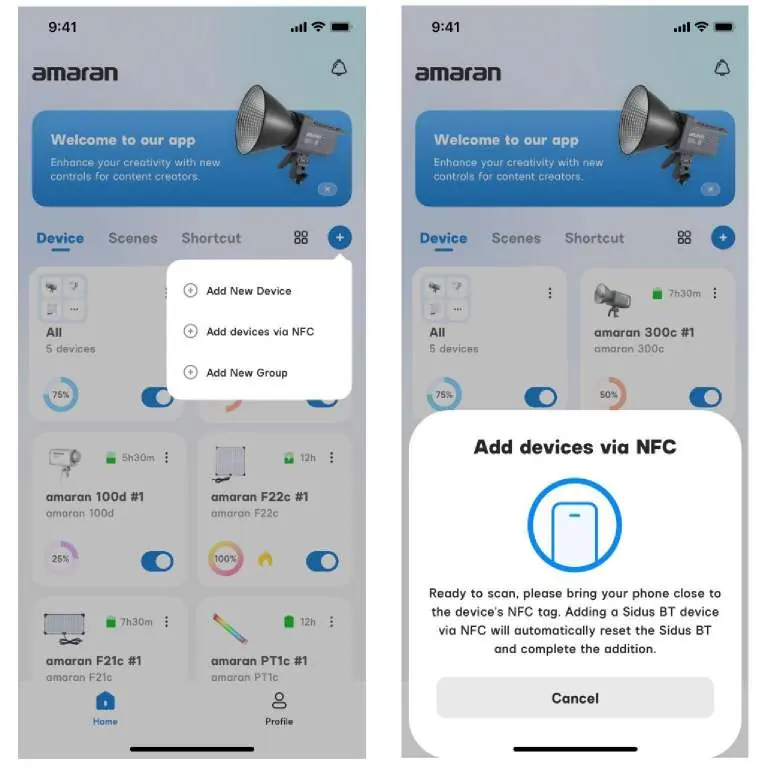
You can control the light via the amaran mobile app. Use the NFC feature for quick pairing: open the app, select Add Device via NFC, and bring your phone close to the NFC sensor on the light.
Safety Instructions
- Do not block ventilation openings.
- Do not touch hot surfaces or LED emitters.
- Do not submerge the unit in water.
- Always disconnect power before cleaning or maintenance.
- Use only grounded power outlets.
- For service, contact [email protected].
Manufacturer information
Amaran
Practical help
Common problems
Brightness is limited or light won't reach maximum output
Ensure the power source meets the required wattage. If using amaran Peak 75, brightness is limited to 50%.
Unit does not turn on or operates unstably
Verify that the power adapter or source meets the nominal power specifications.
Bluetooth connection issues
Navigate to the BT menu and perform a Bluetooth reset.
Before use
- Ensure all accessories listed in the component list are present.
- Check that your power source (DC, USB-C, or Ace E-Lock) is compatible.
- Ensure the ventilation openings are not obstructed.
- Select your preferred language during the initial setup.
- Ensure the light is mounted securely using the Ace Lock or 1/4-20in mount.
Images and diagrams
- FlowTurn Knob: Rotate to scroll menus and adjust values; press to confirm.
- Ace E-Lock: Quick-release system for mounting and powering the light.
- Bowens Mount: Standard mount for attaching softboxes and other modifiers.
Model compatibility
- Compatible with amaran Peak 75 and amaran Peak power systems.
- Supports standard Bowens mount accessories.
- Compatible with USB-C PD 3.0 power sources.

Manual page author
David Miller
Documentation analyst
Organizes user manual content into clear summaries, with attention to model details, product context, and everyday usability.