Accessories / Mounts & Stands
User Manual for av:link Fusion Bluetooth Speaker with Clock Radio and Wireless Charging Plate (120.220UK)
Quick guide for the av:link Fusion Bluetooth Speaker (120.220UK). Learn how to set the clock, pair Bluetooth, use the FM radio, and operate the wireless charging plate.
Table of contents
Manual images
Click an image to enlargeQuick guide from the manual
The av:link Fusion is a versatile Bluetooth speaker featuring an integrated clock radio, wireless charging plate, and multiple playback options including FM radio, AUX, and Micro SD (TF) card. This guide covers the essential setup and operation procedures.
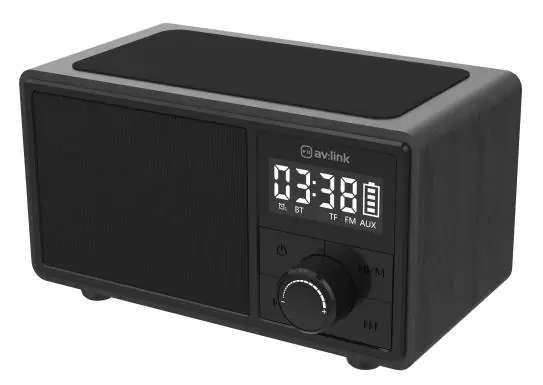
Controls and Features
The device features a front-facing control panel and a rear connection panel. Key controls include the Power button, Play/Mode button, Volume knob, and track navigation buttons. The LED display shows the time, battery status, and current mode.
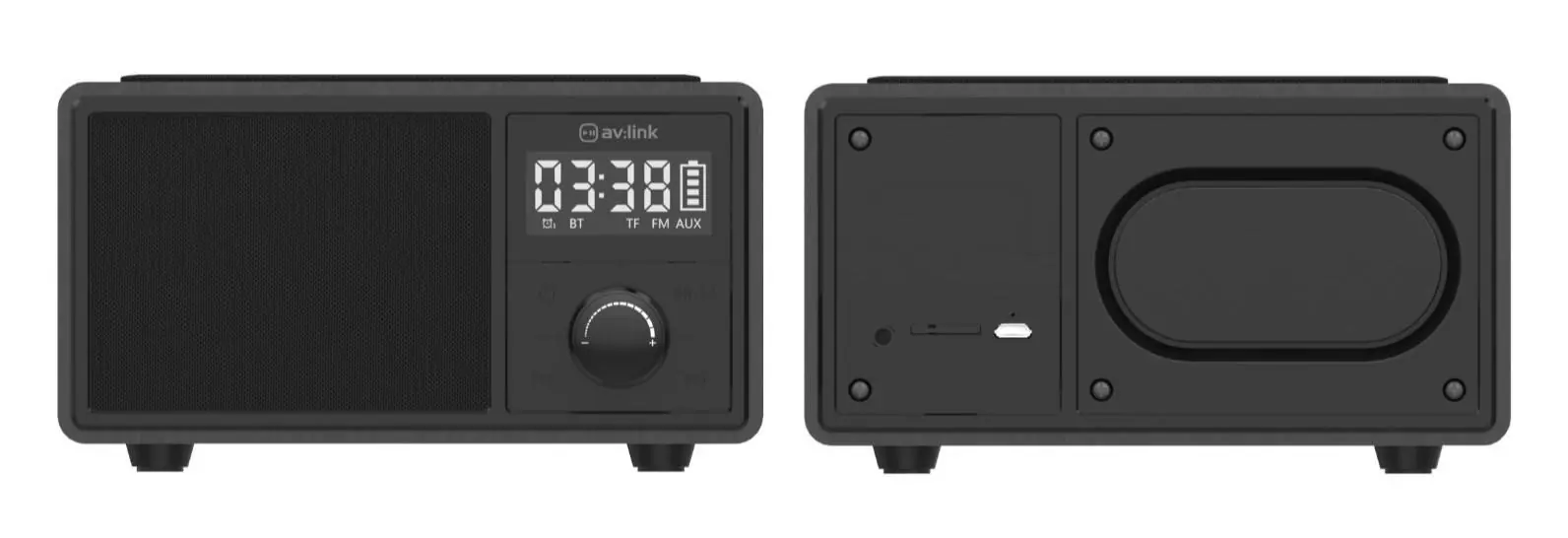
Charging the Battery
Before first use, fully charge the internal 1200mAh battery. Use the provided USB cable and connect to a suitable 5V USB power supply. The battery level indicator on the LED display will flash while charging and remain constant when fully charged.
Setting the Time
To set the internal clock:
- Switch the unit on by long-pressing the Power button (2).
- Short press the Power button again to enter Standby/clock mode.
- Double press the Play/mode button (4); the hour digits will flash.
- Use the Volume knob (6) to select the correct hour, then press the Play/mode button to store and move to minutes.
- Repeat for minutes, then press the Power button to save.
Bluetooth Pairing and Playback
To connect your device:
- Press and hold the Power button (2) to turn on and enter pairing mode.
- Search for AV:Link-Fusion in your device's Bluetooth list.
- If prompted for a pairing code, enter 0000.
- Use the track buttons (4, 5, & 7) to control music playback.
- To disconnect, double-click the Play/mode button (4).
Media Playback
TF Card Playback
Insert a compatible TF (MicroSD) card into the rear slot (11). The device will automatically detect and play compatible MP3 or WAV files. Ensure the card is formatted to FAT32 and is no larger than 64GB.
FM Radio
Insert the 3.5mm AUX cable into the AUX port (10) to act as an aerial. Long press the Play/mode button (4) to enter FM mode. Double-click the Play/mode button to scan and store available stations. Use the Prev and Next buttons (5 & 7) to navigate stations.
AUX Connection
Connect an audio device using the 3.5mm cable provided into the AUX port (10). The device will automatically switch to AUX mode. Note that track buttons on the speaker do not function in AUX mode; control volume via the connected device.
Alarm Settings
In Clock mode, long press the Play/mode button (4) to set the alarm. Use the Volume knob (6) and Play/mode button to adjust hours, minutes, alarm status (ON/OFF), ring count (ONE/ALL), and alarm tone. Confirm settings by pressing the Power button once.
Wireless Charging
The wireless charging plate (8) requires the speaker to be connected to a USB power source of at least 2A (2000mA). Place your compatible device squarely on the charging plate; the blue LED underneath will light up when charging.
Safety and Warnings
- Do not immerse the device in water or expose it to damp/humid conditions.
- Do not use the device if it is damaged.
- Only use the recommended USB power supply.
- Do not attempt to repair or disassemble the device, as this will invalidate the warranty.
Practical help
Common problems
No sound
Check that the volume level is not turned down or off. Ensure the device is connected correctly and try tuning to another station if in FM mode.
Device won't switch on
Check if the battery is charged. If not, connect to a suitable 5V USB power supply using the provided cable.
Cannot connect via Bluetooth
Ensure your device has Bluetooth enabled and is in discoverable mode. Keep the device within 10m of the speaker.
TF card playback not working
Ensure the card is inserted correctly, formatted to FAT32, is no larger than 64GB, and contains MP3 or WAV files.
Wireless charging not working
Ensure the device is wireless charging compatible, placed squarely on the plate, and the speaker is connected to a 2A USB power source (will not work on battery power).
Before use
- Fully charge the internal battery before first use.
- Ensure you have a 5V USB power supply.
- Set the internal clock upon first use.
- Ensure TF card is formatted to FAT32 (if using).
Specs in practice
- FM Frequency range
- 87.5-108MHz
- Bluetooth version
- V5.0
- Wireless Charging
- Requires 2A USB power source
Images and diagrams
- 1-7: Front controls including Power, Play/Mode, Volume, Prev/Next.
- 8: Wireless charging plate.
- 10-12: Rear ports including AUX, TF slot, and Charging slot.
Model compatibility
- Wireless charging requires 2A USB power source.
- TF card must be FAT32 format and max 64GB.

Manual page author
Michael Turner
Technical manual editor
Reviews PDF manuals for structure, safety notes, and practical product details so readers can find the right information quickly.