Home Appliances / Cooktops Hobs
User Manual for Avantco 177ID1800 1800 Watt Drop-In Induction Range
Quick guide for the Avantco 177ID1800 1800 Watt Drop-In Induction Range. Includes operation instructions, safety warnings, error codes, and maintenance tips.
Quick answers from the manual
Quick answer
- The Avantco 177ID1800 is an 1800W drop-in induction range. It requires magnetic cookware and features adjustable power (500-1800W), temperature (140-460°F), and a 0-180 minute timer. p. 2, 7
Key actions
- Place magnetic cookware centered on the plate before turning on. p. 5, 7
First start
- Plug into a grounded 120V socket, press ON/OFF, select function, and adjust power/temp. p. 7
Problems and fixes
E0
No cookware detected; place magnetic cookware on plate.
p. 10
E1
Temperature sensor overheated; let cool.
p. 10Error codes
| Code | Meaning | Action | Pages |
|---|---|---|---|
| E0 | No cookware on cooker | Place cookware on plate | p. 10 |
| E1 | Temperature sensor overheated | Let cool | p. 10 |
| E2 | Cookware too hot | Unplug and let cool | p. 10 |
Maintenance and reset
- Clean after each use with a damp cloth. Do not use abrasive cleaners. p. 11
Technical specifications
| Parameter | Value | Meaning | Pages |
|---|---|---|---|
| Wattage | 1800W | Power consumption | p. 2 |
Where to find it in the PDF
- Specifications p. 2
- Operation p. 7
- Safety Functions p. 10
Table of contents
Manual images
Click an image to enlargeImportant Information
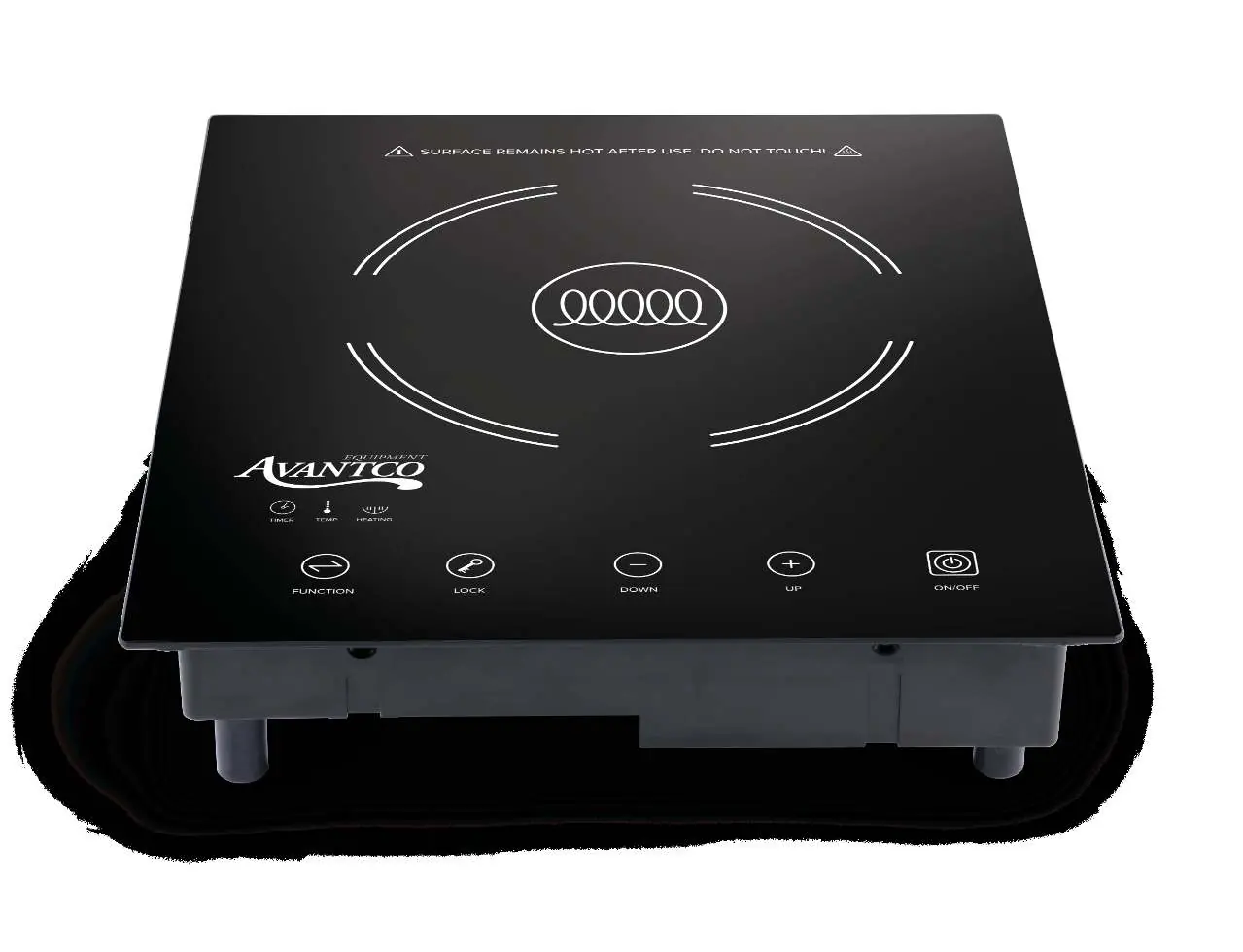
The Avantco 177ID1800 is an 1800W drop-in induction range designed for commercial or professional use. It requires magnetic cookware to function. The unit features adjustable power levels, temperature control, and a built-in timer. Always ensure the unit is placed on a stable, flat, and dry surface with adequate ventilation.
Safety Precautions
- Electrical Safety: Connect only to a grounded 120V socket. Do not use multiple sockets or extension cords. Keep the cord away from sharp edges and hot surfaces.
- Usage: Never leave the appliance unattended while in operation. Do not place empty cookware on the unit.
- Pacemakers: Persons with pacemakers should maintain a minimum distance of 60 cm from the device while in operation.
- Flammables: Do not place flammable objects (tissues, cloth) near the unit.
- Water: Never immerse the cord, plug, or appliance in water.
Operation
To operate the induction range:
- Place suitable magnetic cookware centered on the cooking field.
- Plug the unit into a grounded socket; a signal will sound.
- Press the ON/OFF key to enter Standby Mode.
- Press the Function Selection key to start. The fan will turn on.
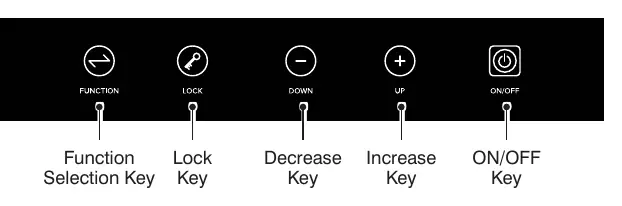
- Use the + and - keys to adjust power (500W-1800W) or temperature (140-460°F).
- Use the Timer key to set cooking time (0-180 minutes). If not set, it defaults to 180 minutes.
- Use the Lock key to activate child lock mode. Hold for 3 seconds to cancel.
Suitable Cookware
Only use magnetic (ferromagnetic) cookware. Suitable materials include steel, cast iron, enameled iron, and stainless steel with a magnetic base. Do not use glass, ceramic, or aluminum cookware. Test with a magnet to confirm suitability.
Cleaning and Maintenance
- Always switch off and unplug the appliance before cleaning.
- Allow the unit to cool down completely.
- Wipe the glass surface and stainless steel body with a damp cloth.
- Do not use abrasive cleaners, metal scouring pads, or flammable substances.
- Ensure no water enters the ventilation slots.
Troubleshooting
If the unit displays an error code, refer to the following:
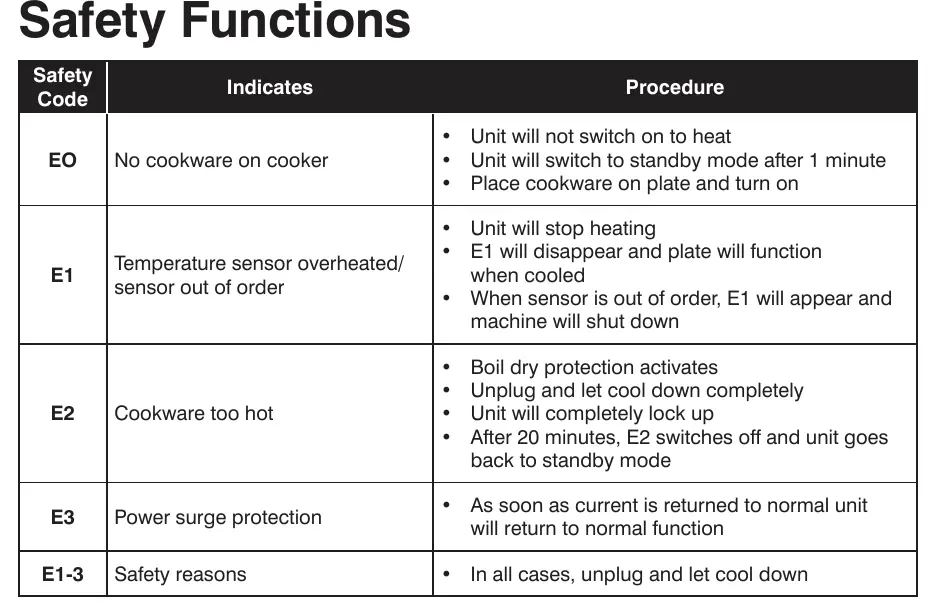
- E0: No cookware detected. Place magnetic cookware on the plate.
- E1: Temperature sensor overheated or out of order. Let the unit cool down.
- E2: Cookware too hot (boil dry protection). Unplug and let cool.
- E3: Power surge protection. Unit will return to normal once current stabilizes.
Manufacturer information
Avantco Equipment
Practical help
Common problems
Unit will not heat
Ensure the cookware is magnetic and centered on the cooking field. Check for E0 error code.
E1 Error Code
Temperature sensor is overheated. Turn off, unplug, and allow the unit to cool down completely.
E2 Error Code
Boil dry protection activated. Unplug the unit and let it cool down.
Before use
- Check for any physical damage to the glass or cord.
- Ensure the power socket is grounded and provides 120V.
- Verify cookware is magnetic (test with a magnet).
- Ensure the unit is on a stable, flat surface.
- Clear area around ventilation slots.
Specs in practice
- Power Levels
- Adjustable from 500W to 1800W.
- Temperature Range
- Adjustable from 140°F to 460°F.
Images and diagrams
- The control panel features buttons for Function, Lock, Down, Up, and ON/OFF.
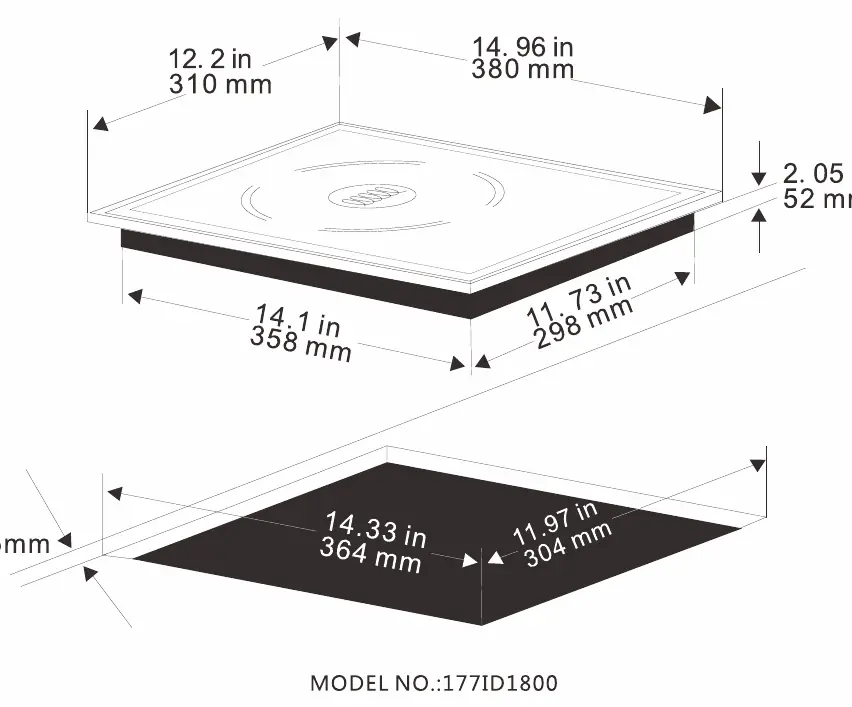
- The technical drawing indicates the unit dimensions are 12.2" x 14.96" x 2.56".
Model compatibility
- Requires magnetic cookware (steel, cast iron, stainless steel).
- Do not use glass, ceramic, or aluminum cookware.
- Cookware must have a flat bottom.

Manual page author
Emily Carter
User documentation editor
Prepares concise manual descriptions and highlights the most useful setup, operation, and maintenance information for readers.