Electronics / Amplifiers Receivers
User Manual for Adastra S460-WIFI Internet Streaming Amplifier
Quick guide for the Adastra S460-WIFI Internet Streaming Amplifier. Learn how to connect speakers, set up WiFi, use the WiiM Legacy Player app, and operate the device.
Table of contents
Manual images
Click an image to enlargeQuick Guide
The Adastra S460-WIFI is a dual stereo internet streaming amplifier. To get started, connect the provided antennas to the rear SMA sockets, connect your speakers (minimum 4Ω load), and connect the unit to mains power. Download the WiiM Legacy Player app on your smartphone to configure WiFi settings. Use the front panel controls or the app to select inputs, adjust volume, and control playback.
Device Overview
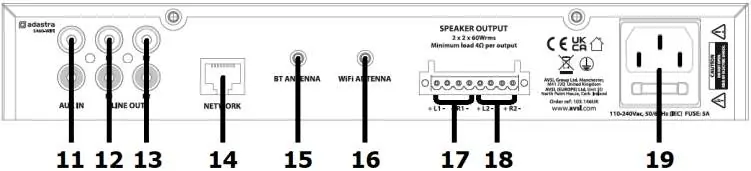
The front panel features a power switch, input source LED indicators, a USB port for playback, an IR receiver, and controls for volume, track navigation, and input selection. The rear panel contains auxiliary line inputs, line outputs, an RJ45 LAN connector, SMA antenna connectors for Bluetooth and WiFi, speaker output terminals, and the IEC mains inlet.
Connections and Installation
Position the amplifier on a stable surface with clear WiFi signal reception. Ensure the unit is switched off before making connections.
- Antennas: Connect both supplied antennas to the rear sockets labeled BT ANT and WIFI ANT.
- Speakers: The amplifier delivers up to 30W per channel at 8Ω. Connect speakers by unscrewing the binding posts and securing the wires.
- Impedance Warning: The minimum impedance load per channel is 4Ω. Do not connect speakers with a combined impedance lower than this.
- Speaker Cable: Use 0.66mm² or 6A rated fig.8 speaker cable.
- AUX Input: Connect external playback devices to the AUX IN sockets on the rear panel.
Operation
Once connected, switch on the power. Use the INPUT button to cycle through available sources. For USB playback, insert a USB pen drive into the front port; playback usually starts automatically. For Bluetooth, select BT mode, hold the Play/Pause (BT PAIR) button to enter pairing mode, and select S460-WIFI on your smartphone.
Network Setup
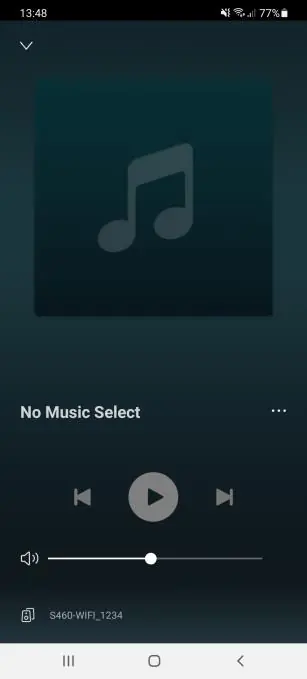
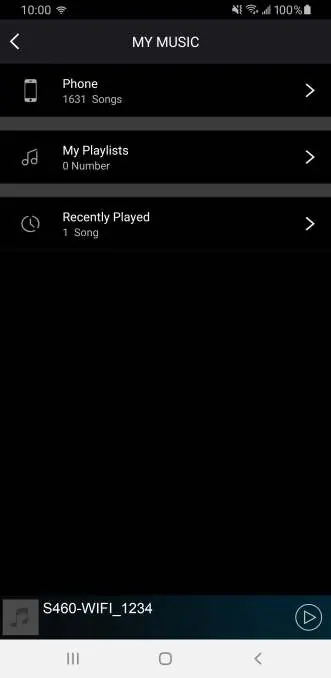
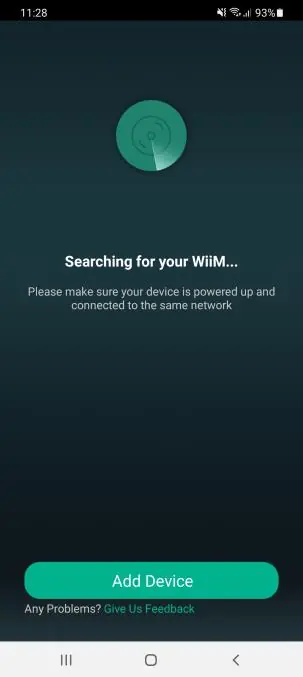
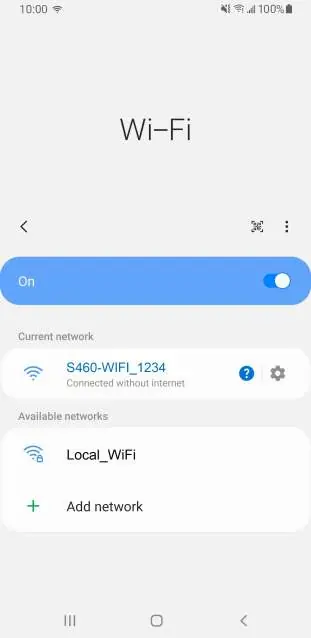
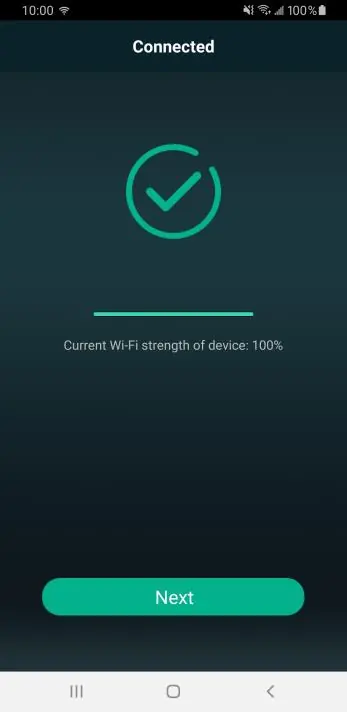
To enable WiFi streaming, download the WiiM Legacy Player application. If the amplifier is not connected via LAN, follow the in-app instructions to connect the amplifier to your local WiFi network. The amplifier requires a 2.4GHz WiFi band. If connection fails, press the WPS button on the front panel to reset or re-initiate the connection process.
Troubleshooting and Maintenance
To reset the amplifier to factory settings, press and hold the WPS button for 5 seconds. This will disconnect the unit from the WiFi network. The USB port is for playback only and is not suitable for charging smartphones. If the amplifier is powered down, the audio stream may need to be re-set upon powering on again.
Practical help
Common problems
WiFi connection difficulties
Briefly press the WPS button on the front panel to re-initiate the connection process.
No sound or low volume
Check that the speaker impedance is at least 4Ω per channel and that the correct input mode is selected.
Bluetooth pairing fails
Hold the Play/Pause (BT PAIR) button to release any current pairing and enter new pairing mode.
Before use
- Place the amplifier on a stable surface.
- Connect both provided antennas to the rear SMA sockets.
- Verify speaker impedance is at least 4Ω per channel.
- Download the WiiM Legacy Player app.
- Ensure your WiFi network operates on the 2.4GHz band.
Specs in practice
- Power Output
- Up to 30W per channel at 8Ω.
- Min Impedance
- 4Ω per channel; do not connect speakers with lower impedance.
- Speaker Cable
- 0.66mm² or 6A rated fig.8 cable is recommended.
Images and diagrams
- Front Panel: Controls for power, input selection, volume, and playback.
- Rear Panel: Connections for speakers, AUX, LAN, and antennas.
Model compatibility
- WiFi must operate on the 2.4GHz band.
- USB port is for playback only, not for charging phones.

Manual page author
Emily Carter
User documentation editor
Prepares concise manual descriptions and highlights the most useful setup, operation, and maintenance information for readers.