Furniture / Tables & Desks
User Manual for Belleze Rider Desk 014-HG-40749
Quick guide for the Belleze Rider Desk 014-HG-40749. Includes assembly instructions, weight limits, maintenance tips, and troubleshooting support.
Table of contents
Manual images
Click an image to enlargeQuick Guide
The Belleze Rider Desk is designed for home or office use. Assembly takes approximately 90 minutes and requires two people. Please ensure all parts are present before beginning assembly.
Weight Limitations
- Top Panel: 80 lb
- Storage Shelf: 30 lb
- Drawers: 20 lb
Assembly Preparation
Assemble the furniture on an empty carton, carpet, or rug to prevent scratches or damage. Keep pets and children away from the assembly area due to small components that pose a choking hazard. Ensure the product is fully assembled before use. Hand-tighten all hardware; do not over-tighten to avoid damaging the product.
Package Contents
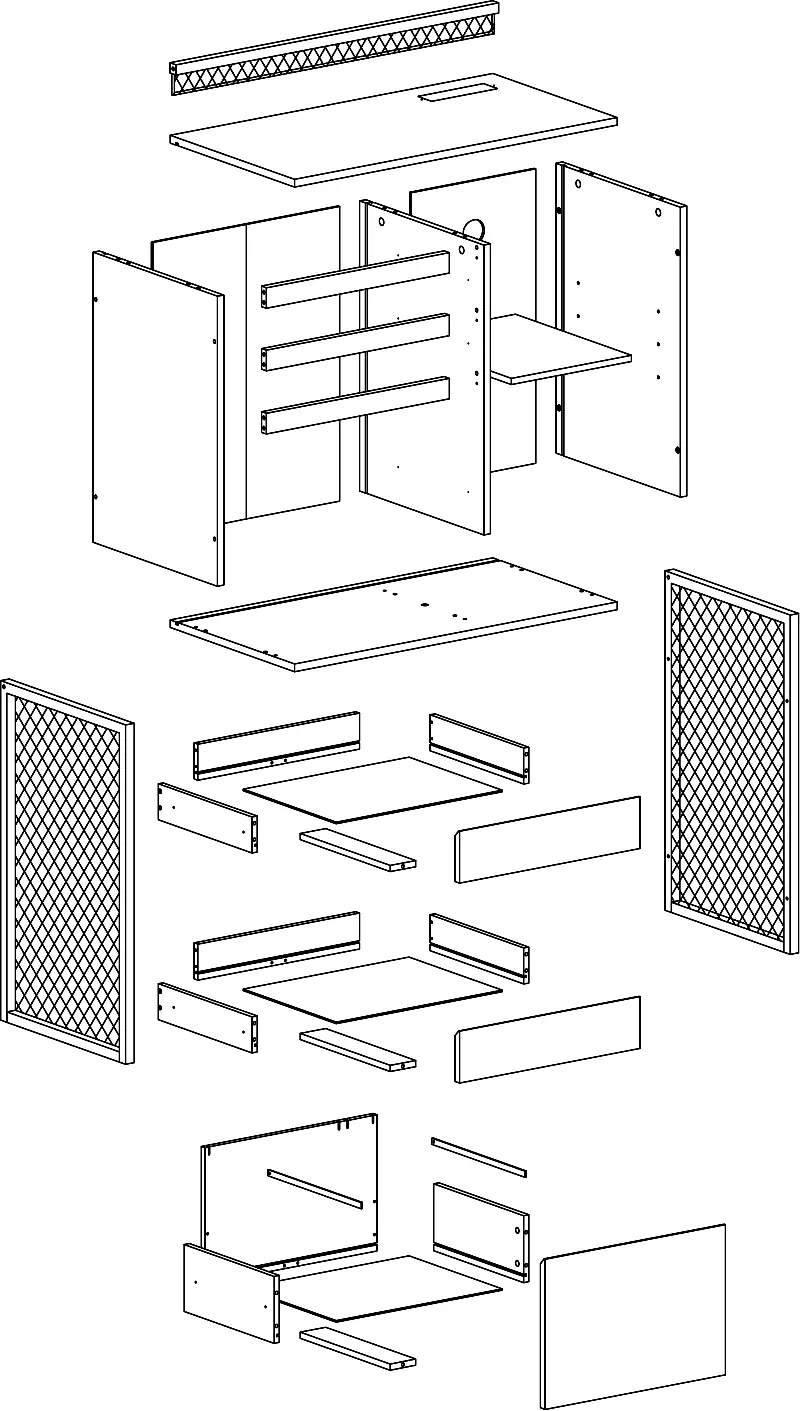
The package includes various panels (1-12), drawer components (13-24), and hardware (A-R). Please verify all components against the parts list provided in the manual before starting.
Assembly Steps
The assembly process involves 22 steps, including:
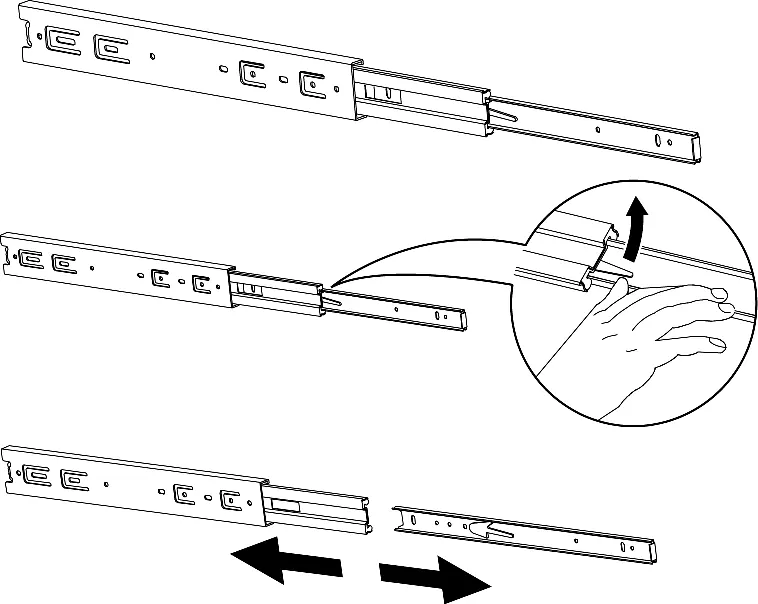
- Slide Runner Installation: Detach the slide runner from the slide mount and attach to the panels.
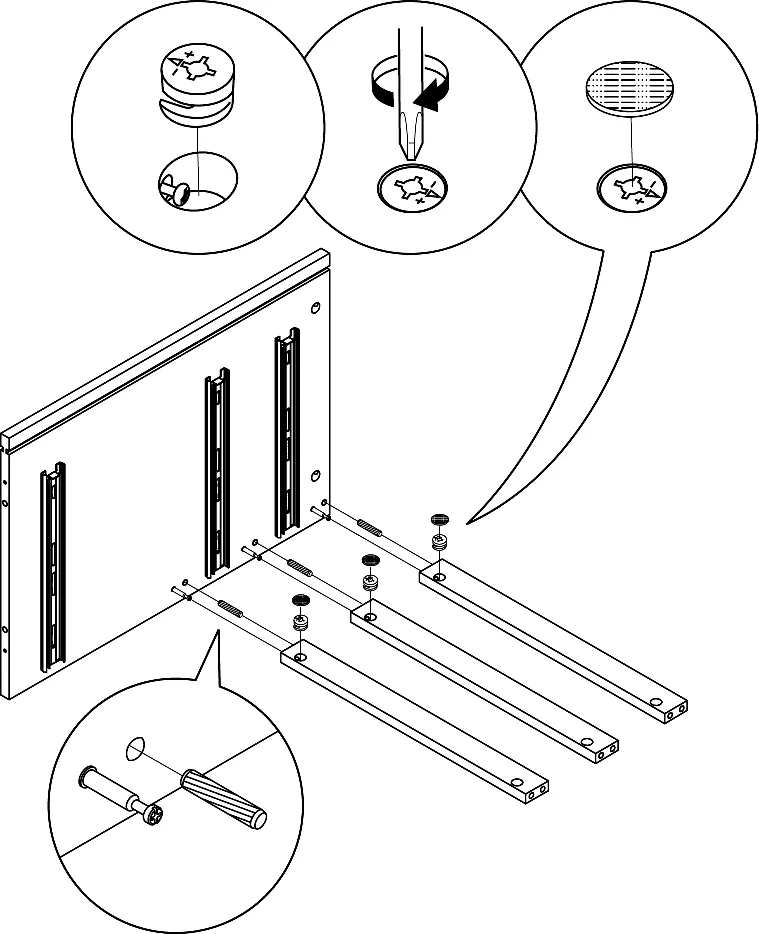
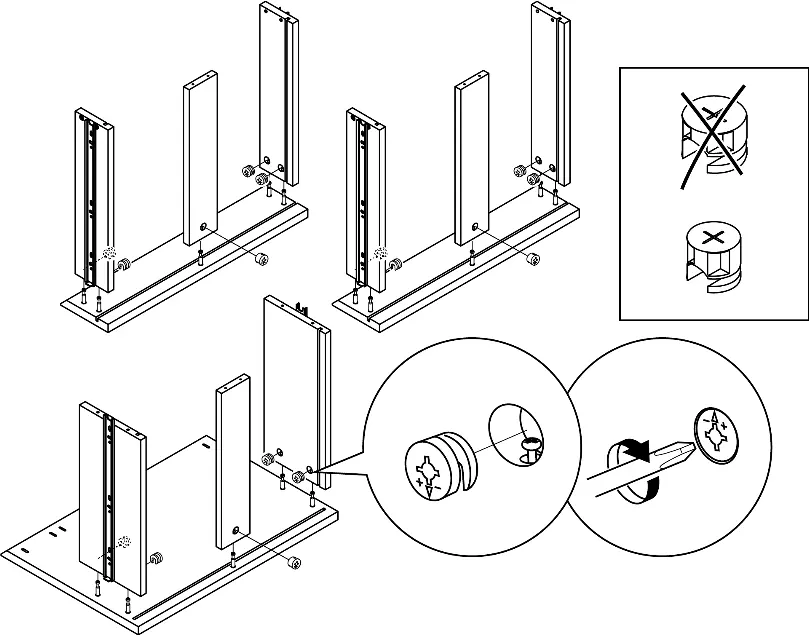
- Panel Assembly: Connect the medial, left, and top panels using cam bolts and crossbars.
- Back Panels: Slide the back panels into the assembly.
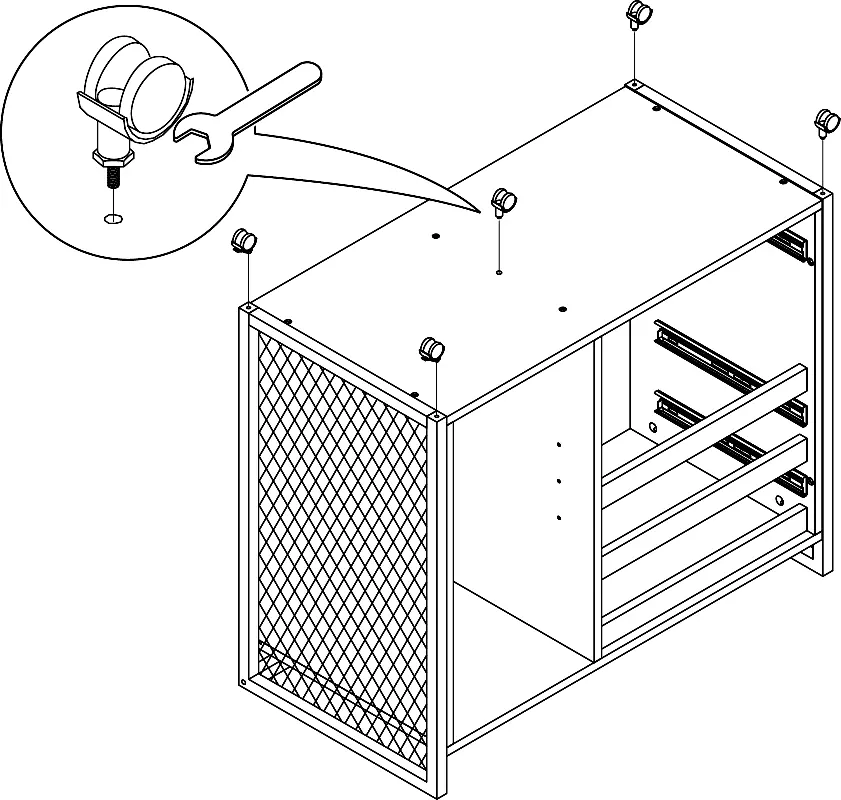
- Bottom Panel and Casters: Attach the bottom panel and install the locking and non-locking casters.
- Drawer Assembly: Assemble the small and document drawers, then slide them into the stand assembly.
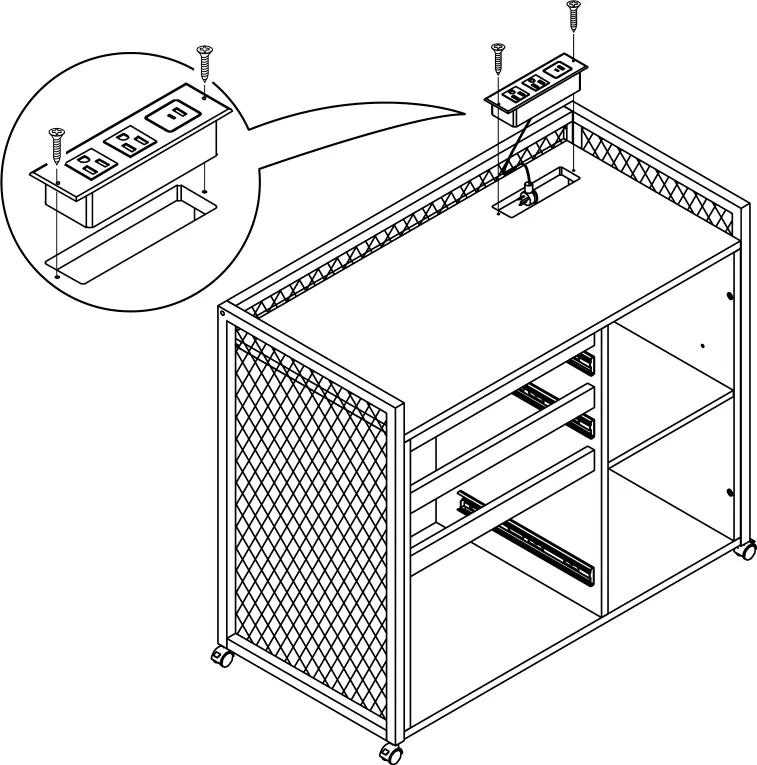
- Final Touches: Attach the electric outlet strip and storage shelf.
Care and Maintenance
To ensure the longevity of your desk:
- Tighten all bolts and screws again within the first 2 weeks of assembly.
- Check the tightness of all bolts every 2 months and tighten if necessary.
- Clean the MDF surface with a lightly dampened cloth. A small amount of mild soap can be used if necessary.
- Dry the surface immediately after cleaning.
- Do not use bleach or alcohol to clean the surface.
- Do not apply wood treatment on parts made with MDF.
Warranty and Support
Belleze products come with a 1-year warranty from the date of delivery. For assistance with missing parts or assembly difficulties, contact support at 1-800-682-6376 or email [email protected].
Manufacturer information
Belleze Furniture
Practical help
Common problems
Missing parts or hardware
Contact support at 1-800-682-6376 or email [email protected] for replacements.
Drawer not sliding correctly
Ensure the slider is in the forward position before inserting the drawer into the stand assembly.
Desk feels unstable
Check the tightness of all bolts every 2 months and tighten them if necessary.
Before use
- Check for all parts against the package contents list.
- Ensure you have 2 people for assembly.
- Assemble on a soft surface (carpet/rug) to prevent scratches.
- Hand-tighten hardware; do not over-tighten.
- Verify all cam bolts are installed correctly.
Specs in practice
- Top Load Capacity
- 80 lb maximum weight limit for the top surface.
- Shelf Load Capacity
- 30 lb maximum weight limit for the storage shelf.
- Drawer Load Capacity
- 20 lb maximum weight limit for the drawers.
- Assembly Time
- Estimated 90 minutes for two people.
Images and diagrams
- Exploded view shows the assembly order of panels 1-24.
- Cam bolt installation requires aligning the bolt with the hole and tightening the cam lock.
Model compatibility
- Designed for indoor use.
- MDF material requires protection from water/moisture.

Manual page author
Emily Carter
User documentation editor
Prepares concise manual descriptions and highlights the most useful setup, operation, and maintenance information for readers.