Furniture / TV Stands
User Manual for Belleze 014-HG-41894 TV Stand with Electric Fireplace
Quick guide for the Belleze 014-HG-41894 TV Stand with Electric Fireplace. Includes assembly instructions, weight limits, safety warnings, and maintenance tips.
Table of contents
Manual images
Click an image to enlargeQuick guide from the manual
This document provides assembly and maintenance instructions for the Belleze Portman Fireplace Entertainment Center. Assembly requires two people and approximately 120 minutes. Ensure all parts are present before beginning. The unit is designed for flat panel TVs with a maximum width of 75 inches and a weight of 70 lbs or less.
Assembly instructions
The assembly process involves connecting various panels using cam bolts, wood dowels, and screws. Follow the steps sequentially:
- Preparation: Assemble on a soft surface like a carpet or rug to prevent scratches.
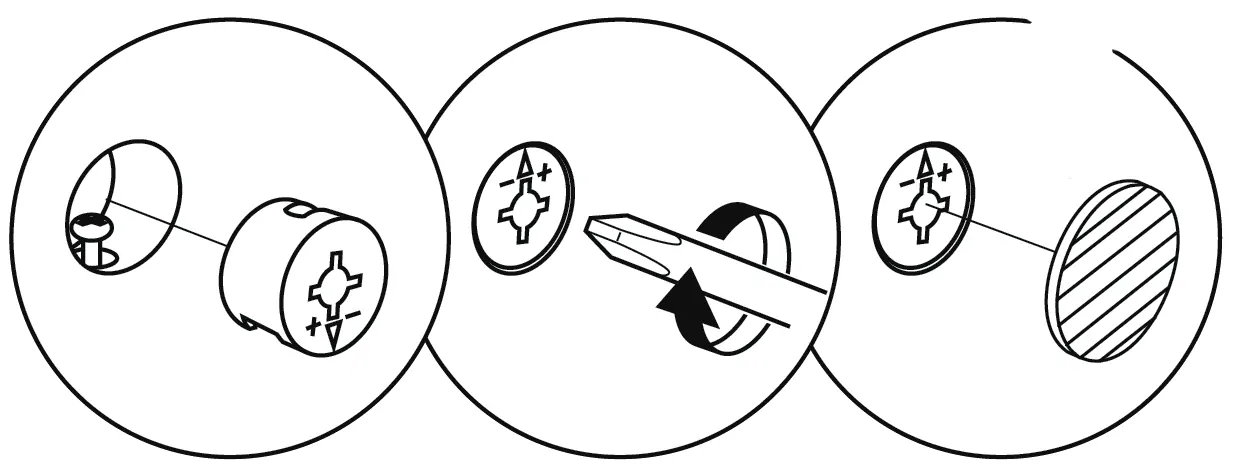
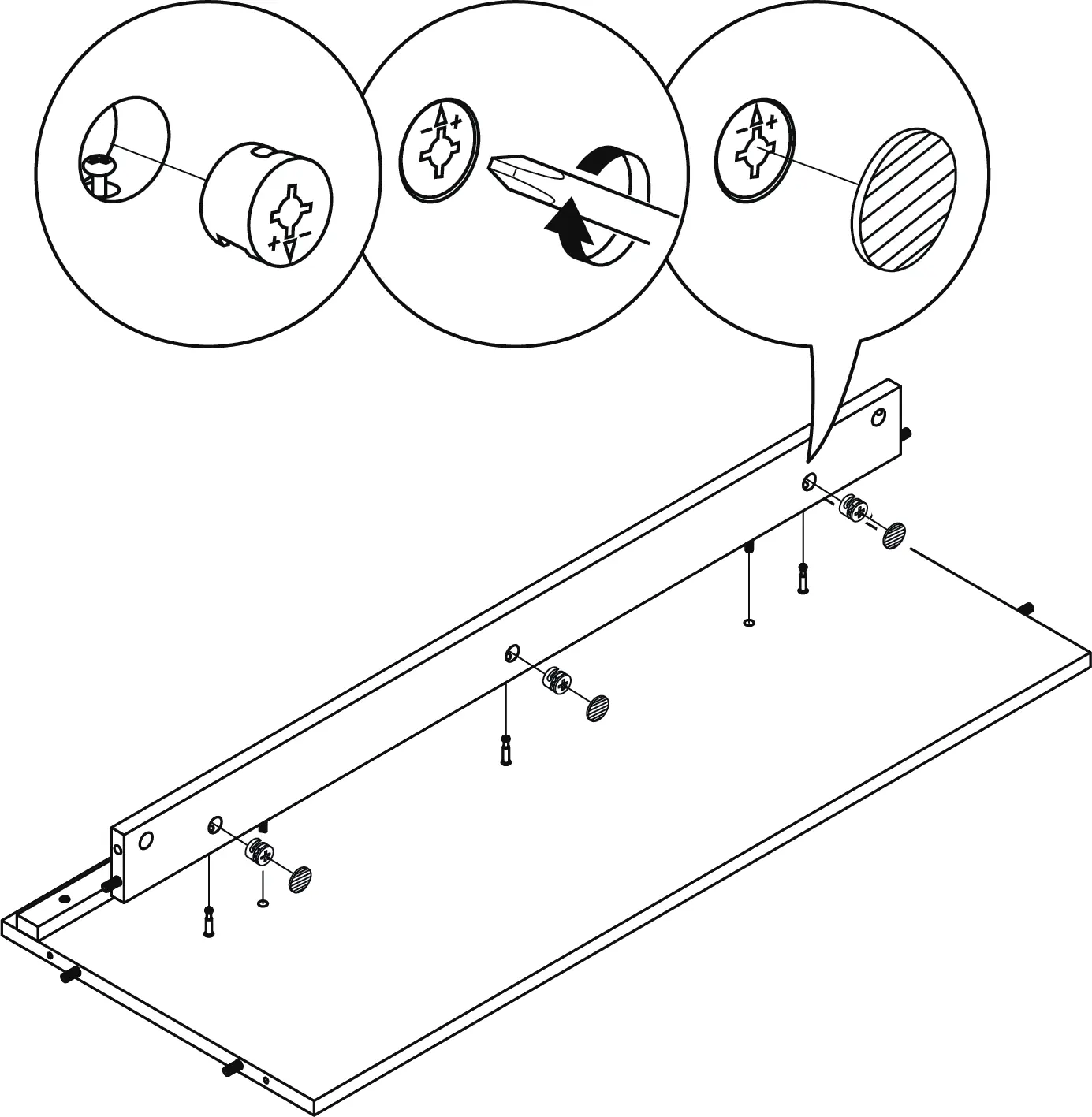
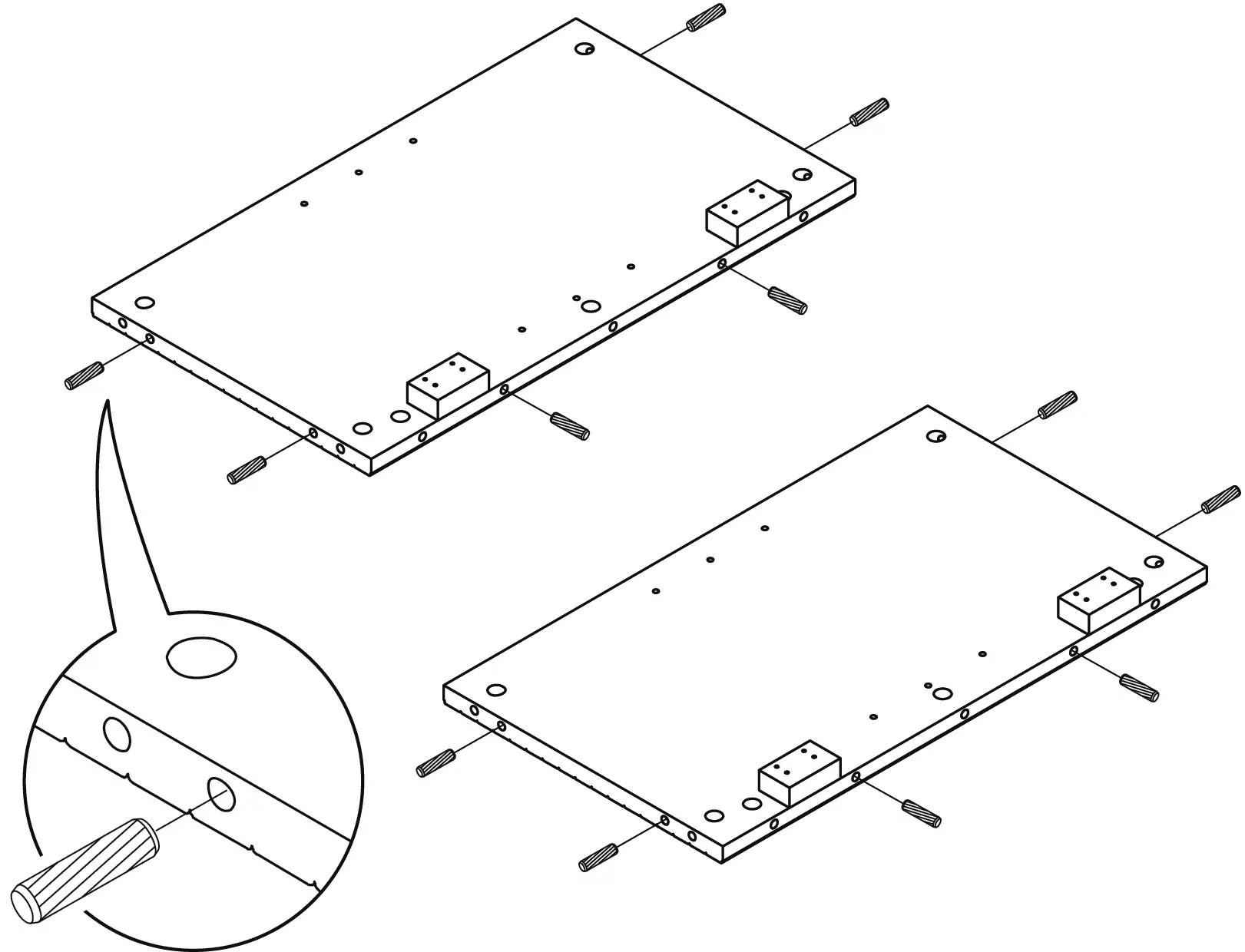
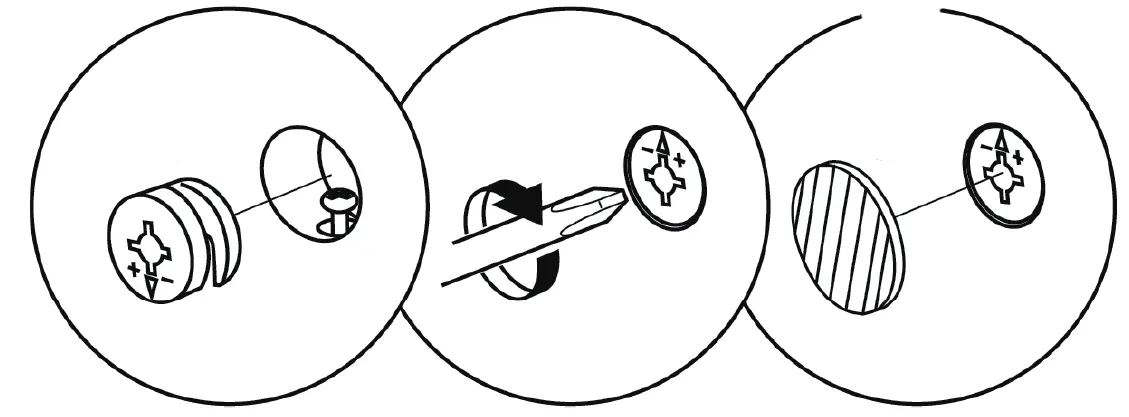
- Panel Assembly: Attach cam bolts and wood dowels to the center, leg, and bottom panels as indicated in the diagrams.
- Frame Construction: Assemble the center panel, crossbar, and back panel. Attach the leg panels and surround panels.
- Metal Frame: Slide the metal frame under the center bottom panel and secure it.
- Side Panels: Attach the side panels and rounded corner blocks.
- Top Panel: Secure the top panel to the stand.
- Back Panels: Attach the side back panels to the rear of the stand.
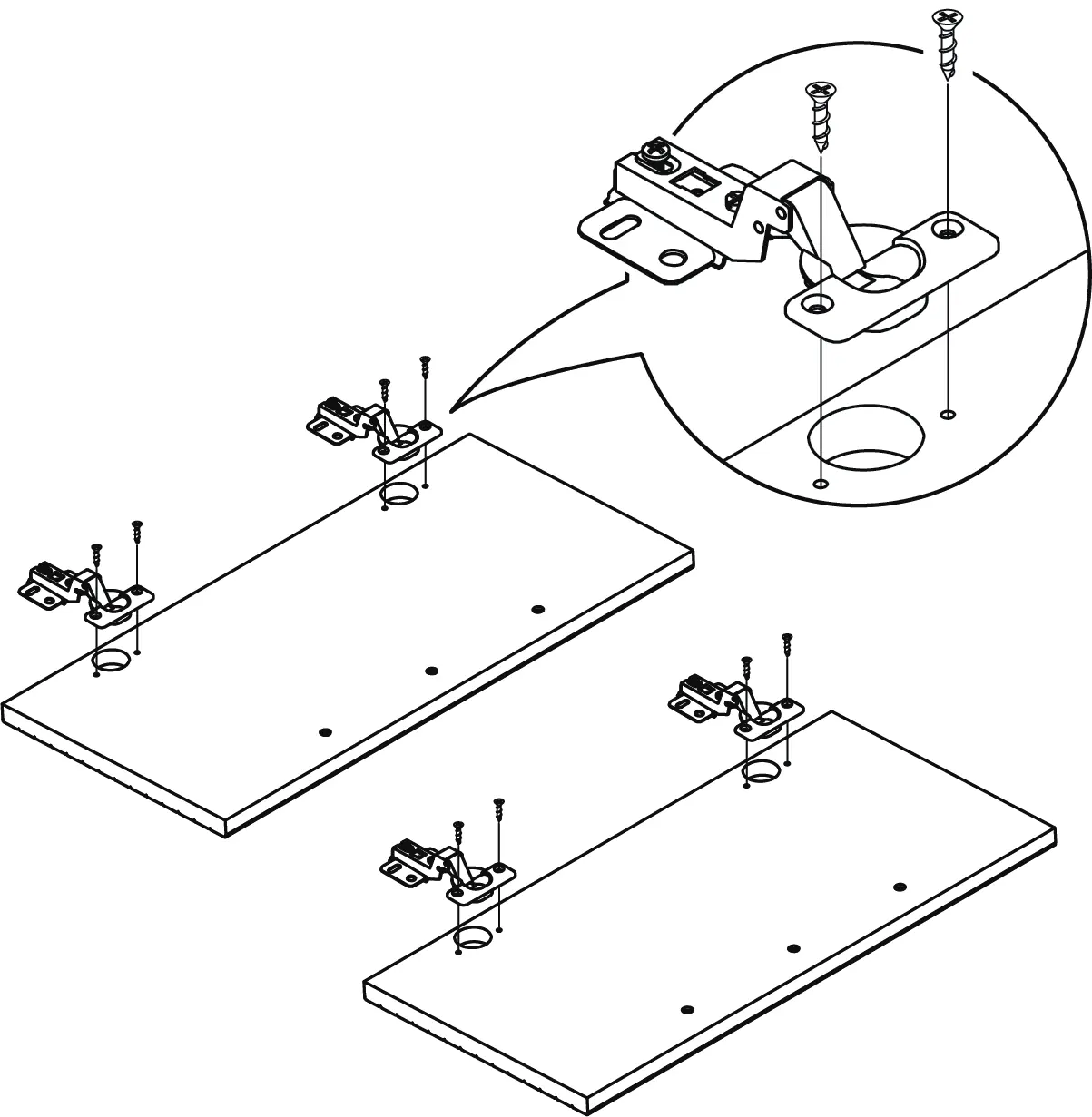
- Shelves and Doors: Insert shelf pegs for storage shelves. Attach hinges to the cabinet doors and mount them to the stand.
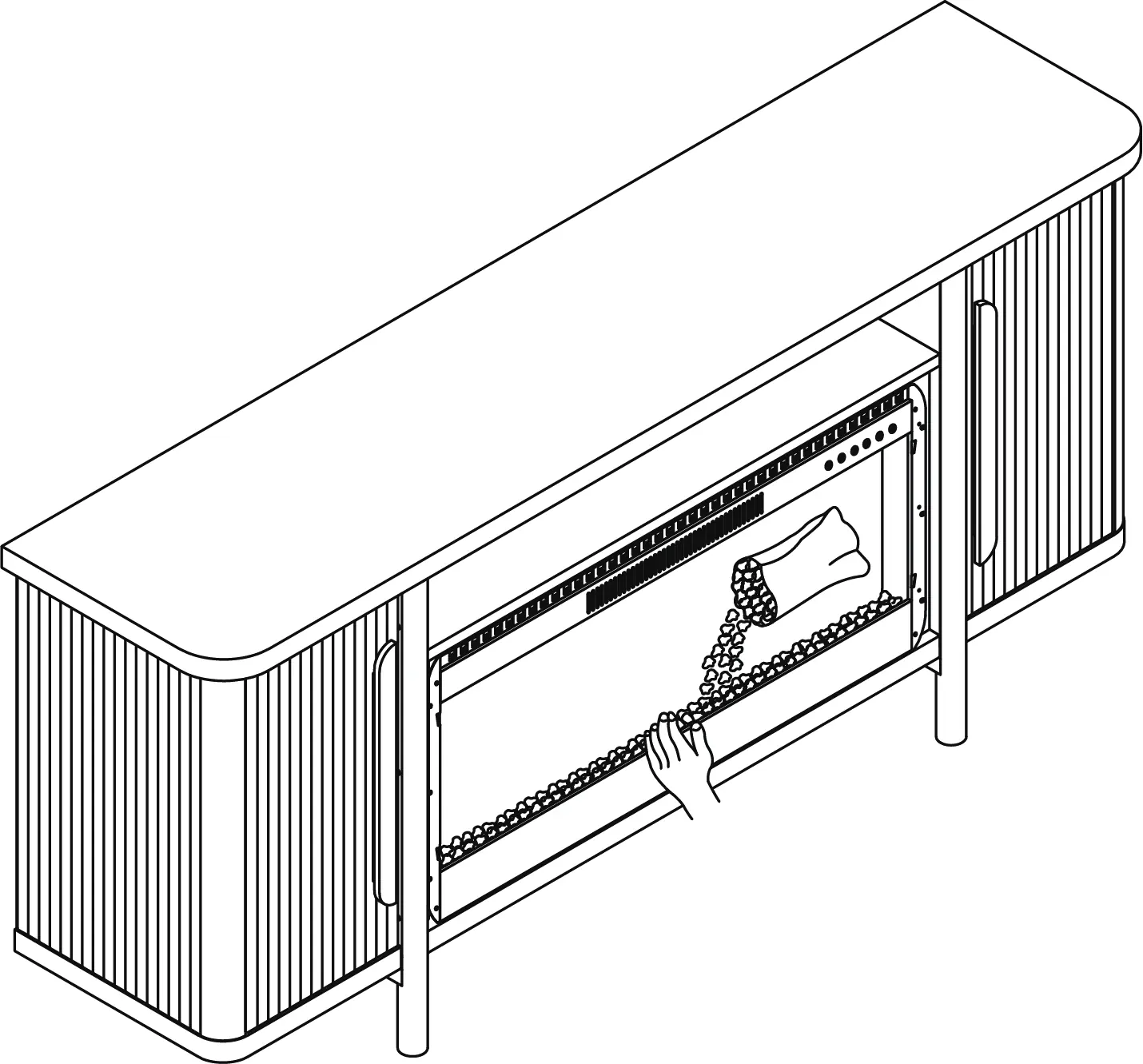
- Fireplace Installation: Install the fireplace heater from the front of the stand and secure it to the surround panels. Place decorative crystals or rocks inside.
- Glass Panel: Attach the fireplace front glass panel carefully.
- Wall Mounting: Affix the stand to a wall using the provided anti-tipping straps to prevent tipping.
Safety warnings
Important: Serious or fatal crushing injuries may occur if the furniture tips over. Always use the included anti-tipping device to permanently fix the furniture to a wall stud. Do not allow children to climb on the furniture. Only place items on top of the product if they meet the recommended size and weight limits. Do not exceed the maximum load capacity of 70 lbs for the top panel and 30 lbs for other panels.
Care and maintenance
To ensure the longevity of your furniture:
- Tightening: Tighten all bolts and screws again within the first 2 weeks of assembly. Check the tightness of all bolts every 2 months and tighten if necessary.
- Cleaning: Clean the surface of the MDF with a lightly dampened cloth. A small amount of mild soap can be used if necessary. Dry the surface immediately after cleaning.
- Restrictions: Do not use bleach or alcohol to clean the surface. Do not apply wood treatment on parts made with MDF.
Support
If you encounter difficulties or are missing parts, contact Belleze support at 1-800-682-6376 or email [email protected]. You can also register your product on the website for a limited lifetime warranty.
Manufacturer information
Belleze Furniture
Practical help
Common problems
Cabinet door clearance is uneven
Adjust the hinges using the screws on the mounting plate (up/down), hinge arm (in/out), or the front adjustment screw (side-to-side).
Furniture tipping hazard
Ensure the unit is permanently fixed to a wall stud using the included anti-tipping straps.
Missing parts or hardware
Do not use the product until missing parts are restored. Contact Belleze support for replacements.
Before use
- Ensure 2 people are available for assembly.
- Assemble on a soft surface (carpet or rug) to prevent damage.
- Verify all components and hardware are present before starting.
- Ensure the TV weight is 70 lbs or less.
- Ensure the TV width is 75 inches or less.
- Tighten all bolts and screws securely.
Specs in practice
- Maximum Load (Top Panel)
- 70 lb
- Maximum Load (Other Panels)
- 30 lb
- Estimated Assembly Time
- 120 minutes
- Max TV Width
- 75 inches
Images and diagrams
- Cam lock adjustment: Shows how to insert and tighten cam locks to secure panels.
- Hinge adjustment: Illustrates the three-way adjustment for cabinet doors.
- Anti-tipping installation: Shows the process of drilling and securing the strap to the wall.
Model compatibility
- Designed for flat panel TVs only.
- Requires wall stud for anti-tipping device installation.

Manual page author
Michael Turner
Technical manual editor
Reviews PDF manuals for structure, safety notes, and practical product details so readers can find the right information quickly.