Furniture / Bathroom Furniture
User Manual for Better Bathrooms Morella 1200mm Vanity Unit
Quick guide for the Better Bathrooms Morella 1200mm wall-hung vanity unit. Includes installation steps, drawer adjustment, maintenance tips, and troubleshooting.
Table of contents
Manual images
Click an image to enlargeQuick guide from the manual
This manual provides instructions for the installation and maintenance of the Morella 1200mm vanity unit. Please note that this product requires multi-person assembly and it is strongly recommended to use professional tradespeople for installation to avoid issues with poor fitting. The product is water-resistant but not waterproof; ensure the bathroom is well-ventilated and wipe away any standing water after use.
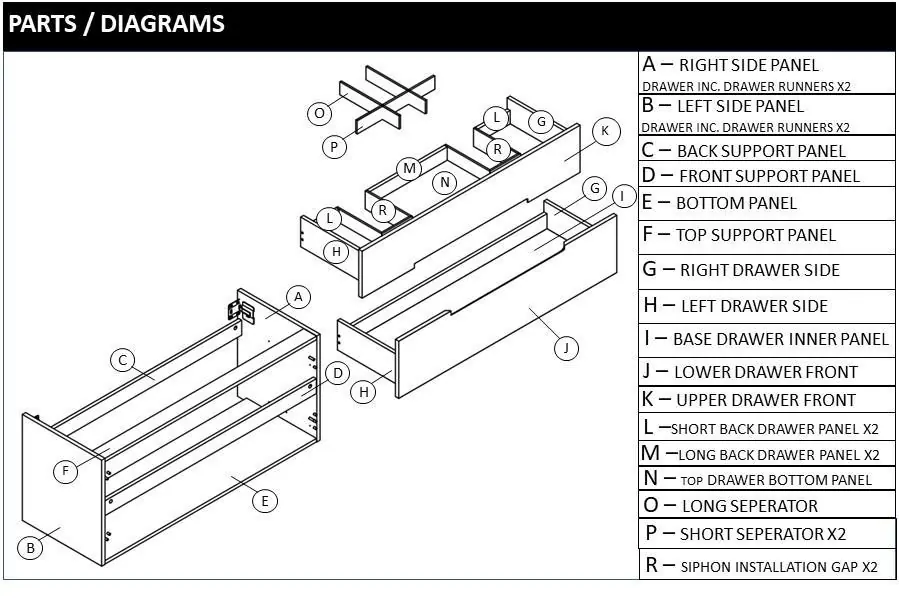
Parts and Diagrams
The unit consists of various panels (A-R) including side panels, support panels, and drawer components. Ensure all parts are present before beginning assembly. The tap shown in the photos is sold separately and is for visual purposes only.
Installation
Before installing, inspect the product for any damage or defects. Returns will not be accepted once the unit is fitted. Ensure the wall type is sufficient to support the unit; the supplied fixings are for solid walls only.
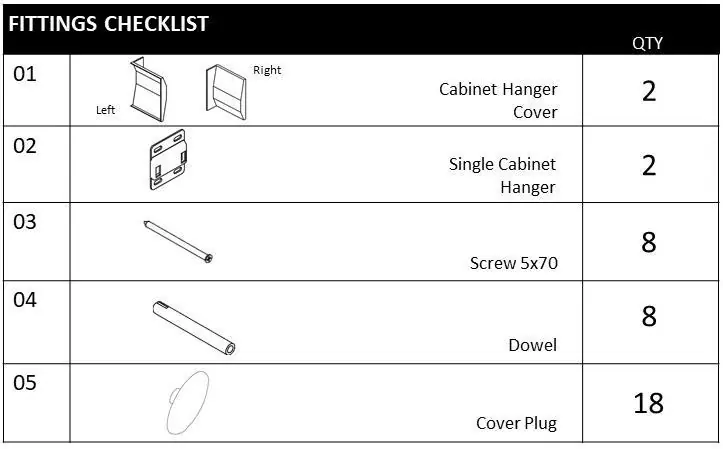
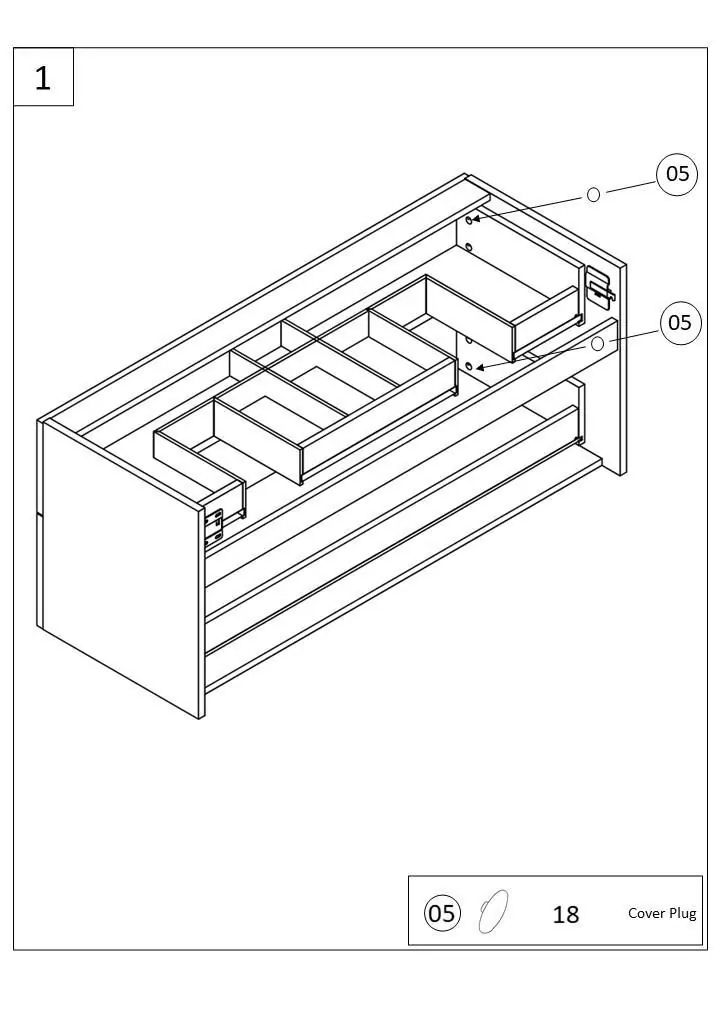
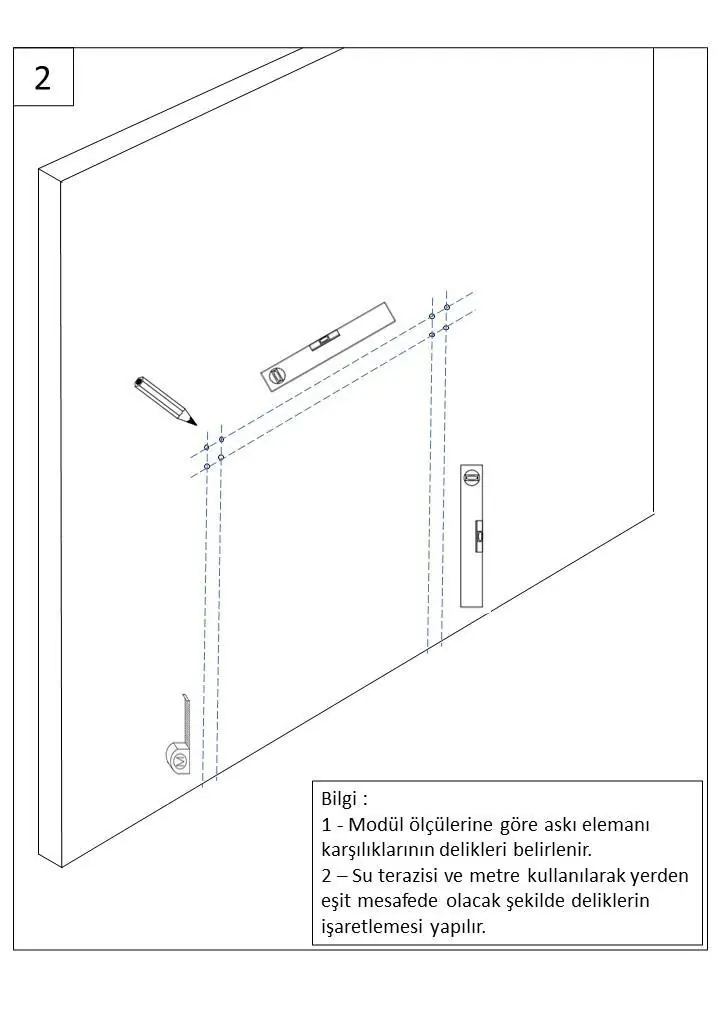
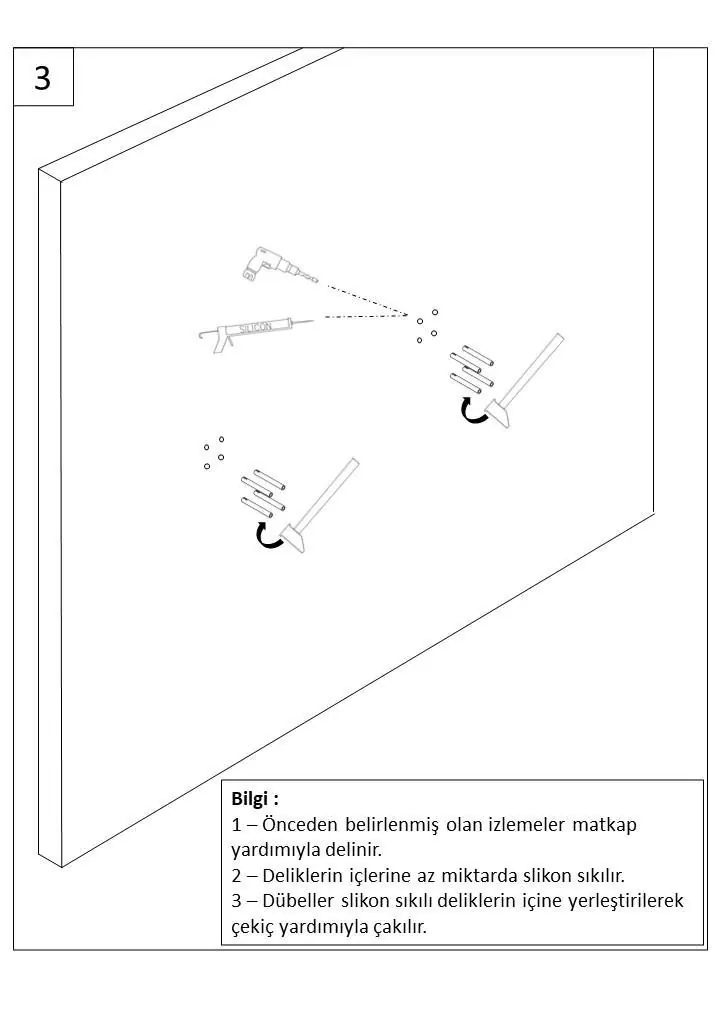
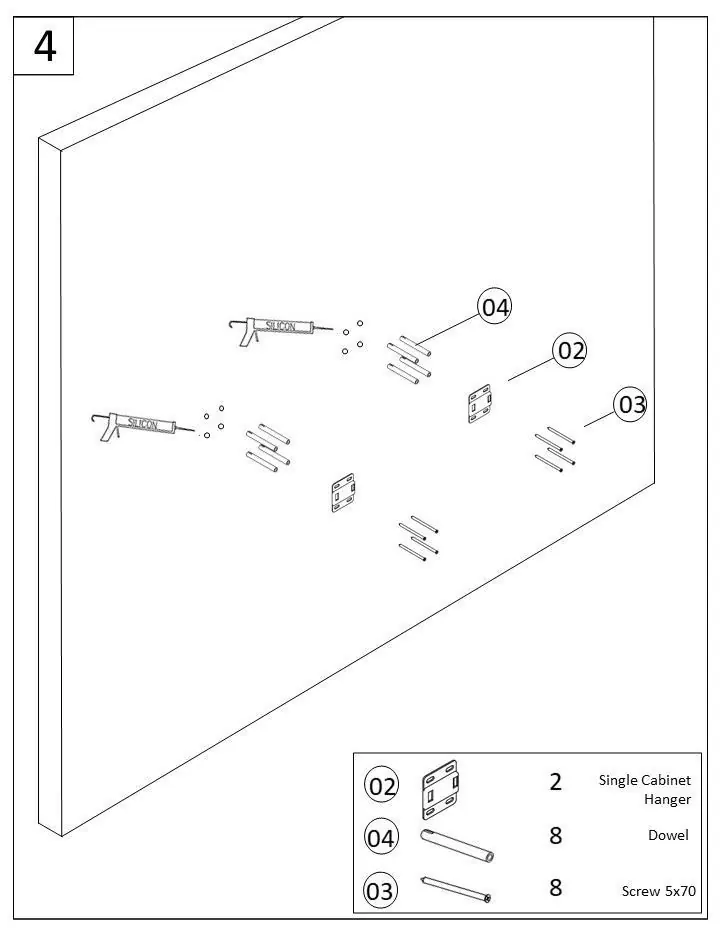
- Tools required: Pencil, tape measure, spirit level, hammer, drill, silicone sealant.
- Preparation: Check all walls for pipes and cables before drilling.
- Mounting: Place wall hanging brackets against the wall, mark drill holes, and ensure they are level. Drill holes (7mm diameter, 100mm depth), apply silicone, and insert dowels.
- Securing: Secure hangers to the wall using provided screws.
- Basin: Install the faucet before attaching the sink to the module. Apply silicone to the top edge of the unit and between the basin and the wall. Allow 24 hours for the silicone to set.
Drawer Adjustment and Removal
If drawers are not straight or not closing correctly, use the adjustment features:
- Removal: Pull the drawer towards you, press the latch locks on both sides simultaneously, and lift the drawer up and out.
- Adjustment: Use the dials on the underside of the drawer to adjust height. Use the dials on the bottom of the drawer to adjust the drawer centrally.
Maintenance and Cleaning
To maintain the product's appearance:
- Cleaning: Wipe with a clean, damp cloth and dry immediately. Do not use abrasive cleaning agents, solvents, or harsh chemicals (e.g., bleach, acetone).
- Care: Avoid direct sunlight to prevent discoloration. Check hinge screws every six months to ensure they remain tight.
- Ventilation: Use an extractor fan to reduce humidity and prevent water ingress damage.
Manufacturer information
Better Bathrooms
Practical help
Common problems
Drawer not straight or not closing
Use the adjustment dials on the underside and bottom of the drawer to align it.
Leaking
Check the sealant and reapply if necessary.
Before use
- Inspect the product for damage or defects before installation.
- Ensure the wall is suitable for the unit's weight.
- Check for pipes and cables in the wall before drilling.
- Ensure the room is well-ventilated.
- Verify that you have all necessary tools (drill, spirit level, silicone, etc.).
Specs in practice
- Basin Weight
- 32.2 kg
- Max. Loading Weight
- 54.6 kg
Images and diagrams
- Parts diagram identifies panels A through R.
- Installation steps 1-8 illustrate the wall mounting process and basin attachment.
- Drawer adjustment diagram shows the location of latch locks and adjustment dials.
Model compatibility
- Tap is sold separately.
- Product is water-resistant, not waterproof.
- Supplied fixings are for solid walls only.

Manual page author
Emily Carter
User documentation editor
Prepares concise manual descriptions and highlights the most useful setup, operation, and maintenance information for readers.