Power / Batteries Chargers
Bosch GAL 18V-40 Professional Battery Charger User Guide
Quick guide for the Bosch GAL 18V-40 Professional battery charger, covering charging procedures, LED indicator meanings, wall mounting, and troubleshooting.
Table of contents
Quick guide from the manual
The Bosch GAL 18V-40 Professional is a battery charger designed for Bosch Li-Ion batteries with a capacity of 2.0 Ah or more. The charging process is fully automatic and intelligent, adjusting the charging current based on battery temperature and voltage to ensure optimal charging and battery longevity.
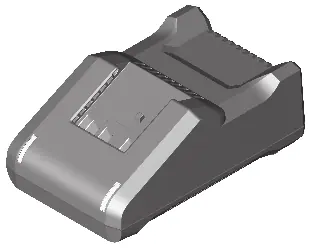
Charging process
- Plug the charger into a mains socket.
- Insert the battery (1) into the charging slot (2).
- The charging process begins automatically.
Understanding LED indicators
- Flashing green (4): Rapid charging is in progress. The battery can be removed at any time.
- Solid green (4): The battery is fully charged.
- Solid red (3): The battery temperature is outside the permitted charging range. Charging will start automatically once the temperature is within the correct range.
- Flashing red (3): A fault has occurred during the charging process. Refer to the troubleshooting section.
Wall mounting
The charger can be used free-standing on a desktop or mounted on a wall. To mount on a wall, drill two holes 72 mm apart and secure the charger using round-head screws with a diameter of 5 mm to 6.5 mm.
Troubleshooting
- Red LED (3) flashing: Charging is not possible. Check if the battery is inserted correctly, clean the battery contacts, or replace the battery if it is defective.
- No LEDs illuminated: Check if the mains plug is fully inserted into the socket. If the socket, cable, or charger is defective, have it checked by an authorized Bosch service center.
Maintenance
If the power cord requires replacement, it must be performed by Bosch or an authorized service center to avoid safety hazards. Keep the charger clean to prevent electric shock.
Manufacturer information
Bosch
Practical help
Common problems
Red LED (3) flashing, charging not possible
Ensure the battery is inserted correctly, clean the battery contacts, or replace the battery if it is defective.
No LEDs illuminated
Ensure the mains plug is fully inserted into the socket. If the issue persists, have the charger checked by an authorized service center.
Before use
- Check that the mains voltage matches the voltage specified on the charger's rating plate.
- Ensure the charger is not placed on easily ignited surfaces (e.g., paper, textiles).
- Inspect the charger, cable, and plug for any damage before use.
- Ensure the battery capacity is at least 2.0 Ah.
Specs in practice
- Charging voltage
- 10.8-18V, automatically detected by the charger.
- Permitted charging temperature
- 0-45°C. Charging will only occur within this range.
- Protection class
- II, indicating double insulation.
Images and diagrams
- (2) Charging slot
- (3) Red battery charge level indicator
- (4) Green battery charge level indicator
- (5) Wall mount
Model compatibility
- Compatible with Bosch Li-Ion batteries with a capacity of 2.0 Ah or more (3 battery cells or more).

Manual page author
Michael Turner
Technical manual editor
Reviews PDF manuals for structure, safety notes, and practical product details so readers can find the right information quickly.