Tools / Saws
User Manual for Bosch GCM 12 GDL Professional Sliding Mitre Saw
Quick guide for the Bosch GCM 12 GDL Professional sliding mitre saw. Includes assembly, operation, safety instructions, laser adjustment, and maintenance procedures.
Table of contents
Quick guide from the manual
This manual provides essential instructions for the safe and efficient operation of the Bosch GCM 12 GDL Professional sliding mitre saw. Always ensure the tool is mounted on a stable surface and that all safety guards are functioning correctly before use.
Safety instructions
- Always wear eye protection, hearing protection, and a dust mask.
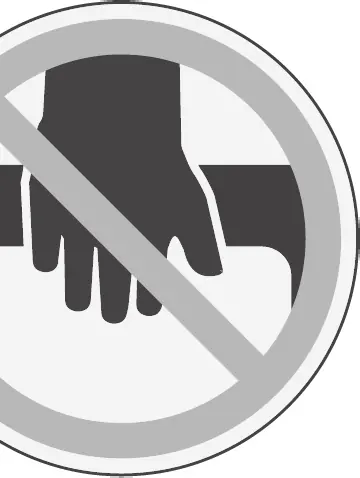
- Keep hands at least 100 mm away from the saw blade.
- Never cross your hands over the cutting line.
- Ensure the workpiece is securely clamped against the fence and table.
- Do not use abrasive cut-off wheels.
Product features
The GCM 12 GDL features a glide mechanism for smooth operation, integrated laser for cutting line indication, and adjustable fences for various mitre and bevel angles. Refer to the graphics pages for the numbering of all components.
Assembly
- Mount the tool on a flat, stable work surface using the mounting holes (8) or screw clamps.
- Ensure the locking knob (11) is screwed in and tightened before sawing.
- Connect a dust extraction system to the extraction adapter (23) to minimize dust accumulation.
Operation
- Switching on: Slide the lock-off button (2) to the middle, then press and hold the on/off switch (58).
- Switching off: Release the on/off switch (58).
- Sawing: Ensure the glide arm (27) is unlocked. For cross-cuts, slide the arm back and secure it. For sliding cuts, pull the arm away from the fence, switch on, and push the arm through the workpiece with uniform feed.
Adjustments
- Mitre Angle: Loosen the locking knob (11), pull the lever (12), and rotate the table (37) to the desired angle.
- Bevel Angle: Loosen the clamping handle (13) and tilt the glide arm (27) to the required angle.
- Laser Adjustment: The laser can be adjusted for flush alignment, parallelism, and side deviation. Always disconnect power before adjusting.
Maintenance
- Keep the tool and ventilation slots clean.
- Regularly clean the guide roller (19) and the glide arm (27).
- If the power cord is damaged, it must be replaced by an authorized Bosch service center.
Manufacturer information
Bosch
Practical help
Common problems
Saw blade jams during operation
Turn off the tool, disconnect the power, wait for all moving parts to stop, and remove the blockage.
Laser beams are misaligned
Perform the laser adjustment procedures (flush alignment, parallelism, and side deviation) as described in the manual.
Glide arm movement is too stiff or too loose
Adjust the damping of the glide mechanism using the damper (52) and set screws (53).
Before use
- Ensure the tool is mounted on a flat, stable work surface.
- Check that all protective devices are working correctly.
- Verify the saw blade is sharp, undamaged, and the correct size.
- Ensure the workpiece is securely clamped.
- Check that the glide arm moves freely.
- Verify laser alignment if precision cutting is required.
Specs in practice
- Rated power input
- 2000W or 1800W depending on the specific model version.
- No-load speed
- 4000 min-1, the speed of the blade when not cutting.
- Saw blade diameter (D)
- 305 mm, the required size for the blade.
- Hole diameter (d)
- 25.4 mm, the arbor size for the blade.
Images and diagrams
- Page 3-4: Overview of all controls and components.
- Page 6: Changing the saw blade (c1-c4).
- Page 7-8: Adjusting bevel and mitre angles.
- Page 12: Laser adjustment procedures (T3, T4, T5).
Model compatibility
- Suitable for wood, chipboard, fibreboard, aluminium profiles, and plastic.
- Not for use with abrasive cut-off wheels for ferrous materials.

Manual page author
David Miller
Documentation analyst
Organizes user manual content into clear summaries, with attention to model details, product context, and everyday usability.