Electronics / Special Effects
Quick Reference Guide for Chauvet DJ GigBAR Bridge ILS
Quick reference guide for the Chauvet DJ GigBAR Bridge ILS lighting system. Includes safety instructions, control panel operation, ILS connection details, and contact information.
Quick answers from the manual
Quick answer
- The GigBAR Bridge ILS is a 2-in-1 LED lighting system. This guide covers safety, basic control panel operation, and ILS connectivity. p. 1, 4
Key actions
- Navigate the menu using the MENU, UP, DOWN, and ENTER buttons. p. 4
First start
- Connect to a grounded circuit and ensure proper ventilation (50 cm) before operation. p. 3
Problems and fixes
Serious operating problem
Stop using the product immediately.
p. 3Where to find it in the PDF
- Safety Notes p. 3
- Control Panel p. 4
Table of contents
Quick guide from the manual
This document provides essential safety, installation, and operational information for the Chauvet DJ GigBAR Bridge ILS. It is intended for quick reference; for detailed configuration, refer to the full user manual available at the manufacturer's website.
Safety Notes
Always:
- Connect to a grounded circuit.
- Connect to operating voltages as specified on the product's spec sticker.
- Disconnect from power before replacing the fuse.
- Use a safety cable when suspending overhead.
- Mount in a location with at least 50 cm (20 in) of ventilation.
- Keep the machine level.
Do Not:
- Open this product or attempt any repairs.
- Look at the light source when the product is on.
- Use if the power cord is crimped or damaged.
- Connect to a dimmer or rheostat.
- Operate in temperatures higher than 40°C (104°F).
- Expose to rain, moisture, or use outdoors.
What is Included
- GigBAR Bridge ILS
- Power cable
- Hanging bracket (x2)
- Carry bag
- Quick Reference Guide
Control Panel Description
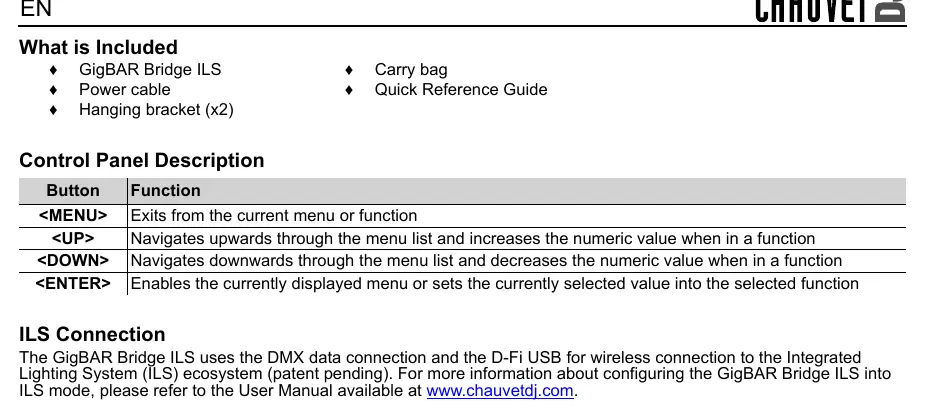
- MENU: Exits from the current menu or function.
- UP: Navigates upwards through the menu list and increases the numeric value when in a function.
- DOWN: Navigates downwards through the menu list and decreases the numeric value when in a function.
- ENTER: Enables the currently displayed menu or sets the currently selected value into the selected function.
ILS Connection
The GigBAR Bridge ILS uses the DMX data connection and the D-Fi USB for wireless connection to the Integrated Lighting System (ILS) ecosystem. For more information about configuring the GigBAR Bridge ILS into ILS mode, please refer to the User Manual available at www.chauvetdj.com.
Official resources from the manual
Practical help
Common problems
Serious operating problem
Stop using the product immediately.
Before use
- Ensure the power source is a grounded circuit.
- Verify the operating voltage matches the product's spec sticker.
- Ensure at least 50 cm (20 in) of ventilation space around the unit.
- Attach a safety cable if suspending the unit overhead.
Model compatibility
- Compatible with the Integrated Lighting System (ILS) ecosystem.
- Supports DMX data connection.
- Supports D-Fi USB for wireless connection.

Manual page author
David Miller
Documentation analyst
Organizes user manual content into clear summaries, with attention to model details, product context, and everyday usability.