Lighting / Stage Lighting
User Manual for Elation Seven Par 19IP Lighting Fixture
Get started with your Elation Seven Par 19IP lighting fixture. This guide covers installation, DMX channel settings, safety precautions, maintenance, and technical specifications.
Quick answers from the manual
Quick answer
- The Elation Seven Par 19IP is an IP65-rated LED lighting fixture. This manual provides instructions for safe installation, DMX channel configuration, system menu navigation, and maintenance. p. 1, 21
Key actions
- Unlock the control panel p. 14
- Install Gel Frame/Barn Doors p. 12
- Seal unused connections p. 11
First start
- Ensure the fixture is properly grounded and connections are sealed with dielectric grease before powering on. p. 6, 10
Problems and fixes
Control Panel Locked
Press and hold MODE for 5 seconds.
p. 14Maintenance and reset
- Clean external lens surface at least every 20 days. p. 8
Technical specifications
| Parameter | Value | Meaning | Pages |
|---|---|---|---|
| Light Source | 19x 25W 7-in-1 RGBAW + Lime + UV LEDs | LED configuration | p. 21 |
| Power Consumption | 500W | Max power draw | p. 21 |
| IP Rating | IP65 | Ingress protection | p. 21 |
Where to find it in the PDF
- Fixture Overview p. 9
- Installation Instructions p. 10, 11, 12, 13
- System Menu p. 14, 15, 16
- DMX Channel Functions p. 17, 18, 19, 20
- Specifications p. 21
Table of contents
Manual images
Click an image to enlargeQuick Guide from the Manual
The Elation Seven Par 19IP is a professional IP65-rated LED lighting fixture. Before operation, ensure the fixture is properly grounded and all unused connection caps are sealed with dielectric grease to maintain its IP65 rating. The fixture is not suitable for marine or coastal environments.
Safety Guidelines
- UV Radiation Warning: This fixture emits high-intensity UV light. Avoid direct eye and skin exposure at distances less than 11 feet (3.3m). Wear proper eye and skin protection.
- Electrical Safety: Protection Class 1 - Fixture must be properly grounded. Do not plug into a dimmer pack.
- Temperature: Operating ambient temperature range is 14°F to 113°F (-10°C to 45°C).
- Maintenance: Disconnect power before performing any maintenance. There are no user-serviceable parts inside.
Installation Instructions
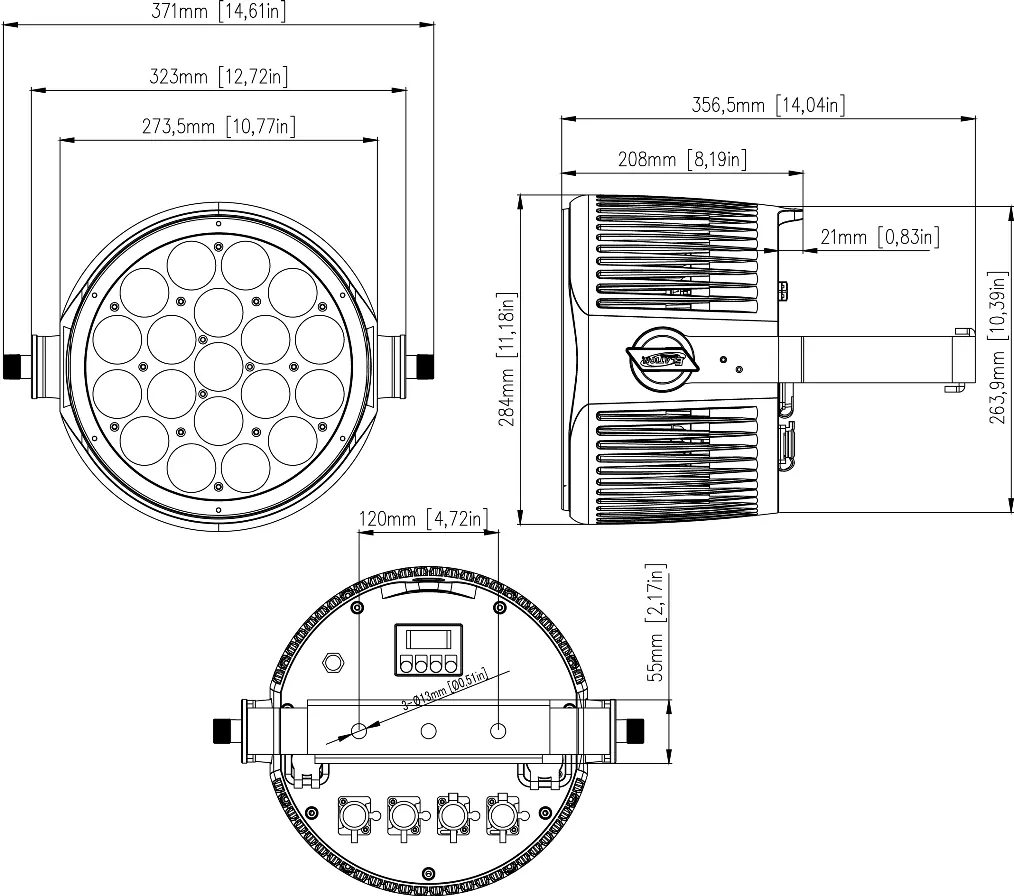
Mounting
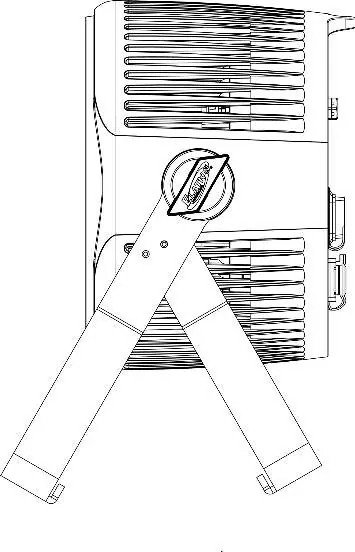
The fixture includes an adjustable dual mounting yoke. When rigging overhead, always use an appropriately rated safety cable that can hold 10 times the weight of the fixture. Ensure the mounting surface can support the combined weight of the fixture, clamps, and accessories.
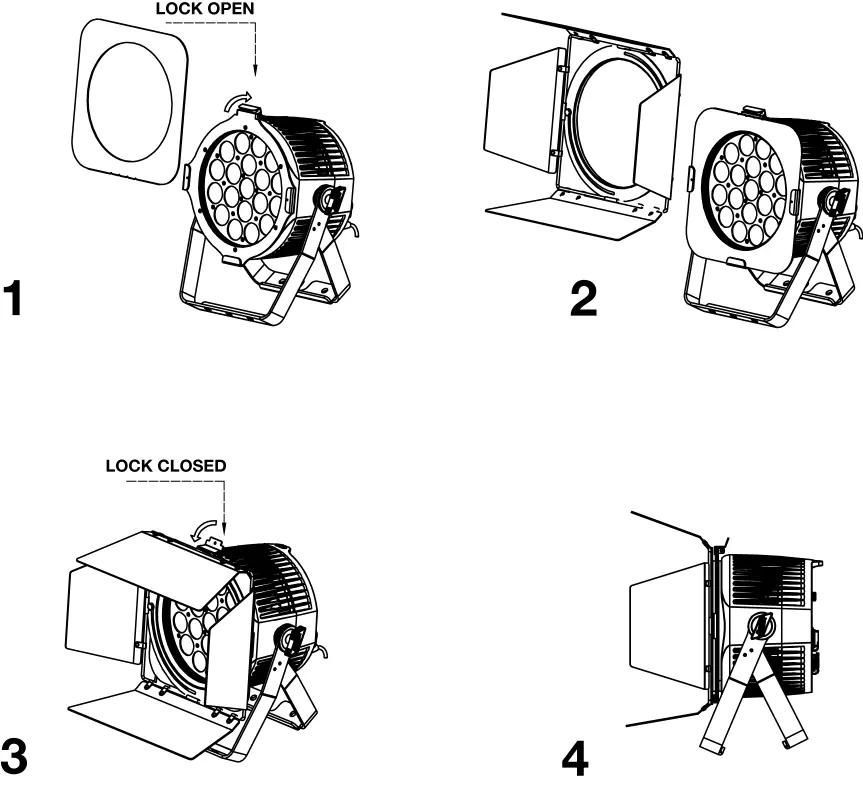
Gel Frame and Barn Doors
The included Gel Frame Holder must be attached to the fixture to use the Gel Frame or optional Barn Doors. Use the spring-loaded lock to secure these accessories. Do not over-tighten screws.
IP65 Sealing
To maintain the IP65 rating, all unused connection rubber caps must be sealed. Ensure all connections are sealed with non-conductive dielectric grease to prevent water ingress and corrosion.
System Menu
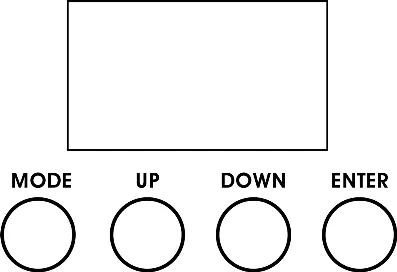
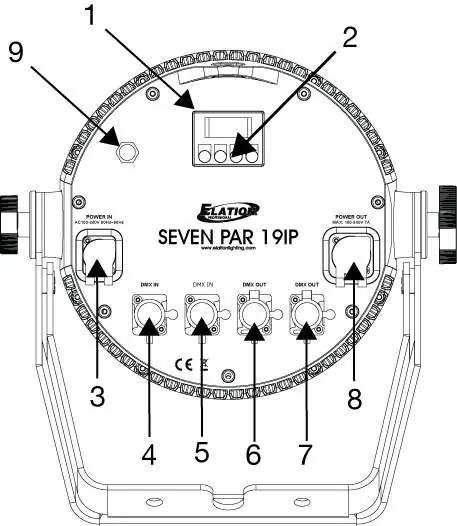
The OLED control panel on the back of the fixture allows for system adjustments. Press the MENU button to access the main menu, use UP/DOWN to navigate, and ENTER to confirm settings.
Control Panel Lockout
If the display shows LOCKED*****, the control panel is locked. To unlock, press and hold the MODE button for 5 seconds.
DMX Control
The fixture supports multiple DMX channel modes, including RGB 3CH, RGBSeven 3CH, 8bit 7CH, 16bit 14CH, Master 15CH, HSI 4CH, and HSI Master 10CH. Refer to the DMX Channel Functions table in the full manual for specific channel values.
Maintenance
Regular cleaning of the external lens surface (at least every 20 days) is recommended to ensure optimized light output. Never use alcohol, solvents, or ammonia-based cleaners. Perform routine inspections of screws, fasteners, and power cables every three months.
Practical help
Common problems
Fixture does not turn on
Check power connection and ensure the fixture is properly grounded.
Water ingress or corrosion
Ensure all connections and end caps are sealed with dielectric grease.
Control panel locked
Press and hold the MODE button for 5 seconds to unlock.
Smoke or smell during initial use
This is normal; excess paint is burning off. It will decrease over time.
Before use
- Inspect shipping carton for damage.
- Verify all accessories (Gel Frame, Power Cable) are present.
- Ensure installation surface can support the weight.
- Check ambient temperature is between 14°F and 113°F.
- Seal all unused connection caps with dielectric grease.
Specs in practice
- Operating Temp
- Ambient temperature range: -10°C to 45°C (14°F to 113°F).
- Power Consumption
- 500W Max.
- Light Source
- 19x 25W 7-in-1 RGBAW + Lime + UV LEDs.
Images and diagrams
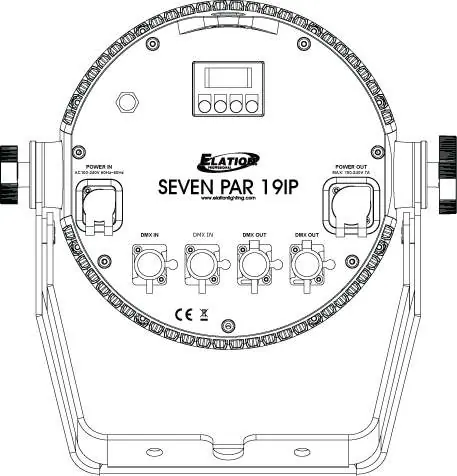
- The rear panel features the OLED display, menu buttons, power in/out, and DMX in/out ports.
- The gel frame holder uses a spring-loaded lock to secure accessories.
- The fixture includes a dual mounting yoke for truss installation.
Model compatibility
- Not suitable for marine or coastal environments.
- Use only original rigging parts (omega brackets).
- Do not plug into a dimmer pack.

Manual page author
Emily Carter
User documentation editor
Prepares concise manual descriptions and highlights the most useful setup, operation, and maintenance information for readers.