Lighting / Wireless Control
User Manual for City Theatrical 5939 Multiverse Studio Kit 2.4GHz
Quick guide for the City Theatrical 5939 Multiverse Studio Kit 2.4GHz. Learn how to set up your wireless DMX system, configure SHoW IDs, and manage charging for the receivers.
Table of contents
Manual images
Click an image to enlargeQuick guide from the manual
The Multiverse Studio Kit 2.4GHz is a professional wireless DMX/RDM system. To set up the system, you must ensure that the SHoW ID, Universe, and SHoW Key (if used) match on the transmitter and all receivers. Use the included RadioScan Spectrum Analyzer to view radio activity and select an appropriate SHoW ID before broadcasting.
What's Included
The kit contains the following items:
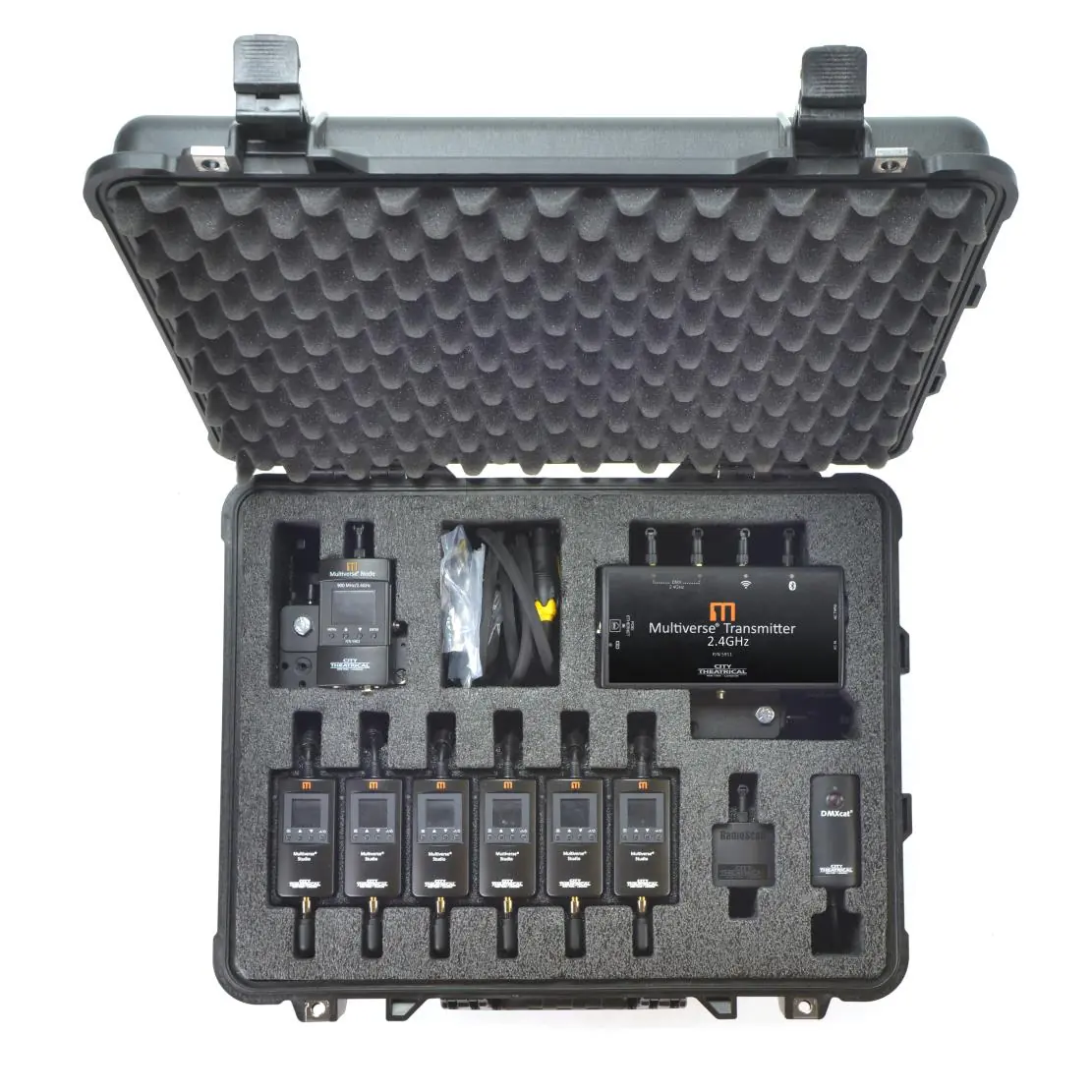
- Six Multiverse Studio Receivers (2.4GHz)
- One Multiverse Transmitter (with mounting bracket and clamp)
- One Multiverse Node (with mounting bracket and clamp)
- One DMXcat Multi-Function Test Tool
- One RadioScan Spectrum Analyzer
- Six USB-A to USB-C cables
- Two PowerCON True 1 power cords
- Pelican case with contactless charging
Getting Started
Follow these steps to set up your wireless DMX system:
- Use the RadioScan Spectrum Analyzer to view the radio activity in the spectrum and choose a SHoW ID.
- Enter the chosen SHoW ID into the Multiverse Transmitter or Node and into each Multiverse Studio Receiver.
- Enter the universe you are broadcasting and an optional SHoW Key into the transmitter/node and all receivers.
Charging Instructions
The kit utilizes a contactless charging system. Always charge with the lid of the case open for ventilation.
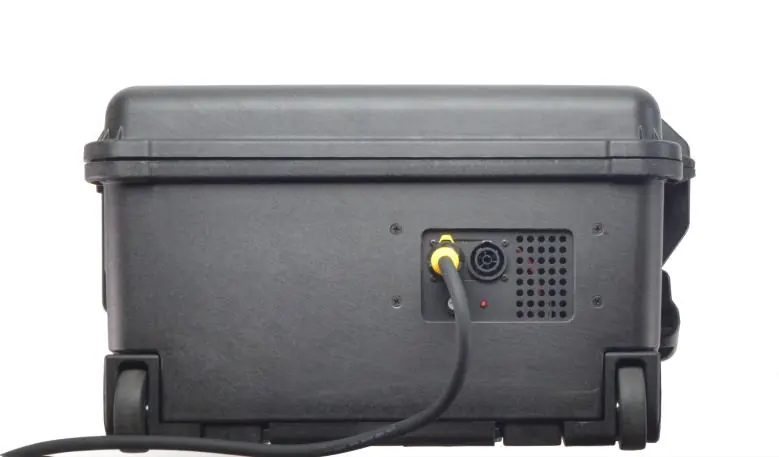
- Charging in the case: Place the receivers onto the charging tray in their individual slots. Ensure they are touching the bottom of the tray. Charge time from fully discharged to fully charged is 3.5 hours.
- Charging outside the case: Use the included power supplies and USB-A to USB-C cables. Charge time is 2.5 hours.
- Receiver Runtime: Receivers have a 20-hour runtime with default settings (70% backlight). Setting the backlight to 100% reduces runtime to approximately 16 hours.
Safety Notices
- Intended for use only by qualified professionals.
- Do not operate in excessive heat or direct sunlight.
- Ensure installation provides adequate ventilation.
- There are no user-serviceable parts inside.
- Maintain a separation distance of at least 20cm from all persons during operation.
Practical help
Common problems
System not communicating
Verify that the SHoW ID, Universe, and SHoW Key match exactly on the transmitter and all receivers.
Receiver not charging in case
Ensure the receiver is properly seated in its slot and touching the bottom of the tray.
Before use
- Charge all units fully before first use.
- Ensure the charging case lid is open during charging for ventilation.
- Use the RadioScan Spectrum Analyzer to select a clear broadcast area.
- Verify that all units are set to the same SHoW ID and Universe.
Images and diagrams
- Figure 1 illustrates the layout of the kit components inside the Pelican case.
- Figure 2 shows the face and back panel of the charging case, including power connections.
Model compatibility
- Compatible with Multiverse wireless DMX/RDM systems.
- Intended for use only by qualified professionals.

Manual page author
David Miller
Documentation analyst
Organizes user manual content into clear summaries, with attention to model details, product context, and everyday usability.