Power / USB Chargers
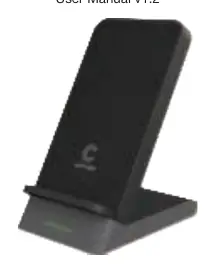
User Manual for Comsol WCSM10 Wireless Fast Charging Stand
Quick guide for the Comsol WCSM10 Wireless Fast Charging Stand. Learn how to set up, charge your device, and understand safety requirements for optimal performance.
Table of contents
Quick guide from the manual
To achieve 10W fast charging for Android devices or 7.5W fast charging for Apple devices, the charging stand must be connected to a Quick Charge 2.0 or 3.0 wall charger (not included). Using a standard wall charger may result in slower charging speeds. Ensure your USB wall charger has a minimum of 2A output for optimal performance.
Wireless Charger Operation
- Connect the included micro USB cable to the wireless charging stand and a USB wall charger.
- When connected, the red LED will illuminate for 3 seconds to indicate the stand is powered on and in stand-by mode.
- Place your Qi-enabled wireless phone on the charging stand.
- The phone should start charging automatically. The LED will flash green to indicate charging is in progress.
- If charging does not start, adjust the position of your phone on the stand until the correct position is found.
- When the phone is fully charged, the Smart IC enables an energy-saving trickle charge mode.
Features
- Dual Charging Coils: Enables large wireless coverage for charging in both portrait and landscape modes.
- Fast Charging Support: Supports 10W fast charging for compatible Android devices and 7.5W for Apple devices.
- Case Compatibility: Works with most protective cases up to 3mm thick; no need to remove the case.
- Safety: Includes temperature control, voltage regulation, and short-circuit protection.
Compatibility
This device is compatible with Qi-enabled devices, including:
- Apple: iPhone X, iPhone 8, iPhone 8 Plus
- Samsung: S9/S9+, S8/S8+, S7/S7 Edge, Note 8, Note 5
- Other: Sony Xperia XZ2, Nokia 8 Sirocco, LG G7 ThinQ, LG V30+
Specifications
- Wireless Standard: WPC/Qi (v1.2.3)
- Input: DC 5V 2A or DC 9V 2A
- Output: 5W / 7.5W / 10W (Max)
- Working Frequency: 110 to 205KHz
- Charging Distance: 3 to 8mm
- Charging Efficiency: >72%
- Dimensions: 125 x 70 x 98mm
- Weight: 178g
Important Safety Instructions
- Do not get the device wet to avoid short circuits and leakage.
- Do not use in extreme heat, humid, or corrosive environments.
- Keep away from magnetic strips or chip ID cards to avoid magnetic failure.
- Maintain a distance of at least 20cm from implantable medical devices (e.g., pacemakers).
- Do not clean with harmful chemicals or detergents.
- Note: It is normal for the charger and your device to feel warm during wireless charging.
Practical help
Common problems
Phone does not start charging
Move your phone on the charging stand until the correct position is found.
Slow charging speed
Ensure you are using a Quick Charge 2.0 or 3.0 wall charger (not included) to enable fast charging modes.
Before use
- Ensure you have a USB wall charger with at least 2A output.
- Verify your phone is Qi-enabled.
- Check that your protective case is no thicker than 3mm.
- Ensure the charging stand is placed on a stable surface.
Specs in practice
- Charging Distance
- The charger works through cases up to 3-8mm thick.
Images and diagrams
- The stand features two charging coils, allowing you to charge your phone in either portrait or landscape orientation.
Model compatibility
- Compatible with Qi-enabled devices including iPhone X, 8, 8 Plus, Samsung S9, S9+, S8, S8+, Note 8, Note 5, Sony Xperia XZ2, Nokia 8 Sirocco, LG G7 ThinQ, and LG V30+.

Manual page author
Emily Carter
User documentation editor
Prepares concise manual descriptions and highlights the most useful setup, operation, and maintenance information for readers.