Furniture / TV Stands
User Manual for CosmoLiving Westerleigh TV Stand 1879872COM
Quick assembly guide and safety instructions for the CosmoLiving Westerleigh TV Stand (1879872COM). Includes parts list, assembly steps, and load limits.
Table of contents
Manual images
Click an image to enlargeQuick Guide
This TV stand is designed for assembly by 1-2 people. The estimated assembly time is approximately 1 hour. Before beginning, ensure you have the necessary tools: a flat head screwdriver, a #2 Phillips head screwdriver, and a hammer.
Assembly Preparation
To ensure a smooth assembly process, follow these guidelines:
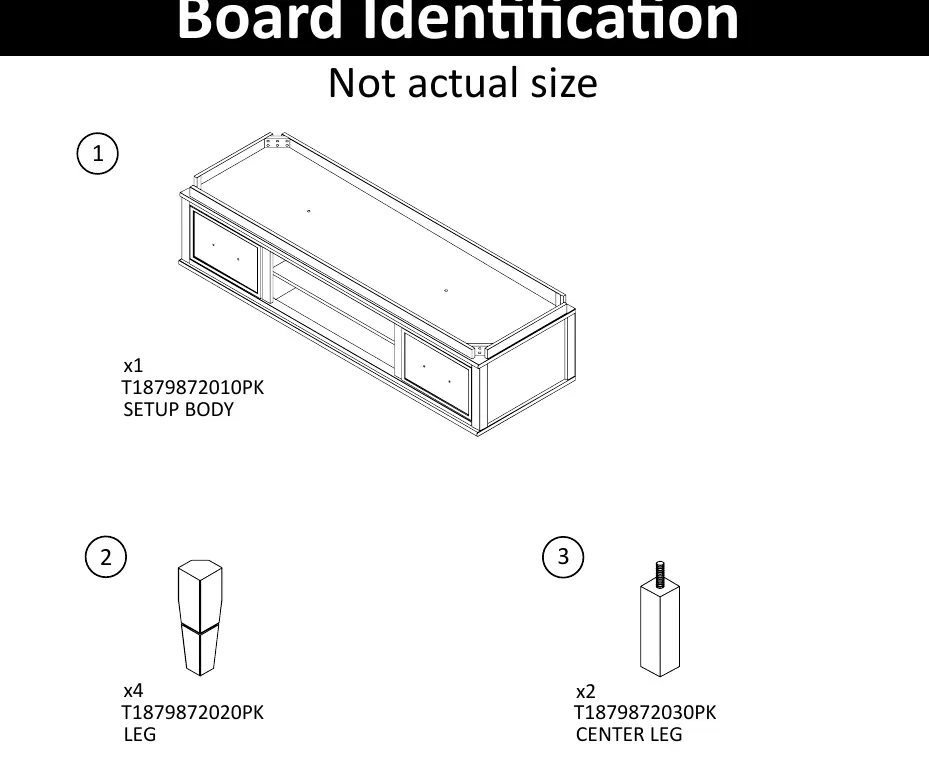
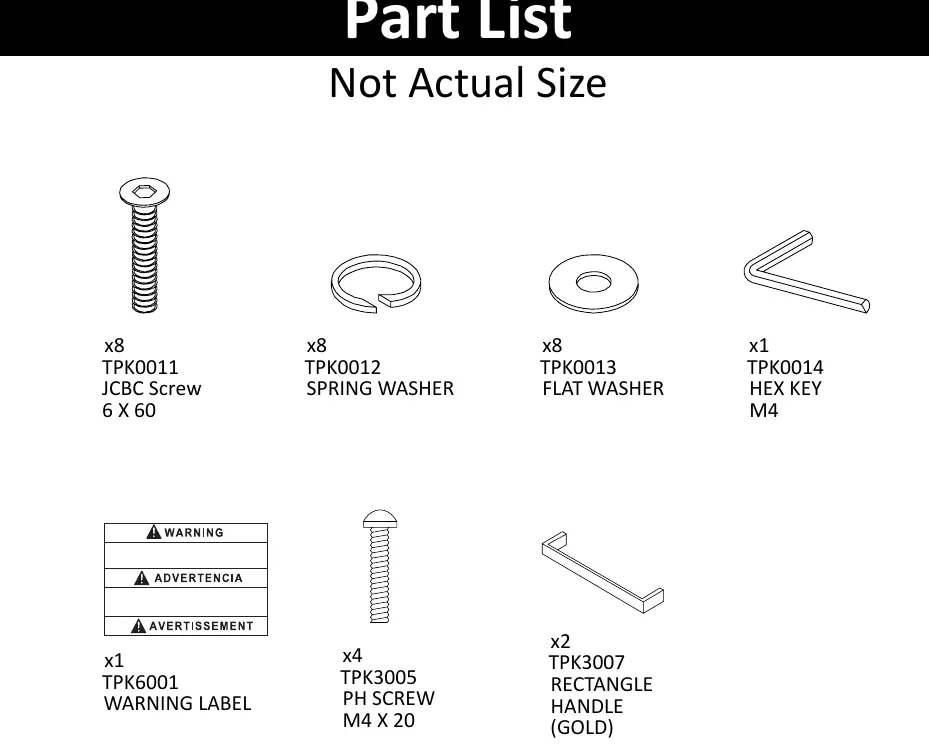
- Open the package in the area where you intend to keep the unit to minimize heavy lifting.
- Identify, sort, and count all parts and hardware before starting.
- Compression dowels should be tapped in gently with a hammer.
- Slides are labeled with 'R' (right) and 'L' (left) for correct placement.
- Use all provided nails for the back panel and space them out evenly.
- The back panel is essential for the structural stability of the unit.
- Do not use harsh chemicals or abrasive cleaners on the furniture.
- Never push, pull, or drag the assembled furniture; always lift it with more than one person.
Cam Lock Fastening System
This system is used throughout the assembly. To use it correctly:
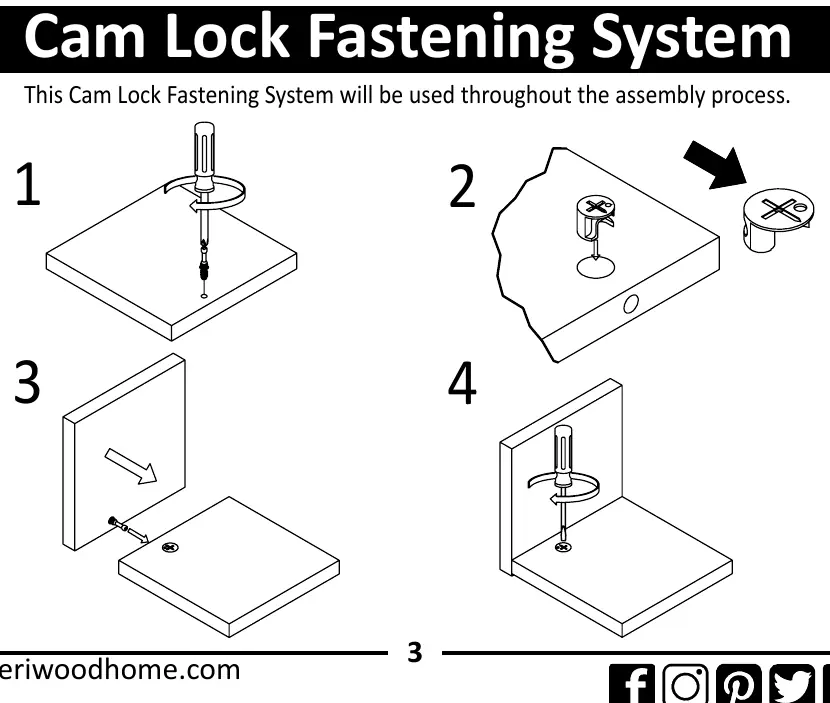
- Insert the cam bolt into the pre-drilled hole.
- Insert the cam lock into the corresponding hole.
- Ensure the point on the top of the cam lock faces toward the outer edge of the board.
- Tighten the cam lock with a screwdriver to secure the connection.
Assembly Steps
Step 1: Attach the handles to the doors using the provided screws (TPK3005) and handles (TPK3007).
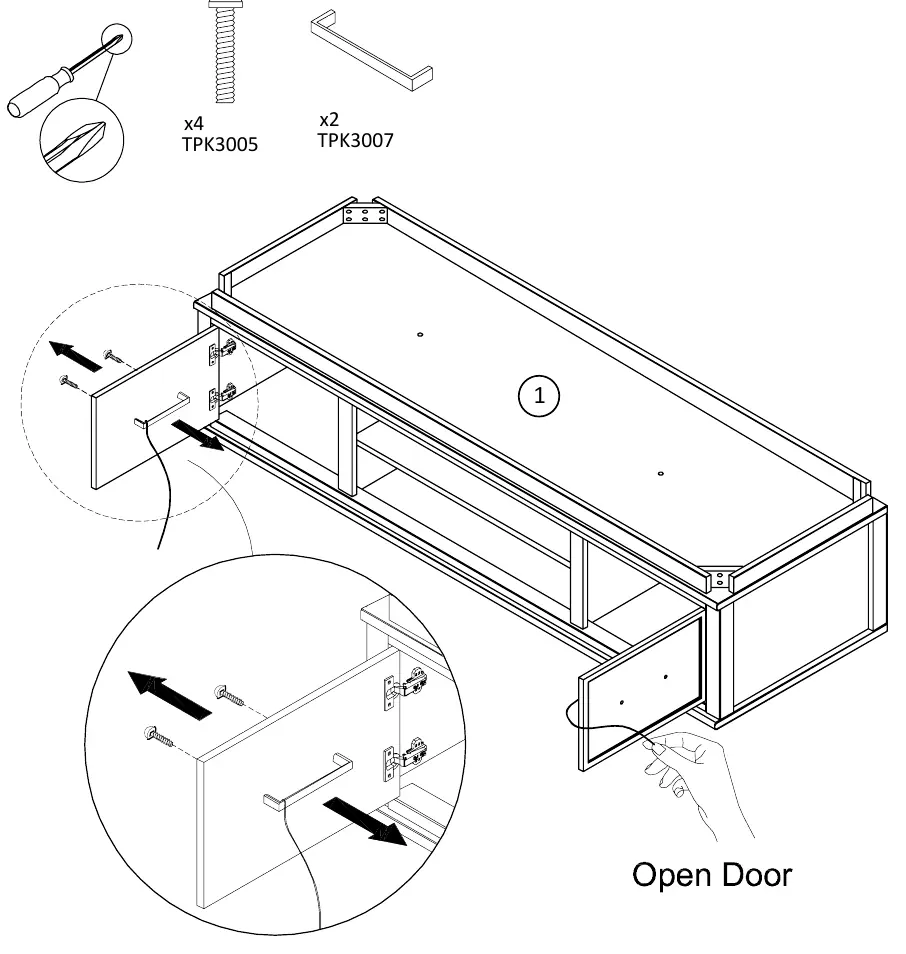
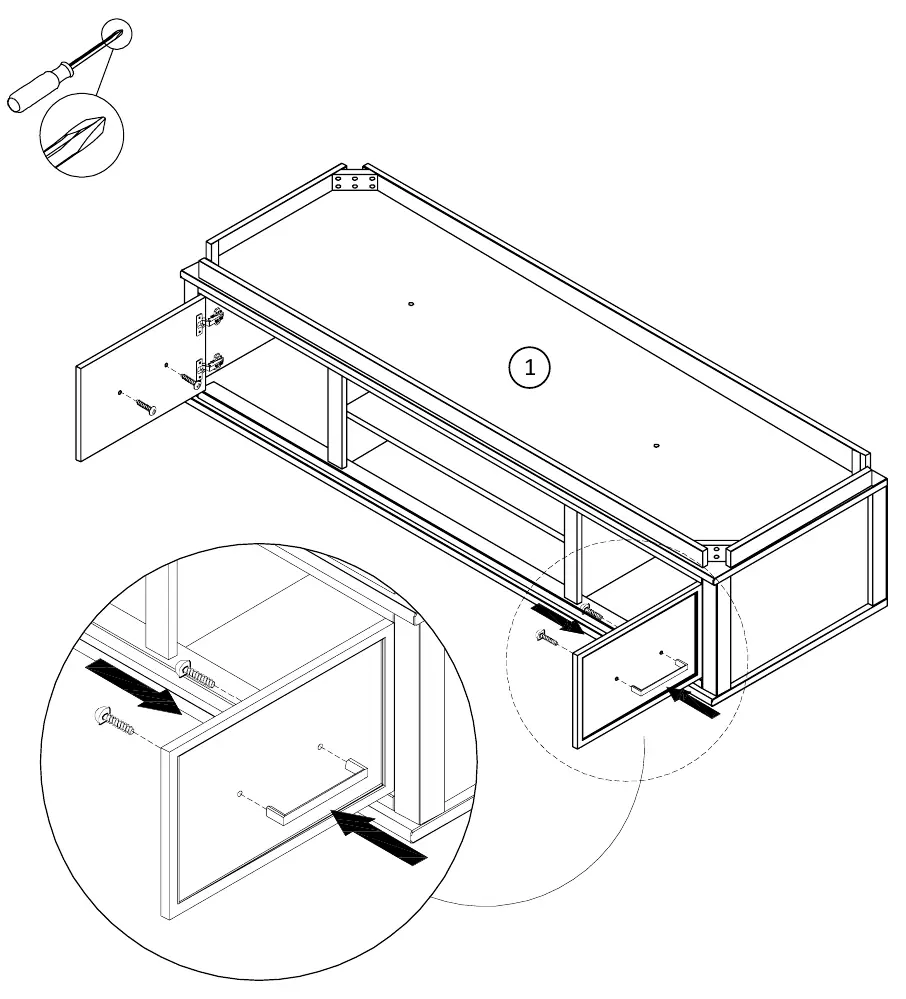
Step 2: Secure the doors to the main body (1) using the provided hardware.
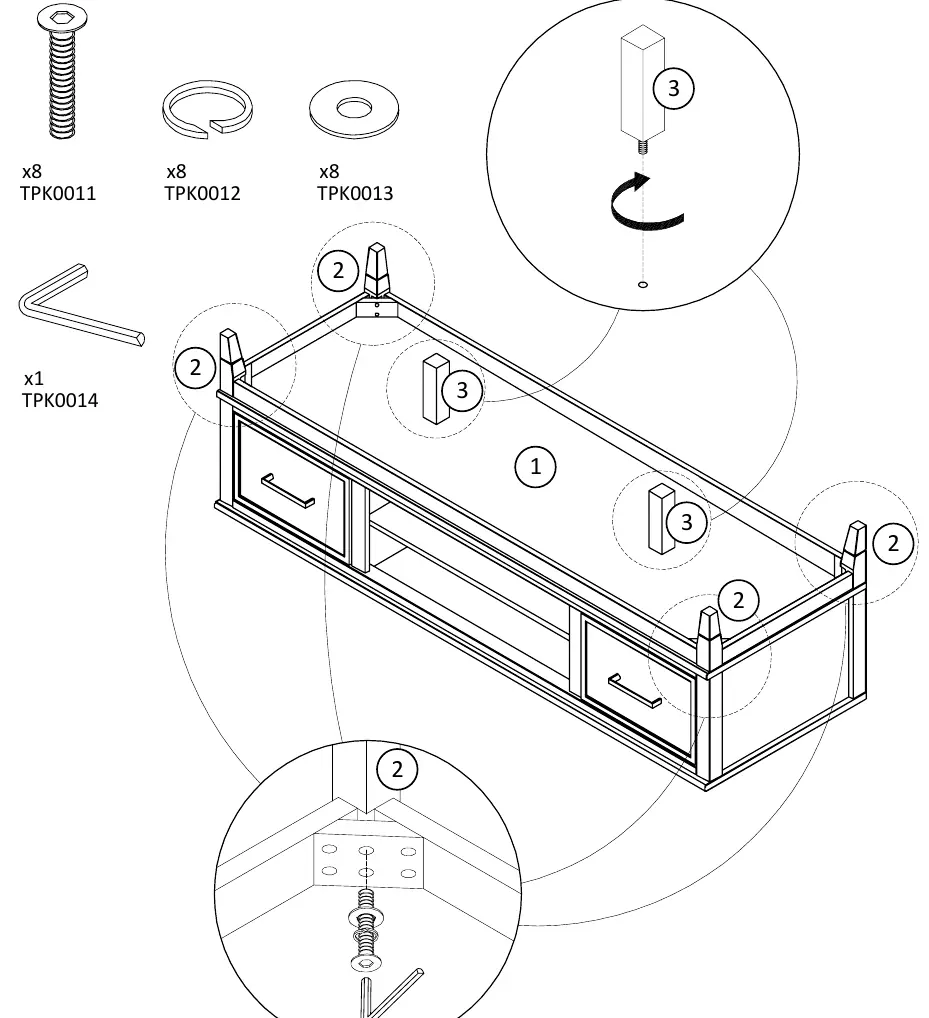
Step 3: Attach the legs (2) and center legs (3) to the bottom of the main body (1) using the JCBC screws (TPK0011), spring washers (TPK0012), and flat washers (TPK0013). Tighten using the provided hex key (TPK0014).
Safety and Maintenance
Maximum Load Limits:
- Top Surface: Accommodates most flat panel TVs up to 69 inches, with a maximum weight capacity of 120 lbs (54.4 kg).
- Shelves: Maximum weight capacity of 25 lbs (11.3 kg).
Safety Warnings:
- The unit can tip over, which may cause severe injury or death.
- Anchor the unit to a wall stud if instructed.
- Do not allow children to climb on the unit.
- Always place heavy items on lower shelves or drawers.
- Remove all objects from the unit before moving it.
Manufacturer information
CosmoLiving
Practical help
Common problems
Unit instability
Ensure the back panel is fully attached and the unit is not being dragged or pushed across the floor.
Cam lock not fastening
Verify that the arrow/point on the top of the cam lock is facing toward the outer edge of the board before tightening.
Stripped screws
If using a power drill, use a low torque setting and stop immediately once the screw is tight.
Before use
- Identify, sort, and count all parts and hardware.
- Ensure you have a flat head screwdriver, #2 Phillips screwdriver, and a hammer.
- Clear enough space for the assembly process.
- Assemble the unit in the room where it will be used.
Specs in practice
- Max Load (Top)
- 120 lbs / 54.4 kg maximum.
- Max Load (Shelves)
- 25 lbs / 11.3 kg maximum.
Images and diagrams
- Cam Lock System: Insert cam bolt, insert cam lock, ensure arrow points to outer edge, tighten.
Model compatibility
- Designed for flat panel TVs.

Manual page author
Michael Turner
Technical manual editor
Reviews PDF manuals for structure, safety notes, and practical product details so readers can find the right information quickly.