HVAC / Heaters & Fireplaces
User Manual for Crane Personal 1500W Ceramic Heater EE-6492
Quick guide for the Crane Personal 1500W Ceramic Heater (EE-6492). Includes operating instructions, safety warnings, maintenance tips, and troubleshooting for overheating.
Table of contents
Manual images
Click an image to enlargeQuick guide from the manual
This manual provides essential instructions for the safe and effective use of the Crane Personal 1500W Ceramic Heater (Model EE-6492). Always place the heater on a flat, stable, heat-resistant surface and maintain at least 3 feet of clearance from combustible materials. Do not use the heater with external timers or programmers. If you have questions, contact Crane Customer Care at 888-599-0992 or email [email protected].
Product Overview
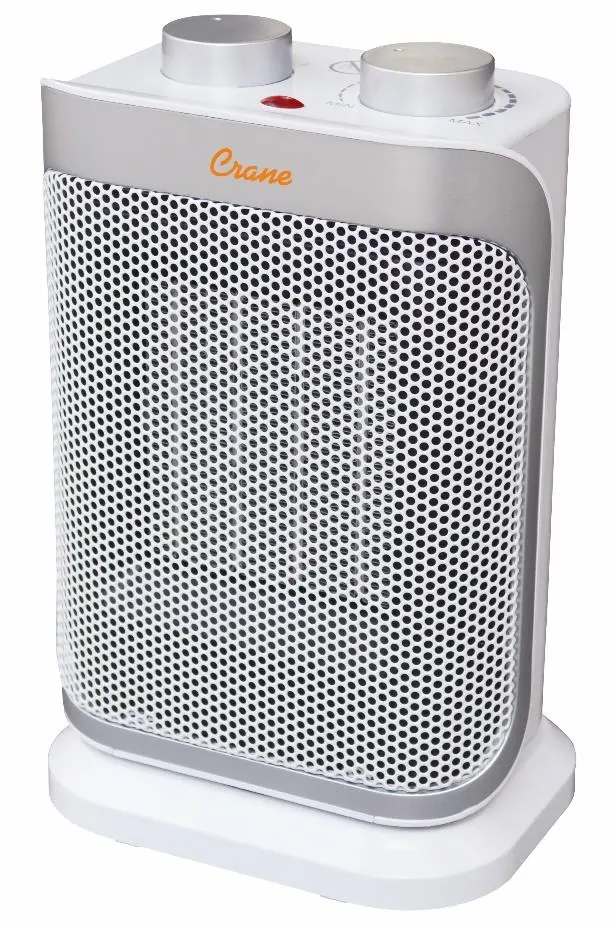
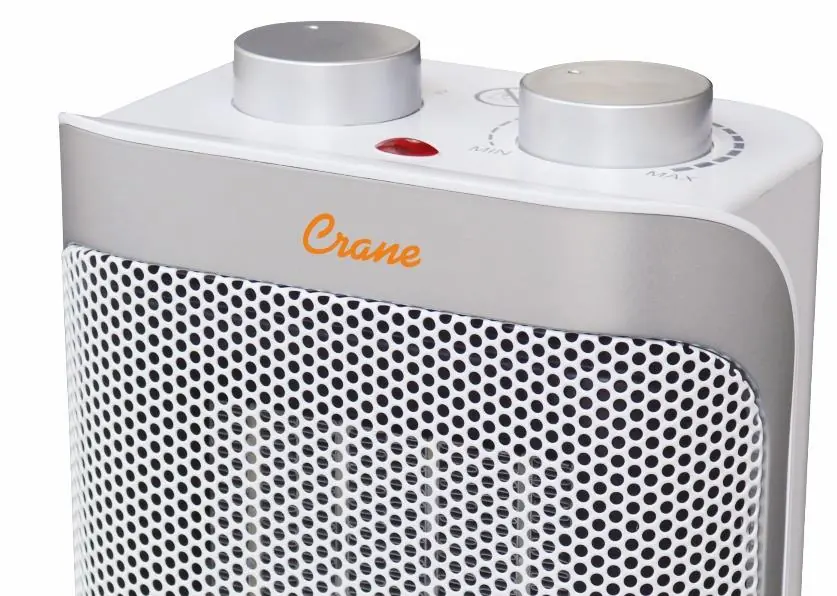
The heater features a control panel on top and an oscillation switch on the back. Key components include an indicator light, a control knob for heat settings, an adjustable thermostat knob, and a handle for transport.
Safety Instructions
- Indoor Use Only: Intended for temporary heating in residential rooms.
- Clearance: Keep at least 3 feet (0.9 meters) of space on all sides.
- Overheat Protection: The unit has built-in safeguards, including a tip-over switch, to shut off if it becomes too hot or tips over.
- Electrical Safety: Plug into a standard 120V AC outlet. Do not use extension cords if possible. Do not operate with a damaged cord or plug.
- Handling: Allow the unit to cool completely before moving or storing.
Operating Instructions
- Place the heater on a firm, level surface.
- Plug the power cord into a standard 120V AC electrical outlet.
- Turn the control knob to the desired function: Fan Cool, Low Heat, or High Heat.
- To oscillate, set the Oscillation Switch on the back to the ON position.
- To turn off, rotate the control knob to the O position and unplug the unit.
Thermostat Instructions
To maintain a specific temperature:
- Turn the thermostat knob to the desired temperature while the unit is on a heat setting.
- When the desired temperature is reached, turn the thermostat knob counterclockwise until the unit clicks off.
- The unit will cycle on and off automatically to maintain the set temperature.
Maintenance and Cleaning
Always ensure the heater is switched OFF, unplugged, and completely cooled before cleaning.
- Exterior: Use a soft, slightly damp cloth.
- Vents: Clean the air inlet and outlet regularly with a vacuum cleaner.
- Storage: Store in a clean, dry location. Do not place heavy items on top of the heater.
Technical Specifications
- Maximum Power: 1500W
- Heat Settings: 750W / 1500W
- Rating Voltage: 120 VAC / 60Hz
Practical help
Common problems
Heater shuts down automatically
The overheat protection or tip-over switch has been triggered. Ensure the unit is on a flat surface, remove any obstructions, and wait 30-45 minutes for it to cool down.
Odor when first turned on
This is normal for new heaters or those unused for a long time. The odor will disappear after running for a short time.
Heater does not turn on
Check if the unit is plugged in securely, ensure the circuit is not overloaded, and verify the control knob is not in the O position.
Before use
- Place on a flat, steady, stable, heat-resistant surface.
- Ensure the heater is at least 3 feet away from curtains, furniture, and other combustibles.
- Check that the power cord is not damaged.
- Ensure the heater is plugged into a standard 120V AC outlet.
- Verify the area is well-ventilated.
Specs in practice
- Maximum Power
- 1500W
- Heat Settings
- 750W / 1500W
- Rating Voltage
- 120 VAC / 60Hz
Images and diagrams
- 1: Indicator Light
- 2: Control Knob
- 3: Adjustable Thermostat Knob
- 4: Oscillation Switch
Model compatibility
- Intended for indoor, non-commercial, household use only.
- Do not use with a programmer, timer switch, or any device that switches the unit on automatically.

Manual page author
Emily Carter
User documentation editor
Prepares concise manual descriptions and highlights the most useful setup, operation, and maintenance information for readers.