Toys / RC Models & Drones
Creative 1261A Off Road Car Operating Instructions
Quick guide for the Creative 1261A Off Road Car. Learn how to install batteries, operate the remote control, perform stunts, and use the vapor feature.
Table of contents
Manual images
Click an image to enlargeQuick Guide
This document provides instructions for operating the Creative 1261A Off Road Car. Ensure you have the required batteries and follow the safety guidelines for battery installation and water tank usage.
Battery Installation
Vehicle: Use a screwdriver to open the battery compartment on the bottom of the vehicle. Connect the 3.7V 500mAh Li-ion battery. Ensure the compartment is securely closed.
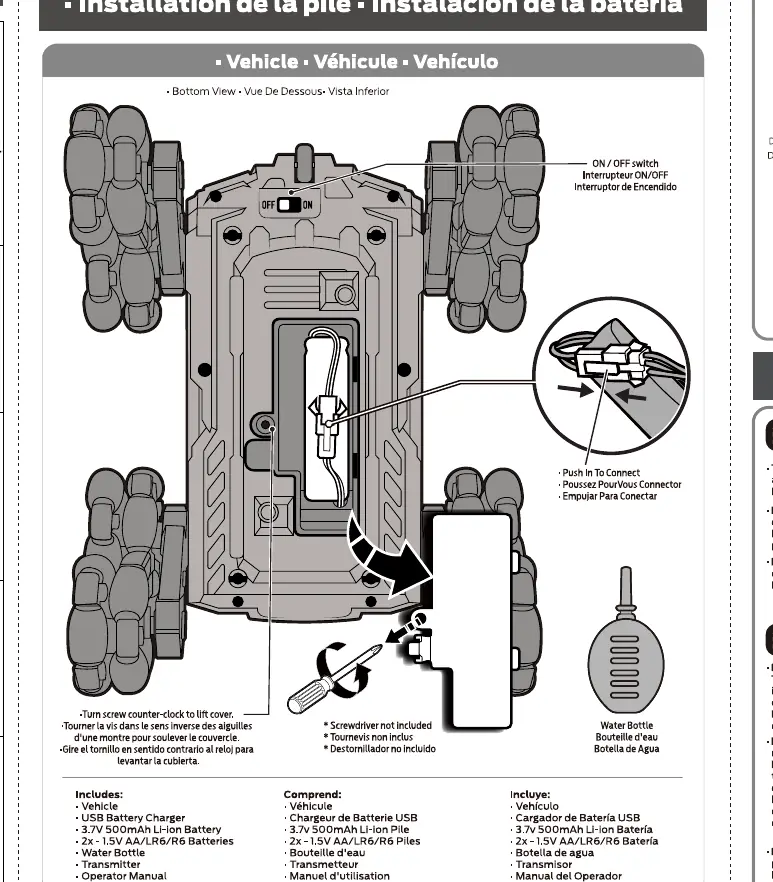
Transmitter: Open the battery cover on the back of the remote control. Insert 2x 1.5V AA batteries, ensuring correct polarity. Replace the cover.
Remote Control Operation
The remote control features two joysticks and several buttons for vehicle movement:
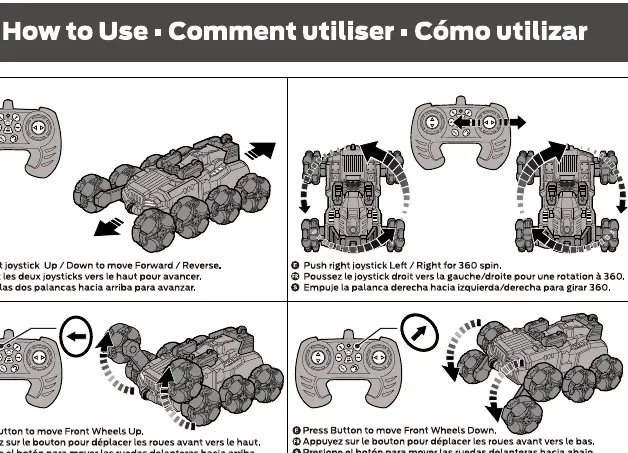
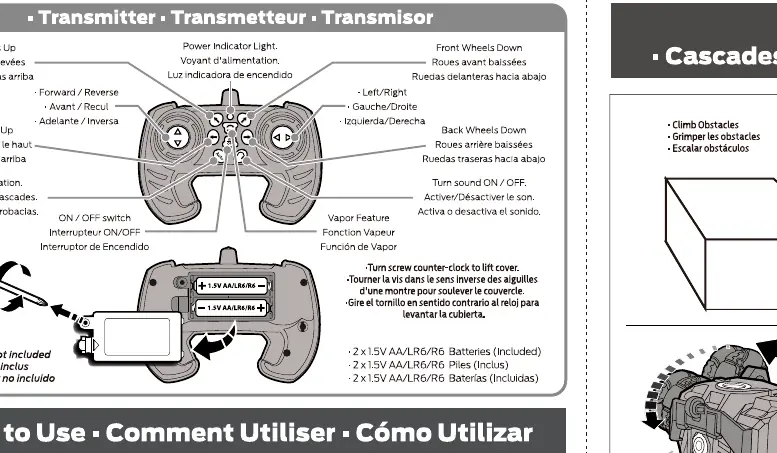
- Left Joystick: Push up/down to move the vehicle forward or backward.
- Right Joystick: Push left/right to perform a 360-degree spin.
- Wheel Buttons: Use the dedicated buttons to move the front or back wheels up and down.
- Auto Button: Press for automatic stunt demonstration.
- Audio Button: Press to turn audio on or off.
Vapor Feature
The vehicle includes a vapor feature for enhanced play. Follow these steps to use it:
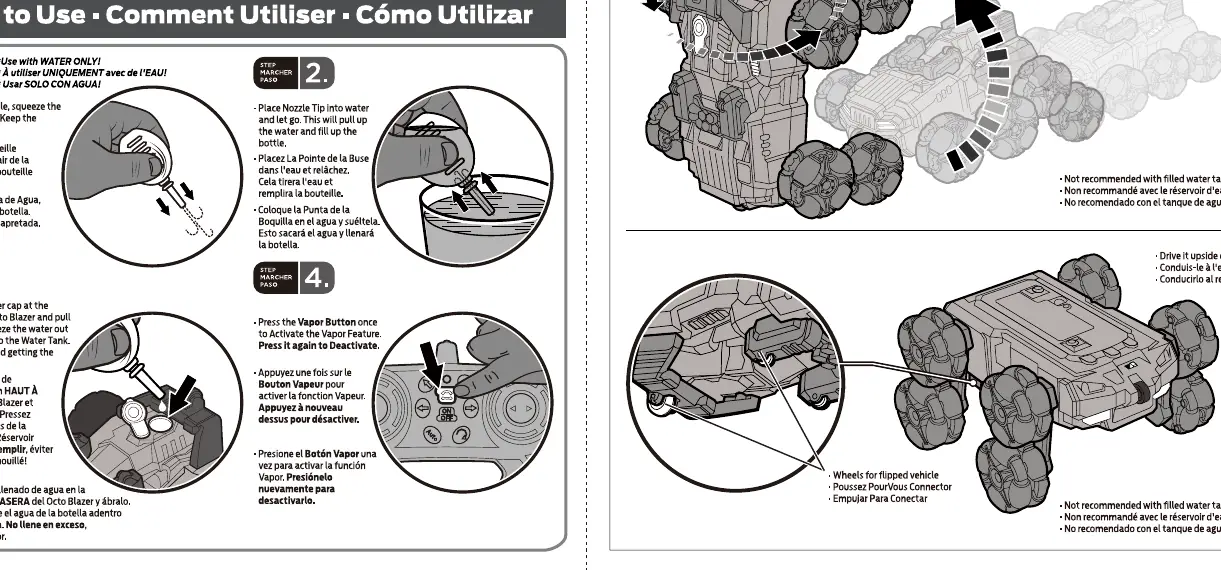
- Fill the provided water bottle with water.
- Locate the water tank cap on the vehicle.
- Insert the bottle nozzle into the tank and squeeze to fill. Do not overfill.
- Press the Vapor button on the transmitter to activate or deactivate the vapor effect.
Stunts
The vehicle is designed for various stunts, including climbing obstacles and flipping. Note that the vehicle should not be driven with a full water tank if you intend to perform extreme flips or drive upside down.
Manufacturer information
Guangdong Creative Double Star Technology Co., Ltd.
Practical help
Common problems
Vehicle does not move
Check if the 3.7V Li-ion battery is charged and properly connected. Ensure the transmitter has fresh AA batteries.
Vapor feature not working
Ensure the water tank is filled with water and the vapor button on the transmitter is pressed.
Remote control unresponsive
Check the battery polarity in the transmitter and ensure the vehicle is turned on.
Before use
- Charge the 3.7V 500mAh Li-ion battery fully.
- Install 2x 1.5V AA batteries in the transmitter.
- Ensure the water tank is filled only with water.
- Turn on both the vehicle and the transmitter.
- Check that the battery compartment is securely screwed shut.
Specs in practice
- 3.7V 500mAh Li-ion
- Rechargeable battery pack required for the vehicle.
Images and diagrams
- The vehicle battery compartment is located on the underside of the chassis.
- The transmitter battery compartment is located on the rear of the remote.
- The water tank cap is located on the top rear of the vehicle.
Model compatibility
- Use only water for the vapor feature.
- Do not drive the vehicle upside down or perform extreme stunts when the water tank is full.

Manual page author
David Miller
Documentation analyst
Organizes user manual content into clear summaries, with attention to model details, product context, and everyday usability.