Toys / RC Components
User Manual for Scorpion Tribunus 14-200A ESC
Quick guide for the Scorpion Tribunus 14-200A ESC. Learn how to install, configure via PC/Android, set up helicopter/airplane modes, and use the anti-spark kit.
Table of contents
Manual images
Click an image to enlargeQuick guide from the manual
The Scorpion Tribunus 14-200A is a high-performance electronic speed controller (ESC) with an integrated SBEC. It supports 4S-14S LiPo batteries and features advanced telemetry, data logging, and multiple protection modes. Always remove propellers or pinions before performing initial setup or calibration for safety.
Installation and Connections
Proper wiring is essential for safe operation. The ESC features a Master cable (throttle) and a Slave cable (governor/BEC). Ensure correct polarity when soldering battery connectors. Mount the ESC with the heatsink facing outward to ensure adequate cooling.
- Battery: Solder quality connectors to the red (+) and black (-) wires.
- Motor: Use bullet connectors or solder directly. Ensure proper insulation with heat shrink.
- Receiver/Governor: Connect the Master lead to the throttle channel. Connect the Slave lead to the external governor or additional BEC voltage wire.
Programming and Software
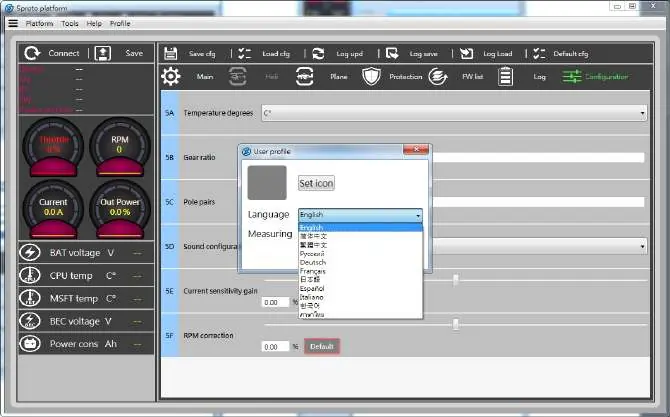
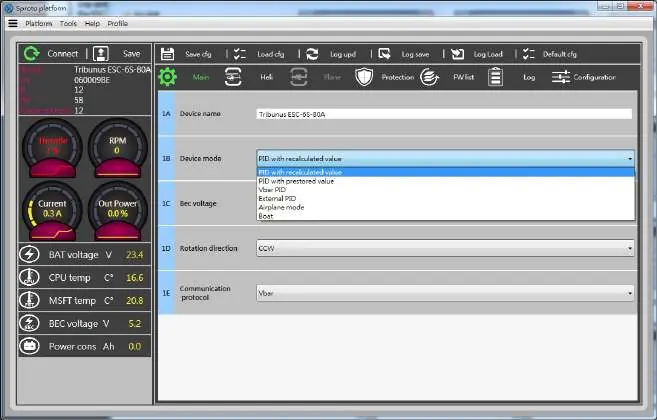
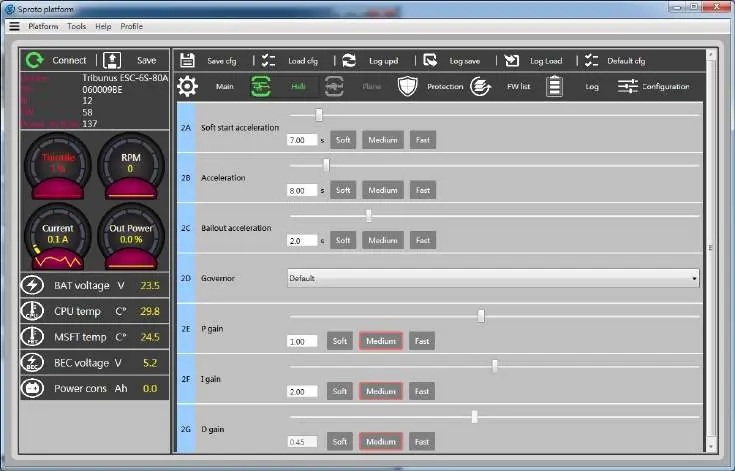
The ESC can be configured using the Scorpion PC software or Android app. You will need the Diode adaptor cable (included) and a VLink II cable (optional) or OTG cable for Android. Download the software from the official Scorpion website. Always click the SAVE button after changing settings on each page.
Helicopter and Airplane Modes
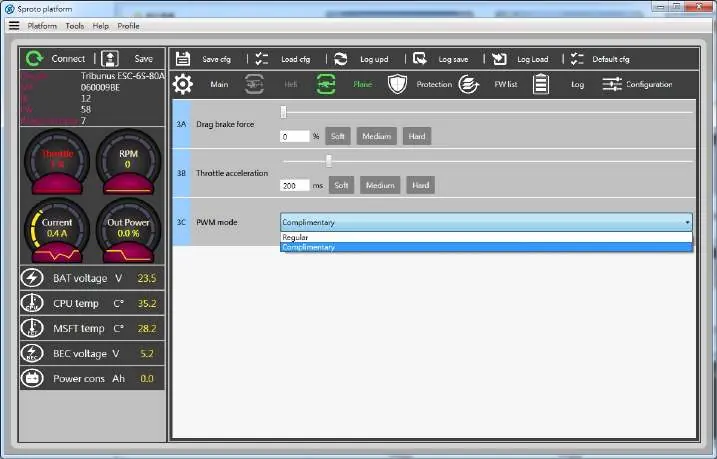
The ESC offers specific modes for different aircraft types. Helicopter mode includes internal governor settings with adjustable Soft Start, Acceleration, and Bailout features. Airplane mode allows for Drag Brake and PWM mode adjustments.
Protection Settings
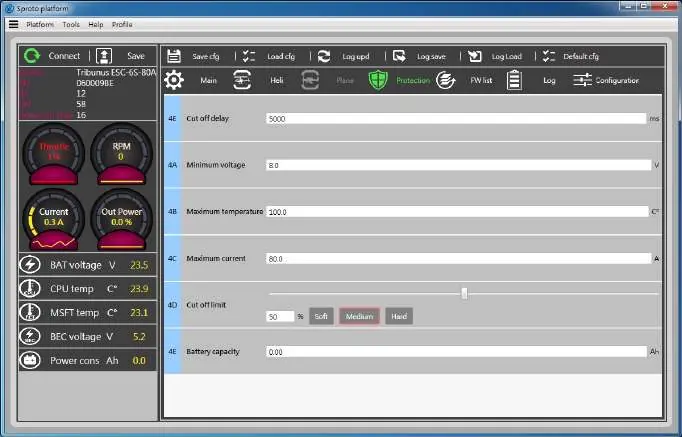
The ESC includes multiple protection features to prevent damage. You can configure thresholds for:
- Cutoff Delay: Time to engage protection after signal loss.
- Minimum Voltage: Prevents over-discharge of batteries.
- Maximum Temperature: Reduces power if the ESC overheats.
- Maximum Current: Limits amperage during flight.
- Battery Max Capacity: Triggers protection based on consumed capacity.
Mikado VBar Integration
The Tribunus ESC is compatible with Mikado VBar Control/NEO. Connect the telemetry cable from the ESC PC port to the VBar NEO telemetry port. Ensure the latest firmware is installed on both the ESC and VBar. Use the VBar Control manager to enable the Scorpion ESC Support app.
Anti-Spark DIY Kit
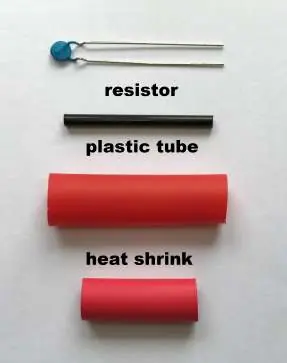
To prevent sparks when connecting the battery, use the included Anti-Spark DIY kit. This involves soldering a PTC Resettable fuse to the positive wire and insulating it with the provided plastic tube and heat shrink. Detailed steps are provided for both standard and housing connectors.
Warranty and Service
The product is covered by a 1-year manufacturer's warranty. For repairs, contact the RMA department at [email protected]. Ensure you have an RMA number before sending any items for service.
Practical help
Common problems
ESC beeps Morse code
The ESC uses Morse code to indicate status or errors. Check the LED and Morse code table (e.g., N=No throttle, Z=Not zero, V=Voltage, I=Current, P=Power, T=Temperature).
Motor will not start
Ensure the throttle stick is at the zero position at startup. Perform throttle range calibration if necessary.
Spark when connecting battery
Install the included Anti-Spark DIY kit on the positive battery wire to eliminate sparks.
Before use
- Remove propeller or pinion before initial setup.
- Verify correct polarity when soldering battery connectors.
- Ensure BEC voltage is set to match your servos and receiver.
- Perform throttle range calibration before the first flight.
- Update to the latest firmware using the PC or Android app.
Images and diagrams
- Page 3 shows the wiring diagram for connecting the ESC to the receiver, external governor, and PC/Android device.
- Pages 16-17 provide step-by-step visual instructions for installing the Anti-Spark DIY kit.
Model compatibility
- Compatible with Mikado VBar Control and VBar NEO.
- Requires an OTG cable for Android device connectivity.
- Supports firmware updates via PC or Android app.

Manual page author
David Miller
Documentation analyst
Organizes user manual content into clear summaries, with attention to model details, product context, and everyday usability.