Electronics / Video Transmission
User Manual for GEPRC CineLog30 FPV Drone
Quick guide for the GEPRC CineLog30 FPV drone. Includes binding instructions for DJI, TBS, and FrSky systems, Betaflight setup, transmitter configuration, and essential pre-flight safety checks.
Table of contents
Manual images
Click an image to enlargeQuick guide from the manual
The GEPRC CineLog30 is a 3-inch FPV quadcopter. Before your first flight, ensure the battery is fully charged (4.2V per cell), propellers are installed in the correct direction, and the transmitter is properly bound and configured. Always perform a physical inspection for damage and clear the flight area of people or animals before takeoff.
Overview and Specifications
The CineLog30 is designed for high performance with a lightweight frame. Key specifications include:
- Flight Controller: GEP-F411-35A AIO
- ESC: BLheli_S 35A
- Motor: GR1404 3850KV
- Propellers: T3x3x3
- Frame: GEP-CL30
- Weight: 158.5g (HD version)
- Receiver Options: PNP, FrSky RXSR, TBS Nano RX
Binding the Receiver
Follow the specific procedure for your receiver type:
- DJI Digital FPV System: Power on the goggles, transmitter, and quadcopter. Press the bind button on the goggles twice. Press the VISTA bind button until the light turns red (binding) then yellow (success). Press the C1, record, and right scroll wheel buttons on the transmitter simultaneously until the indicator turns blue, then press the VISTA bind button again to complete.
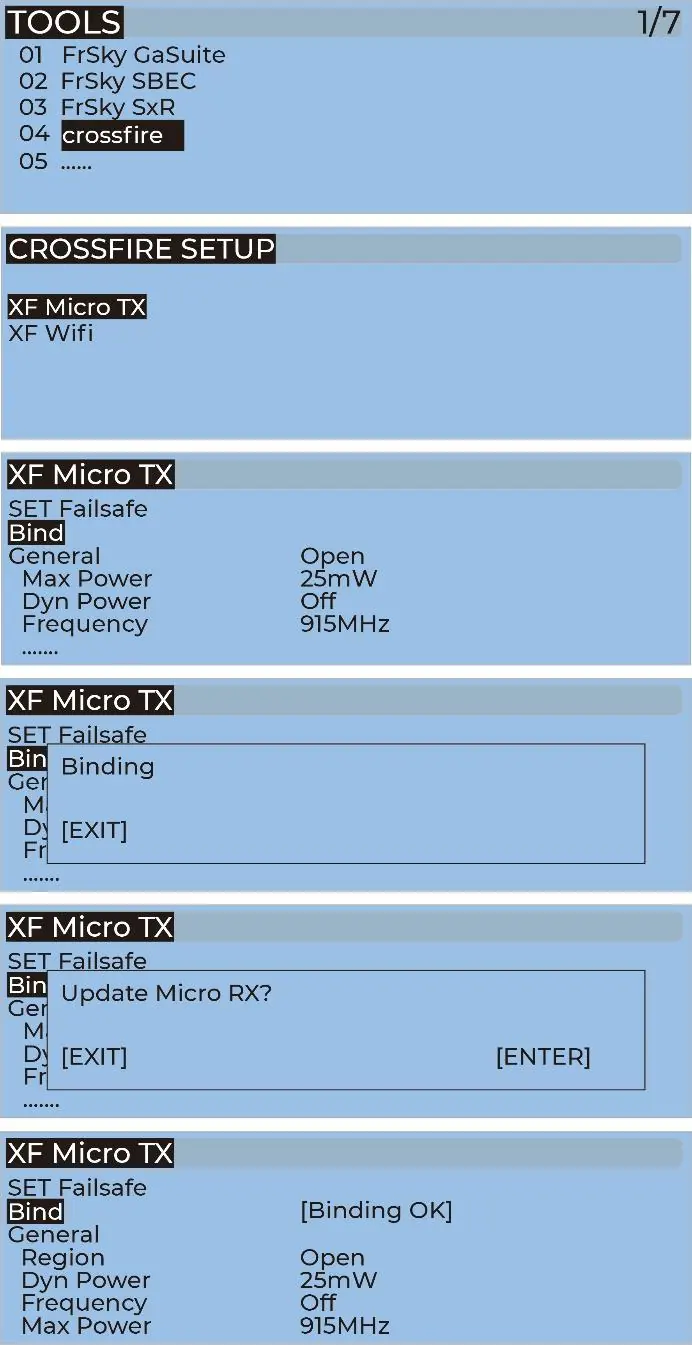
- TBS NanoRX: Use the transmitter's TOOLS menu to access CROSSFIRE SETUP and select Bind. Hold the bind button on the receiver while powering on, release, then hold for 8 seconds. Select ENTER on the transmitter when prompted to update.
- FrSky R-XSR: Access the transmitter's MODEL SETUP menu, select Internal RF, and choose BIND. Hold the bind button on the receiver while powering on. When the red light flashes, binding is successful.
Software and Drivers
To facilitate debugging and configuration, install the Betaflight Configurator from the official GitHub releases page. If using Windows, you must manually install the CP210x and STM USB VCP drivers. Zadig may also be required for driver installation.
Transmitter Configuration
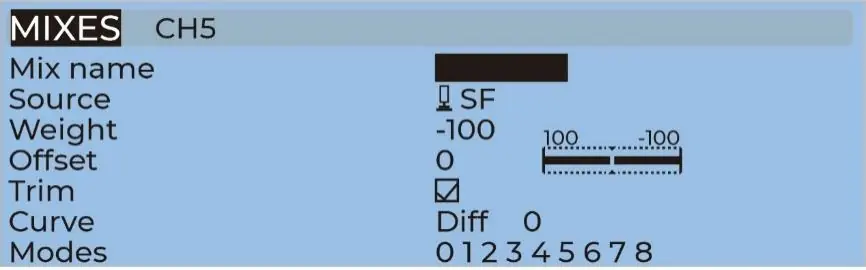
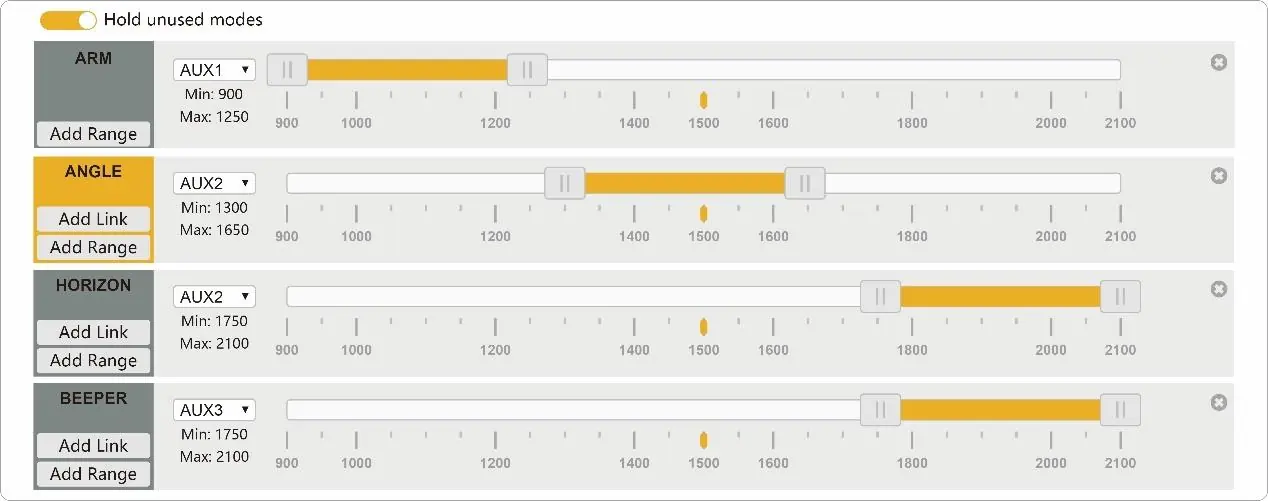
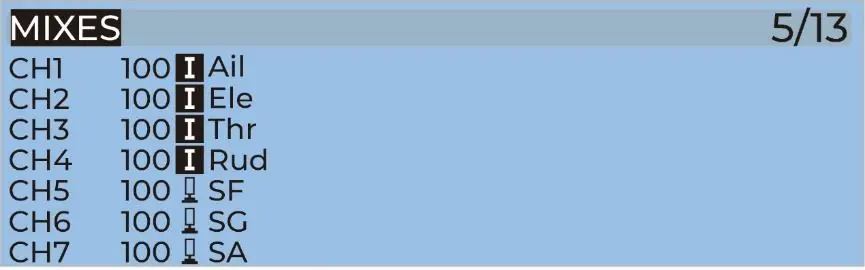
The transmitter must be configured to control the quadcopter's functions. For DJI transmitters, switches are factory-set: SA for ARM, SB for MODES, SC for BEEPER, and SD for Vacancy. For OpenTX systems, verify the AUX channel settings in the MIXES menu to ensure channels 5-8 are mapped correctly to ARM, MODES, and BEEPER functions.
Installation
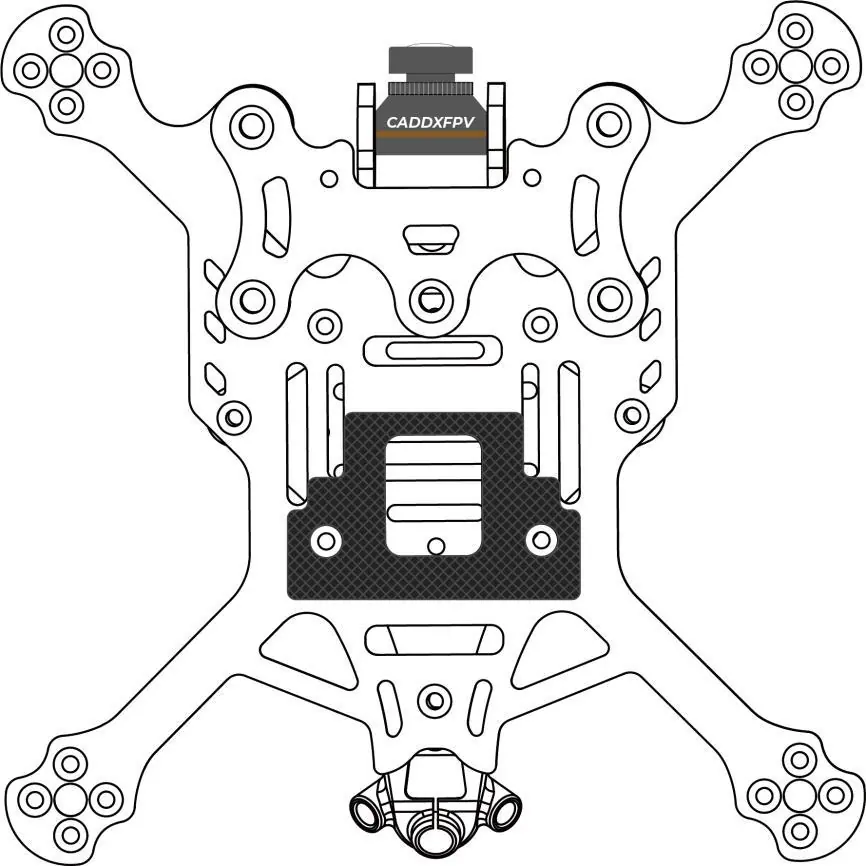
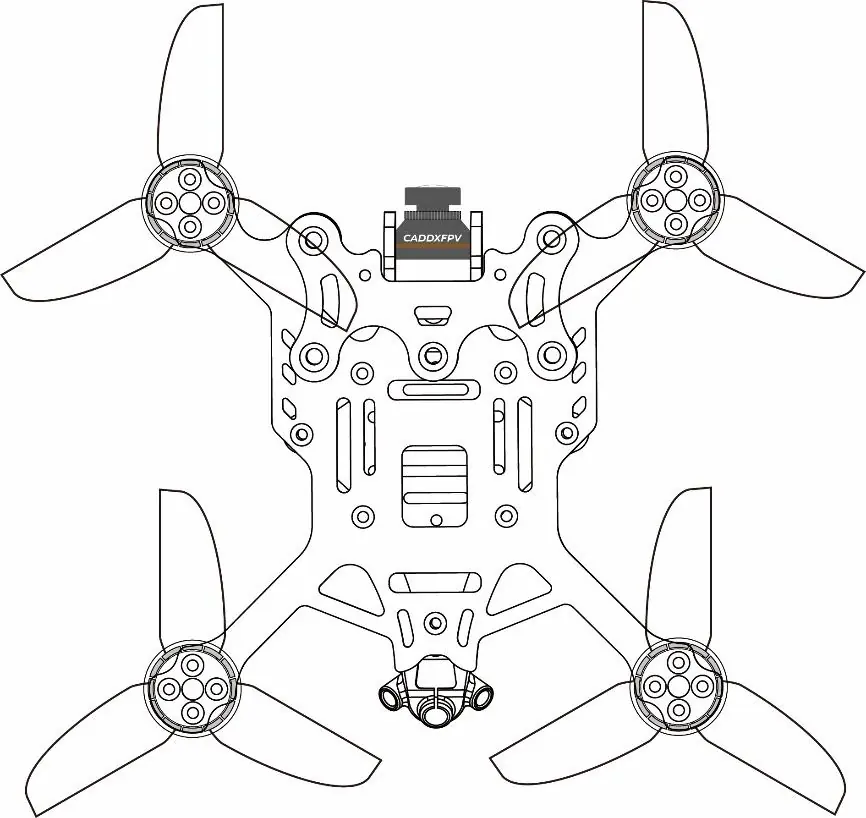
The kit includes components for assembly. Install the silicone pads and landing pads on the frame to protect the electronics and provide a stable landing surface. Ensure propellers are installed in the correct orientation before flight.
Pre-flight Check
Perform these steps before every flight to ensure safety:
- Turn on the transmitter and ensure the arming switch is in the disarmed position with throttle at zero.
- Physically inspect the quadcopter for any damage.
- Verify propeller direction and ensure nuts are locked.
- Check LiPo battery voltage (12.6V for 3S, 16.8V for 4S).
- Secure the battery with the strap and ensure the balance lead is tucked away.
- Scan the flight area for safety hazards.
- Verify clear video feed in your goggles.
- Arm the quadcopter and listen for any obstructions.
Package Contents
The package includes the CineLog30 HD VISTA Polar Quadcopter, battery strap (20x200mm), two pairs of T3x3x3 propellers, propeller guards, EVA damping rings, EVA landing pads, battery silicone pads, antenna fixed tube, screw package, and TBS receiver mounts.
Manufacturer information
GEPRC
Practical help
Common problems
Binding failure
Ensure the transmitter and receiver are in the correct binding mode. Check LED status indicators on the receiver as described in the manual.
Video interference
Verify that you have a clean, strong video signal in your FPV goggles before takeoff. If you see another pilot's feed, resolve the frequency conflict before flying.
Quadcopter crash
Always perform a pre-flight check, including physical inspection for damage, propeller direction, and battery security.
Before use
- Ensure the arming switch is in the disarmed position.
- Throttle must be all the way down.
- Check LiPo battery voltage (4.2V per cell).
- Confirm propellers are in the right direction and nuts are locked.
- Battery must be securely attached with the strap.
- Clear the flight area of people or animals.
- Verify clear video feed in FPV goggles.
Specs in practice
- 1404-3850KV Motor
- High-performance motor providing strong power output for the 3-inch quadcopter.
- T3x3x3 Propellers
- 3-inch, 3-blade propellers designed for the CineLog30.
Images and diagrams
- Binding diagrams for DJI, TBS, and FrSky systems show the location of bind buttons and LED status indicators.
- Transmitter mix diagrams illustrate how to map AUX channels for ARM, MODES, and BEEPER functions.
- Installation diagrams show the placement of silicone pads and landing pads on the frame.
Model compatibility
- Compatible with Naked GoPro Hero 8 and INSTA 360 GO2 cameras using the mounting base.
- Two versions available: CineLog30 VISTA Polar and CineLog30 Analog.

Manual page author
David Miller
Documentation analyst
Organizes user manual content into clear summaries, with attention to model details, product context, and everyday usability.