Electronics / Remote Controls
User Manual for DiO 55855 Lighting Module
Quick guide for the DiO 55855 Lighting Module. Learn how to install, pair with remotes or smartphones, reset the device, and troubleshoot common connectivity issues.
Table of contents
Manual images
Click an image to enlargeQuick guide from the manual
The DiO 55855 is a versatile lighting module supporting DiO 1.0 (433MHz), Zigbee 3.0, and Bluetooth Low Energy (BLE). It allows you to control your lighting via existing wall switches, DiO remotes, or the DiO One smartphone app. Important: Always turn off the main power supply before performing any installation work.
Installation
The module must be installed by a qualified electrician in accordance with local regulations. Ensure you have a neutral wire available at the installation point.
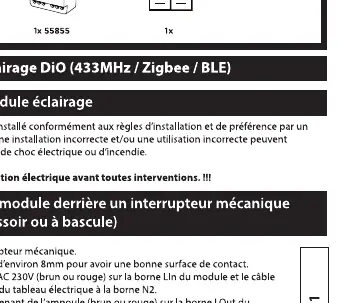
Wiring
- Push button or toggle switch: Connect the phase (brown or red) to the L terminal of the module and the neutral wire (blue) to the neutral terminal N. Connect the lamp to the Lout terminal of the module and the neutral wire (blue) to the bulb at terminal N1. Connect the switch to terminals S1 and S2.
- Direct connection: Follow the specific wiring diagram provided in the manual (Fig 1 and Fig 2) to ensure correct phase and neutral routing.
Pairing
Pairing with DiO 1.0 Remote or Switch
- Connect the module to the power supply.
- Press the learning button on the module for 5 seconds; the LED will flash slowly.
- Within 20 seconds, press the 'ON' button on the DiO 1.0 remote or switch. The LED on the module will flash rapidly to confirm pairing.
Pairing with Smartphone (DiO One App)
- Download the DiO One app from the App Store or Google Play.
- Create an account and follow the in-app instructions.
- Ensure Bluetooth is enabled on your smartphone.
- Select 'My Devices' and then 'Add device' to pair the module via Bluetooth.
Pairing with Zigbee 3.0 Controller
- Press the learning button on the module for 5 seconds; the LED will flash slowly.
- Follow the instructions on your Zigbee 3.0 controller to add a new device.
Resetting the Module
To restore factory settings, press and hold the central button on the module for 12 seconds. The LED will flash rapidly for 2 seconds to confirm the reset.
Troubleshooting
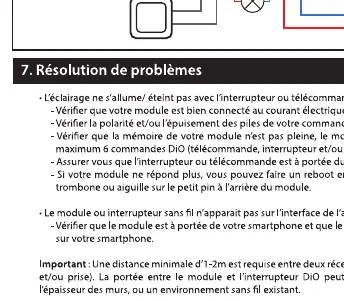
- Light does not turn on/off: Check that the module is connected to the electrical current, verify the polarity/battery status of your remote, and ensure the module is within range.
- Module not found by app: Ensure Bluetooth is enabled on your smartphone and the module is in pairing mode.
- Range issues: Maintain a minimum distance of 1-2 meters between two DiO modules. Avoid installing modules behind thick walls or metal surfaces.
Technical Specifications
- Frequency: 433.92 MHz (DiO 1.0), Zigbee 3.0, Bluetooth Low Energy 5.0
- Max Power: 1000W
- Voltage: 220-240V ~ 50Hz
- Operating Temperature: 0°C to +35°C
- Dimensions: 43 x 41 x 22 mm
Practical help
Common problems
Light does not turn on/off with remote or switch
Check that the module is connected to the electrical current, verify the polarity/battery status of your remote, and ensure the module is within range.
Module not found by smartphone app
Ensure Bluetooth is enabled on your smartphone, the module is in pairing mode, and you are within range.
Connection range issues
Maintain a minimum distance of 1-2 meters between two DiO modules. Avoid installing modules behind thick walls or metal surfaces.
Before use
- Turn off the main power supply before installation.
- Ensure a neutral wire is available at the installation point.
- Verify your existing switch is a push button or toggle type.
- Download the DiO One app on your smartphone.
- Ensure Bluetooth is enabled on your smartphone.
Images and diagrams
- Fig 1: Wiring diagram for connecting the module with a push button or toggle switch.
- Fig 2: Wiring diagram for connecting the module directly to the lamp.
Model compatibility
- Compatible with DiO 1.0 remotes and switches.
- Compatible with Zigbee 3.0 home automation controllers.
- Compatible with DiO One app via Bluetooth.

Manual page author
Michael Turner
Technical manual editor
Reviews PDF manuals for structure, safety notes, and practical product details so readers can find the right information quickly.