Lighting / Controllers & Dimmers
User Manual for Elation Pixel Driver 1000IP
Quick guide for the Elation Pixel Driver 1000IP. Includes installation instructions, daisy-chaining limits, pixel control modes, and system menu settings.
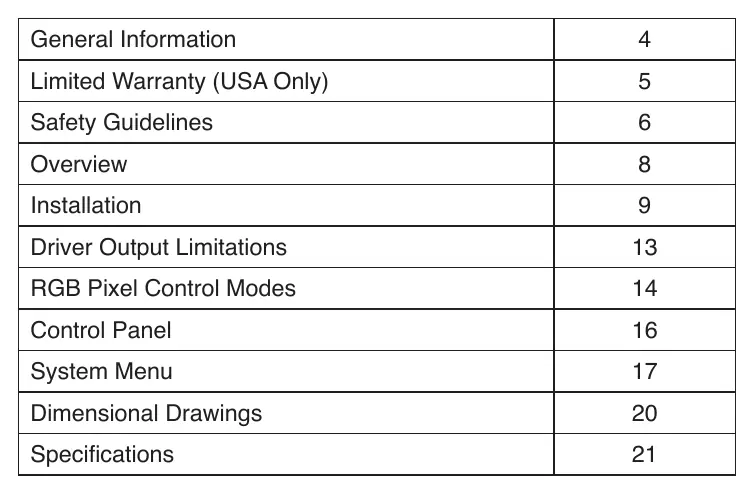
Table of contents
Manual images
Click an image to enlargeQuick Guide
The Elation Pixel Driver 1000IP is a professional lighting controller designed for use with Pixel Bar IP fixtures. This manual provides essential information for safe installation, operation, and configuration. Always ensure the device is installed by qualified personnel and that all local electrical codes are followed.
Safety Guidelines
- IP65 Rating: The fixture is dust-tight and protected against water projected by a nozzle from any direction. It is not protected against immersion in liquid.
- Grounding: This is a Protection Class 1 device and must be properly grounded.
- No User Serviceable Parts: Do not attempt to open the casing or perform repairs yourself, as this will void the warranty.
- Flammable Materials: Keep the device at least 1.5m (5ft) away from flammable materials or pyrotechnics.
- Dimmer Packs: Never connect this unit to a dimmer pack.
- Maintenance: Always disconnect power before performing any maintenance.
Installation
The device can be installed using rack mounting or clamp mounting.

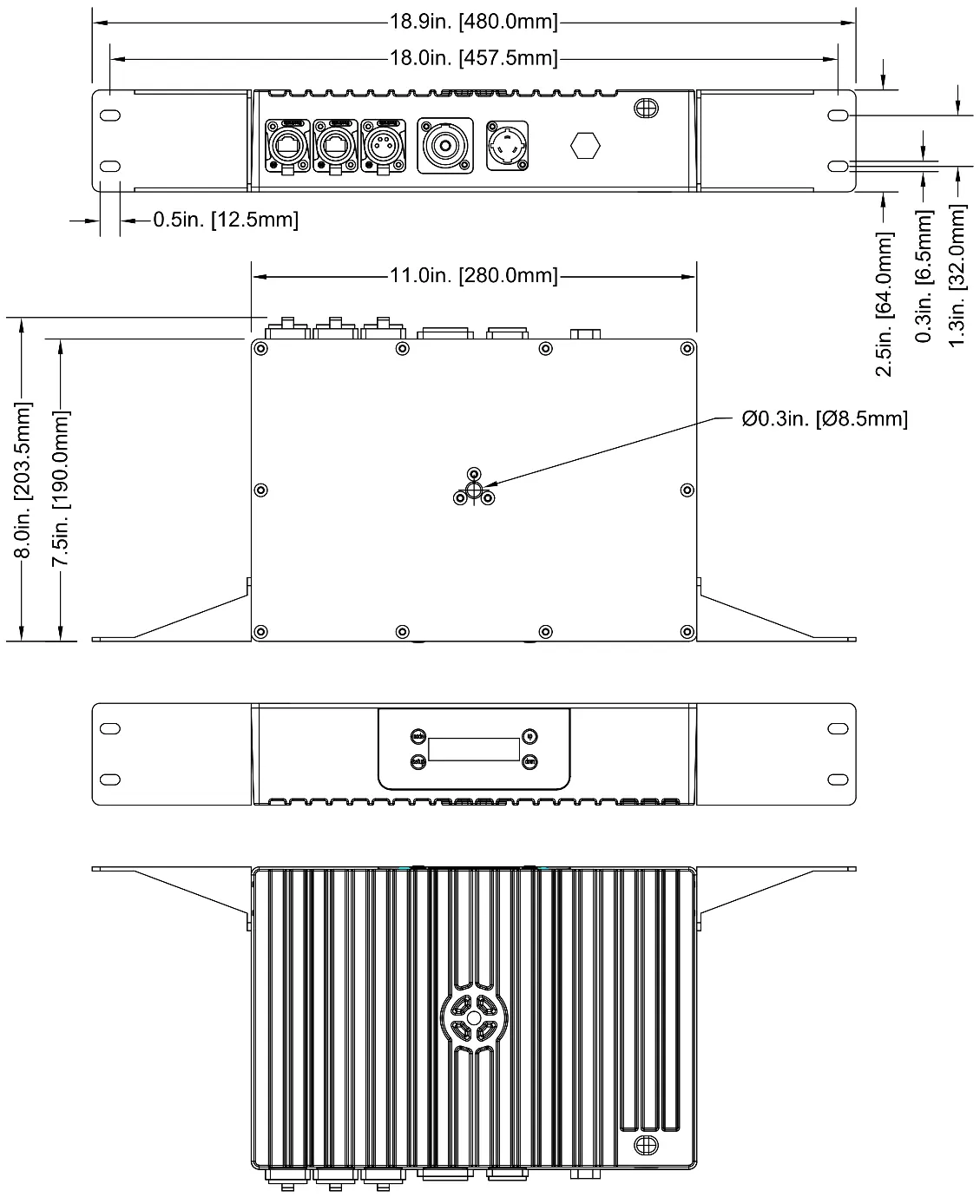
- Rack Mounting: Use the included removable mounting brackets. Secure the device using all four mounting points on the brackets.
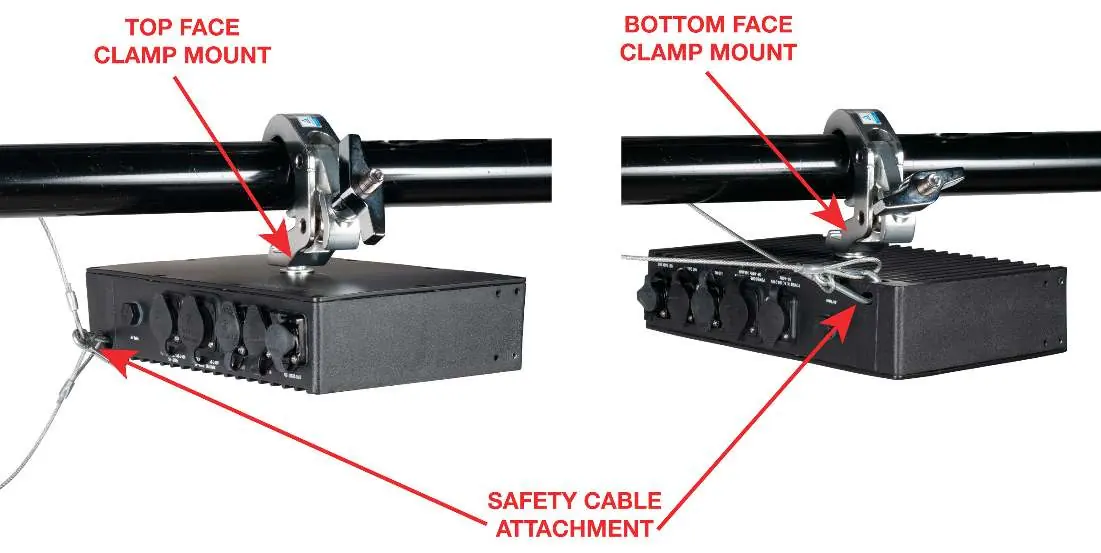
- Clamp Mounting: Use the mounting clamp attachment point on the top or bottom face. Always attach a safety cable to the designated rigging point when installing in a suspended environment.
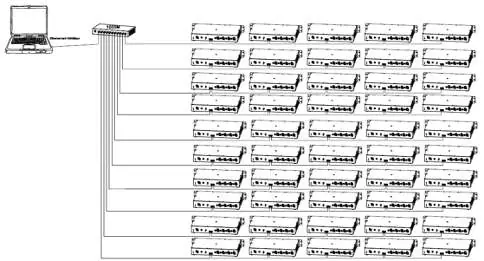
- Daisy-Chaining: You may daisy-chain up to five (5) Pixel Driver 1000IP devices directly together. For larger networks, use a one-gigabit ethernet switch. Do not exceed 10 branches from the switch, with a maximum of 50 devices total.
Driver Output Limitations
The number of fixtures you can control depends on the pixel count and the control protocol (Kling-Net vs. ArtNet/sACN). Each driver can handle a maximum of 1000 pixels. Ensure you do not exceed this limit when mixing and matching different Pixel Bar IP models.
RGB Pixel Control Modes
The device allows you to adjust the RGB pixel control mode to balance resolution and control channel usage. The mode is defined by the number of control groups and the number of LEDs per group (e.g., 15x2 means 15 groups with 2 LEDs each). Each control group occupies 3 DMX channels (Red, Green, Blue).
Control Panel & System Menu
The control panel features a display and four buttons: MODE (cycle menus), SETUP (select/cycle sub-menus), and UP/DOWN (adjust values). The system menu allows you to configure:
- Manual Control: Adjust Red, Green, and Blue intensity.
- Klingnet/ArtNet/sACN Modes: Configure IP addresses, DMX universes, and Pixel Bar setup.
- Programs: Select built-in programs, speed, fade time, and phase time.
- Setup Options: LCD backlight, display orientation, and system reset.
Specifications
- AC Input: 100-240V, 50/60Hz, 2.2A
- Max Power Consumption: 200W
- Protocols: Art-NET, sACN, Kling-NET
- Connections: 2 RJ45 Ethernet Ports, 1 4-pin Power/Data Output
- Operating Temperature: -4°F to 113°F (-20°C to 45°C)
Practical help
Common problems
Device not powering on
Check that the power outlet matches the required voltage and the power cable is securely connected.
Daisy-chaining limit exceeded
Do not daisy-chain more than 5 devices directly. Use an ethernet switch for larger networks (max 50 devices).
Water damage concerns
The unit is IP65 rated (dust-tight and water-jet protected) but is not submersible. Do not immerse in liquid.
Before use
- Verify the local power outlet matches the device voltage.
- Inspect the shipping carton and device for damage.
- Ensure all accessories (Power cable, Data cable, Brackets) are present.
- Confirm the mounting surface can support the device weight.
- Keep flammable materials at least 1.5m (5ft) away.
Specs in practice
- Max Power Consumption
- 200W
- Daisy-chain limit
- Max 5 devices directly linked.
Images and diagrams
- Overview diagram identifies buttons (Mode, Setup, Up, Down) and ports (Power In/Out, LED Out, Net Data In/Out).
- Installation diagrams show rack mounting and clamp mounting with safety cable attachment points.
- Daisy-chain diagram illustrates how to link multiple drivers to a single controller.
Model compatibility
- Compatible with Pixel Bar 30IP, 60IP, and 120IP.
- Supports Art-NET, sACN, and Kling-NET protocols.

Manual page author
Emily Carter
User documentation editor
Prepares concise manual descriptions and highlights the most useful setup, operation, and maintenance information for readers.