Music / Guitar Effects
User Manual for Electro-Harmonix Superego+ Synth Engine/Multi-Effect
Quick guide for the Electro-Harmonix Superego+ Synth Engine/Multi-Effect. Learn about operating modes, control knob functions, expression pedal programming, and external control setup.
Table of contents
Manual images
Click an image to enlargeQuick Guide from the Manual
The Electro-Harmonix Superego+ is a synth engine and multi-effect pedal. It allows for freezing signals, creating ethereal layers, and applying various effects. The pedal operates in five distinct modes selectable via the MODE footswitch.
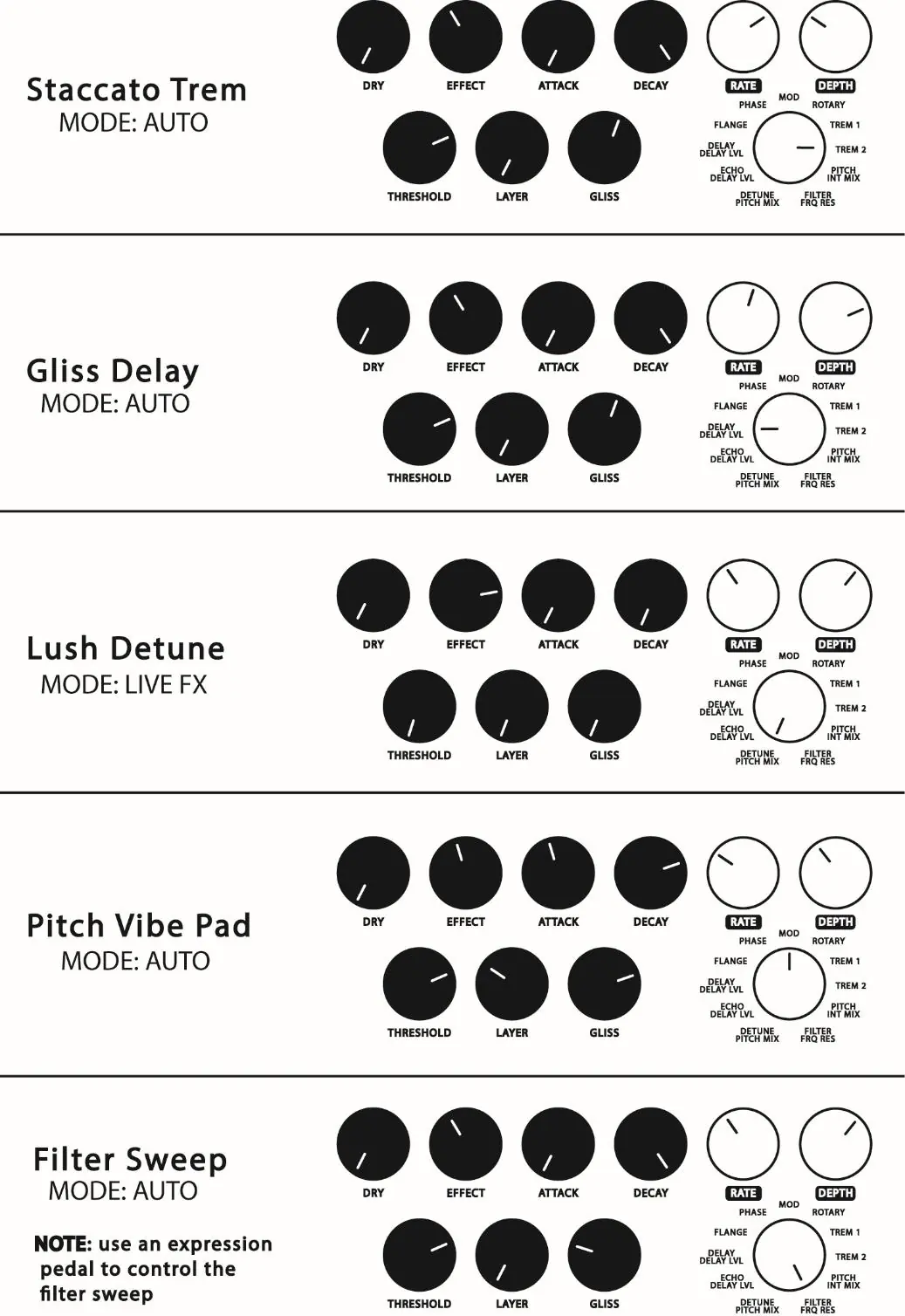
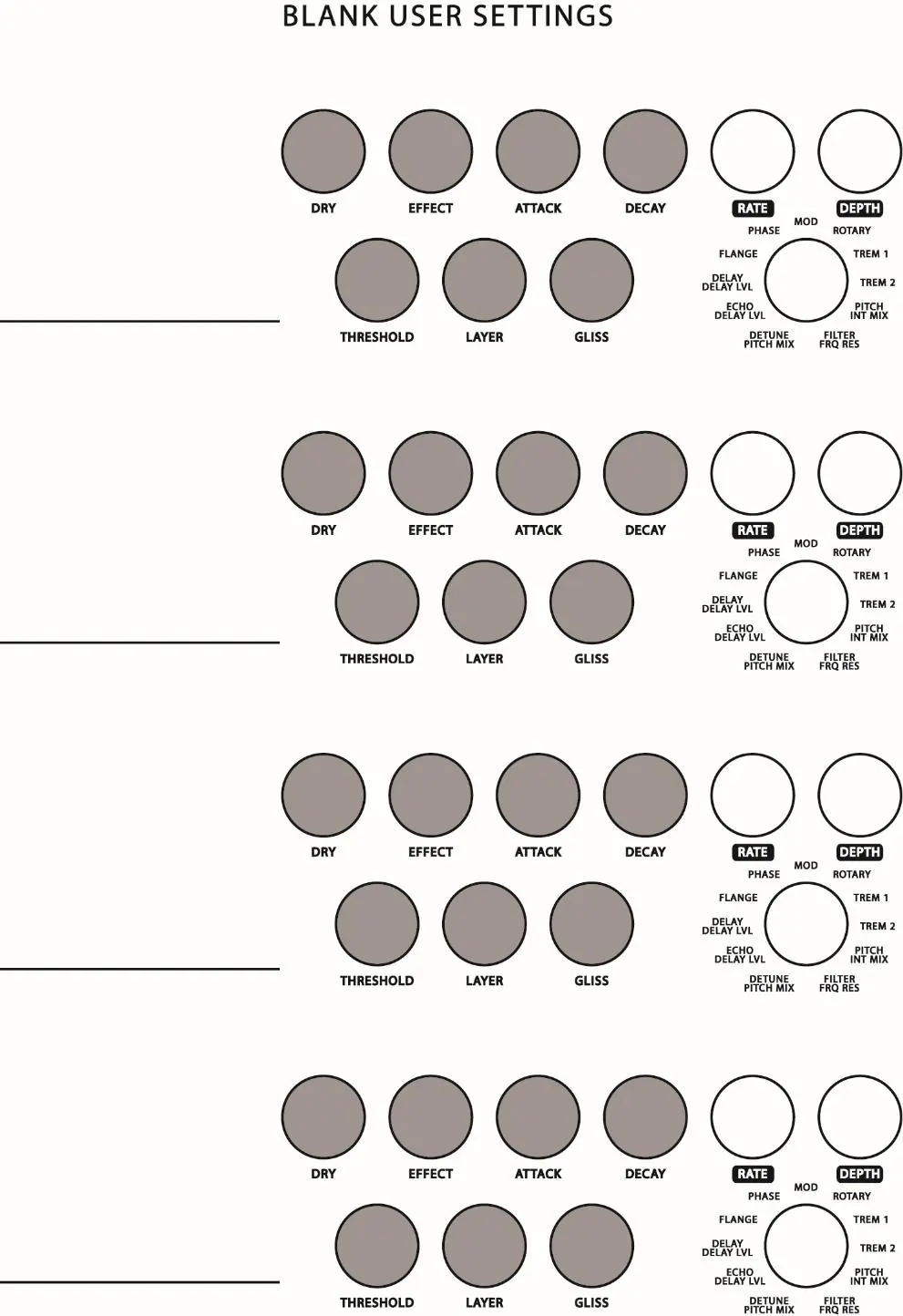
Operating Modes
The Superego+ features five modes to control how the signal is frozen and processed:
- MOMENT: Freezes the signal only while the BYPASS footswitch is held down.
- SUSTAIN (MOMENT+AUTO): Functions like a piano sustain pedal; freezes notes automatically while the BYPASS footswitch is held.
- AUTO: Automatically freezes notes played while the pedal is on.
- LATCH: Freezes the signal upon pressing the BYPASS footswitch; continues until pressed again.
- LIVE EFFECTS: Routes the dry signal through internal effects; the synth engine is disabled.
Controls
The pedal features several knobs to shape your sound:
- DRY: Controls the volume of the dry signal.
- EFFECT: Controls the volume of the effected signal.
- ATTACK: Adjusts the fade-in speed of the frozen signal.
- DECAY: Adjusts the fade-out speed of the frozen signal.
- THRESHOLD: Sets the sensitivity of the trigger to the input signal.
- LAYER: Sets the level of the previously frozen signal when mixed with a new one.
- GLISS: Controls the speed of the glissando/portamento effect.
- Effects Selector: Selects one of the 11 internal effects.
- RATE & DEPTH: Control parameters of the selected effect.
Power and Connections
The Superego+ requires a 9VDC center-negative power supply, drawing 140mA. Do not exceed 10VDC. Use the INPUT jack for your instrument and the OUTPUT jack for your amplifier. The SEND and RETURN jacks allow for an external effects loop.
Expression Pedal Presets
You can program expression pedal presets to control parameters between heel-down and toe-down positions:
- Insert an expression pedal into the EXP jack.
- Ensure effects are off, then press and hold the EFFECT footswitch for over one second until the green LED blinks.
- Set the expression pedal to heel-down and adjust the 7 knobs to your desired setting.
- Move the pedal to toe-down and adjust the knobs again.
- Press and hold the EFFECT footswitch to save; the LED will flash red to confirm.
External Control
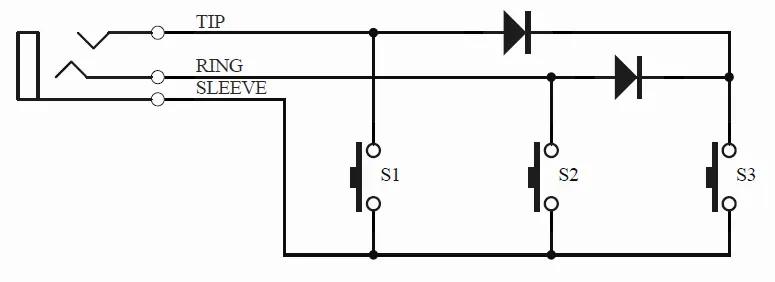
The EXT jack supports a TRS three-button external switch (e.g., DigiTech FS3X) for remote control of footswitch functions. You can also use a single external switch with a TS cable for BYPASS functionality or a clock signal for triggering.
Practical help
Common problems
Effect not triggering
Adjust the THRESHOLD knob clockwise to increase sensitivity to your playing dynamics.
Expression pedal not working
Ensure you are using a TRS expression pedal. If a preset is saved, the LED between RATE and DEPTH will be red.
Bypass LED flashing
This indicates the effect signal is fading out based on the DECAY setting.
Before use
- Use a 9VDC center-negative power supply (140mA minimum).
- Connect your instrument to the INPUT jack.
- Connect your amplifier or mixer to the OUTPUT jack.
- Select the desired mode using the MODE footswitch.
- Ensure the EFFECT footswitch is engaged to use internal effects.
Specs in practice
- Input impedance
- 2.2M ohms (INPUT and RETURN jacks).
- Output impedance
- 500 ohms (OUTPUT and SEND jacks).
- Power requirements
- 9VDC, 140mA, center-negative plug.
Images and diagrams
- The EXT jack wiring diagram illustrates how to construct a custom three-button footswitch using switches S1, S2, and S3 connected to TIP, RING, and SLEEVE.
Model compatibility
- Compatible with standard TRS expression pedals.
- Supports external footswitches (e.g., DigiTech FS3X) via the EXT jack.
- Supports external clock triggers (0V to 5V) via the EXT jack.

Manual page author
Michael Turner
Technical manual editor
Reviews PDF manuals for structure, safety notes, and practical product details so readers can find the right information quickly.