HVAC / Thermostats & Controls
User Manual for Emerson Blue Thermostat 1F98EZ-1421 / 1F98EZ-1441
Comprehensive user guide for the Emerson Blue Thermostat 1F98EZ-1421 and 1F98EZ-1441. Learn how to program heating and cooling schedules, adjust system settings, manage maintenance reminders, and troubleshoot common display messages.
Quick answers from the manual
Quick answer
- The Emerson Blue Thermostat 1F98EZ-1421/1441 is a programmable thermostat that allows for 7-day scheduling, auto-changeover, and maintenance reminders. It is powered by 24V AC with 2 AA batteries for backup. p. 1, 6
Key actions
- Reset the thermostat p. 2
- Replace batteries p. 6
- Program a schedule p. 3
First start
- Set current time and day p. 7
Problems and fixes
Call for Service
Contact a qualified service technician; system fault detected.
p. 2
Power Fail
Check 24V AC power supply.
p. 6Maintenance and reset
- Clear maintenance reminders p. 10
Technical specifications
| Parameter | Value | Meaning | Pages |
|---|---|---|---|
| Power | 24V AC + 2 AA Batteries | System power with battery backup | p. 6 |
| Programming | 7-Day | Independent day programming | p. 5 |
Where to find it in the PDF
- Display Overview p. 4
- Programming p. 3, 5
- Troubleshooting p. 2
Table of contents
Quick Guide from the Manual
This thermostat is designed for 7-day independent programming with 4 time/temperature periods per day. To get started, ensure the thermostat is powered by the 24V AC system and has 2 AA batteries installed for backup. Use the Menu key to access configuration options, including setting the current time and day. The System key allows you to toggle between Heat, Cool, Off, and Auto modes.
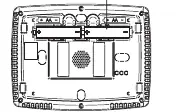
Display Overview
The touchscreen display provides real-time information about your HVAC system. Key indicators include:
- Time of Day & Day of Week: Current time and day settings.
- Room Temperature: Current ambient temperature.
- Set At: The target temperature setpoint.
- System Setting: Current mode (Heat, Cool, Off, Auto).
- Fan Setting: Current fan operation (Auto or On).
- Scrolling Message Center: Displays system status, maintenance reminders, and fault messages.
Programming Your Thermostat
You can customize your heating and cooling schedules to optimize energy efficiency.
- Touch the Menu key, then Set Schedule.
- Select the day you wish to program.
- Use the System key to select Heat or Cool mode.
- Use the Up/Down keys to adjust the temperature and the Left/Right keys to adjust the time in 15-minute increments.
- Touch Fan to select Auto or Prog.
- Touch Set Schedule to advance to the next period.
- Once finished, touch Run Schedule to begin the program.
You can use the Copy key to duplicate a program from one day to another to save time.
System Operation
The thermostat supports several operating modes:
- Heat/Cool: Standard heating or cooling operation.
- Auto: Automatically switches between heating and cooling based on indoor temperature.
- Emergency Heat: Available for heat pump systems; manually activated by setting the system to Em.
- Temporary Hold: Adjust the temperature temporarily by touching the Up/Down keys; the thermostat will hold this until the next scheduled period.
- Permanent Hold: Use the Hold key to maintain a temperature indefinitely until manually cancelled.
Maintenance and Troubleshooting
The thermostat includes maintenance reminders for your HVAC system:
- Air Filter: Reminder to change the filter based on system runtime.
- UV Lamp: Annual reminder to change the UV lamp.
- Humidifier Pad: Reminder to change the humidifier pad.
When a reminder appears, touch Clean Display to clear the message and reset the timer. If the display shows Call for Service, a system fault has been detected; contact a qualified service technician. If the display is blank or erratic, perform a reset by touching the Up, Down, and System keys simultaneously.
Practical help
Common problems
Low Battery message
Replace the 2 AA batteries in the rear of the thermostat with fresh premium alkaline batteries.
Power Fail message
The thermostat has lost 24V AC power from the HVAC system. Check your system's power supply.
Call for Service message
A system fault has been detected. Contact a qualified service technician.
Erratic operation or blank display
Reset the thermostat by touching the Up, Down, and System keys simultaneously.
Before use
- Verify 24V AC power is connected to the thermostat.
- Install 2 AA alkaline batteries for power backup.
- Set the current time and day via the Menu key.
- Configure the system mode (Heat, Cool, or Auto).
- Review factory pre-programmed schedule or set your own.
Specs in practice
- Heat High Limit
- The maximum temperature the thermostat can be set to in Heat mode (default 99°F).
- Cool Low Limit
- The minimum temperature the thermostat can be set to in Cool mode (default 45°F).
- Temperature Offset
- Allows calibration of the displayed temperature to match a previous thermostat (range 5° Lo to 5° Hi).
Images and diagrams
- The Home Screen displays the current time, room temperature, setpoint, and system status.
- The touch keys (Up/Down, Menu, System, Fan) are located around the display for navigation and control.
Model compatibility
- Auxiliary and Emergency Heat features are available for Heat Pump systems only.

Manual page author
David Miller
Documentation analyst
Organizes user manual content into clear summaries, with attention to model details, product context, and everyday usability.